

Mongo权限设置
创建超级管理员账户
- use admin
-
db.createUser({
  user: "admin",
   pwd: "123456",
  roles: [
    {role: "root", db: "admin"}
  ]
})
- 修改 Mongodb 数据库配置文件 MongoDB/Server/5.0/bin/mongod.cfg
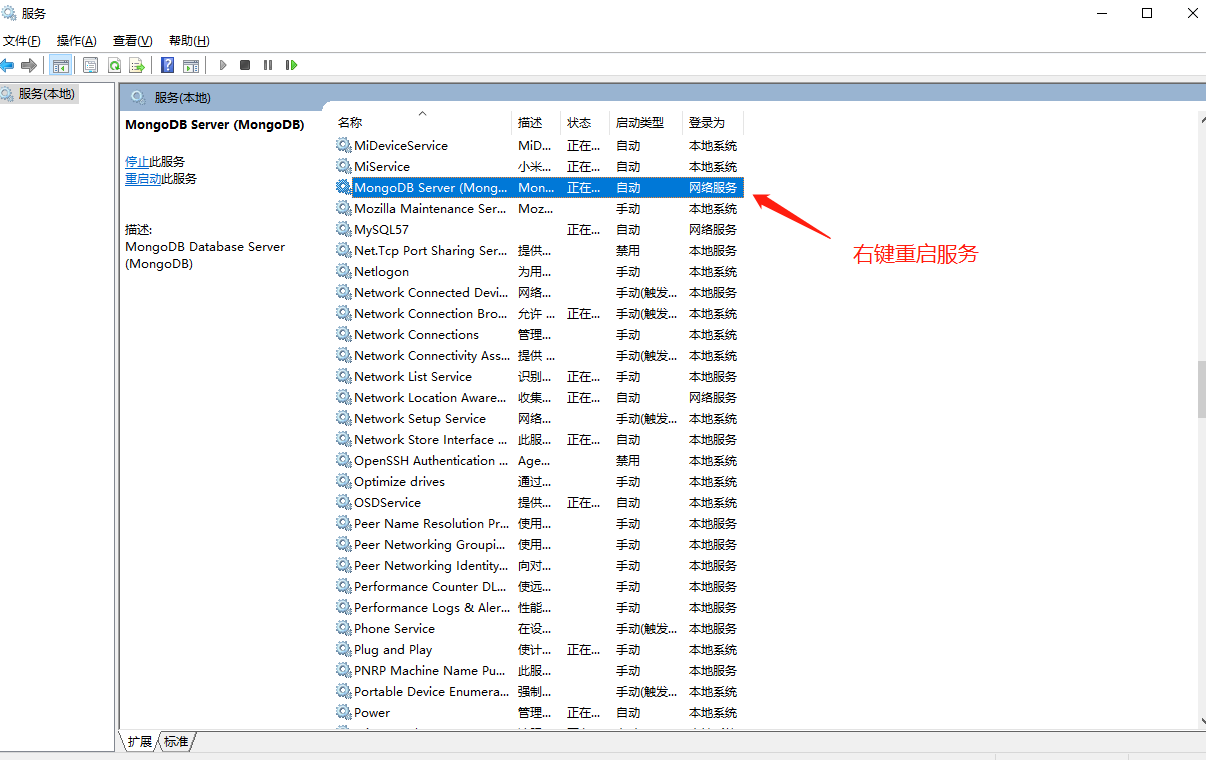
# mongod.conf # for documentation of all options, see: # http://docs.mongodb.org/manual/reference/configuration-options/ # Where and how to store data. storage: dbPath: C:\Program Files\MongoDB\Server\5.0\data journal: enabled: true # engine: # wiredTiger: # where to write logging data. systemLog: destination: file logAppend: true path: C:\Program Files\MongoDB\Server\5.0\log\mongod.log # network interfaces net: port: 27017 bindIp: 127.0.0.1 #processManagement: # 开启权限认证 security: authorization: enabled #operationProfiling: #replication: #sharding: ## Enterprise-Only Options: #auditLog: #snmp: - 重启 MongoDB 服务
![]()
- 本地登录 mongo admin -u admin -p 123456 (mongo 数据库名称) (-u 用户) (-p 密码)
- 远程登录 mongo 192.168.1.1:27017/admin -u admin -p 123456
添加一个用户管理eggcms库
- use eggcms
-
db.createUser(
  {
    user: "eggadmin",
    pwd: '123456',
    roles: [{role: 'dbOwner', db: "eggcms"}]
  }
)
- 使用刚才创建的 eggadmin 用户登录 mongo eggcms -u eggadmin -p 123456
用户相关命令
- 查看当前库下的用户 show users;
- 删除 eggadmin 用户 db.dropUser('eggadmin');
- 修改 eggadmin 用户密码 db.updateUser('eggadmin', {'pwd': '654321'})
- 权限认证 db.auth('admin', '123456')
数据库角色
- 数据库用户角色 read readWrite
- 数据库管理角色 dbAdmin dbOwner userAdmin
- 超级用户角色 root
在 node.js 中连接数据库
- const url = 'mongodb://admin:123456@localhost:27017' 或者 const url = 'mongodb://emsadmin:123456@localhost:27017'

 浙公网安备 33010602011771号