
第八次作业
WordCount程序任务:
|
程序 |
WordCount |
|
输入 |
一个包含大量单词的文本文件 |
|
输出 |
文件中每个单词及其出现次数(频数), 并按照单词字母顺序排序, 每个单词和其频数占一行,单词和频数之间有间隔 |
1.用你最熟悉的编程环境,编写非分布式的词频统计程序。
- 读文件
- 分词(text.split列表)
- 按单词统计(字典,key单词,value次数)
- 排序(list.sort列表)
- 输出
(1)
# 导入扩展库 |


(2)

import re

#打开read.txt并以字符串形式输出文件内容
file=open("read.txt","r")
str=file.read()
print(str)

# 利用正则将所有非字母的字符过滤掉
str = re.sub(r"[^a-zA-Z]+", " ",str)
print("过滤后的字符串:",str)

#拆分成列表
str = str.split(" ")
# 去除多余的空项
str.remove("")
print("拆分成列表:",str)

# 生成字典的key列表
dict_keys = []
for i in str:
    if i not in dict_keys:
        dict_keys.append(i)
print("key列表:",dict_keys)

# 定义空字典
words_dict = {}

# 往字典写入key值
words_dict.fromkeys(dict_keys)

# 遍历key列表,利用count函数统计单词出现次数
for j in dict_keys:
    words_dict[j] = str.count(j)
print("字典:",words_dict)

#默认排序方式给已拆分的单词排序
dict_keys.sort()
print("按字母排序:",dict_keys)
编译运行结果如下:
There are several ways to create and maintain a harmonious dormitory life. Firstly, you have to evaluate your life style and try to get rid of your
dirty habits, if there are any. In conclusion, we should try our best to build a harmonious dormitory life for the sake of good study and
good life.
过滤后的字符串: There are several ways to create and maintain a harmonious dormitory life Firstly you have to evaluate your life style and try to get rid of your dirty habits if there are any In conclusion we should try our best to build a harmonious dormitory life for the sake of good study and good life
拆分成列表: ['There', 'are', 'several', 'ways', 'to', 'create', 'and', 'maintain', 'a', 'harmonious', 'dormitory', 'life', 'Firstly', 'you', 'have', 'to', 'evaluate', 'your', 'life', 'style', 'and', 'try', 'to', 'get', 'rid', 'of', 'your', 'dirty', 'habits', 'if', 'there', 'are', 'any', 'In', 'conclusion', 'we', 'should', 'try', 'our', 'best', 'to', 'build', 'a', 'harmonious', 'dormitory', 'life', 'for', 'the', 'sake', 'of', 'good', 'study', 'and', 'good', 'life']
key列表: ['There', 'are', 'several', 'ways', 'to', 'create', 'and', 'maintain', 'a', 'harmonious', 'dormitory', 'life', 'Firstly', 'you', 'have', 'evaluate', 'your', 'style', 'try', 'get', 'rid', 'of', 'dirty', 'habits', 'if', 'there', 'any', 'In', 'conclusion', 'we', 'should', 'our', 'best', 'build', 'for', 'the', 'sake', 'good', 'study']
字典: {'There': 1, 'are': 2, 'several': 1, 'ways': 1, 'to': 4, 'create': 1, 'and': 3, 'maintain': 1, 'a': 2, 'harmonious': 2, 'dormitory': 2, 'life': 4, 'Firstly': 1, 'you': 1, 'have': 1, 'evaluate': 1, 'your': 2, 'style': 1, 'try': 2, 'get': 1, 'rid': 1, 'of': 2, 'dirty': 1, 'habits': 1, 'if': 1, 'there': 1, 'any': 1, 'In': 1, 'conclusion': 1, 'we': 1, 'should': 1, 'our': 1, 'best': 1, 'build': 1, 'for': 1, 'the': 1, 'sake': 1, 'good': 2, 'study': 1}
按字母排序: ['Firstly', 'In', 'There', 'a', 'and', 'any', 'are', 'best', 'build', 'conclusion', 'create', 'dirty', 'dormitory', 'evaluate', 'for', 'get', 'good', 'habits', 'harmonious', 'have', 'if', 'life', 'maintain', 'of', 'our', 'rid', 'sake', 'several', 'should', 'study', 'style', 'the', 'there', 'to', 'try', 'ways', 'we', 'you', 'your']
在Ubuntu中实现运行。
- 准备txt文件
- gedit f1.txt
- 编写py文件
-
123456789101112
path='/home/hadoop/pythonproject/f1.txt'withopen(path) as f:text=f.read()words=text.split()wc={}forwordinwords:wc[word]=wc.get(word,0)+1wclist=list(wc.items())wclist.sort(key=lambdax:x[1],reverse=True)print(wclist) - python3运行py文件分析txt文件
![]()

2.用MapReduce实现词频统计
2.1编写Map函数
- 编写mapper.py
![]()
-
![复制代码]()
#!/usr/bin/env python
import sys
for line in sys.stdin:
    line=line.strip()
    words=line.split()
    for word in words:
        print "%s\t%s" % (word,1)
![复制代码]()
- 授予可运行权限
![]()
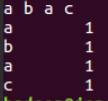
- 本地测试mapper.py‘
- echo "a b a c"| ./mapper.py
- ’
![]()
./mapper.py
![]()
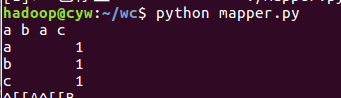
python mapper.py
![]()
使用第一行的解释器运行,ctrl+d结束输入



2.2编写Reduce函数
![]()
- 编写reducer.py
-
![复制代码]()
#!/usr/bin/env python
from operator import itemgetter
import sys

current_word = None
current_count = 0
word = None

for line in sys.stdin:
    line = line.strip()
    word,count = line.split('\t',1)
    try:
        count = int(count)
    except ValueError:
        continue
    if current_word == word:
        current_count += count
    else:
        if current_word:
            print "%s\t%s" % (current_word,current_count)
        current_count = count
        current_word = word

if word == current_word:
    print "%s\t%s" % (current_word,current_count)
![复制代码]()
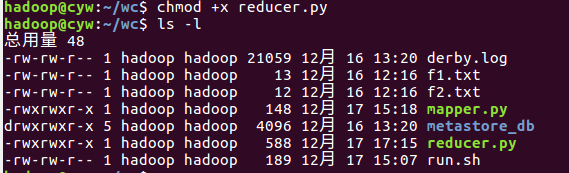
- 授予可运行权限
![]()
- 本地测试reducer.py
-
echo "a b a c" | ./mapper.py | ./reducer.py
-
![]()
-
echo "a b a c" | ./mapper.py |sort | ./reducer.py
![]()



2.3分布式运行自带词频统计示例
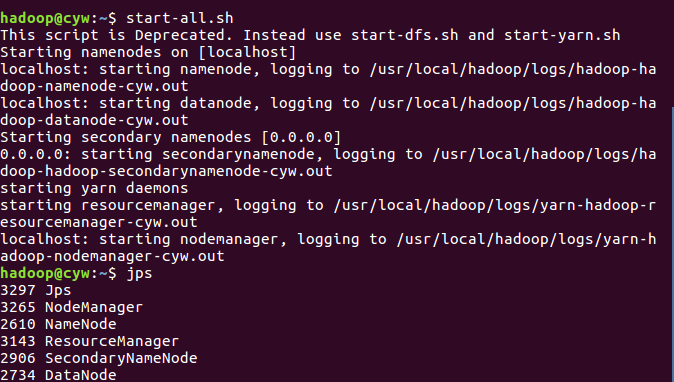
- 启动HDFS与YARN
![]()
- 准备待处理文件,上传到HDFS上
![]()
- 运行实例hadoop-mapreduce-examples-2.7.1.jar
![]()
- 查看结果
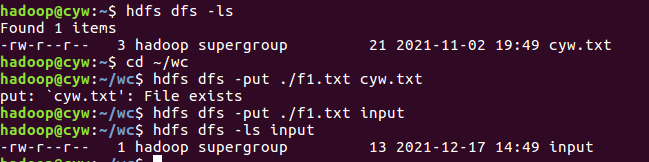
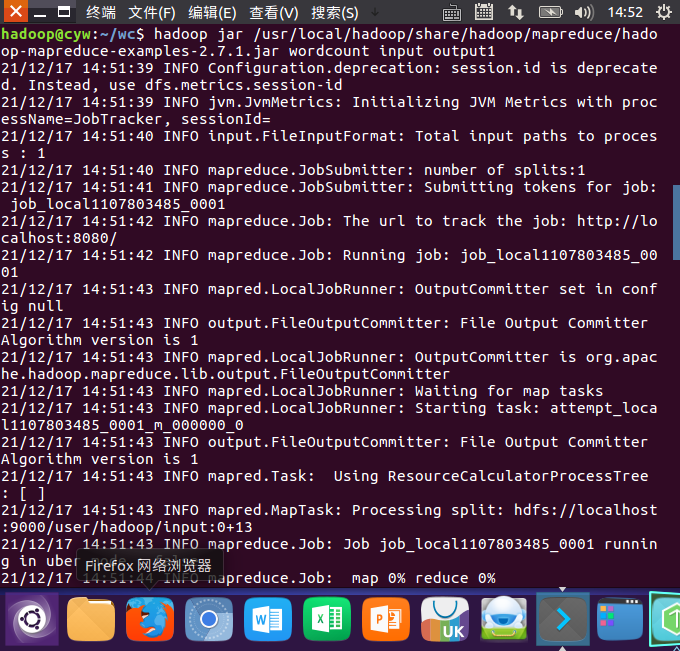
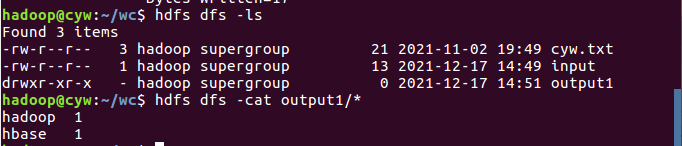
2.4 分布式运行自写的词频统计
- 用Streaming提交MapReduce任务:
- 查看hadoop-streaming的jar文件位置:/usr/local/hadoop/share/hadoop/tools/lib/
![]()
- 配置stream环境变量
![]()
- 编写运行文件run.sh
![]()
![]()
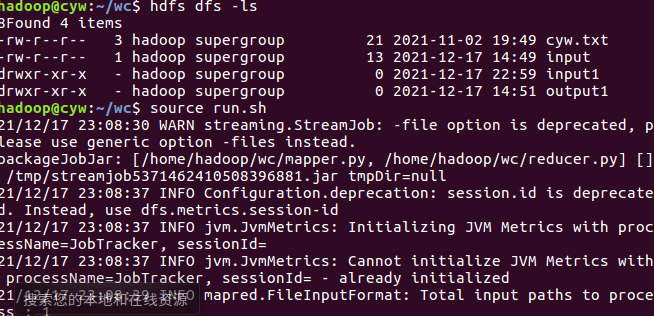
- 运行run.sh运行
-
![]()
- 查看运行结果
![]()
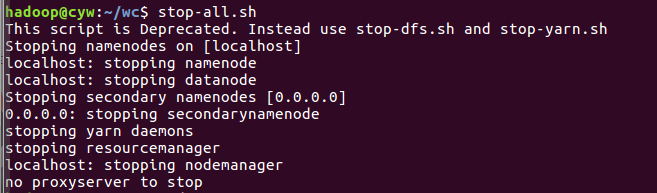
- 停止HDFS与YARN
![]()
![]()


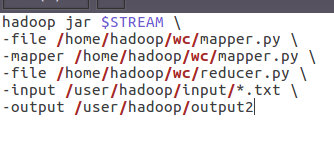




 浙公网安备 33010602011771号