
WinForm 适配高分屏,解决应用模糊、缩放比例异常问题
参考
环境
| 软件/系统 | 版本 | 说明 |
|---|---|---|
| Windows | windows 10 专业版 22H2 64 位操作系统, 基于 x64 的处理器 | |
| Microsoft Visual Studio | Community 2022 (64 位) - Current 版本 17.14.17 | |
| .NET Framework | 4.8 |
正文
之前应该写过一篇类似文章,找不到了~
如果切换开发时使用的屏幕,如果分辨率不一致还是会出现控件在可视化界面设置的数值自动变化的问题
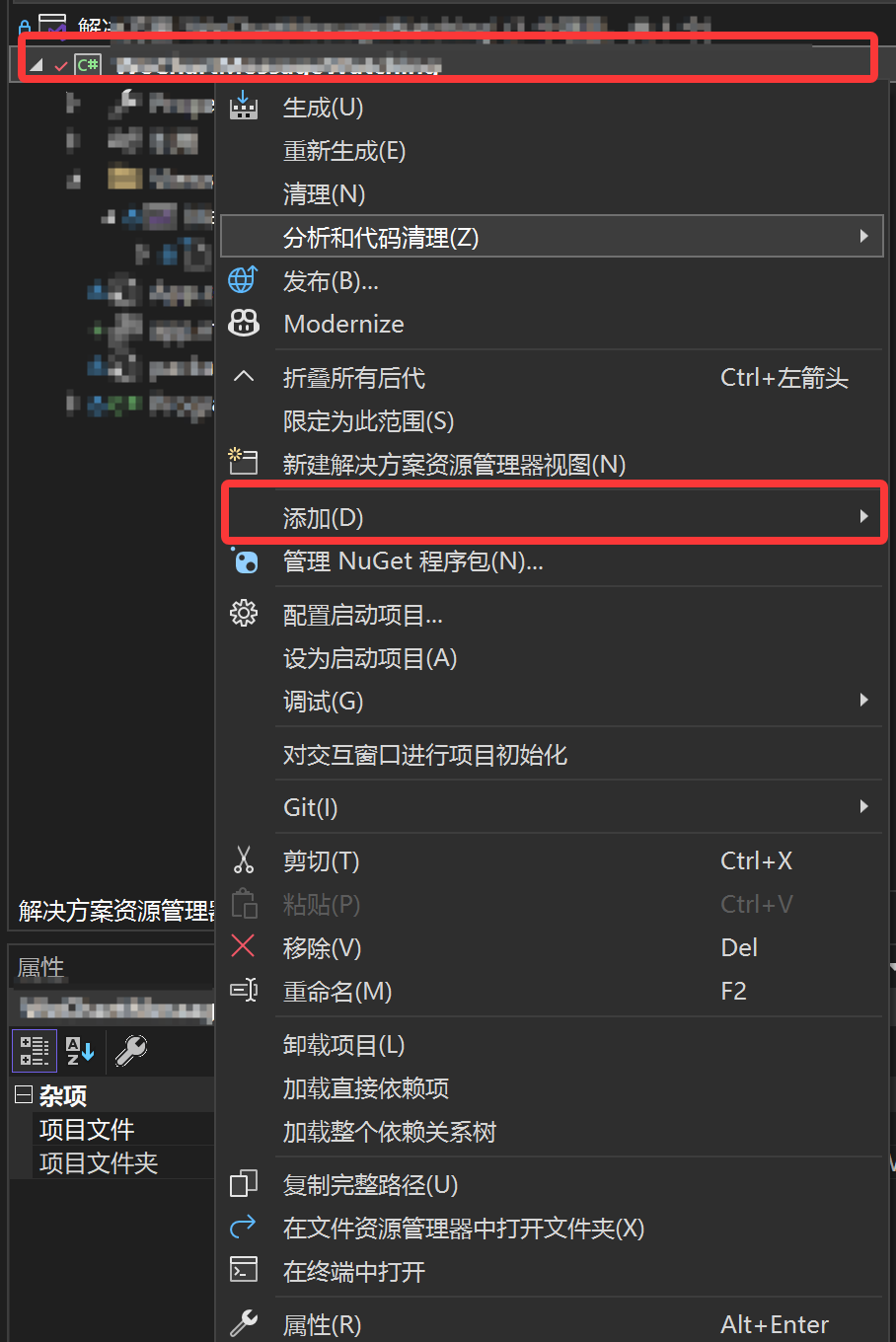
解决方案管理器->项目右键->添加->新建项
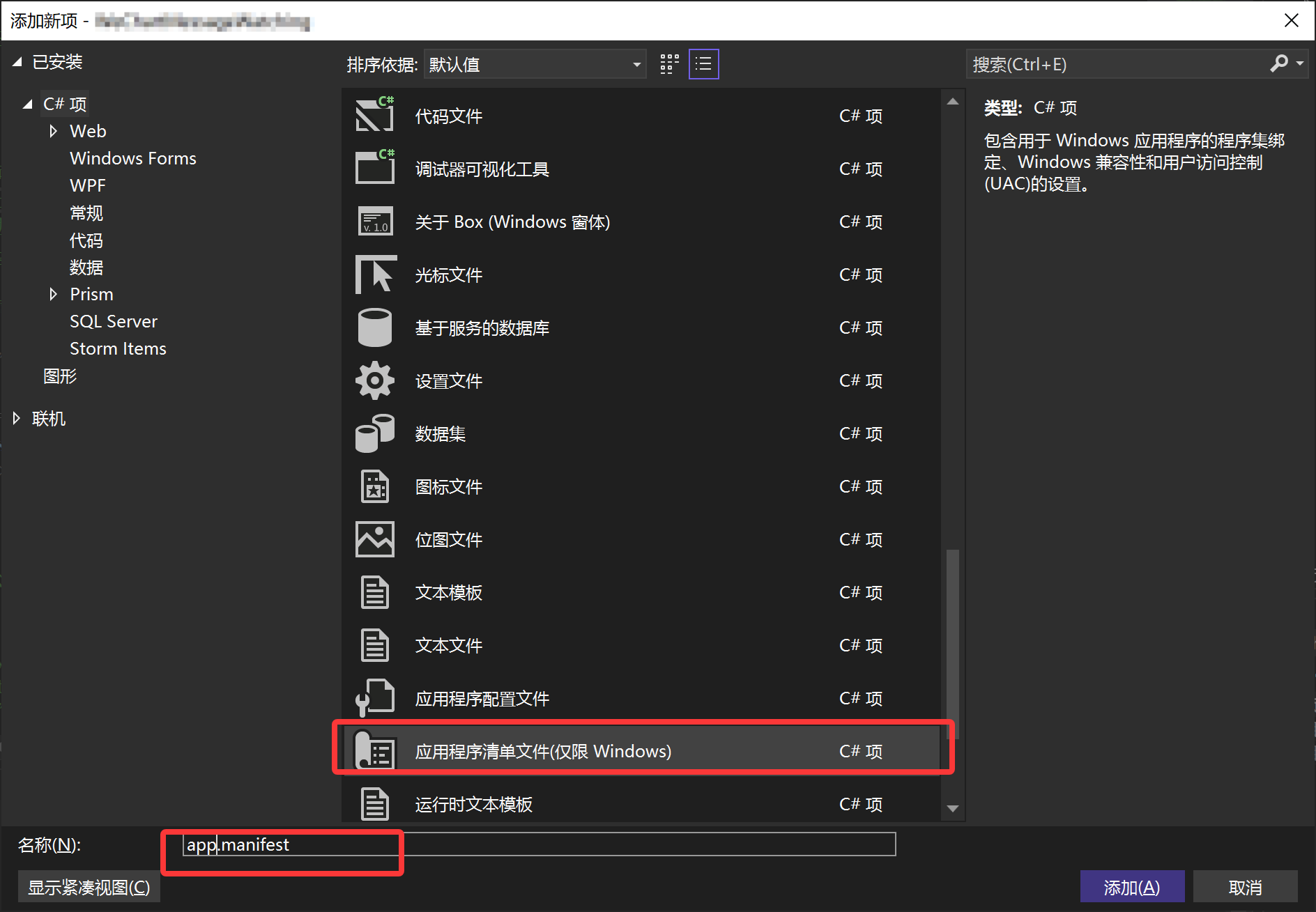
- 找到
应用程序清单文件(仅限Windows)添加
- 找到对应代码位置取消注释即可
<!-- 指示该应用程序可感知 DPI 且 Windows 在 DPI 较高时将不会对其进行 自动缩放。Windows Presentation Foundation (WPF)应用程序自动感知 DPI,无需 选择加入。选择加入此设置的 Windows 窗体应用程序(面向 .NET Framework 4.6)还应 在其 app.config 中将 "EnableWindowsFormsHighDpiAutoResizing" 设置设置为 "true"。 将应用程序设为感知长路径。请参阅 https://docs.microsoft.com/windows/win32/fileio/maximum-file-path-limitation --> <application xmlns="urn:schemas-microsoft-com:asm.v3"> <windowsSettings> <dpiAware xmlns="http://schemas.microsoft.com/SMI/2005/WindowsSettings">true</dpiAware> <longPathAware xmlns="http://schemas.microsoft.com/SMI/2016/WindowsSettings">true</longPathAware> </windowsSettings> </application> 解决方案管理器->重新生成解决方案即可
博 主 :夏秋初
地 址 :https://www.cnblogs.com/xiaqiuchu/p/19208425
如果对你有帮助,可以点一下 推荐 或者 关注 吗?会让我的分享变得更有动力~
转载时请带上原文链接,谢谢。
地 址 :https://www.cnblogs.com/xiaqiuchu/p/19208425
如果对你有帮助,可以点一下 推荐 或者 关注 吗?会让我的分享变得更有动力~
转载时请带上原文链接,谢谢。

 浙公网安备 33010602011771号