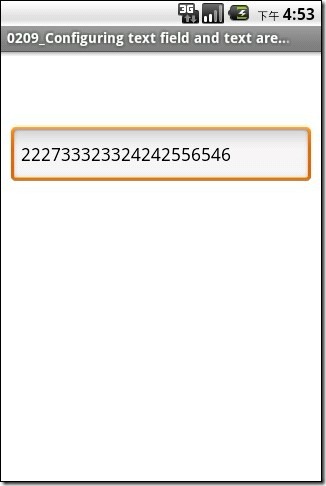
var win = Titanium.UI.createWindow({
	title:"Configuring text field and text area keyboard types",
	backgroundColor:"#FFF",
	exitOnClose:true
});

var textField = Titanium.UI.createTextField({
	top:75,
	height:60,
	width:300,
	borderStyle:Titanium.UI.INPUT_BORDERSTYLE_ROUNDED,
	hintText:"This field only allows numbers",
	keyboardType:Titanium.UI.KEYBOARD_DECIMAL_PAD //This property sets the keyboard type to appear
	//Experiment by changing the above line with the values below
	/* Keyboard types are:
	 * Titanium.UI.KEYBOARD_DEFAULT - Default keyboard
	 * Titanium.UI.KEYBOARD_ASCII 	- ASCII keyboard
	 * Titanium.UI.KEYBOARD_NUMBERS_PUNCTUATION; - Numbers and punctuation
	 * Titanium.UI.KEYBOARD_URL - Web keyboard
	 * Titanium.UI.KEYBOARD_NUMBER_PAD - Number pad
	 * Titanium.UI.KEYBOARD_PHONE_PAD - Phone keypad
	 * Titanium.UI.KEYBOARD_NAMEPHONE_PAD - Alpha + phone pad
	 * Titanium.UI.KEYBOARD_EMAIL - Email phone pad
	 * Titanium.UI.KEYBOARD_DECIMAL_PAD - Number and decimal pad
	 */
});


//Add an event listener to the window that allows for the keyboard or input keys to be hidden if the user taps outside a text field
//Note: each text field to be blurred would be added below
win.addEventListener("click", function(e){
	textField.blur(); // Cause the text field to lose focus, thereby hiding the keyboard (if visible)
});

win.add(textField);

win.open();



 浙公网安备 33010602011771号