
vite8.3+deepseek-v4.1流式ai模板|vue3.5+vant4+markdown打字输出ai助手
2026最新款爆肝vite8.3+deepseek-v4.1+vant4+markdown流式打字输出AI对话模板。
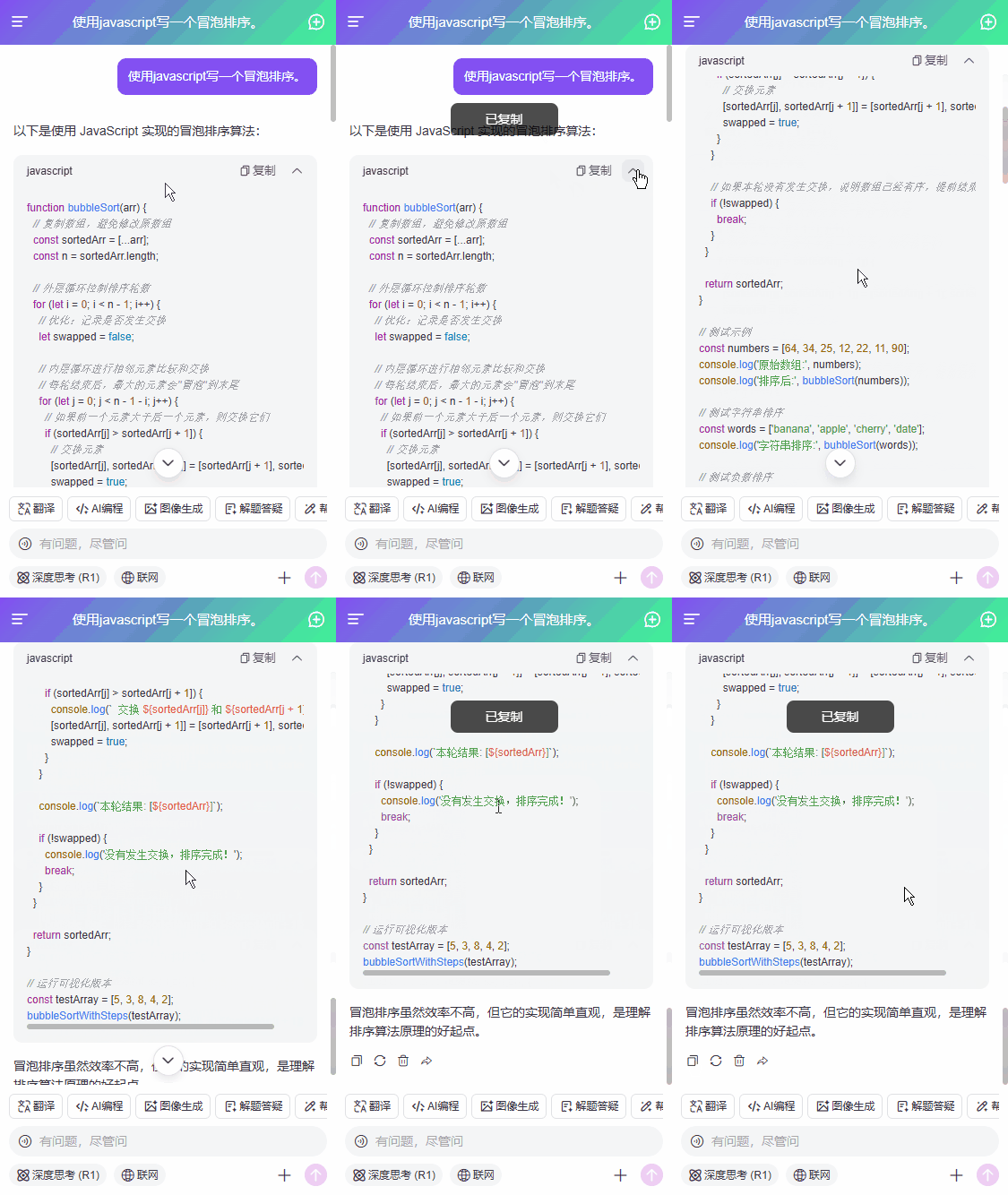
vue3-mobile-deepseek:基于vue3.5+vite8+vant4+markdown+openai深度集成deepseek-v4.1-flash搭建移动端h5版智能ai助手。支持浅色+深色主题、深度思考、代码高亮、复制代码、katex公式、mermaid图表等功能。

Vite8+DeepSeek网页版AI助手|vue3+arco本地web版ai流式打字问答系统
uniapp+deepseek流式ai助理|uniapp+vue3对接deepseek三端Ai问答模板
react19-webai网页版AI模板|DeepSeek-V4+React19+Arco智能ai系统
技术栈
- 编辑器:vscode
- 技术框架:vite^8.3.0+vue^3.5.42+vue-router^5.3.1
- 大模型框架:deepseek-v4.1-flash + openai
- UI组件库:vant^4.10.2 (有赞vue3移动端组件库)
- 状态管理:pinia^4.0.3
- 高亮插件:highlight.js^11.12.0
- markdown解析:markdown-it
- katex公式:@mdit/plugin-katex^1.1.1
- 本地缓存:pinia-plugin-persistedstate^4.7.1


功能性
- Vue3.5+DeepSeek-V4流式打字输出效果
- 基于Vite8.0构建,集成DeepSeek-Chat模型,性能更优,对话丝滑流畅
- 支持各种代码高亮(复制代码+下载代码+收缩功能),方便展示和分享代码片段
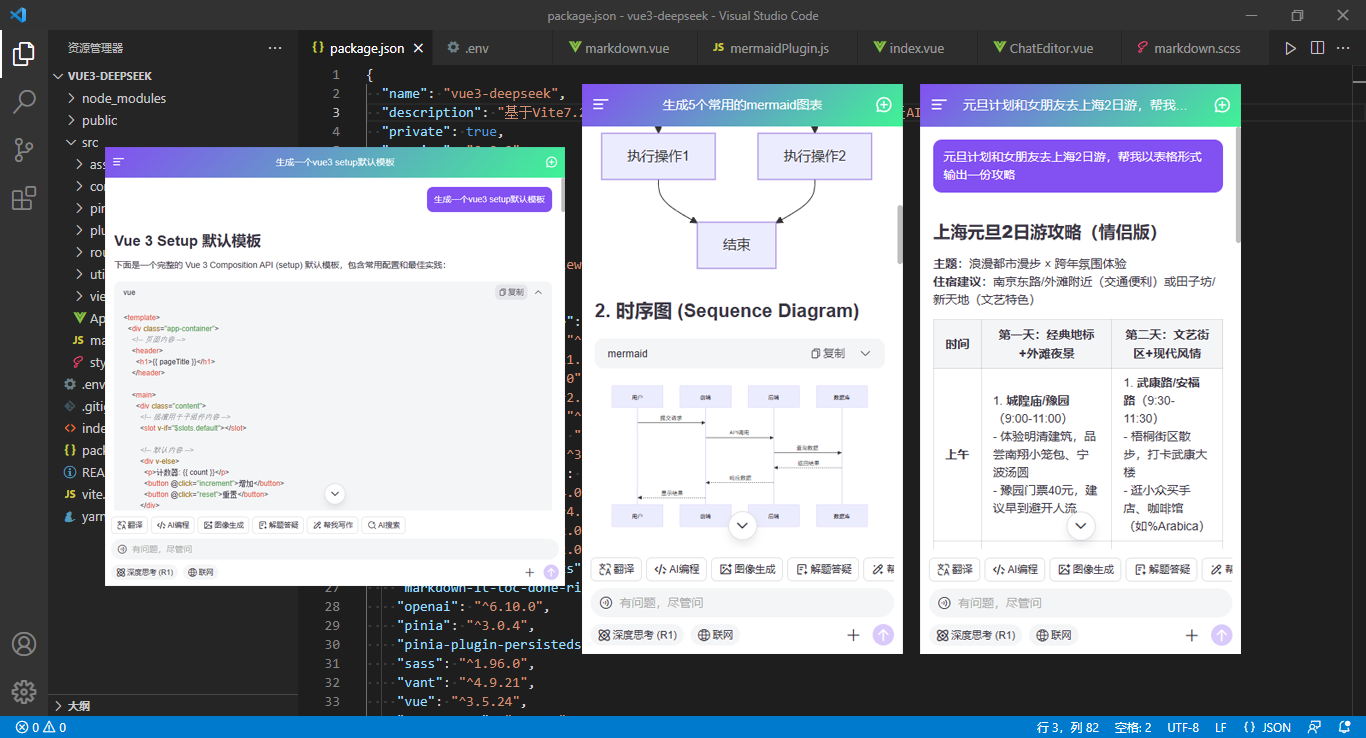
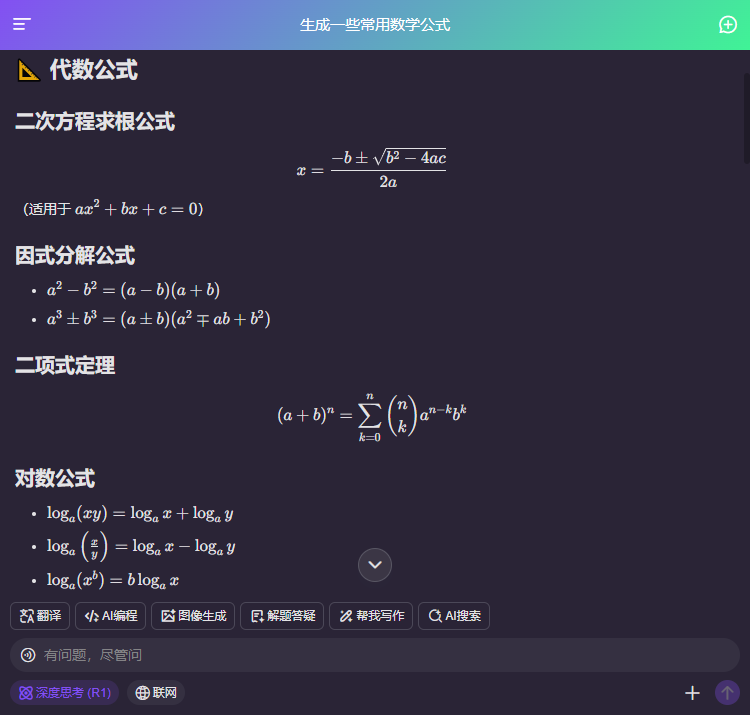
- 支持输出Katex数学公式、Mermaid图表
- 使用vant4组件库,风格统一,时尚大气
- 支持移动端+PC端750px像素适配


vue3-deepseek流式ai对话项目已经更新到我的原创作品集,欢迎下载使用。
项目框架结构
整个项目使用最新vite8.0搭建项目模板,遵循vue3 setup语法编码。

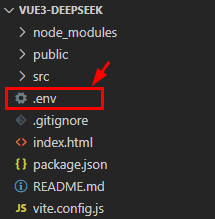
vue3环境变量.env配置
申请一个deepseek apikey,替换掉项目根目录下.env文件里的key即可畅快体验deepseek-v4快速流式输出功能。
# title
VITE_APP_TITLE = 'Vue3-DeepSeek-Chat'

# port 默认http://localhost:5173/
VITE_PORT = 3001

# 运行时自动打开浏览器
VITE_OPEN = true

# 开启https
VITE_HTTPS = false

# 是否删除生产环境 console
VITE_DROP_CONSOLE = true

# DeepSeek API配置
VITE_DEEPSEEK_API_KEY = 替换为你的 API Key
VITE_DEEPSEEK_BASE_URL = https://api.deepseek.com
项目入口main.js
import { createApp } from 'vue'
import './style.scss'
import App from './App.vue'

// 引入路由/状态管理
import Router from './router'
import Pinia from './pinia'

import Plugins from './plugins'

const app = createApp(App)

app
.use(Router)
.use(Pinia)
.use(Plugins)
.mount('#app')


项目布局结构
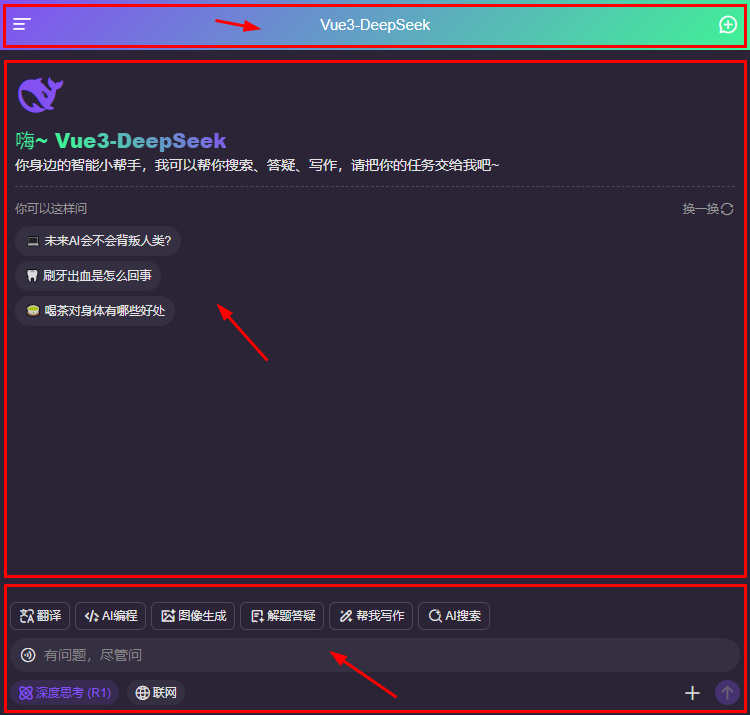
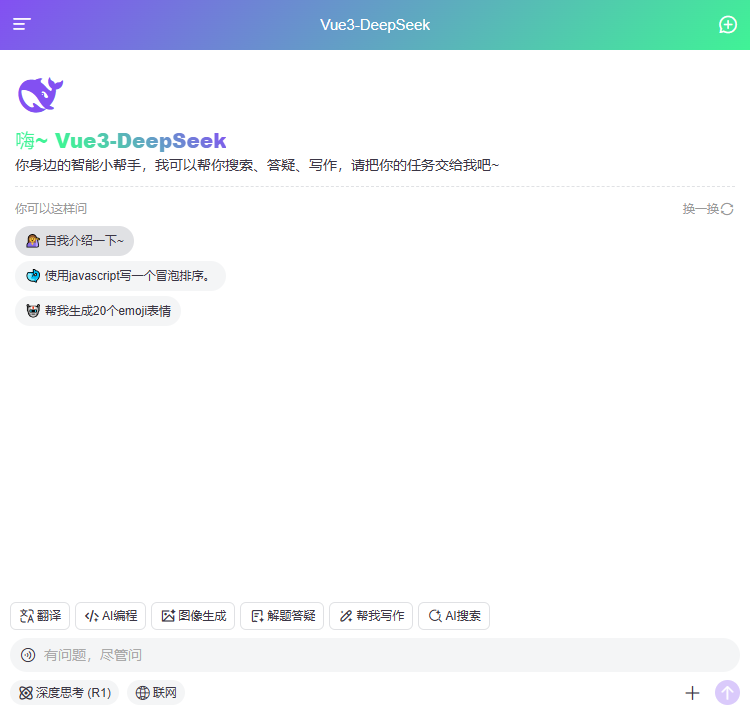
整体项目结构分为顶部导航栏+聊天会话区+底部编辑栏三个模块。
<template>
  <div class="flexbox flex-col" style="height:100%;">
    <Toolbar :title="chatSession?.title" />

    <div class="v3ai__scrollview flex1">
      <!-- Chat对话 -->
      <div v-if="chatSession && !isEmpty(chatSession.data)" class="v3ai__chatbot" ref="scrollRef" @scroll="onScroll">
        <div class="v3ai__chatbot-sessions">
          ...
        </div>
        <!-- 滚动底部 -->
        <div class="v3ai__scrollbottom" :class="{'is-bottom': reachBottom}" @click="scrollToBottom"><i class="iconfont ai-arrD"></i></div>
      </div>
      <!-- 导语 -->
      <div v-else class="v3ai__chatbot-intro">
        <i class="logo iconfont ai-deepseek"></i>
        <h3 class="name"><span class="txt text-gradient">嗨~ Vue3-DeepSeek</span></h3>
        <p class="desc">你身边的智能小帮手,我可以帮你搜索、答疑、写作,请把你的任务交给我吧~</p>
        <div class="prompt">
          <p class="tip"><span>你可以这样问</span><span @click="refreshPrompt">换一换<i class="iconfont ai-shuaxin"></i></span></p>
          <ul class="list">
            <li v-for="(item,index) in promptList" :key="index">
              <div class="txt" @click="changePrompt(item.prompt)">{{item.emoji}} {{item.prompt}}</div>
            </li>
          </ul>
        </div>
      </div>
    </div>

    <!-- 编辑器 -->
    <ChatEditor ref="editorRef" :value="promptValue" :reachBottom="reachBottom" :scrollBottom="scrollToBottom" />
  </div>
</template>
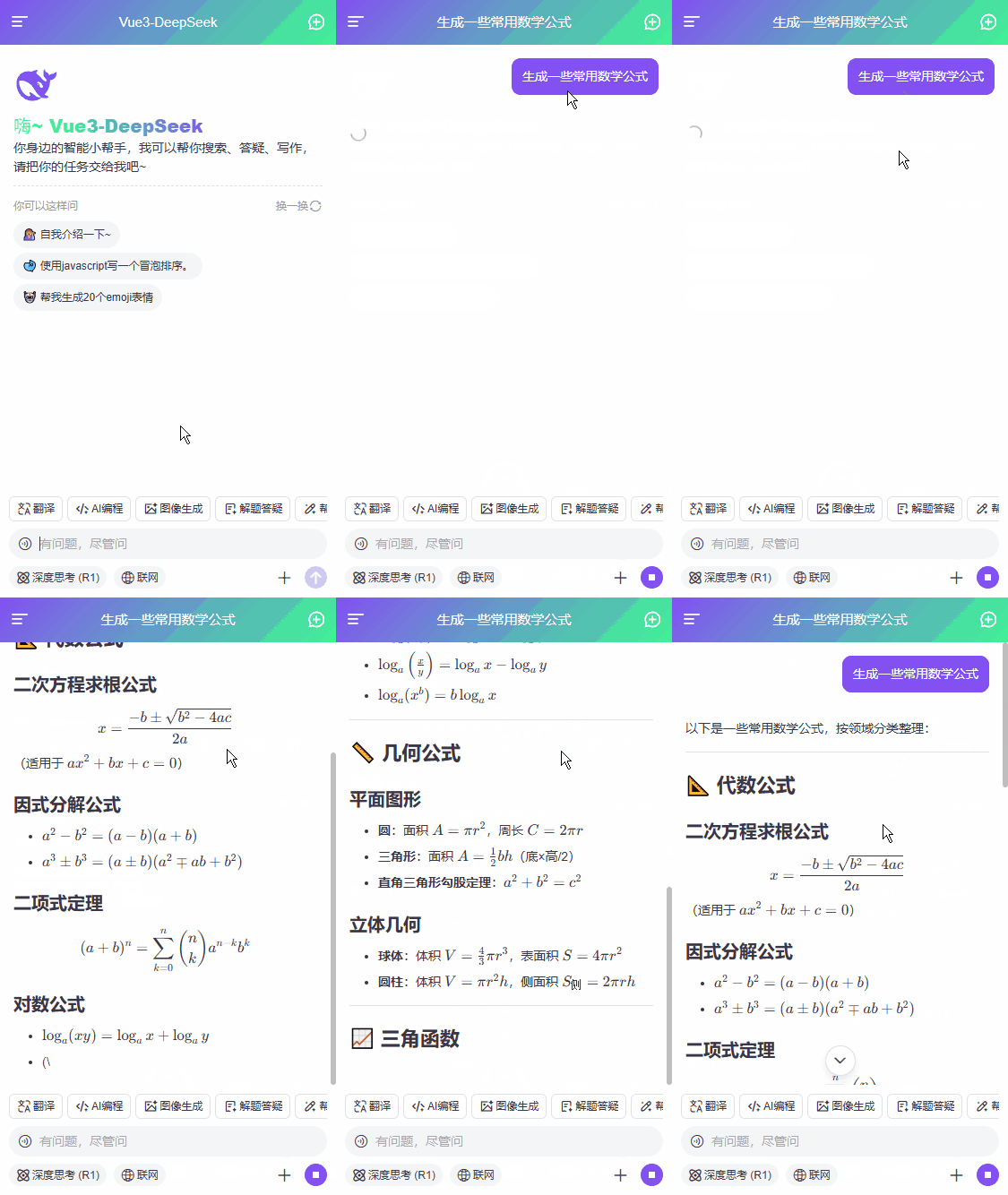
自定义katex公式+mermaid图表
在页面引入katex和mermaid插件。
import { imgSize } from '@mdit/plugin-img-size' // 支持带尺寸图片
import { katex } from "@mdit/plugin-katex"; // 支持数学公式
import 'katex/dist/katex.min.css'
// 渲染mermaid图表
import { markdownItMermaidPlugin } from '@/components/markdown/plugins/mermaidPlugin'
渲染markdown流式
<Markdown
  :source="item.content"
  :html="true"
  :linkify="true"
  :typographer="true"
  :plugins="[
    imgSize,
    [katex, {delimiters: 'all'}],
    [markdownItMermaidPlugin, { ... }]
  ]"
  @copy="onCopy"
/>
封装一个mermaid图表解析插件
export const markdownItMermaidPlugin = (md, options) => {
  const defaultFence = md.renderer.rules.fence
  md.renderer.rules.fence = (...args) => {
    const [tokens, idx] = args
    const token = tokens[idx]
    const lang = token.info.replace(/\[.*\]/, '').trim() || ''

    if(lang === 'mermaid') {
      const code = token.content.trim()
      const hash = generateHash(code)
      const uuid = `${hash}-${Date.now()}-${Math.random().toString(36).substring(2, 9)}`

      // 如果有缓存,加载缓存图表
      if(renderCache.has(hash)) {
        // console.log('加载缓存mermaid图表')
        return `
          ${ defaultFence(...args) }
          <div class="mermaid-container">${renderCache.get(hash)}</div>
        `
      }

      nextTickRender(uuid)

      return `
        ${ defaultFence(...args) }
        <div class="mermaid-container" id="${uuid}" data-mermaid-hash="${hash}" data-mermaid-code="${encodeURIComponent(code)}">
          <div class="mermaid-loading">📊Mermaid 图表加载中...</div>
        </div>
      `
    }

    return defaultFence(...args)
  }

  function nextTickRender(containerId) {
    // 如果容器存在,直接渲染
    if(document.getElementById(containerId)) {
      renderMermaidDiagram(containerId)
      return
    }
    // 使用MutationObserver监听DOM更新
    const observer = new MutationObserver((mutations, ob) => {
      const container = document.getElementById(containerId)
      if(container) {
        ob.disconnect()
        renderMermaidDiagram(containerId)
      }
    })
    observer.observe(document.body, {
      childList: true,
      subtree: true
    })
  }

  async function renderMermaidDiagram(containerId) {
    const container = document.getElementById(containerId)
    if (!container) {
      console.warn(`Mermaid container #${containerId} not found`)
      return
    }

    const code = decodeURIComponent(container.dataset.mermaidCode)
    const hash = container.dataset.mermaidHash

    if (!code) {
      return
    }

    // 检查 mermaid 是否可用
    if (typeof window.mermaid === 'undefined') {
      showError(container, 'Mermaid 库未加载!')
      return
    }

    try {
      // 配置 mermaid(如果还未配置)
      if (!window.mermaid.initialized) {
        window.mermaid.initialize({
          startOnLoad: false,
          theme: 'default',
          securityLevel: 'loose',
        })
        window.mermaid.initialized = true
      }

      let svg

      // 检查缓存
      if(renderCache.has(hash)) {
        svg = renderCache.get(hash)
      }else {
        const { isValid } = await verifyMermaid(code)

        if(!isValid) {
          showError(container, `<pre>渲染语法错误:\n${ code }\n</pre>`)
          return
        }

        // 使用唯一ID渲染(避免图表冲突)
        const {svg: renderedSvg} = await window.mermaid.render(`mermaid-${containerId}`, code)
        svg = renderedSvg
        renderCache.set(hash, svg)
      }

      // 更新容器内容
      container.innerHTML = svg
      container.removeAttribute('data-mermaid-hash')
      container.removeAttribute('data-mermaid-code')

      // 触发回调
      if(options?.reachBottom) {
        options?.onRender?.()
      }
    } catch (error) {
      console.error('Mermaid 渲染失败:', error)
      showError(container, `<pre>渲染图表时出错: \n ${error.message}\n</pre>`)
    }
  }
}


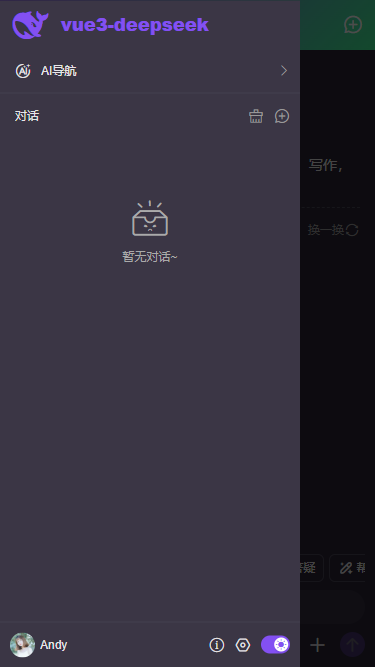
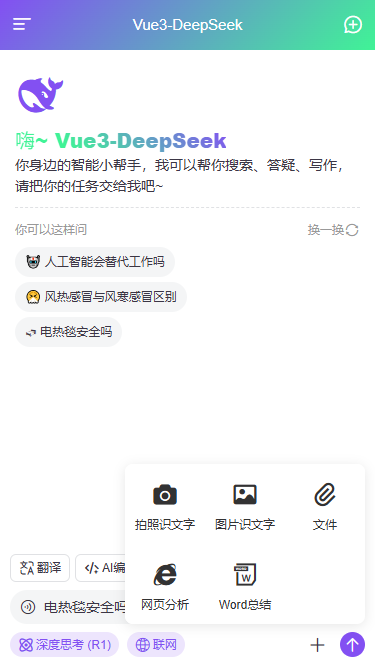

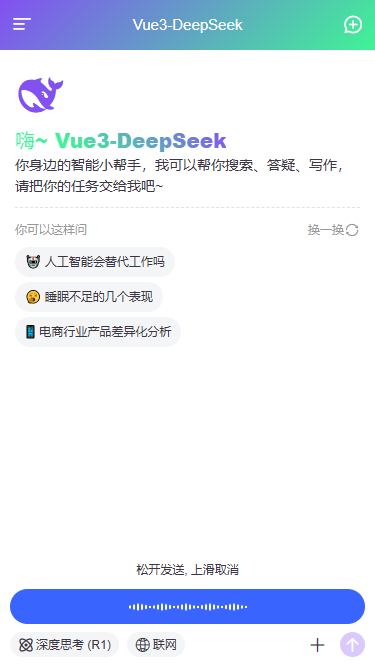


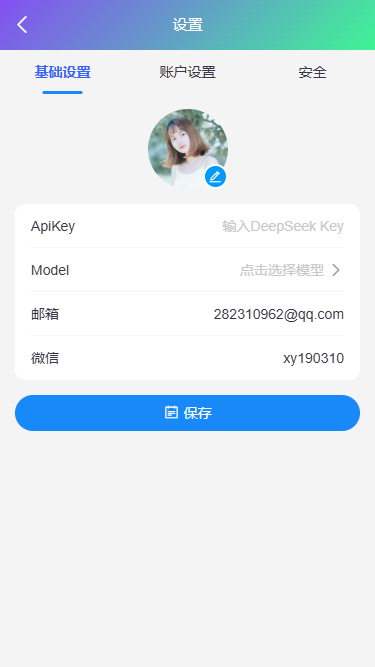

支持运行到pc端以750px宽度显示页面布局。


vue3集成deepseek流式打字输出
非流式请求输出
const completion = await openai.chat.completions.create({
  messages: [
    {role: 'user', content: editorValue}
  ],
  model: 'deepseek-flash',
  stream: false, // 流式输出
  max_tokens: 8192, // 限制一次请求中模型生成 completion 的最大 token 数(默认使用 4096)
  temperature: 0.4, // 严谨采样 越低越严谨(默认1)
})
// 处理返回数据
console.log(completion.choices[0].message.content)
流式请求输出
上下文多轮会话。
// 调用deepseek接口
const completion = await openai.chat.completions.create({
  // 单一会话
  /* messages: [
    {role: 'user', content: editorValue}
  ], */
  // 多轮会话
  messages: props.multiConversation ? historySession.value : [{role: 'user', content: editorValue}],
  // 对话模型
  model: 'deepseek-flash',
  // 是否深度思考
  thinking: {'type': chatState.thinkingEnabled ? 'enabled' : 'disabled'},
  // 流式输出
  stream: true,
  // 限制一次请求中模型生成的最大 token 数。取值范围为 1 到 384K(393216)。未设置时,非思考模式默认 8K,思考模式默认 64K
  // max_tokens: 8192,
  // 严谨采样 越低越严谨(默认1) 介于 0 和 2 之间。更高的值,如 0.8,会使输出更随机,而更低的值,如 0.2,会使其更加集中和确定。
  temperature: 0.4,
})
// 处理流式输出
for await (const chunk of completion) {
  // 检查是否已终止
  if(chatState.aborted) break

  const content = chunk.choices[0]?.delta?.content
  if(content) {
    streamText += content
    // 限制更新频率:每100ms最多更新一次
    const now = Date.now()
    if(now - lastUpdate > 100) {
      lastUpdate = now
      requestAnimationFrame(() => {
        // ...
      })
    }
  }
  if(chunk.choices[0]?.finish_reason === 'stop') {
    // 确保最终内容完整更新
    ...
  }
}
综上就是vite8+vue3对接deepseek实现流式ai对话的一些项目分享,希望对大家有点帮助!
👇👇👇获取最新实战项目。

Vite8+DeepSeek网页版AI助手|vue3+arco本地web版ai流式打字问答系统
Electron41+Vite8.0+DeepSeek桌面端AI助手|electron+vue3流式ai系统
React19+DeepSeek-V4智能聊天AI助手|react19.2+zustand流式输出ai模板
附上几个最新项目实例
uniapp+deepseek流式ai助理|uniapp+vue3对接deepseek三端Ai问答模板
Vite8+DeepSeek网页版AI助手|vue3+arco本地web版ai流式打字问答系统
Flutter3.41+DeepSeek智能AI应用|flutter3+getx+dio流式ai对话app模板
最新版Flutter3.38+Dart3.10仿写抖音APP直播+短视频+聊天应用程序
Tauri2.9+Vue3桌面版OS系统|vite7+tauri2+arcoDesign电脑端os后台模板
electron38-admin桌面端后台|Electron38+Vue3+ElementPlus管理系统
Electron38-Wechat电脑端聊天|vite7+electron38仿微信桌面端聊天系统
Electron38-Vue3OS客户端OS系统|vite7+electron38+arco桌面os后台管理
Tauri2-Vite7Admin客户端管理后台|tauri2.9+vue3+element-plus后台系统
Tauri2.8+Vue3聊天系统|vite7+tauri2+element-plus客户端仿微信聊天程序
最新版uniapp+vue3+uv-ui跨三端短视频+直播+聊天【H5+小程序+App端】

 浙公网安备 33010602011771号
 UP主小店
UP主小店