
安装nginx
在CeontOS7上安装nginx。
通过软件管家yum安装
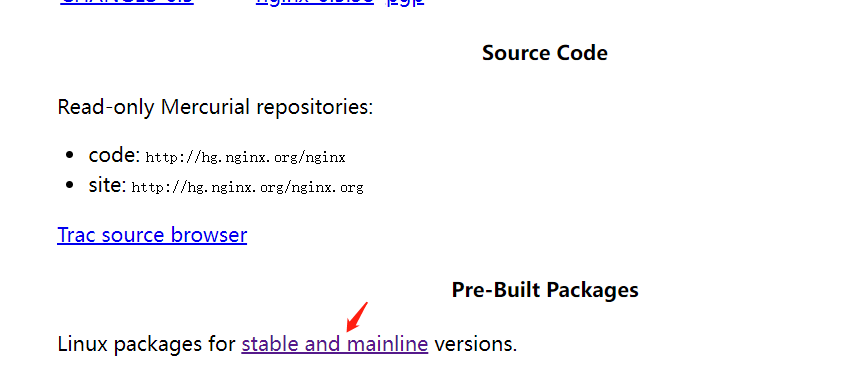
选择CentOS
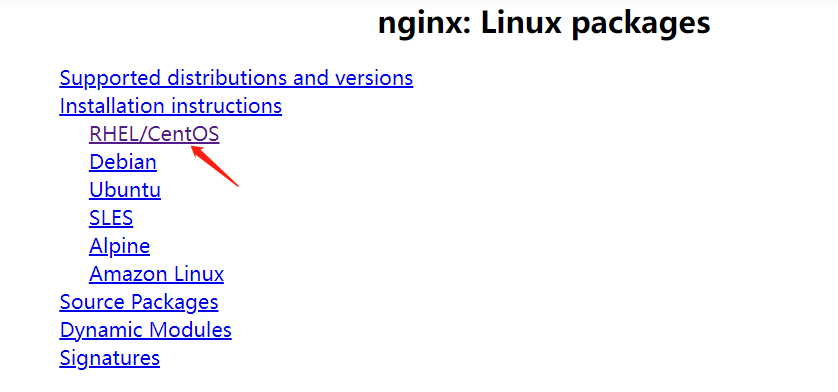
根据步骤:
[root@2207012 ~]# yum install -y yum-utils
[root@2207012 ~]# vim /etc/yum.repos.d/nginx.repo
vim内容:
[nginx-stable]
name=nginx stable repo
baseurl=http://nginx.org/packages/centos/$releasever/$basearch/
gpgcheck=1
enabled=1
gpgkey=https://nginx.org/keys/nginx_signing.key
module_hotfixes=true

[nginx-mainline]
name=nginx mainline repo
baseurl=http://nginx.org/packages/mainline/centos/$releasever/$basearch/
gpgcheck=1
enabled=0
gpgkey=https://nginx.org/keys/nginx_signing.key
module_hotfixes=true
接着执行:
[root@2207012 ~]# yum install -y nginx # 默认安装的是nginx的稳定版本
[root@2207012 ~]# nginx -v
nginx version: nginx/1.22.0
[root@2207012 ~]# rpm -ql nginx # 查看nginx安装的相关文件
[root@2207012 ~]# systemctl status nginx # 安装的nginx会成为一个系统服务
[root@2207012 ~]# systemctl start nginx # 开启nginx
[root@2207012 ~]# ps -ef | grep nginx | grep -v grep
root      4199     1  0 10:23 ?        00:00:00 nginx: master process /usr/sbin/nginx -c /etc/nginx/nginx.conf
nginx     4200  4199  0 10:23 ?        00:00:00 nginx: worker process
看到nginx进程,安装成功!

 浙公网安备 33010602011771号