


vue项目中使用 TCPlayer 当前视频播放完毕后,自动接着播放下一条视频
参考 TCPlayer https://www.cnblogs.com/stnlcd/p/7262034.html
1 引入相关的代码;
 <script src="https://unpkg.com/vconsole@latest/dist/vconsole.min.js"></script>
  <script
    src="//imgcache.qq.com/open/qcloud/video/vcplayer/TcPlayer-2.2.0.js"
    charset="utf-8"
  ></script>
  <link
    href="https://web.sdk.qcloud.com/player/tcplayer/release/v4.5.2/tcplayer.min.css"
    rel="stylesheet"
  />

  <script src="https://web.sdk.qcloud.com/player/tcplayer/release/v4.5.1/libs/TXLivePlayer-1.2.0.min.js"></script>

  <script src="https://web.sdk.qcloud.com/player/tcplayer/release/v4.5.2/libs/hls.min.0.13.2m.js"></script>

  <script src="https://web.sdk.qcloud.com/player/tcplayer/release/v4.5.2/libs/flv.min.1.6.2.js"></script>

  <script src="https://web.sdk.qcloud.com/player/tcplayer/release/v4.5.2/tcplayer.v4.5.2.min.js"></script>
2 在vue组件中使用TCPlayer
methods: {
    init() {
      this.player1 = TCPlayer( "idname", {
        sources: this.liveList[0],
        autoplay: false
      });
      this.liveScreamPlay();

    },
    // 直播视频-播放器
    liveScreamPlay() {
      let live_index = 0,
        live_length = this.liveList.length;
      // 监听视频播放结束ended事件,当前视频播放完毕后,修改视频的链接,接着播放下一条视频;
      this.player1.on("ended", event => {
        // 做一些处理
        if (live_index < live_length - 1) {
          live_index++;
          this.player1.src(this.liveList[live_index].src);
          this.player1.play();
        } else {
          live_index = 0;
          this.player1.src(this.liveList[live_index].src);
        }
      });
      console.log("live_index:", live_index);
    }
}
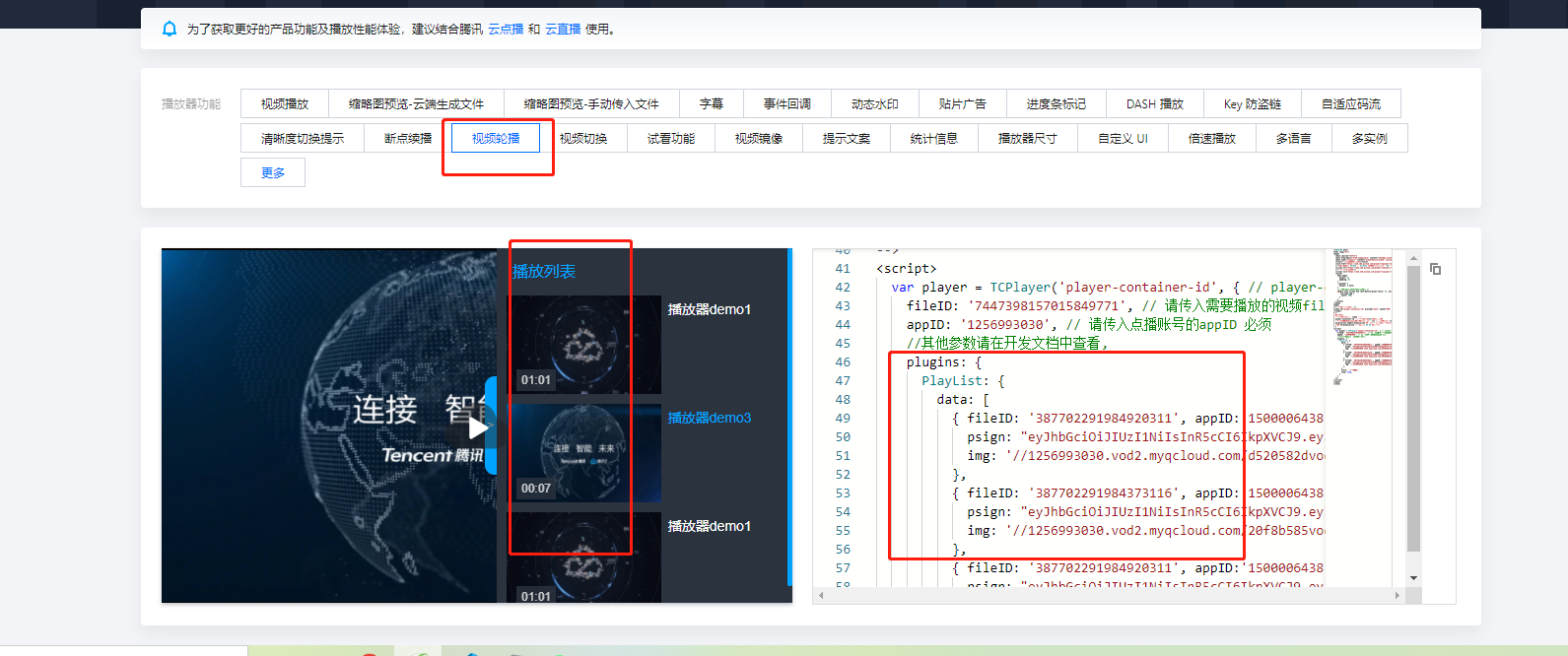
第二种方式
腾讯有给例子:链接为 https://tcplayer.vcube.tencent.com/

 浙公网安备 33010602011771号