
1,Zabbix 4.0快速安装
1、更换yum源
mv /etc/yum.repos.d/CentOS-Base.repo /etc/yum.repos.d/CentOS-Base.repo.bak
wget -O /etc/yum.repos.d/CentOS-Base.repo http://mirrors.aliyun.com/repo/Centos-7.repo
yum clean all
yum makecache
2、开始yum安装
rpm -ivh http://mirrors.aliyun.com/zabbix/zabbix/4.0/rhel/7/x86_64/zabbix-release-4.0-1.el7.noarch.rpm
会在/etc/yum.repos.d/生产一个zabbix.repo的文件
3、安装相关软件包组件
yum install zabbix-server zabbix-web zabbix-server-mysql zabbix-web-mysql mariadb-server mariadb -y
4、修改php时区
sed -i 's@# php_value date.timezone Europe/Riga@php_value date.timezone Asia/Shanghai@g' /etc/httpd/conf.d/zabbix.conf
5、配置数据库,创建zabbix数据库及用户
systemctl start mariadb
mysql
create database zabbix character set utf8 collate utf8_bin;
grant all on zabbix.* to zabbix@'localhost' identified by '123456';
exit
6、导入数据库
cd /usr/share/doc/zabbix-server-mysql-4.0.9/
zcat create.sql.gz |mysql -uzabbix -p123456 zabbix
7、修改zabbix配置文件
vim /etc/zabbix/zabbix_server.conf
DBHost=localhost #数据库所在主机
DBName=zabbix #数据库名
DBUser=zabbix #数据库用户
DBPassword=123456 #数据库密码
8、启动zabbix及apache
systemctl start zabbix-server
systemctl start httpd
9 访问zabbix
http://IP地址/zabbix
问题1:可能会出现 zabbix的web界面zabbix服务器端运行中 显示为 不
有可能是SELINUX没有关闭导致的

临时关闭:

[root@localhost ~]# getenforce
Enforcing

[root@localhost ~]# setenforce 0
[root@localhost ~]# getenforce
Permissive


永久关闭:

[root@localhost ~]# vim /etc/sysconfig/selinux

SELINUX=enforcing 改为 SELINUX=disabled

重启服务reboot
问题2:解决zabbix-4系列监控图形中文乱码问题
(1)zabbix*4版本系列安装后会出现乱码现象,看着很不人性化,现在我们来解决这个问题

2. 可以通过修改字符的方式来解决这个问题,首先在windows里找到你想使用的中文字体替换到linux服务器里面
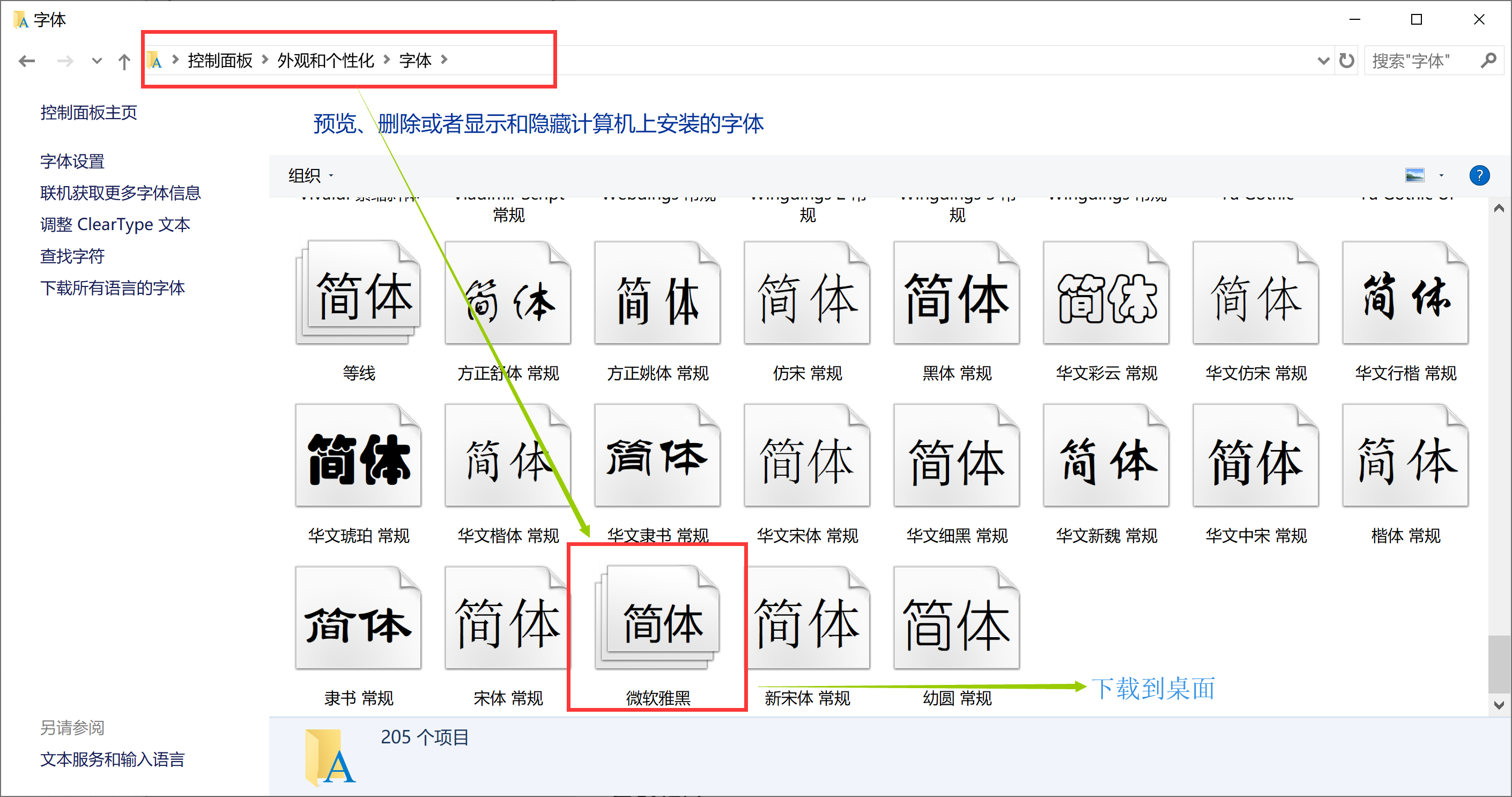
#替换字符文件
[root@Zabbix ~]# whereis zabbix
zabbix: /usr/lib/zabbix /etc/zabbix /usr/share/zabbix
[root@Zabbix ~]# cd /usr/share/zabbix/
[root@Zabbix zabbix]# mkdir fonts
[root@Zabbix zabbix]# cd fonts/
[root@Zabbix fonts]# rz   #上传字符

[root@Zabbix fonts]# ll
总用量 19188
-rw-r--r-- 1 root root 19647736 9月  15 2018 msyh.ttc
#切换至目录/etc/alternatives/ ,可以看到zabbix-web-font文件实际上是一个软连接,链接的文件实际位置是:/usr/share/fonts/dejavu/DejaVuSans.ttf

[root@Zabbix fonts]# ll /etc/alternatives/zabbix-web-font
lrwxrwxrwx 1 root root 38 11月 12 15:40 /etc/alternatives/zabbix-web-font -> /usr/share/fonts/dejavu/DejaVuSans.ttf
[root@Zabbix fonts]# rm -rf  /etc/alternatives/zabbix-web-font
[root@Zabbix fonts]# ln -s /usr/share/zabbix/fonts/msyh.ttc /etc/alternatives/zabbix-web-font
[root@Zabbix fonts]# ll /etc/alternatives/zabbix-web-font
lrwxrwxrwx 1 root root 32 11月 12 17:37 /etc/alternatives/zabbix-web-font -> /usr/share/zabbix/fonts/msyh.ttc
#重启zabbix服务
[root@Zabbix fonts]# systemctl restart zabbix-server
3. 这样乱码就转变成中文了
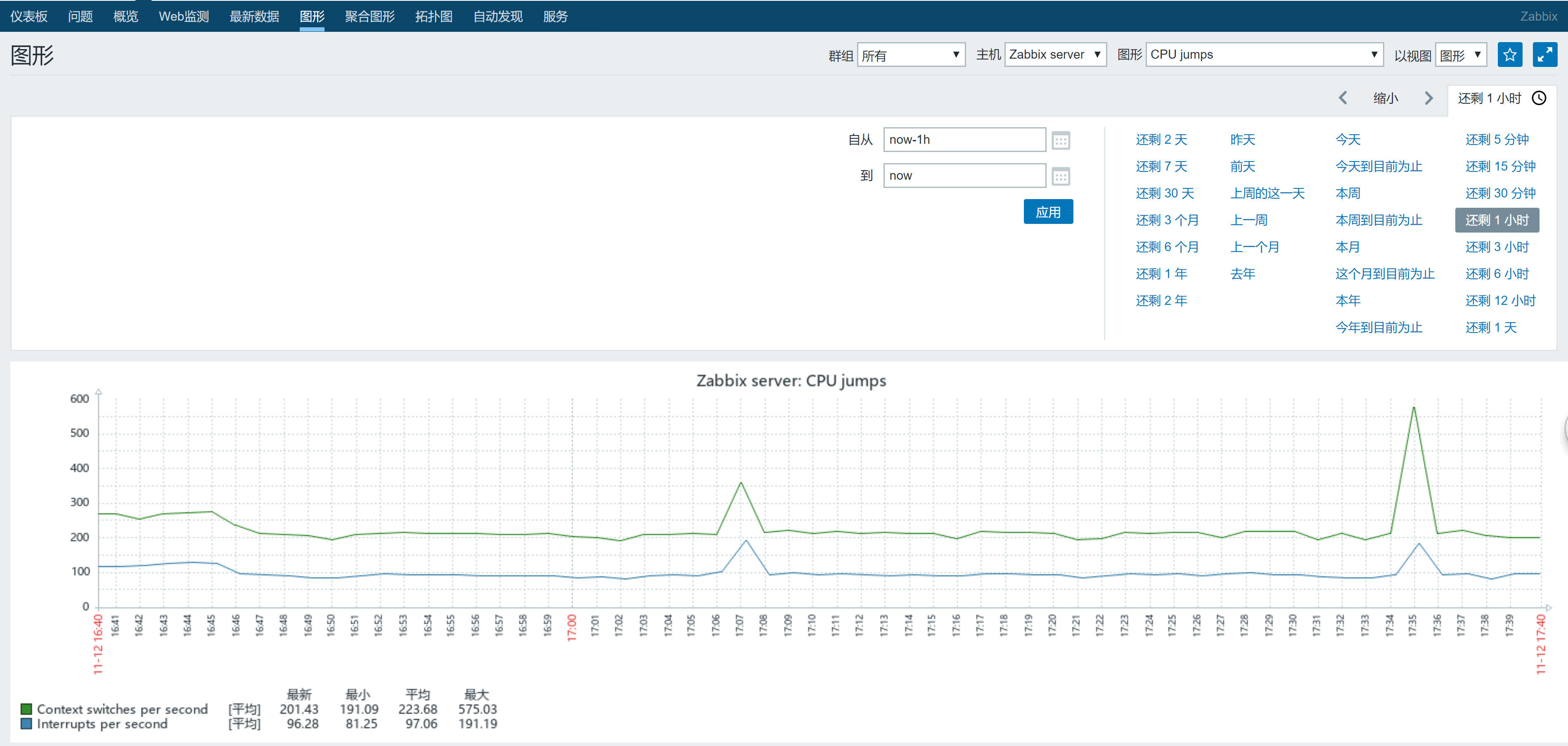
然后就大功告成了~~

 浙公网安备 33010602011771号