
Sharepoint Online 认证方式
这两天在使用CSOM操作sharepoint的时候发现总是报503错误
排查了一圈发现是认证的问题,修改了一下认证方式就可以用了
需要调用的DLL 是OfficeDevPnP.Core;
weburl 为访问的站点地址
GetAppOnlyAuthenticatedContext 根据自己的实际情况来输入参数
代码如下
AuthenticationManager authManager = new AuthenticationManager();
ClientContext context = authManager.GetAppOnlyAuthenticatedContext(weburl, ClientId, ClientSecret);
使用此方法需要在Sharepoint 上注册并创建一个ClientId和ClientSecret
地址为http://{sharepointsite}/_layouts/15/AppRegNew.aspx
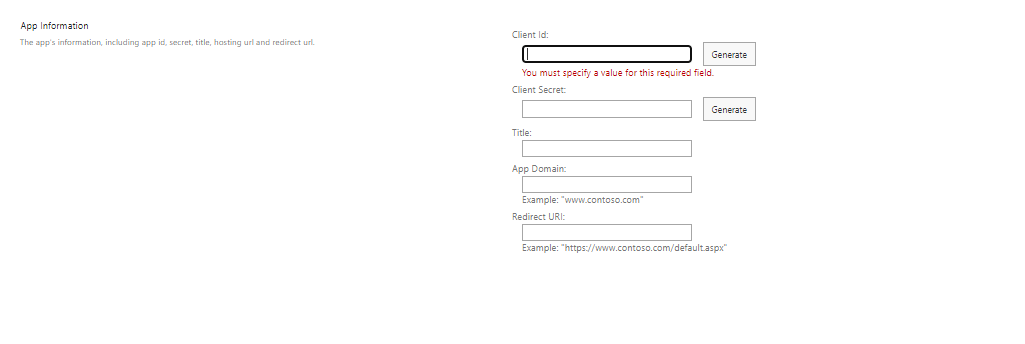
创建好以后只能使用一年,一年以后需要修改,也可以用power shell 更新
详情参考以下链接
https://docs.microsoft.com/zh-cn/sharepoint/dev/sp-add-ins/register-sharepoint-add-ins
另外把以前的认证方式也留下来
ClientContext context = new ClientContext(weburl);
SecureString securepassWord = new SecureString();
foreach (char c in password.ToCharArray())
{
securepassWord.AppendChar(c);
}
context.Credentials = new SharePointOnlineCredentials(account, securepassWord);

 浙公网安备 33010602011771号