<!DOCTYPE html>
<html lang="en">
<head>
    <meta charset="UTF-8">
    <meta name="viewport" content="width=device-width, initial-scale=1.0">
    <meta http-equiv="X-UA-Compatible" content="ie=edge">
    <title>Document</title>
    <style>
        .active {
            color: green;
        }
        .delete {
            background: red;
        }
        .error {
            font-size: 35px;
        }
    </style>
</head>
<body>
    <div id="app">
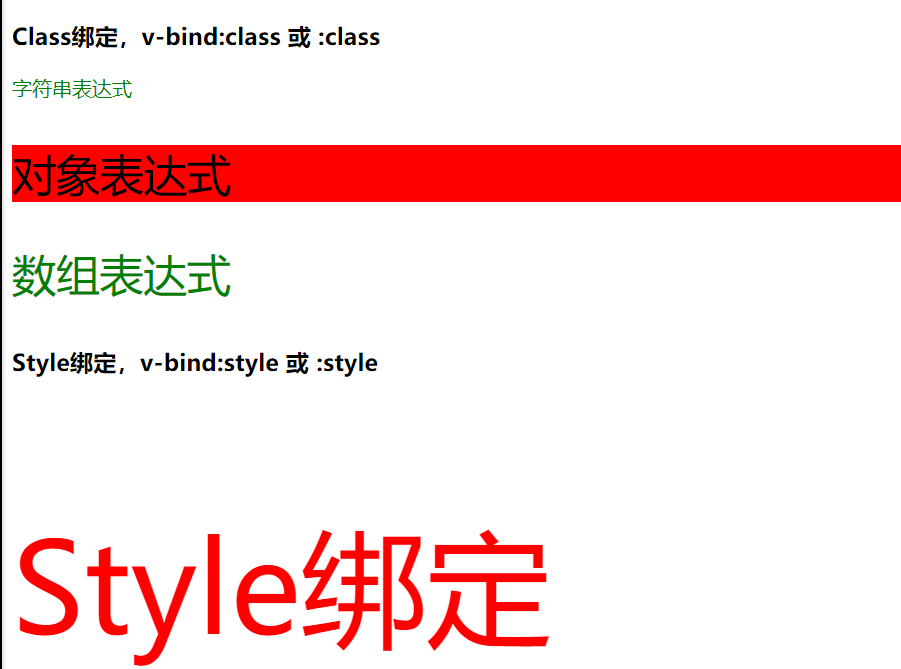
        <h3>Class绑定,v-bind:class 或 :class </h3>

        <!-- <p class="active">字符串表达式</p> -->
        <p v-bind:class="activeClass">字符串表达式</p>

        <!-- key值是样式名,value值是data中绑定的属性
        当isDelete为true的时候,delete就会进行渲染-->
        <p :class="{delete: isDelete, error: hasError}">对象表达式</p>

        <p :class="['active', 'error']">数组表达式</p>

        <h3>Style绑定,v-bind:style 或 :style</h3>
        <p :style="{color: activeColor, fontSize: fontSize + 'px'}">Style绑定</p>

    </div>
    <script src="./node_modules/vue/dist/vue.js"></script>
    <script>
        new Vue({
            el: '#app',
            data: {
                activeClass: 'active',
                isDelete: true,
                hasError: true,
                activeColor: 'red',
                fontSize: 100
            }
        })
    </script>
</body>
</html>
- 效果图
![]()

 浙公网安备 33010602011771号