
版本控制工具(git)——git学习命令
1.git 的使用
(1)cd e
(2)mkdir 文件
(3)cd wj
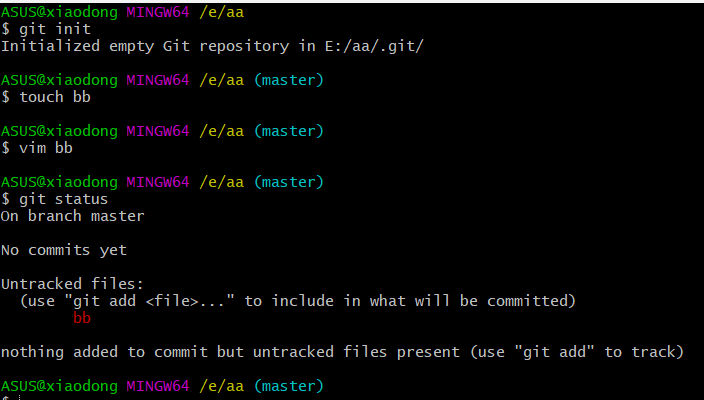
(4)git init 创建仓库
(5) touch dm.txt/aa (创建一个代码包)
2.查看文件状态 git atatus
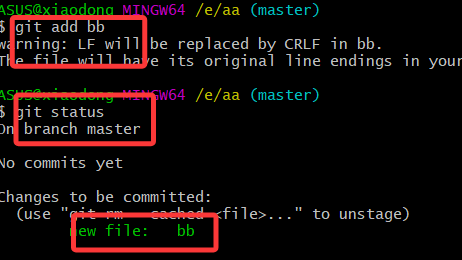
3.git add bb 代码包添加到暂存区
4.git commit -m bb 将暂存区的代码包提交到版本库
5.github的账号:
网址:https://github.com/ ( 大家注册一个账号)
账号:
邮箱:@qq.com
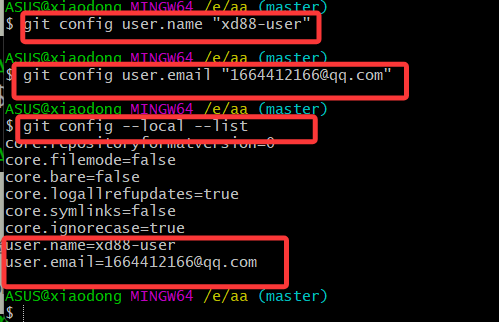
6.(1)配置用户名
git config user.name "用户名"
(2)配置邮箱
git config user.email "@qq.com"
7.检查仓库当前配置:
git config --local --list
(二)github
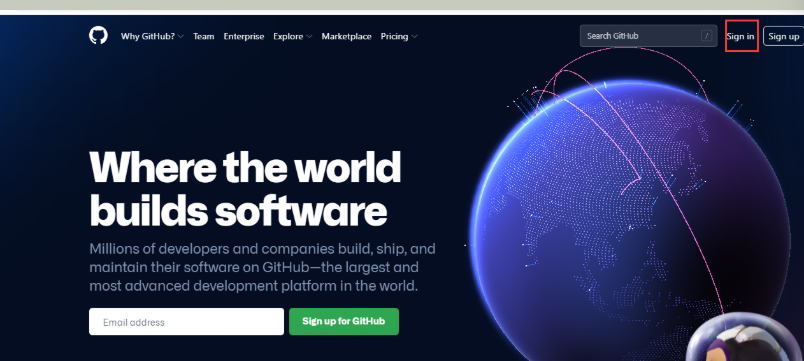
1、网站:https://github.com/
2、点击登录
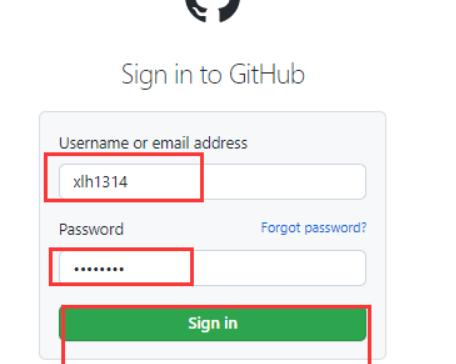
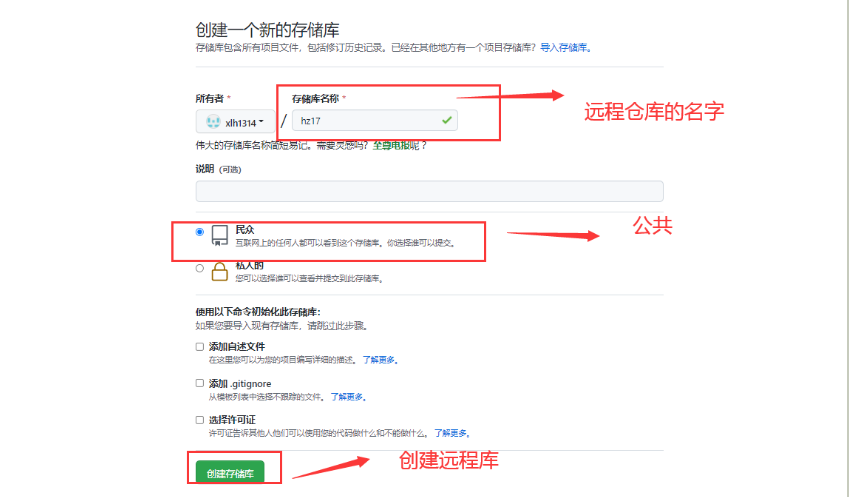
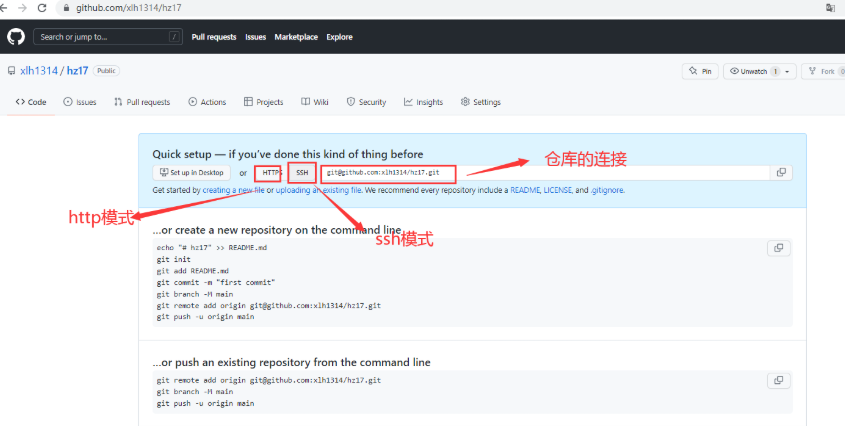
点击setting 设置秘钥和本地仓库连接
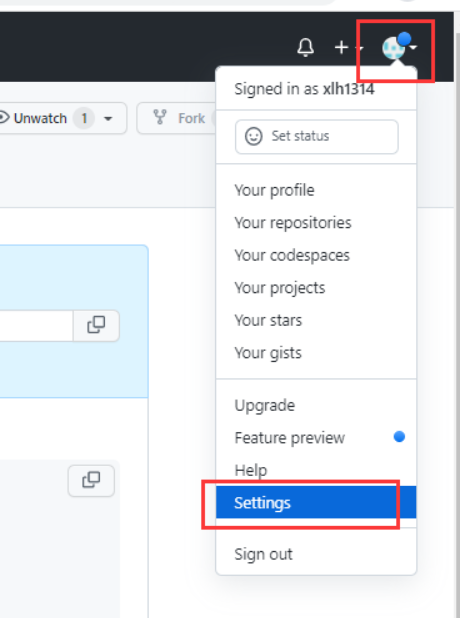
点击ssh和gpg 在编辑秘钥
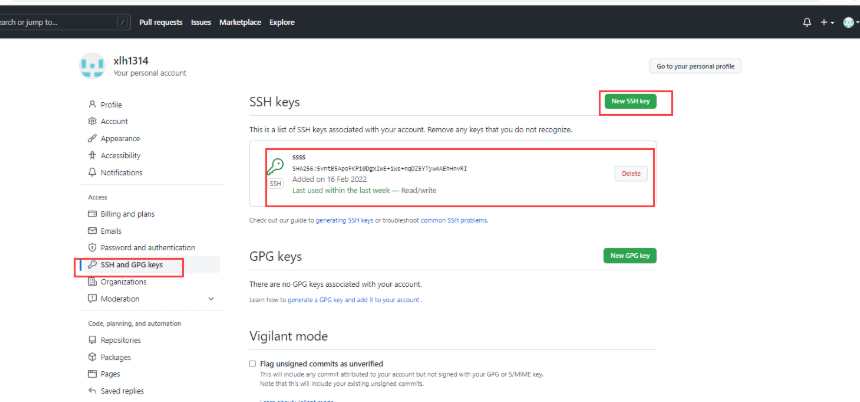
编辑秘钥
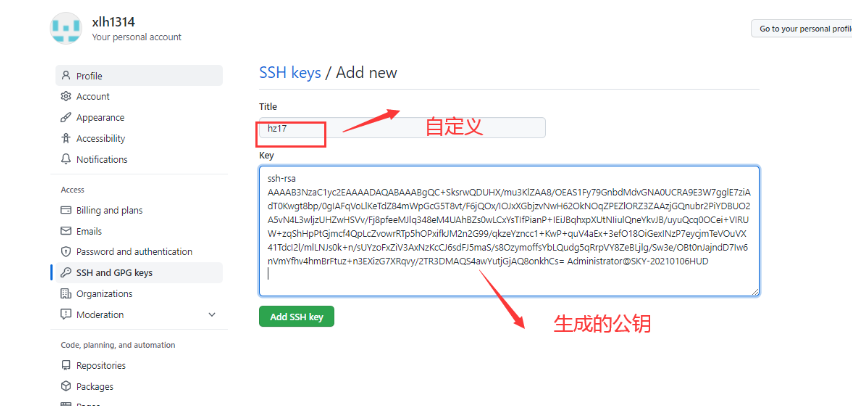
(三)
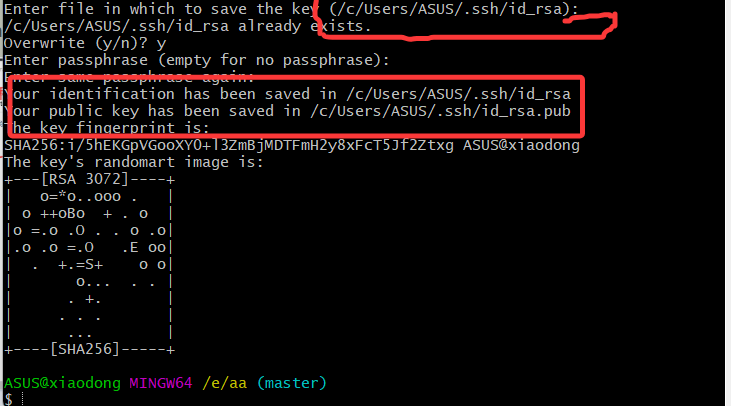
(1)在git中获取秘钥
Ssh-keygen
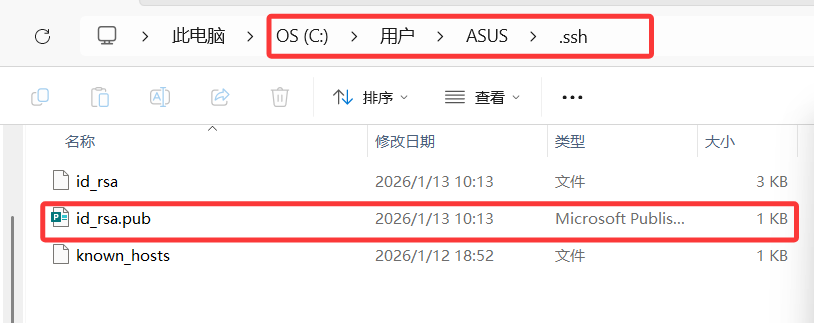
(2)打开秘钥,通过记事本

创建连接
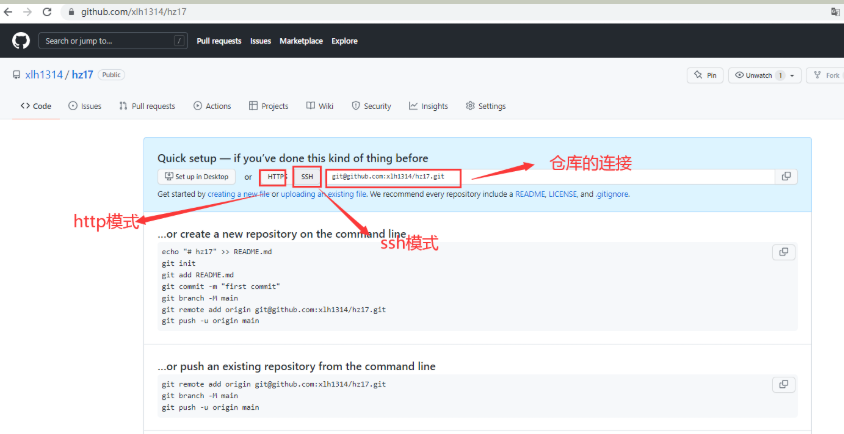
仓库创建连接:
git remote add origin git@github.com:......git
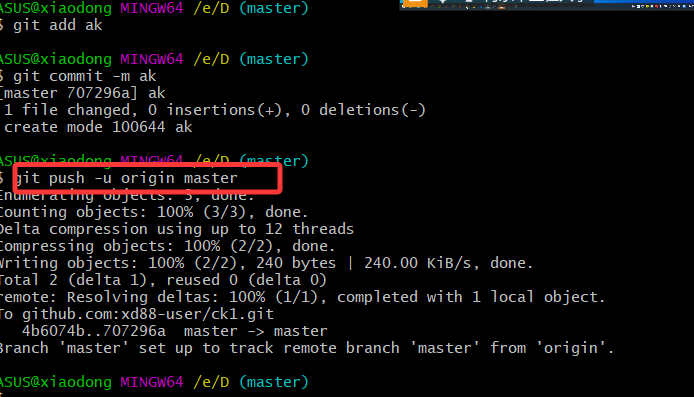
上传代码包
git push -u origin master
git pull origin master 拉取代码
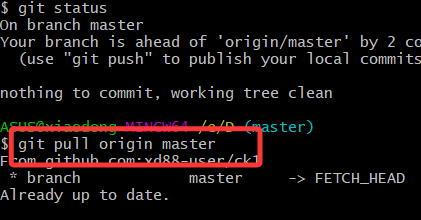
在github上新建一个文档,可以将代码全部拉取下来;
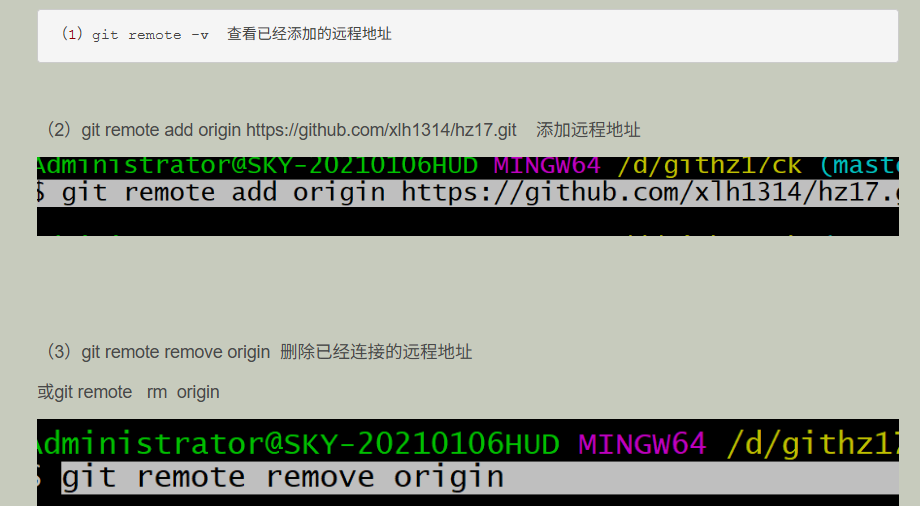
git remote remove origin 删除已经连接的远程地址
或git remote rm origin
git config --local --list 查看已经连接的配置
git config --list 查看所有配置
git 命令整理
1、git init 创建git仓库
2、git status 查看文档状态
3、git add 代码名称 添加代码
4、git commit -m 提交代码
5、git config user.name 配置用户名
6、git config user.email 配置邮箱
7、Ssh-keygen 获取密钥
8、git romote add origin 仓库连接 git连接远程仓库
9、git push -u origin master 上传代码
10、 git pull origin master 拉取代码
11.git push -u origin master --force(强制推送)
12.
13.

14.
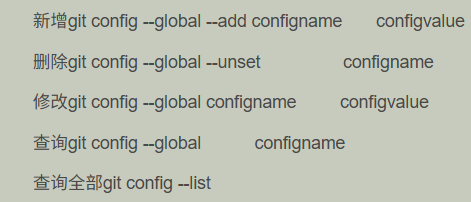
15.git config --local --list 查看已经连接的配置

 浙公网安备 33010602011771号