
微信小程序tab组件封装
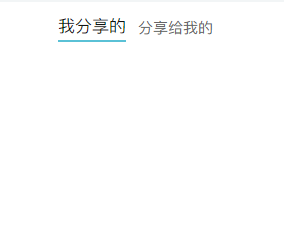
效果图:
自定义组件的js代码
Component({
//允许slot
options: {
multipleSlots: true
},
/**
* 组件的属性列表
*/
properties: {
//接收父组件传递值
tabTitle: {
type: Array,
value: []
}
},
lifetimes: {
attached: function () {
//查看父组件传递的值
console.log("父组件传递的值------------>", this.properties.tabTitle)
}
},
/**
* 组件的初始数据
*/
data: {
current: 0
},
/**
* 组件的方法列表
*/
methods: {
swichNav(e) {
if (this.data.current == e.currentTarget.dataset.index) {
return false
} else {
this.setData({
current: e.currentTarget.dataset.index
})
}
}
}
})
自定义组件的wxml代码
<view>
<view class="order-list-tit">
<view class="sel {{current==index?'on':''}}" data-index="{{index}}" wx:for="{{tabTitle}}" wx:key="*this"
bindtap="swichNav">{{item}}</view>
</view>
<view>
<view wx:for="{{tabTitle}}" wx:key="*this" class="{{current==index?'show':'hidden'}}">
<slot name="{{index}}"></slot>
</view>
</view>
</view>
自定义组件的wxss代码
.order-list-tit {
width: 100%;
height: 90rpx;
border-radius: 20rpx 20rpx 0 0;
display: flex;
justify-content: center;
align-items: center;
}
.sel {
font-size: 30rpx;
font-family: PingFangSC-Regular, PingFang SC;
font-weight: 400;
color: #666666;
margin-top: 13rpx;
margin-left: 24rpx;
text-align: center;
position: relative;
}
.on {
font-size: 34rpx;
font-family: PingFangSC-Medium, PingFang SC;
font-weight: 500;
color: #121212;
text-align: center;
border-bottom: 5rpx solid #5AC1D6;
}
.show {
display: block;
}
.hidden {
display: none;
}
.on:after {
content: '';
position: absolute;
width: 24px;
height: 5px;
background: var(--themeItem);
border-radius: 3px;
top: 80%;
left: 50%;
transform: translate(-50%, -50%);
}
在需要用到的组件里面导入该子组件

 浙公网安备 33010602011771号