
第二次作业
一、实验目的
1.掌握软件开发的流程
2.熟练应用开发软件
二、实验内容
设计一个带有登录界面的计算器
三、软件功能
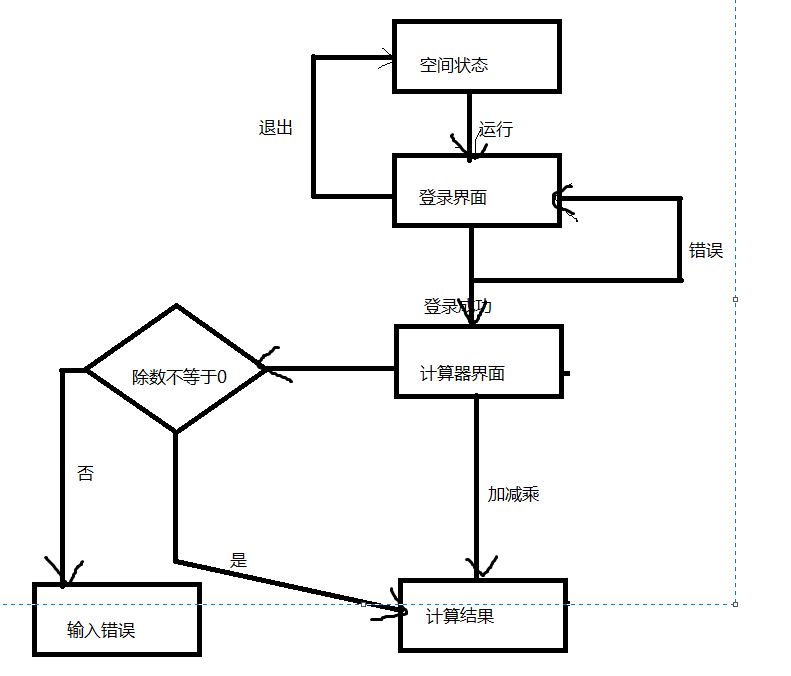
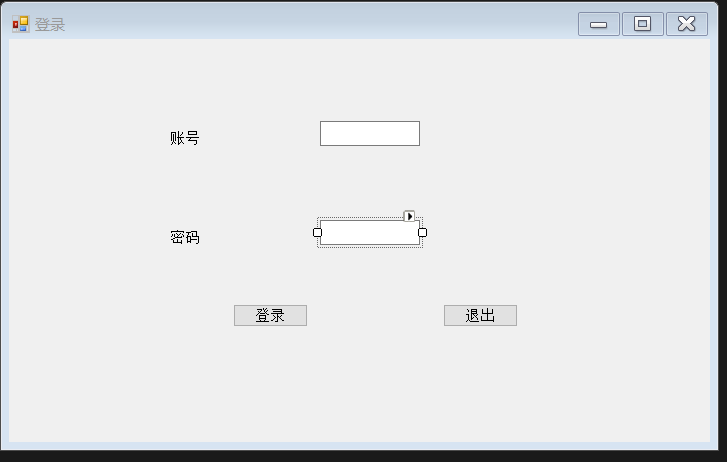
1.登录界面通过输入正确账号密码显示登录是否成功
2.登陆成功后可进入计算器界面
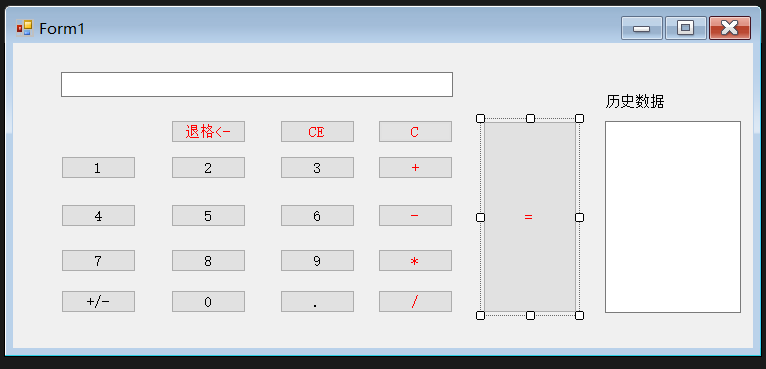
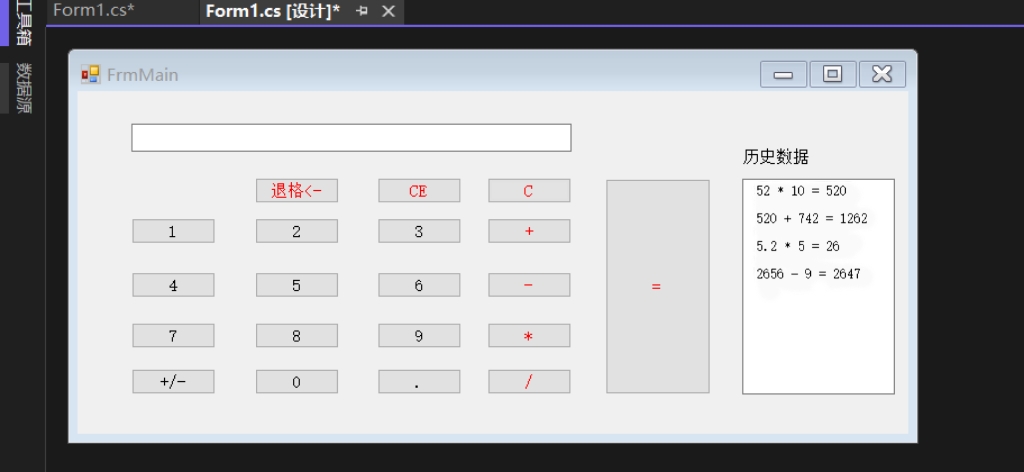
3.计算器能实现简单的四则运算
四、开发软件及环境
1.visual studio 2019
2.Access
3.使用windows窗体类
五,流程图
1界面设计
(1)登录界面
代码
using System;
using System.Collections.Generic;
using System.ComponentModel;
using System.Data;
using System.Drawing;
using System.Linq;
using System.Text;
using System.Threading.Tasks;
using System.Windows.Forms;
namespace 软件开发
{
public partial class Form1 : Form
{
public Form1()
{
InitializeComponent();
}
private void Form1_Load(object sender, EventArgs e)
{
}
private void button1_Click(object sender, EventArgs e)
{
string username = textBox1.Text;
string password = textBox2.Text;
if (username == "liu" && password == "123")
{
MessageBox.Show("登录成功!");
FrmMain frm=new FrmMain();
frm.Show();
}
else
{
MessageBox.Show("用户名或密码错误!");
}
}
private void button2_Click(object sender, EventArgs e)
{
this.Close();
}
}
}
(2)计算器界面
2.代码部分
(1)在Form声明String和Double
String character;
Double One,Two,Three;
(2)数字0-9
NumText.Text +=“1” //替换双引号内的数字即可
(3)+.-.*./
One = Convert.ToDouble(NumText.Text);
character = "-"; //只需更改双引号内的
NumText.Text = "";
(4).
int m = NumText.Text.IndexOf(".");
if (m == -1)
NumText.Text = NumText.Text + ".";
(5)退格
string old = NumText.Text;
if (old.Length > 0)
{
NumText.Text = old.Remove(old.Length - 1);
}
(6)CE
NumText.Text = "";
(7)C
NumText.Text = "";
txt_result.Text = "";
(8)=
int f = 1;
Two = Convert.ToDouble(NumText.Text);
if (character == "+")
Three = One + Two;
else if (character == "-")
Three = One - Two;
else if (character == "*")
Three = One * Two;
else if (character == "/")
{
if (Two == 0)
{
NumText.Text = "输入错误";
txt_result.Text = "错误\r\n\r\n";
return;
}
else
Three = One / Two;
}
else
Three = One / Two;
if (f == 1)
NumText.Text = Three.ToString();
txt_result.Text += String.Format("{0} {1} {2} = {3}", One, character, Two, Three) + "\r\n\r\n";
}
3.实验结果

 浙公网安备 33010602011771号