


spring boot——参数传递——POST访问——html网页post提交——HttpServletRequest request——request.getParameter(KEY)获取values
html中post方式:
|
1
2
3
4
5
6
7
8
9
10
11
12
13
14
|
<!DOCTYPE html><html lang="en"><head> <meta charset="UTF-8"> <title>Title</title></head><body> <form action="http://localhost:8080/test2" method="POST"> <p>Name <input type = "text" name = "username" /></p> <p>password <input type = "text" name = "password" /></p> <p><input type = "submit" value = "submit" /></p> </form></body></html> |
控制器:
|
1
2
3
4
5
6
7
8
9
10
11
12
13
14
15
16
17
18
19
20
21
22
|
package com.awaimai.web;import org.springframework.web.bind.annotation.*;import javax.servlet.http.HttpServletRequest;@RestControllerpublic class kzq{ @RequestMapping(value = "/test2") public String test2(HttpServletRequest request) { String username=request.getParameter("username"); String password=request.getParameter("password"); System.out.println("username is:"+username); System.out.println("password is:"+password); return "success"; }} |
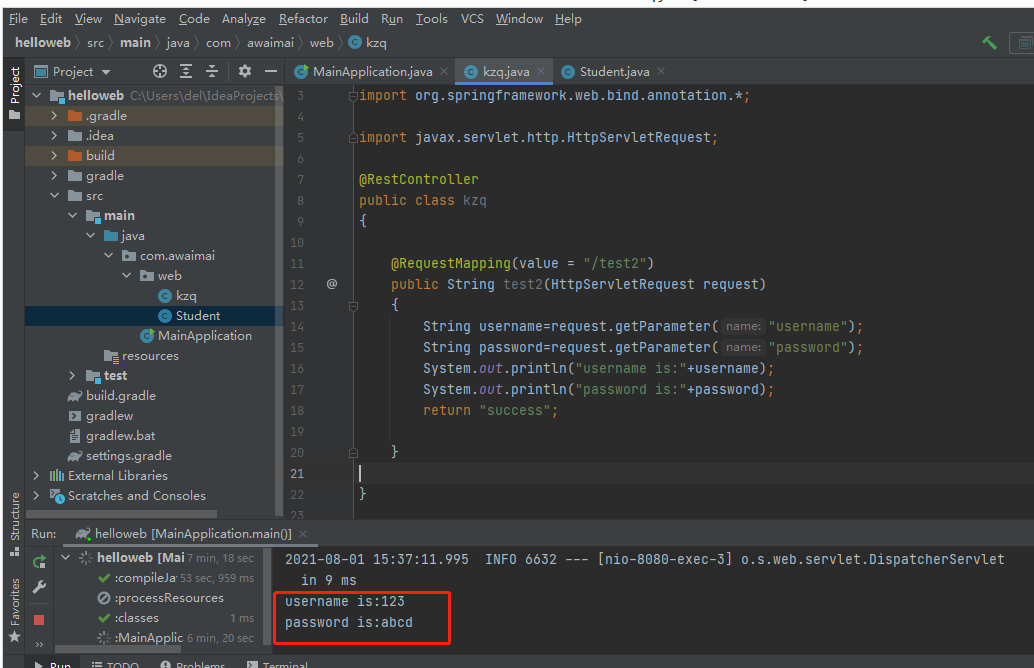
web访问:


=======================================================================
=======================================================================
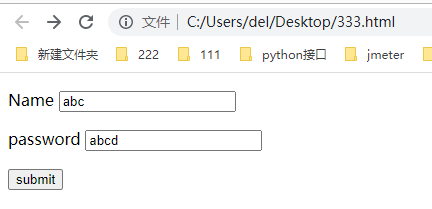
<!DOCTYPE html>
<html lang="en">
<head>
    <meta charset="UTF-8">
    <title>Title</title>
</head>
<body>
 <form action="http://localhost:8080/test279" method="POST">
     <p>Name <input type = "text" name = "username" /></p>
     <p>password <input type = "text" name = "password" /></p>
     <p><input type = "submit" value = "submit" /></p>
  </form>
</body>
</html>
    @RequestMapping(value = "/test279")
    public String test279(HttpServletRequest request)
    {
        String username=request.getParameter("username");
        String password=request.getParameter("password");
        System.out.println("username is:"+username);
        System.out.println("password is:"+password);
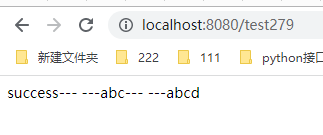
        return "success"+"---                      ---"+username+"---                      ---"+password;

    }
-------------------------------------------------------------------------------------------------------

 浙公网安备 33010602011771号