public class WatermarkUtil {
    public static void markeWatermark(File file, String waterMarkContent, OutputStream outputStream) throws Exception {
        Date time = new Date();
        long startTimes = time.getTime();
        if (file == null
                || !file.isFile()
                || !file.exists()
                || !file.canRead()
                || StringUtils.isBlank(waterMarkContent)) {
            throw new Exception("文件无效");
        }
        // 加水印
        BufferedImage bufImg = ImageIO.read(file);
        int imgWidth = bufImg.getWidth(null);
        int imgHeight = bufImg.getHeight(null);
        Graphics2D g = bufImg.createGraphics();
        g.drawImage(bufImg.getScaledInstance(imgWidth, imgHeight, Image.SCALE_SMOOTH), 0, 0, null);
        g.rotate(Math.toRadians(330), (double) bufImg.getWidth() / 2, (double) bufImg.getHeight() / 2);
        //根据图片的背景设置水印颜色
        g.setColor(Color.gray);
        //设置字体
        g.setFont(new Font("宋体", Font.PLAIN, 20));
        g.setComposite(AlphaComposite.getInstance(AlphaComposite.SRC_ATOP,
                0.5f));
        for (int x = 50; x < imgHeight; x += 100) {
            for (int y = 75; y < imgWidth; y += 150) {
                //画出水印
                g.drawString(waterMarkContent, y, x);
            }
        }
        ImageIO.write(bufImg, "png", outputStream);
        outputStream.flush();
        outputStream.close();
        time = new Date();
        long endTimes = time.getTime();
        System.out.println("本次水印共用时:"+String.valueOf(endTimes-startTimes)+",文件路径:"+file.getPath()+",文件大小:"+file.length());
    }

    public static void main(String args[]){
        File img = new File("D:/a/123.png");
        try(FileOutputStream os = new FileOutputStream(new File("D:/a/a.png"))){
            markeWatermark(img,"测试",os);
        }catch (Exception e){
            e.printStackTrace();
        }
    }

}
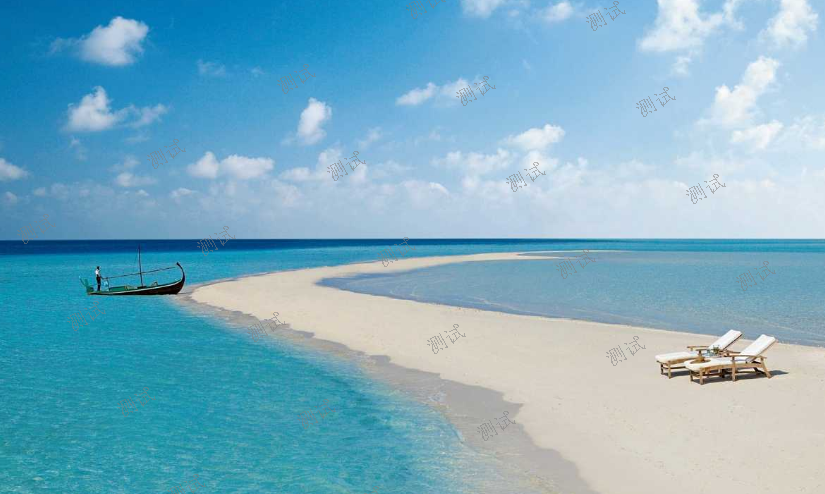
结果展示:
![]()
注:出现中文乱码是因为系统没有你所设置的字体,需要将字体的ttf文件拷贝到系统的字体库中




 浙公网安备 33010602011771号