

Spring入门笔记--Spring集成web环境
Spring集成web环境
idea社区版没有web功能,也不带tomcat插件,需要idea专业版。
IDEA配置
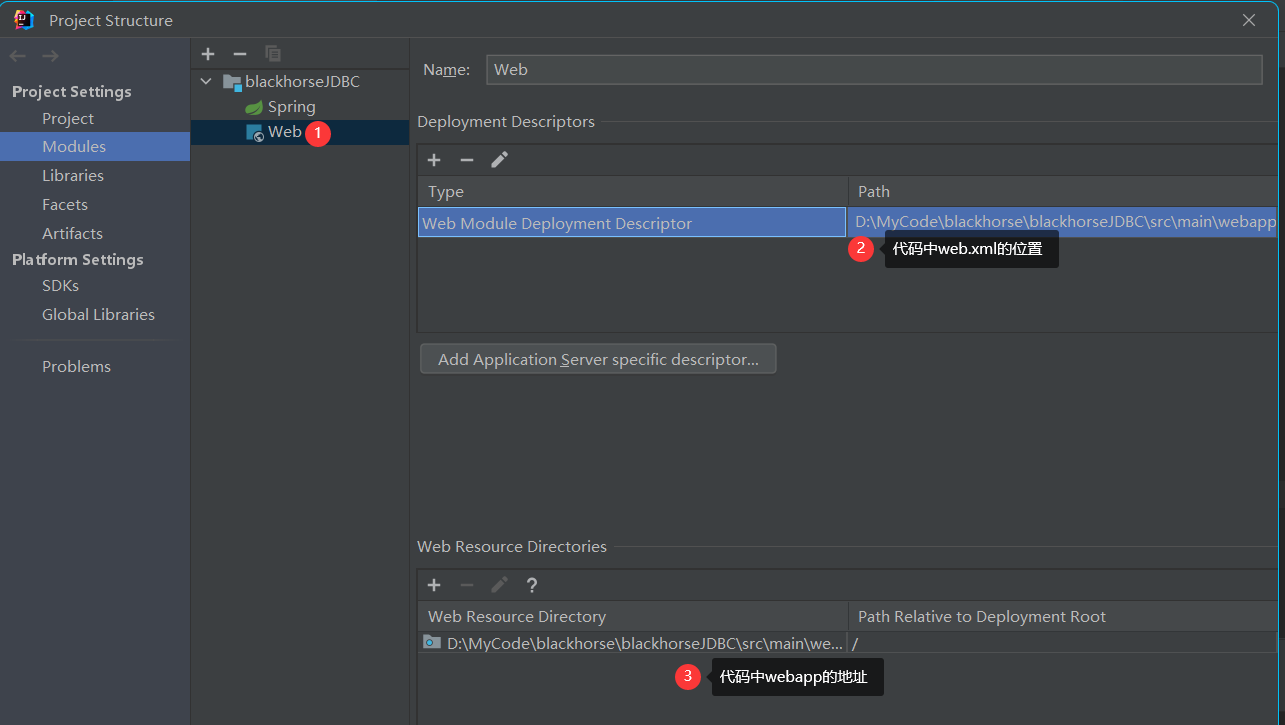
- 在项目的modules中增加web模块,并设置路径。
![]()
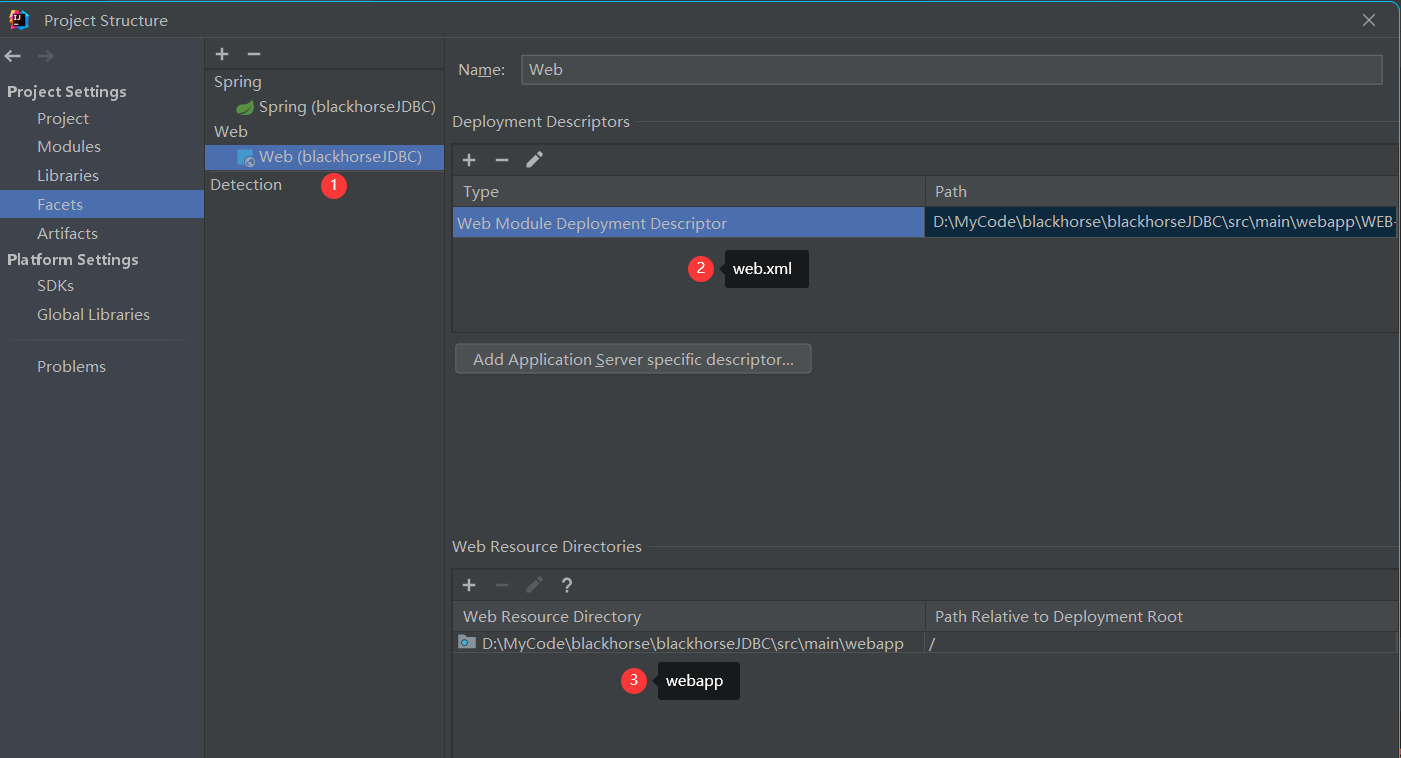
- 在Facets中也要新增web模块
![]()
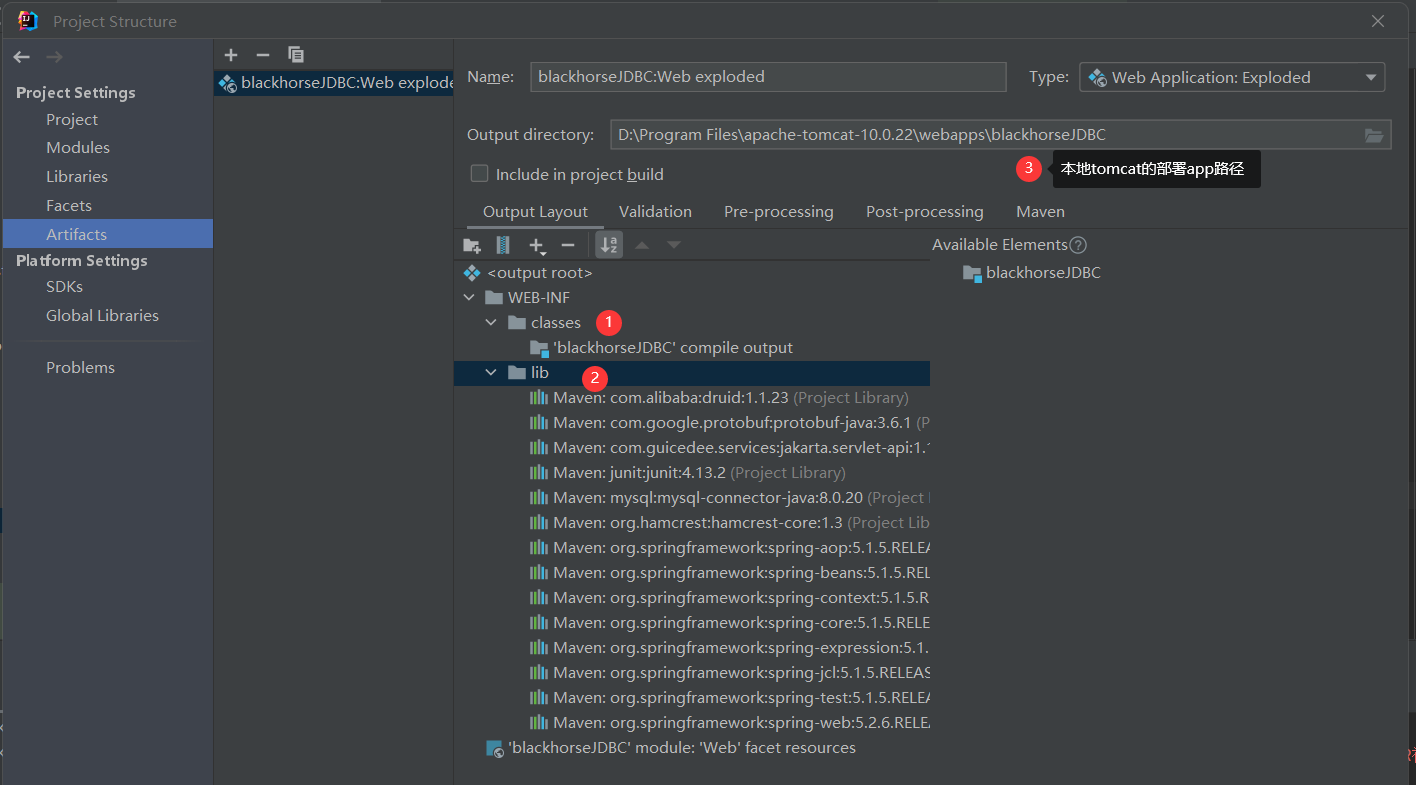
- 在Artifacts中确保有classes和lib文件夹,我的没有lib,导致启动tomcat时老是报错找不到一些类,因为部署环境上没有。
![]()
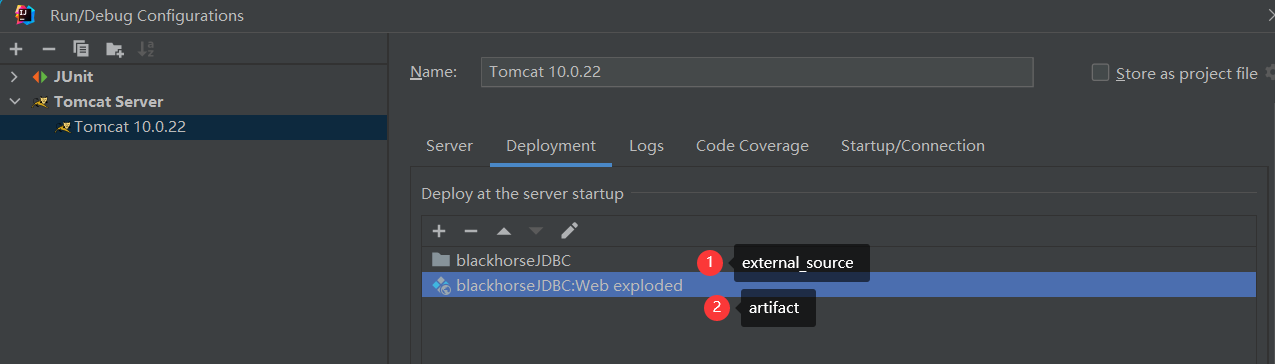
- tomcat设置,添加external source和artifact
![]()
maven配置
如果使用tomcat10,javax已经替换成了jakarta,导包要正确,version和JDK版本有关。
<dependency>
    <groupId>com.guicedee.services</groupId>
    <artifactId>jakarta.servlet-api</artifactId>
    <version>1.1.1.7-jre8</version>
</dependency>
老版本:
  <groupId>javax.servlet</groupId>
  <artifactId>javax.servlet-api</artifactId>
代码
在web项目中,可以使用ServletContextListener监听web应用的启动,web应用启动时,就夹在Spring的配置文件,创建上下文对象ApplicationContext,并存储在最大的域servletContext中。
监视器的实现:
public class ContextLoaderListener implements ServletContextListener {
    public void contextInitialized(ServletContextEvent servletContextEvent) {
        ServletContext servletContext = servletContextEvent.getServletContext();
        String contextConfigLocation = servletContext.getInitParameter("contextConfigLocation");
        ApplicationContext app = new ClassPathXmlApplicationContext(contextConfigLocation);
        servletContext.setAttribute("app", app);  //存到域中
        System.out.println("ContextLoaderListener.contextInitialized");
    }
}
web.xml中:
<!--全局初始化参数-->
<context-param>
    <param-name>contextConfigLocation</param-name>
    <param-value>classpath:applicationContext.xml</param-value>
</context-param>
实际上ContextLoaderListener和WebApplicationContextUtils类spring-web已经封装好了,可以直接使用,在获取上下文时:
<listener>
    <!--自己实现的-->
    <listener-class>com.yihao.listener.ContextLoaderListener</listener-class>
    <!--spring-web中有的,可以省略掉servletContext.setAttribute("app", app);的一个中间命名-->
    <listener-class>org.springframework.web.context.ContextLoaderListener</listener-class>
</listener>
使用时从全局servletContext中取出
public class UserServlet extends HttpServlet {
    public void doGet(HttpServletRequest request, HttpServletResponse response) throws ServletException, IOException {
        //直接操作response
        response.setContentType("text/html;charset=utf-8");
        response.getWriter().println("<h1>Hello World!</h1>");
        //获取对应的servie
        ServletContext servletContext = this.getServletContext();
        ApplicationContext app = (ApplicationContext) servletContext.getAttribute("app");
        UserService userService = app.getBean(UserService.class);
    }
}
但是如果使用了jakarta.servlet-api兼容有问题,自己写(上面的监视器类自己实现):
ServletContext servletContext = this.getServletContext();
ApplicationContext app = (ApplicationContext) servletContext.getAttribute("app");
UserService userService = app.getBean(UserService.class);

使用tomcat10有很多问题,不适合java8,使用高版本jdk。

 浙公网安备 33010602011771号