
摘要:
 为什么驾校报名后体检会指定医院 All In One
阅读全文
为什么驾校报名后体检会指定医院 All In One
阅读全文
为什么驾校报名后体检会指定医院 All In One
阅读全文
posted @ 2023-04-16 22:26
xgqfrms
阅读(84)
评论(2)
推荐(0)
摘要:
 How to use the Raspberry Pi to study the Linux kernel source code All In One
如何利用树莓派来研究 Linux 内核源码 All In One
在 Linux 系统中,一切皆文件!
阅读全文
How to use the Raspberry Pi to study the Linux kernel source code All In One
如何利用树莓派来研究 Linux 内核源码 All In One
在 Linux 系统中,一切皆文件!
阅读全文
How to use the Raspberry Pi to study the Linux kernel source code All In One
如何利用树莓派来研究 Linux 内核源码 All In One
在 Linux 系统中,一切皆文件!
阅读全文
posted @ 2023-04-16 16:45
xgqfrms
阅读(44)
评论(3)
推荐(0)
摘要:
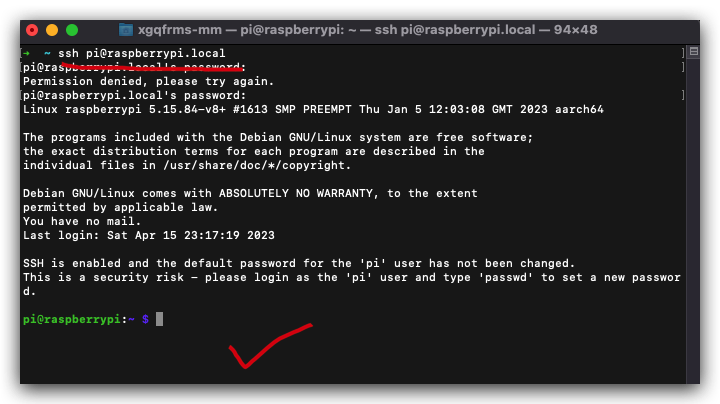 无显示器如何通过配置文件快速修复树莓派无法通过 SSH 访问的问题 All In One
在没有显示器的情况下如何通过配置系统文件快速的修复树莓派无法通过 SSH 访问的问题 All In One
无显示器 SSH 远程访问 树莓派
Raspberry Pi Imager
阅读全文
无显示器如何通过配置文件快速修复树莓派无法通过 SSH 访问的问题 All In One
在没有显示器的情况下如何通过配置系统文件快速的修复树莓派无法通过 SSH 访问的问题 All In One
无显示器 SSH 远程访问 树莓派
Raspberry Pi Imager
阅读全文
无显示器如何通过配置文件快速修复树莓派无法通过 SSH 访问的问题 All In One
在没有显示器的情况下如何通过配置系统文件快速的修复树莓派无法通过 SSH 访问的问题 All In One
无显示器 SSH 远程访问 树莓派
Raspberry Pi Imager
阅读全文
posted @ 2023-04-16 14:56
xgqfrms
阅读(293)
评论(5)
推荐(0)
摘要:
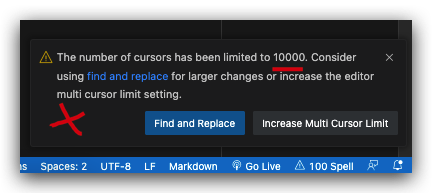 vscode number of cursors limited to 10000 bug All In One
vscode 多光标编辑的光标数量超出最大的限制,最多 10000 个 ❌
阅读全文
vscode number of cursors limited to 10000 bug All In One
vscode 多光标编辑的光标数量超出最大的限制,最多 10000 个 ❌
阅读全文
vscode number of cursors limited to 10000 bug All In One
vscode 多光标编辑的光标数量超出最大的限制,最多 10000 个 ❌
阅读全文
posted @ 2023-04-16 14:17
xgqfrms
阅读(474)
评论(1)
推荐(0)
摘要:
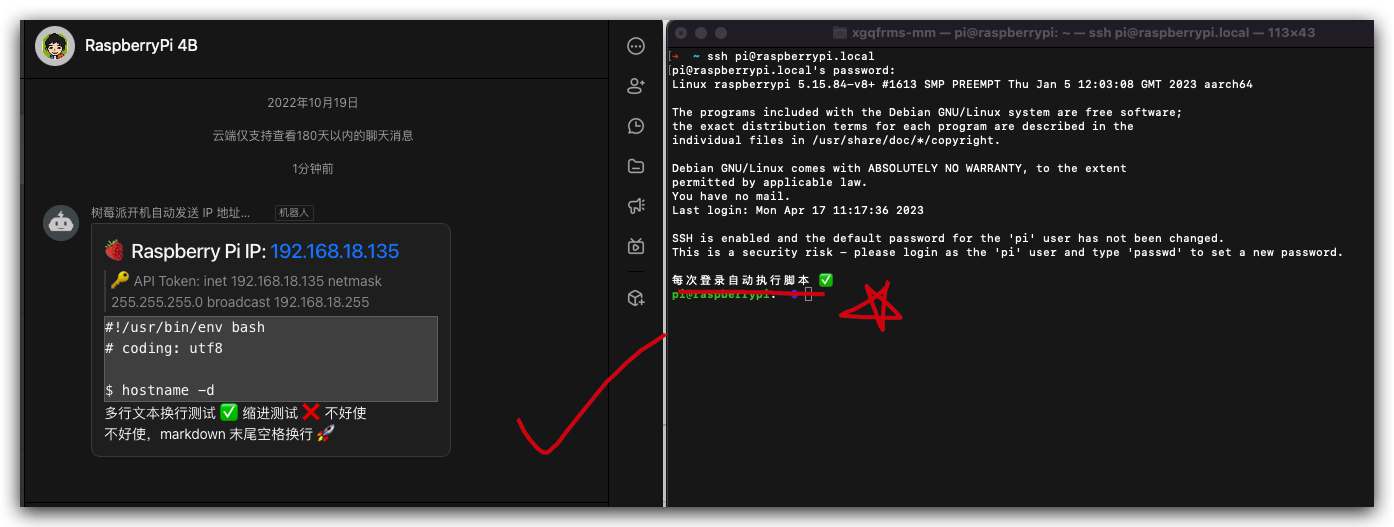 Raspberry Pi 设置开机登录后自启动脚本 All In One
Raspberry Pi 设置开机自动启动 SSH
6 种修改系统文件来实现开机自启动的方法
2 种修改系统配置文件来实现开机登录后自动执行自定义 shell 脚本的方案
.profile
.bashrc
init.d tab
systemd
crontab 定时器/定时任务
rc.local
userconf.txt
config.txt
wpa_supplicant.conf
阅读全文
Raspberry Pi 设置开机登录后自启动脚本 All In One
Raspberry Pi 设置开机自动启动 SSH
6 种修改系统文件来实现开机自启动的方法
2 种修改系统配置文件来实现开机登录后自动执行自定义 shell 脚本的方案
.profile
.bashrc
init.d tab
systemd
crontab 定时器/定时任务
rc.local
userconf.txt
config.txt
wpa_supplicant.conf
阅读全文
Raspberry Pi 设置开机登录后自启动脚本 All In One
Raspberry Pi 设置开机自动启动 SSH
6 种修改系统文件来实现开机自启动的方法
2 种修改系统配置文件来实现开机登录后自动执行自定义 shell 脚本的方案
.profile
.bashrc
init.d tab
systemd
crontab 定时器/定时任务
rc.local
userconf.txt
config.txt
wpa_supplicant.conf
阅读全文
posted @ 2023-04-16 12:12
xgqfrms
阅读(228)
评论(13)
推荐(0)
摘要:
 WebGPU All In One
WebGPU 是一种 API,可让你执行 2 项基本操作。
绘制三角形/点/线到纹理
在 GPU 上运行计算
阅读全文
WebGPU All In One
WebGPU 是一种 API,可让你执行 2 项基本操作。
绘制三角形/点/线到纹理
在 GPU 上运行计算
阅读全文
WebGPU All In One
WebGPU 是一种 API,可让你执行 2 项基本操作。
绘制三角形/点/线到纹理
在 GPU 上运行计算
阅读全文
posted @ 2023-04-16 11:05
xgqfrms
阅读(45)
评论(1)
推荐(0)
摘要:
 how to use cURL with a variable in the URL string All In One
如何在 cURL 的 URL 字符串中使用变量
系统变量
环境变量
shell 变量
2>&1
阅读全文
how to use cURL with a variable in the URL string All In One
如何在 cURL 的 URL 字符串中使用变量
系统变量
环境变量
shell 变量
2>&1
阅读全文
how to use cURL with a variable in the URL string All In One
如何在 cURL 的 URL 字符串中使用变量
系统变量
环境变量
shell 变量
2>&1
阅读全文
posted @ 2023-04-16 10:09
xgqfrms
阅读(132)
评论(3)
推荐(0)
 How to use SSH to access the Raspberry Pi without know the Wi-Fi IP address All In One
如何在不知道 Wi-Fi IP 地址的情况下使用 SSH 访问树莓派
没有显示器,不知道树莓派 IP 地址的情况下,如何通过 SSH 远程访问树莓派的终极解决方案
1. 必备条件
有一个家庭 Wi-Fi,有互联网访问; (PS: 也可以没有互联网访问, 如果有离线的系统镜像和 Raspberry Pi Imager 工具)
SD 卡读卡器; (PS: 也可以没有, 如果电脑自带了读卡器)
一个 5V/3A 的 USB 电源适配器
一个树莓派 (3B / 3B+ / 4B)等
一台电脑
Raspberry Pi Imager
Raspberry Pi OS
How to use SSH to access the Raspberry Pi without know the Wi-Fi IP address All In One
如何在不知道 Wi-Fi IP 地址的情况下使用 SSH 访问树莓派
没有显示器,不知道树莓派 IP 地址的情况下,如何通过 SSH 远程访问树莓派的终极解决方案
1. 必备条件
有一个家庭 Wi-Fi,有互联网访问; (PS: 也可以没有互联网访问, 如果有离线的系统镜像和 Raspberry Pi Imager 工具)
SD 卡读卡器; (PS: 也可以没有, 如果电脑自带了读卡器)
一个 5V/3A 的 USB 电源适配器
一个树莓派 (3B / 3B+ / 4B)等
一台电脑
Raspberry Pi Imager
Raspberry Pi OS
 Raspberry Pi Code Editor All In One
GPIO module bug
Python
Scratch
Raspberry Pi Code Editor All In One
GPIO module bug
Python
Scratch
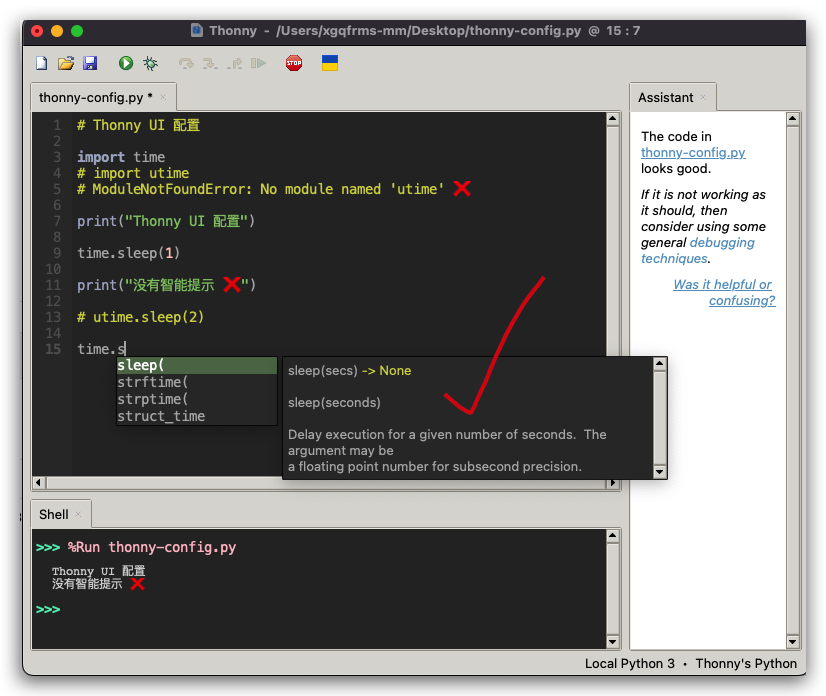 Thonny IDE All In One
Thonny 开启代码自动完成
Python
vscode IntelliSense
代码提示
代码自动补全
I2C: I²C / Inter-Integrated Circui / 内部集成电路
Thonny IDE All In One
Thonny 开启代码自动完成
Python
vscode IntelliSense
代码提示
代码自动补全
I2C: I²C / Inter-Integrated Circui / 内部集成电路
 浙公网安备 33010602011771号