
Linux shell script redirection All In One
Linux shell script redirection All In One
Linux shell 脚本重定向
PS: Linux 系统中一切皆文件 🚀, device 设备也是一种文件
> and >>
把 stdout 输出到文件中
把 stdout append 追加到文件中
# 覆盖
$ echo "Hello World 🌏" > hello-world.md

# 追加
$ echo "Hello Linux 🐧" >> hello-linux.md
$ echo "Hello Shell 👻" >> hello-linux.md
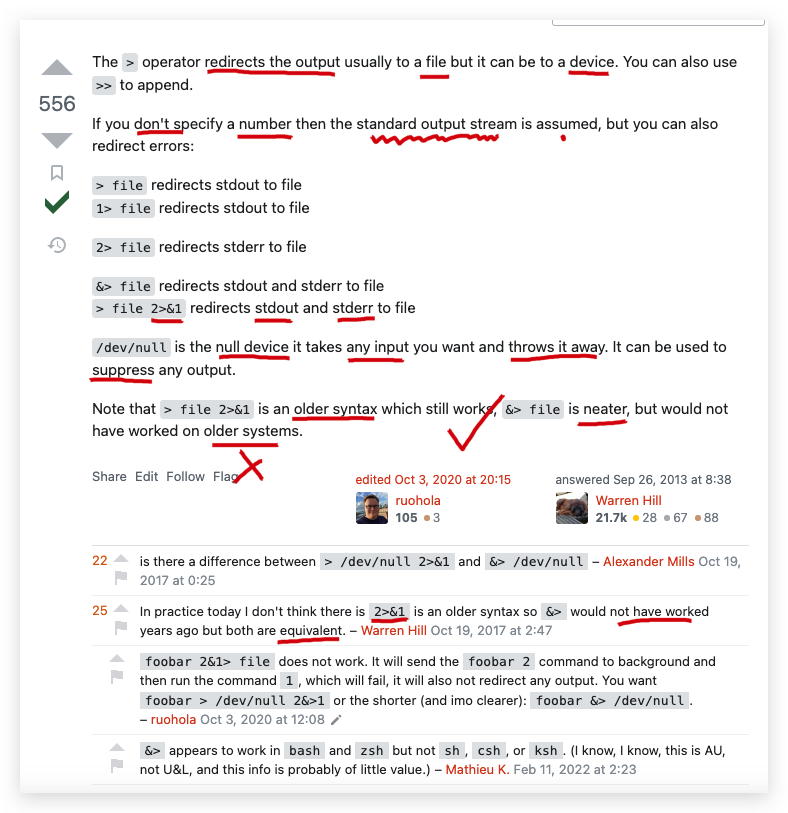
&>/dev/null
把
标准输出和错误输出,全部重定向到一个不存在的device文件, 即忽略所有输出信息 ✅
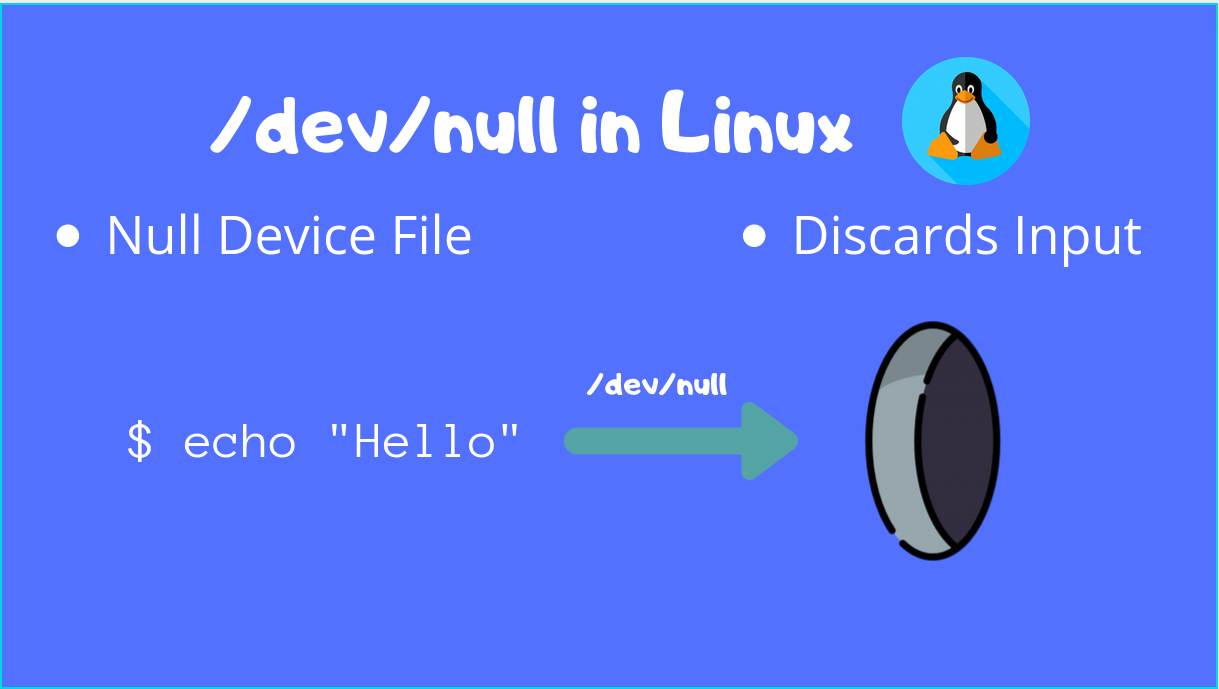
/dev/null 是一个特殊文件(即,一个不存在的 device 文件),所有传给它的东西它都会被丢弃掉
常常用于 bypass/ 绕过 一些不需要的 log 输出信息
https://askubuntu.com/questions/350208/what-does-2-dev-null-mean
https://askubuntu.com/questions/12098/what-does-outputting-to-dev-null-accomplish-in-bash-scripts
https://stackoverflow.com/questions/24777332/the-opposite-of-dev-null
https://www.digitalocean.com/community/tutorials/dev-null-in-linux
https://linuxhint.com/what_is_dev_null/
在 shell 脚本中,默认情况下,有三个文件处于打开状态;
标准输入(键盘输入)、标准输出(输出到屏幕)、标准错误(输出到屏幕);
对应的文件描述符 分别是 0,1,2;
> filename 把默认的标准输出 重定向到 filename 文件中 , 等价于 1> filename;
filename 2>&1 把标准输出 和 标准错误输出 , 一起重定向到 filename 文件中;
等价于
&> filename 把标准输出 和 标准错误输出 , 一起重定向到 filename 文件中;
https://blog.csdn.net/u011630575/article/details/52151995
2>&1 / &>
stdout标准输出 &stderr错误输出,二合一进行输出
#!/usr/bin/env bash
# coding: utf8

# ip-program.sh
/usr/bin/bash -u /home/pi/Desktop/dd-ip-notice-robot.sh > /home/pi/Desktop/ip-program.log 2>&1
https://www.cnblogs.com/xgqfrms/tag/2>%261/
demos
oh my
zshplugins vscode
vscode.plugin.zsh
# Verify if any manual user choice of VS Code exists first.
if [[ -n "$VSCODE" ]] && ! which $VSCODE &>/dev/null; then
  echo "'$VSCODE' flavour of VS Code not detected."
  unset VSCODE
fi
# ...
# Verify if any manual user choice of VS Code exists first.
if [[ -n "$VSCODE" ]] && ! which $VSCODE &>/dev/null; then
echo "'$VSCODE' flavour of VS Code not detected."
unset VSCODE
fi
# ...
# VS Code (stable / insiders) / VSCodium zsh plugin
# Authors:
#   https://github.com/MarsiBarsi (original author)
#   https://github.com/babakks
#   https://github.com/SteelShot

# Verify if any manual user choice of VS Code exists first.
if [[ -n "$VSCODE" ]] && ! which $VSCODE &>/dev/null; then
  echo "'$VSCODE' flavour of VS Code not detected."
  unset VSCODE
fi

# Otherwise, try to detect a flavour of VS Code.
if [[ -z "$VSCODE" ]]; then
  if which code &>/dev/null; then
    VSCODE=code
  elif which code-insiders &>/dev/null; then
    VSCODE=code-insiders
  elif which codium &>/dev/null; then
    VSCODE=codium
  else
    return
  fi
fi

alias vsc="$VSCODE ."
alias vsca="$VSCODE --add"
alias vscd="$VSCODE --diff"
alias vscg="$VSCODE --goto"
alias vscn="$VSCODE --new-window"
alias vscr="$VSCODE --reuse-window"
alias vscw="$VSCODE --wait"
alias vscu="$VSCODE --user-data-dir"

alias vsced="$VSCODE --extensions-dir"
alias vscie="$VSCODE --install-extension"
alias vscue="$VSCODE --uninstall-extension"

alias vscv="$VSCODE --verbose"
alias vscl="$VSCODE --log"
alias vscde="$VSCODE --disable-extensions"
https://github.com/ohmyzsh/ohmyzsh/blob/master/plugins/vscode/vscode.plugin.zsh
(🐞 反爬虫测试!打击盗版⚠️)如果你看到这个信息, 说明这是一篇剽窃的文章,请访问 https://www.cnblogs.com/xgqfrms/ 查看原创文章!
refs
https://github.com/xgqfrms/linux-shell-script-programming/issues/2
Linux shell
stdin&stdout&stderrAll In One
https://www.cnblogs.com/xgqfrms/p/16903732.html
©xgqfrms 2012-2021
www.cnblogs.com/xgqfrms 发布文章使用:只允许注册用户才可以访问!
原创文章,版权所有©️xgqfrms, 禁止转载 🈲️,侵权必究⚠️!
本文首发于博客园,作者:xgqfrms,原文链接:https://www.cnblogs.com/xgqfrms/p/17338624.html
未经授权禁止转载,违者必究!

 浙公网安备 33010602011771号