
如何编写一个自己的 macOS 描述文件 All In One
如何编写一个自己的 macOS 描述文件 All In One
macOS
Configuration Profile/ macOS描述文件
macOS 13.1 profiles file
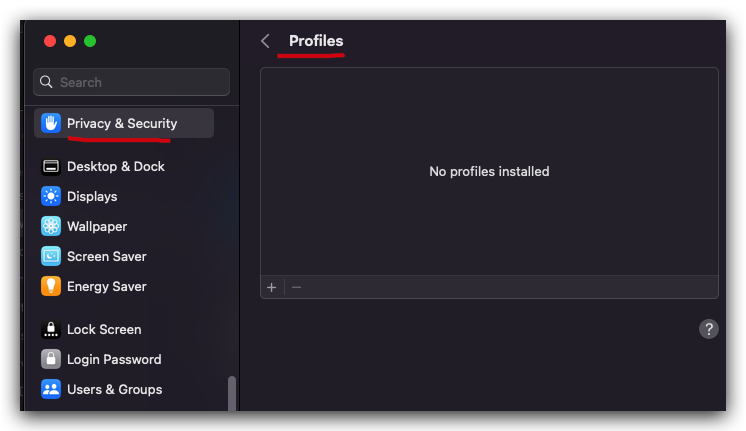

.mobileconfig 是什么扩展类型文件 ???
/Users/xgqfrms-mm/Downloads/tonyliu2caLoginItemAlertUnifierB.mobileconfig
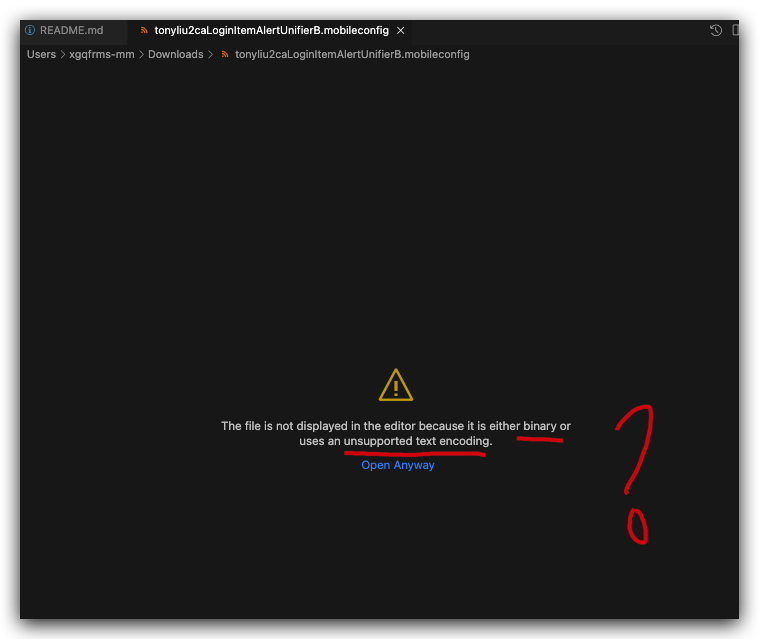
macOS
描述文件源码解析
$ cd /Users/xgqfrms-mm/Downloads
# 复制源码
$ cat tonyliu2caLoginItemAlertUnifierB.mobileconfig | pbcopy
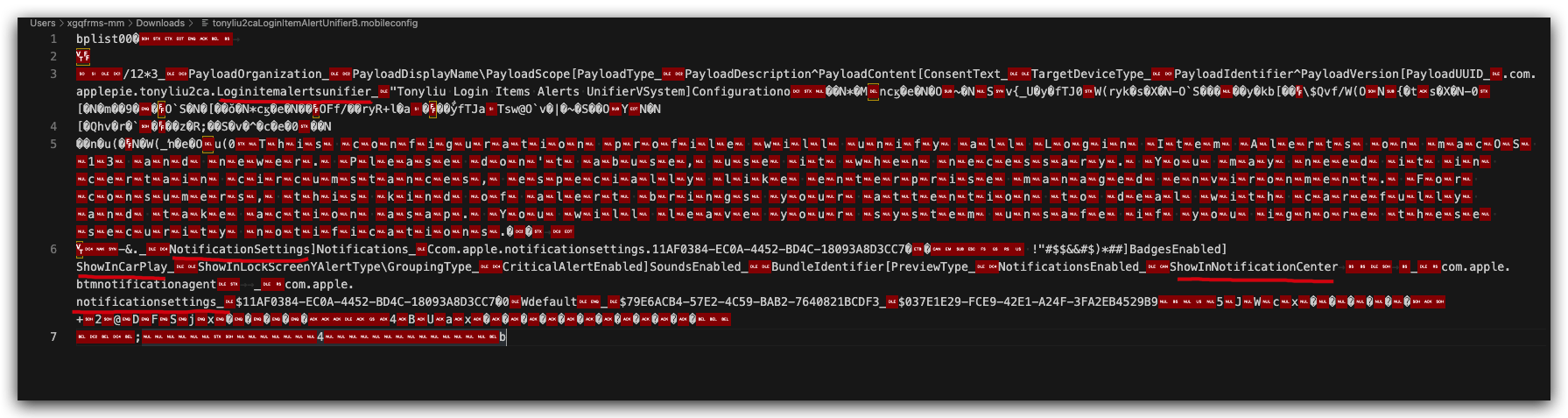
二进制源码
bplist00€
/12*3_PayloadOrganization_PayloadDisplayName\PayloadScope[PayloadType_PayloadDescription^PayloadContent[ConsentText_TargetDeviceType_PayloadIdentifier^PayloadVersion[PayloadUUID_.com.applepie.tonyliu2ca.Loginitemalertsunifier_"Tonyliu Login Items Alerts UnifierVSystem]Configurationo�èŸN*ëMncœèeáNˆO~flN�Sv{_UòyãfTJ0W(rykäsØXÉN-O`SÔÄ˝ó�âÅyÅkb[ɡ
\$Qvf/W(ON{°tsØXÉN-0[˘Némàç9ġ
O`SÔNÂ[âà≈èŸN*cœèeáNˆˇ
OFf/ã˜ryR+lËaˇ
èŸyÕãfTJaTsw@O`vÑ|˚~flSÔÄ˝OYNéN
[âQhvÑr∂`ˇ
ã˜zÀR;ë«S÷v¯^îc™eΩ0ã˜N
âÅnÂu(ˇ
N≈W(_≈âÅeˆOu(0�T�h�i�s� �c�o�n�f�i�g�u�r�a�t�i�o�n� �p�r�o�f�i�l�e� �w�i�l�l� �u�n�i�f�y� �a�l�l� �L�o�g�i�n� �I�t�e�m� �A�l�e�r�t�s� �o�n� �m�a�c�O�S� �1�3� �a�n�d� �n�e�w�e�r�.� �P�l�e�a�s�e� �d�o�n�'�t� �a�b�u�s�e�,� �u�s�e� �i�t� �w�h�e�n� �n�e�c�e�s�s�a�r�y�.� �Y�o�u� �m�a�y� �n�e�e�d� �i�t� �i�n� �c�e�r�t�a�i�n� �c�i�r�c�u�m�s�t�a�n�c�e�s�,� �e�s�p�e�c�i�a�l�l�y� �l�i�k�e� �e�n�t�e�r�p�r�i�s�e� �m�a�n�a�g�e�d� �e�n�v�i�r�o�n�m�e�n�t�.� �F�o�r� �c�o�n�s�u�m�e�r�s�,� �t�h�i�s� �k�i�n�d� �o�f� �a�l�e�r�t� �b�r�i�n�g�s� �y�o�u�r� �a�t�t�e�n�t�i�o�n� �t�o� �d�e�a�l� �w�i�t�h� �c�a�r�e�f�u�l�l�y� �a�n�d� �t�a�k�e� �a�c�t�i�o�n� �a�s�a�p�.� �Y�o�u� �w�i�l�l� �l�e�a�v�e� �y�o�u�r� �s�y�s�t�e�m� �u�n�s�a�f�e� �i�f� �y�o�u� �i�g�n�o�r�e� �t�h�e�s�e� �s�e�c�u�r�i�t�y� �n�o�t�i�f�i�c�a�t�i�o�n�s�.°÷
-&._NotificationSettings]Notifications_Ccom.apple.notificationsettings.11AF0384-EC0A-4452-BD4C-18093A8D3CC7°€
!"#$$&&#$)*##]BadgesEnabled]ShowInCarPlay_ShowInLockScreenYAlertType\GroupingType_CriticalAlertEnabled]SoundsEnabled_BundleIdentifier[PreviewType_NotificationsEnabled_ShowInNotificationCenter _
com.apple.btmnotificationagent _
com.apple.notificationsettings_$11AF0384-EC0A-4452-BD4C-18093A8D3CC7—0Wdefault_$79E6ACB4-57E2-4C59-BAB2-7640821BCDF3_$037E1E29-FCE9-42E1-A24F-3FA2EB4529B9�� �5�J�W�c�x�á�ì�¶�∫�…�’+2@DFSjxæ¿◊ÂÛ
4BUaxìîïñòôöªΩæø‡
;�������������4��������������b
描述文件管理器介绍
手动分发:您可以从“描述文件管理器”的管理门户下载配置描述文件(.mobileconfig 文件),然后通过邮件信息将其发送给用户,或将其发布到创建的网站。用户接收或下载文件后,可将其安装在设备上。
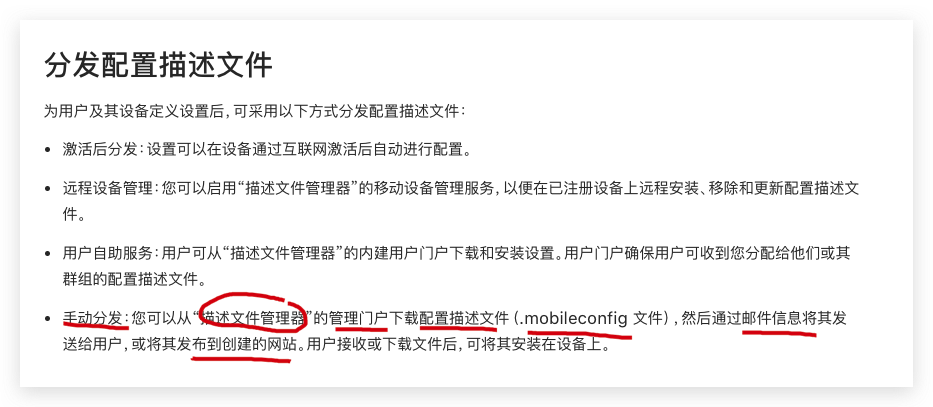
https://support.apple.com/zh-cn/guide/server/apd0e2214c6/mac
https://www.cnblogs.com/xgqfrms/p/17048600.html#5140807
profile manager / 描述文件管理器
Apple Configurator
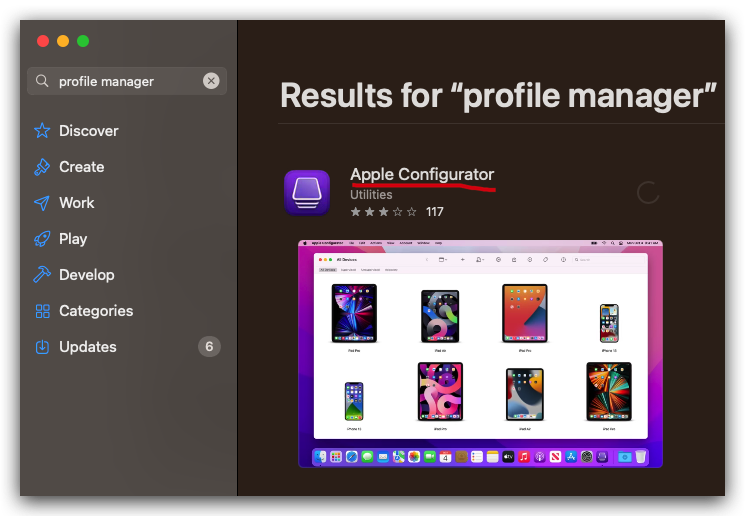
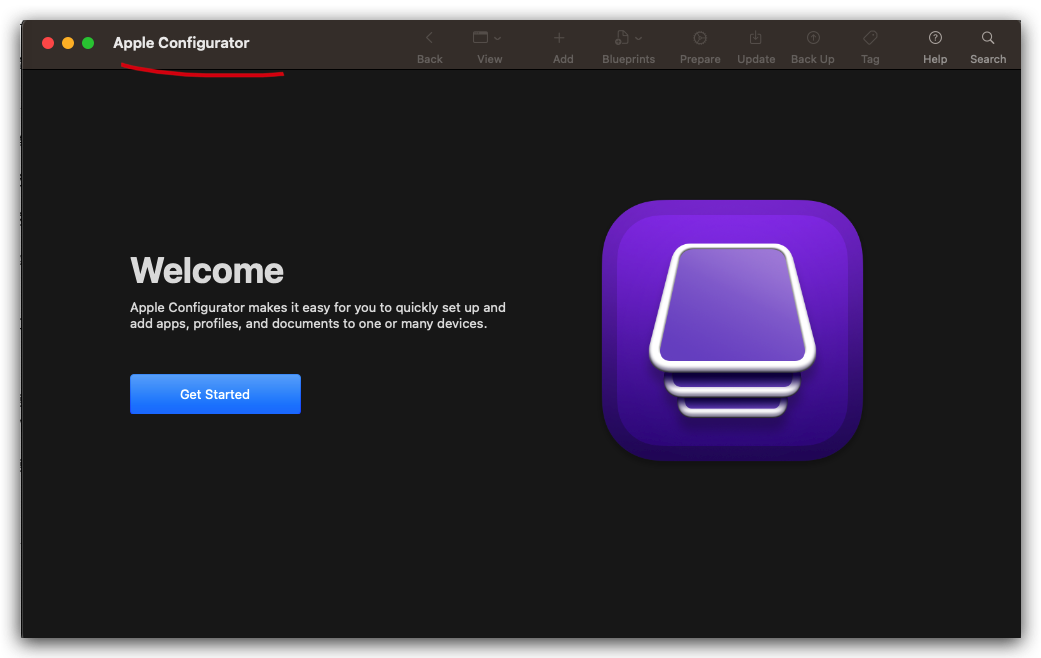
https://apps.apple.com/cn/app/apple-configurator/id1037126344?l=en&mt=12
https://support.apple.com/guide/apple-configurator-mac/CAD0118F840/2.16/mac/13.1
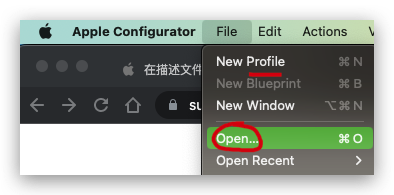
打开 & 编辑 描述文件
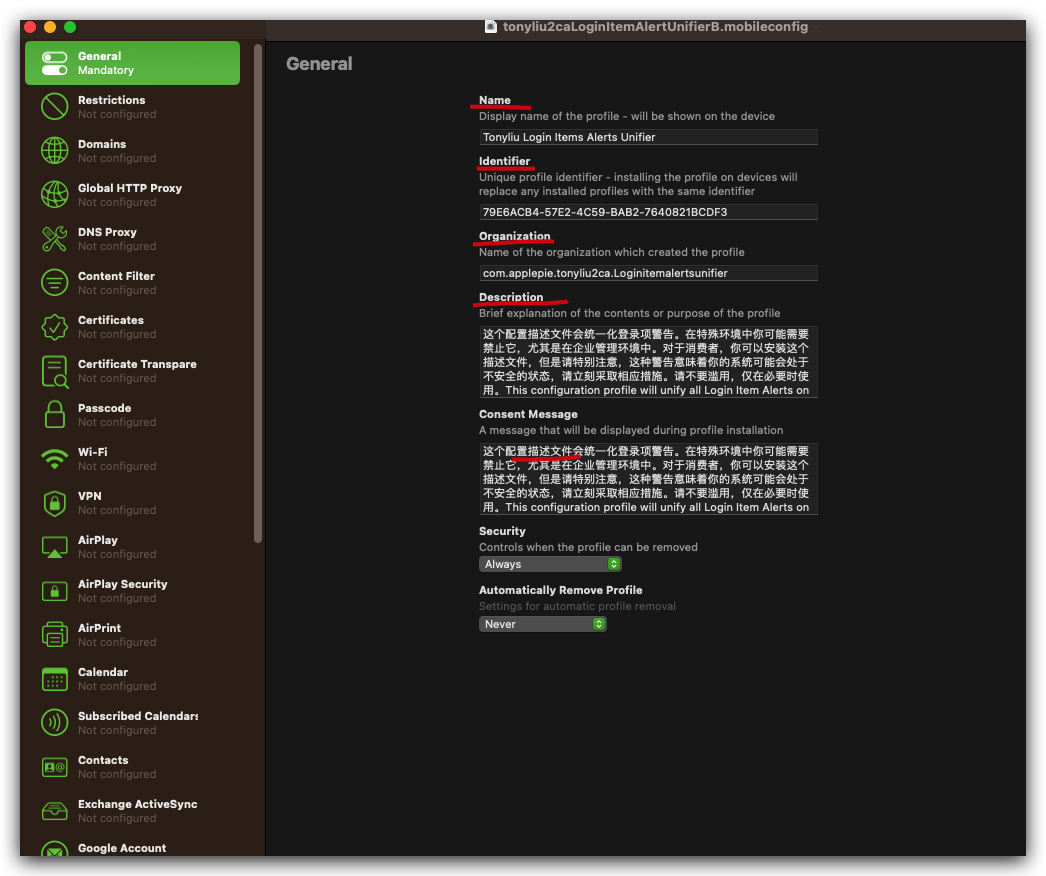
这个配置描述文件会统一化登录项警告。在特殊环境中你可能需要禁止它,尤其是在企业管理环境中。对于消费者,你可以安装这个描述文件,但是请特别注意,这种警告意味着你的系统可能会处于不安全的状态,请立刻采取相应措施。请不要滥用,仅在必要时使用。
This configuration profile will unify all Login Item Alerts on macOS 13 and newer. Please don't abuse, use it when necessary. You may need it in certain circumstances, especially like enterprise managed environment. For consumers, this kind of alert brings your attention to deal with carefully and take action asap. You will leave your system unsafe if you ignore these security notifications.
com.apple.btmnotificationagent
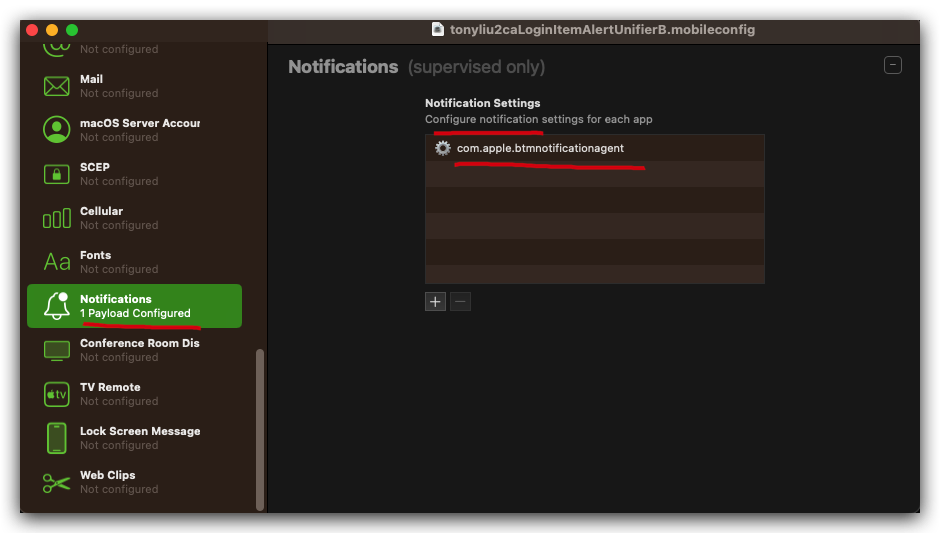
使用
Xcode打开配置描述文件
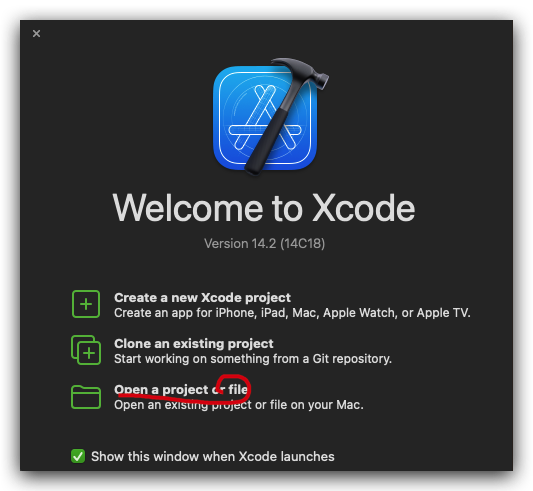
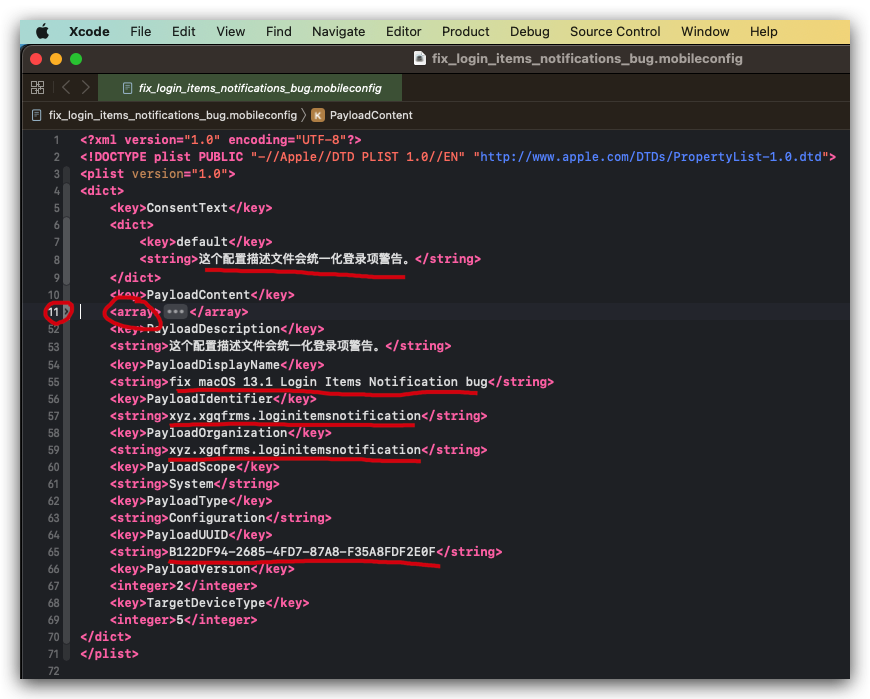
<?xml version="1.0" encoding="UTF-8"?>
<!DOCTYPE plist PUBLIC "-//Apple//DTD PLIST 1.0//EN" "http://www.apple.com/DTDs/PropertyList-1.0.dtd">
<plist version="1.0">
<dict>
	<key>ConsentText</key>
	<dict>
		<key>default</key>
		<string>这个配置描述文件会统一化登录项警告。</string>
	</dict>
	<key>PayloadContent</key>
	<array>
		<dict>
			<key>NotificationSettings</key>
			<array>
				<dict>
					<key>AlertType</key>
					<integer>1</integer>
					<key>BadgesEnabled</key>
					<true/>
					<key>BundleIdentifier</key>
					<string>com.apple.btmnotificationagent</string>
					<key>CriticalAlertEnabled</key>
					<true/>
					<key>GroupingType</key>
					<integer>1</integer>
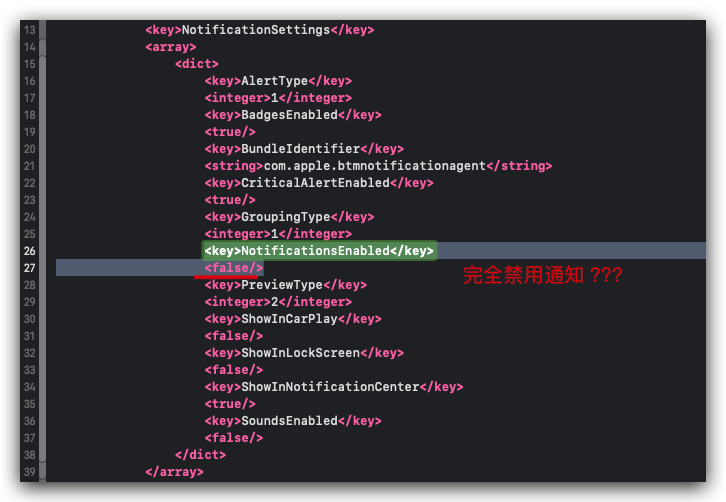
					<key>NotificationsEnabled</key>
					<true/>
					<key>PreviewType</key>
					<integer>2</integer>
					<key>ShowInCarPlay</key>
					<false/>
					<key>ShowInLockScreen</key>
					<false/>
					<key>ShowInNotificationCenter</key>
					<true/>
					<key>SoundsEnabled</key>
					<false/>
				</dict>
			</array>
			<key>PayloadDisplayName</key>
			<string>Notifications</string>
			<key>PayloadIdentifier</key>
			<string>com.apple.notificationsettings.11AF0384-EC0A-4452-BD4C-18093A8D3CC7</string>
			<key>PayloadType</key>
			<string>com.apple.notificationsettings</string>
			<key>PayloadUUID</key>
			<string>11AF0384-EC0A-4452-BD4C-18093A8D3CC7</string>
			<key>PayloadVersion</key>
			<integer>1</integer>
		</dict>
	</array>
	<key>PayloadDescription</key>
	<string>这个配置描述文件会统一化登录项警告。</string>
	<key>PayloadDisplayName</key>
	<string>fix macOS 13.1 Login Items Notification bug</string>
	<key>PayloadIdentifier</key>
	<string>xyz.xgqfrms.loginitemsnotification</string>
	<key>PayloadOrganization</key>
	<string>xyz.xgqfrms.loginitemsnotification</string>
	<key>PayloadScope</key>
	<string>System</string>
	<key>PayloadType</key>
	<string>Configuration</string>
	<key>PayloadUUID</key>
	<string>B122DF94-2685-4FD7-87A8-F35A8FDF2E0F</string>
	<key>PayloadVersion</key>
	<integer>2</integer>
	<key>TargetDeviceType</key>
	<integer>5</integer>
</dict>
</plist>
try ???
Notifications Overview
Notifications
Local and push notifications are great for keeping users informed with timely and relevant content, whether your app is running in the background or inactive.
Notifications can display a message, play a distinctive sound, or update a badge on your app icon.
Use Xcode and these resources to support notifications in your app.
https://developer.apple.com/notifications/
Apple 技术支持
macOS 描述文件
在 Mac 电脑上使用配置描述文件以标准化设置
配置描述文件能让你标准化Mac 电脑的设置。
例如,管理员可以设置描述文件来配置 Mac 电脑,从而与学校或工作地点网络上的服务器进行交互。
隐私和安全性, 安装收到的配置描述文件 / 查看安装的配置描述文件 / 移除配置描述文件
https://support.apple.com/zh-cn/guide/mac-help/mh35561/13.0/mac/13.0
在 Mac 上更改“描述文件”设置
https://support.apple.com/zh-cn/guide/mac-help/mh35474/13.0/mac/13.0
如果要求在 Mac 上批准描述文件
配置描述文件是 XML 文件,用于将配置信息分发到受管理的 Apple 设备。
它会自动配置设置、帐户、访问限制和凭证。
有三种类型的描述文件:用户、设备和移动设备管理 (MDM) 注册。
如果看到配置描述文件,则你的 Mac 可能是受管理的电脑。请参阅关于管理式 Apple ID 帐户。
https://support.apple.com/zh-cn/guide/mac-help/mchl42f58b2c/13.0/mac/13.0
如何在 Mac 上创建一个配置“描述文件” ???
自定义配置描述文件
(🐞 反爬虫测试!打击盗版⚠️)如果你看到这个信息, 说明这是一篇剽窃的文章,请访问 https://www.cnblogs.com/xgqfrms/ 查看原创文章!
refs
https://www.cnblogs.com/xgqfrms/p/17046283.html#5140778
https://www.bilibili.com/video/BV15A411R71u/
©xgqfrms 2012-2021
www.cnblogs.com/xgqfrms 发布文章使用:只允许注册用户才可以访问!
原创文章,版权所有©️xgqfrms, 禁止转载 🈲️,侵权必究⚠️!
本文首发于博客园,作者:xgqfrms,原文链接:https://www.cnblogs.com/xgqfrms/p/17048600.html
未经授权禁止转载,违者必究!

 浙公网安备 33010602011771号