
abaqus 2016安装错误
参考链接:http://muchong.com/t-12553553-1-pid-5
原文作者:mnls520
目录-两个问题
“solverDir”值不正确。 未找到 C:\SIMULIA\CAE\2016 目录。
问题1
“solverDir”值不正确。 未找到 C:\SIMULIA\CAE\2016 目录。
解决方法:
第23步(下图)只能改安装在 C 或 D 或 E 盘,不能随意建立目录
同理下面第二张图也只能改CDE且需与23步一致。


问题2
Error: Unable to add Abaqus command directory to PATH variable. Return Code: 1 Attempted to add command directory: "E:\SIMULIA\Commands"

解决方法:
(1)右键我的电脑——属性——高级系统设置——环境变量——新建——变量名:PATH,变量值:D:\SIMULIA\Commands(因为我是安装在D盘的,装在哪个盘填那个盘)。注意PATH大写
(2)在控制面板卸载最后安装的CAE 这个组件,并删除CAE这个组件的安装目录
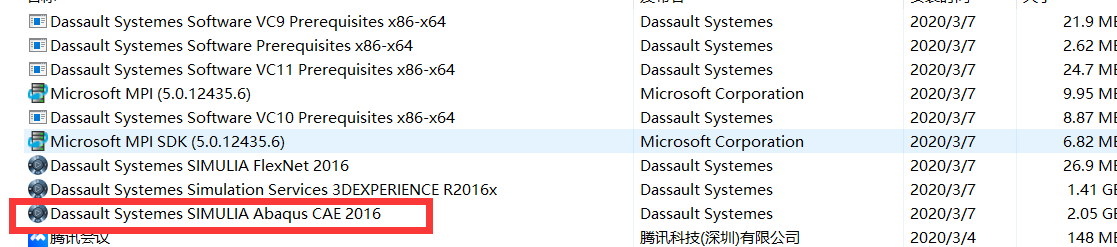
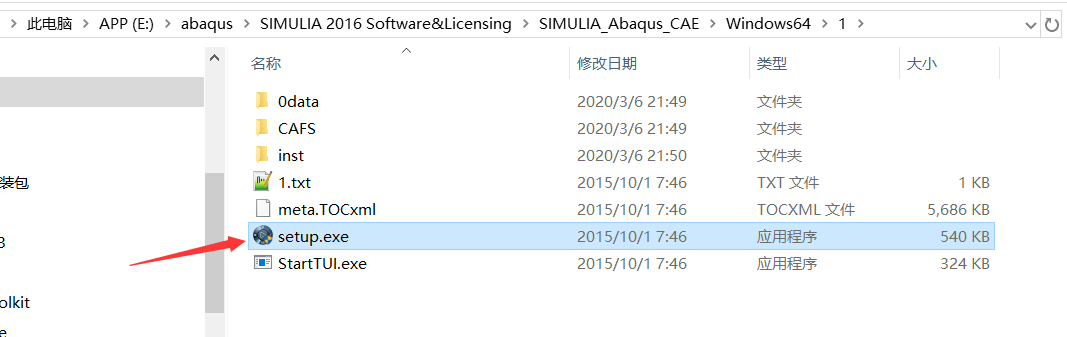
(3)重新安装 最后这个CAE组件,即可!
本文来自博客园,作者:xdd1997
转载请注明:https://www.cnblogs.com/xdd1997/p/12432197.html


 浙公网安备 33010602011771号