vue代码
<template>
  <div>
    {{screenWidth}} {{screeHeight}}
    <div v-for="(item, index) in book" :key="index">
      <!-- 当从后台获取数据的时候可以进行替换 -->
      <!-- <img class="image" :src="item.bookUrlRank"  :usemap="'#'+item.id"  :style="{width: screenWidth+'px', height:screeHeight+'px'}" > -->
      <img
        class="image"
        :src="item.bookUrlRank"
        :usemap="'#'+item.id"
        style="width:750px, height:421px"
      >
      <!-- //图片热区 -->
      <map :name="item.id">
        <div v-for="(ite, index) in item.audioLinks" :key="index">
          <!-- <area shape="rect"    target="_blank"  alt="" :coords="ite.coord.split(',')[0]*(screenWidth/421)+','+ite.coord.split(',')[1]*(screeHeight/750)+','+ite.coord.split(',')[2]*(screenWidth/1890)+','+ite.coord.split(',')[3]*(screeHeight/3360)"
          @click="play(ite,index)" border="0"  />-->
          <area
            shape="rect"
            target="_blank"
            alt
            :coords="ite.coord"
            @click="play(ite,index)"
            border="0"
          >
        </div>
      </map>
    </div>
  </div>
</template>

<script>
import axios from "axios";
export default {
  data() {
    return {
      screenWidth: 0, //宽屏幕尺寸
      screeHeight: 0,
      book: [
        {
          id: 25,

          levels: "level1-1",
          bookUrl: "",
          bookUrlType: 4,
          bookUrlRank: "http://lya.ntgyou.cn/m/11128-22060Q644557.jpg",
          audioLinks: [
            {
              coord: "1,1,350,421"
            },
            {
              coord: "350,421,750,1"
            }
          ]
        }
      ]
    };
  },

  methods: {
    //图片热区的点击事件
    play(ite, index) {
      alert("图片区域坐标:" + ite.coord);
    }
  },
  //图片热区
  mounted() {
    //屏幕尺寸变化就重新赋值
    (this.screenWidth = document.documentElement.clientWidth),
      (this.screeHeight = document.documentElement.clientHeight),
      (window.onresize = () => {
        return (() => {
          this.screenWidth = document.documentElement.clientWidth;
          this.screeHeight = document.documentElement.clientHeight;
        })();
      });
  }
};
</script>

<style scoped>
</style>
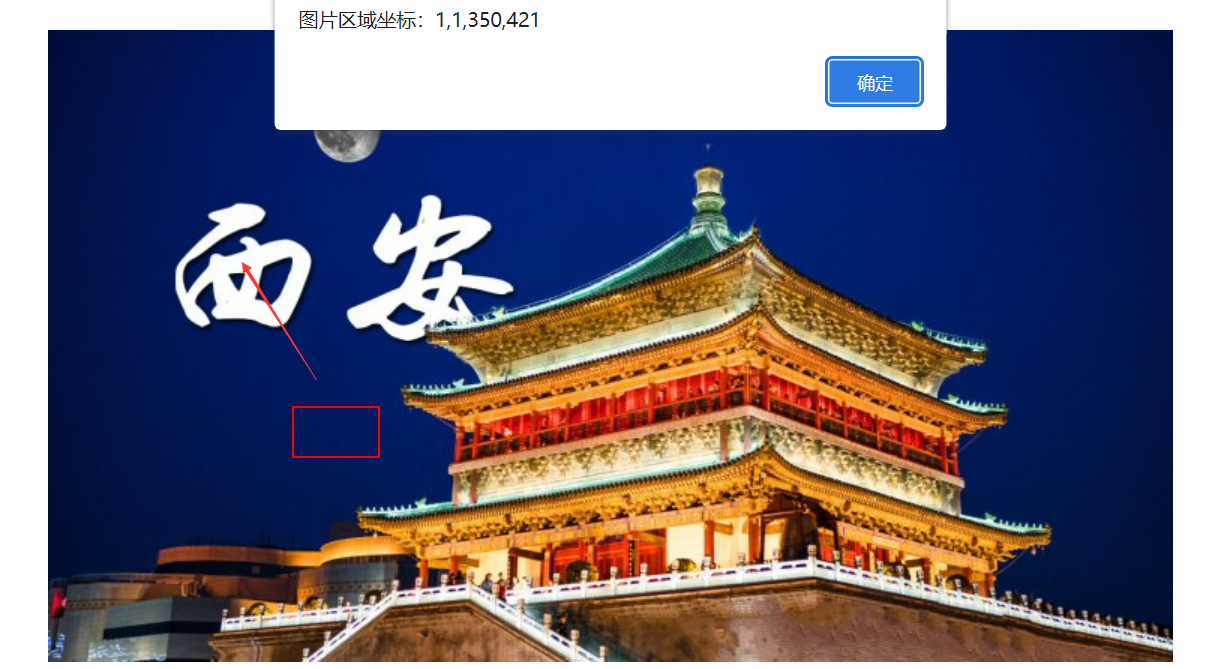
实现效果
![]()


 浙公网安备 33010602011771号