

实验7:基于REST API的SDN北向应用实践
实验7:基于REST API的SDN北向应用实践
一、实验目的
能够编写程序调用OpenDaylight REST API实现特定网络功能;
能够编写程序调用Ryu REST API实现特定网络功能。
二、实验环境
下载虚拟机软件Oracle VisualBox或VMware;
在虚拟机中安装Ubuntu 20.04 Desktop amd64,并完整安装Mininet、OpenDaylight(Carbon版本)、Postman和Ryu;
三、实验要求
(一)基本要求
1. OpenDaylight
(1) 利用Mininet平台搭建下图所示网络拓扑,并连接OpenDaylight;
使用sudo mn --topo=single,3 --mac --controller=remote,ip=127.0.0.1,port=6633 --switch ovsk,protocols=OpenFlow13构建拓扑
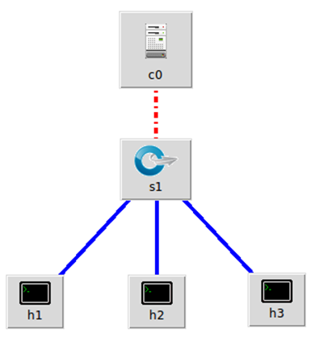
创建拓扑:
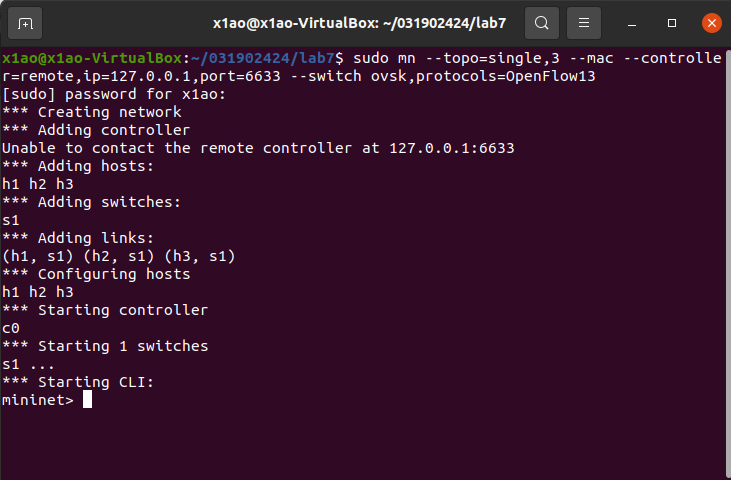
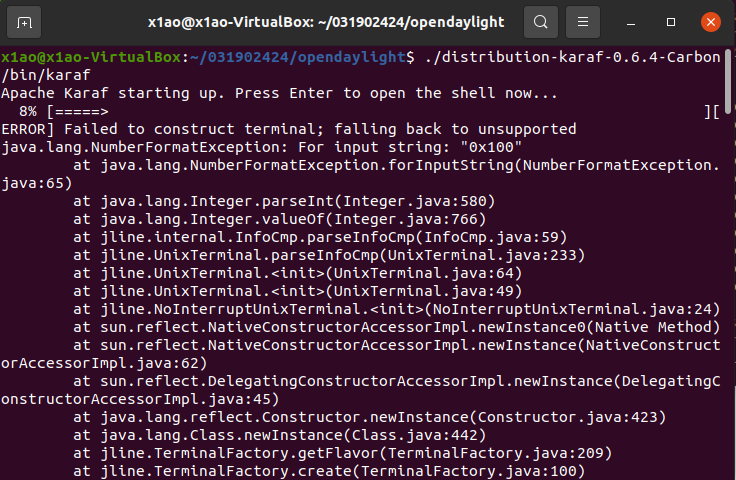
连接ODL:
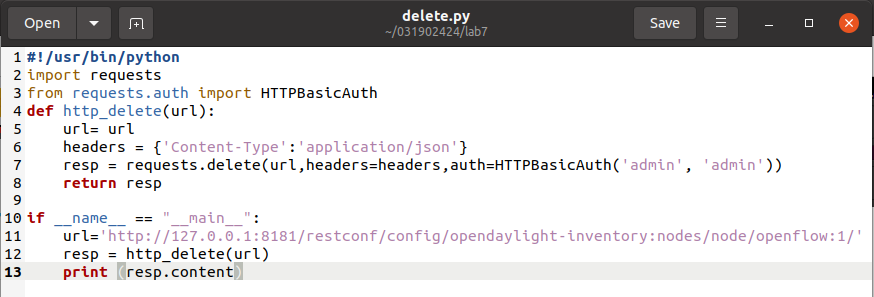
(2) 编写Python程序,调用OpenDaylight的北向接口下发指令删除s1上的流表数据。
代码:
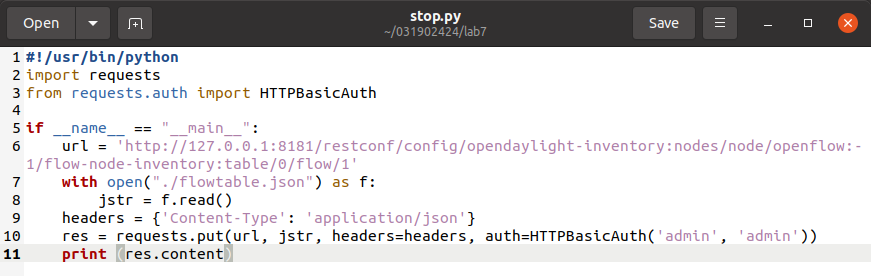
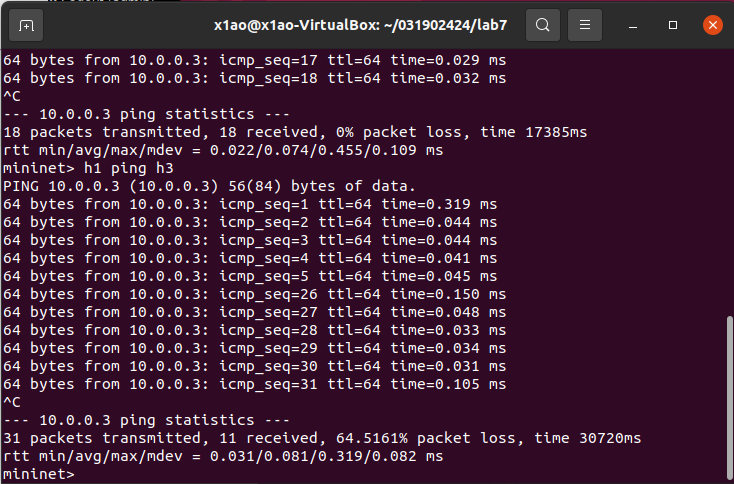
(3) 编写Python程序,调用OpenDaylight的北向接口下发硬超时流表,实现拓扑内主机h1和h3网络中断20s。
代码:
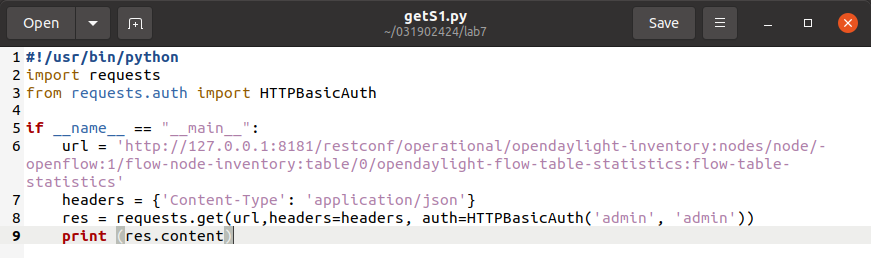
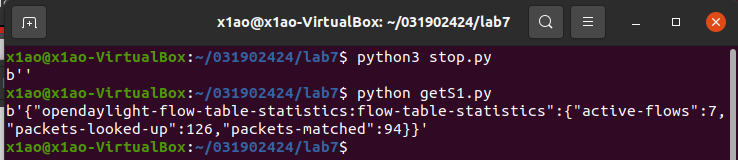
(4) 编写Python程序,调用OpenDaylight的北向接口获取s1上活动的流表数。
代码:
结果:
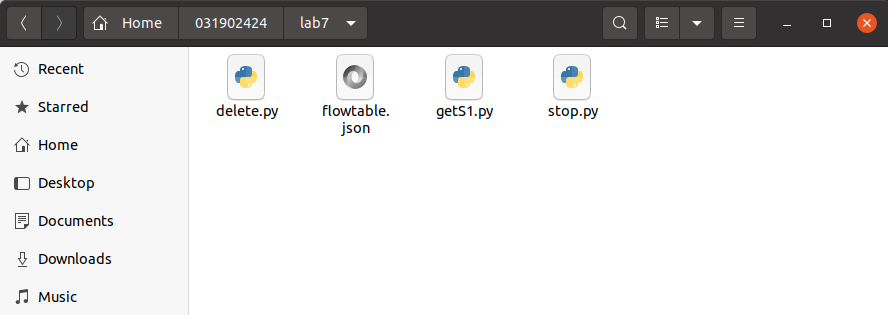
文件:
2.Ryu
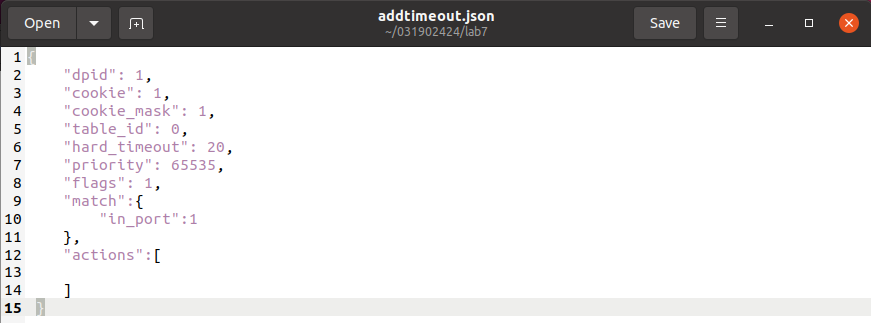
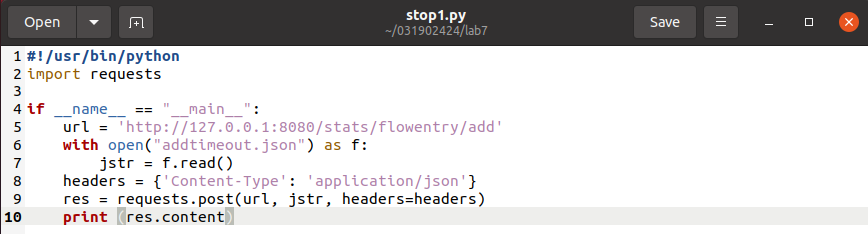
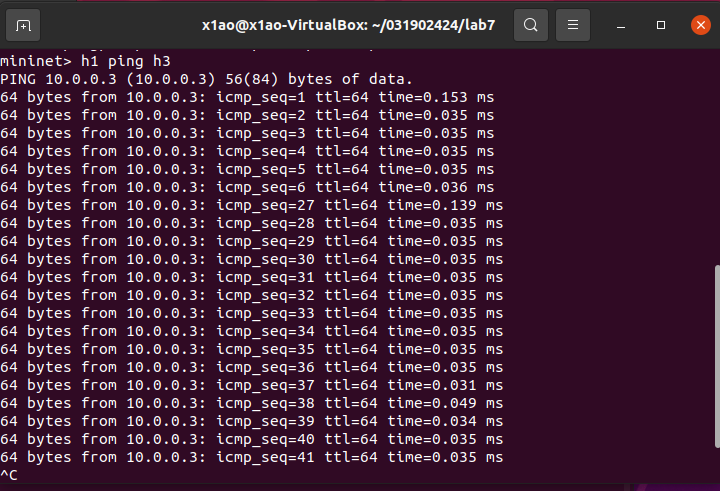
(1) 编写Python程序,调用Ryu的北向接口,实现上述OpenDaylight实验拓扑上相同的硬超时流表下发。
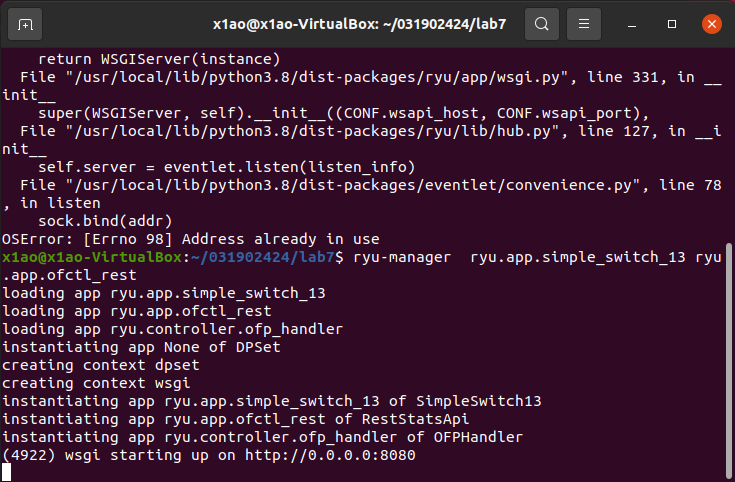
运行ryu:
addtimeout.json:
stop1.py:
结果:
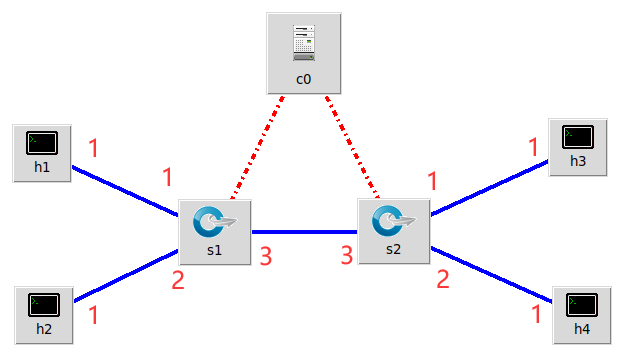
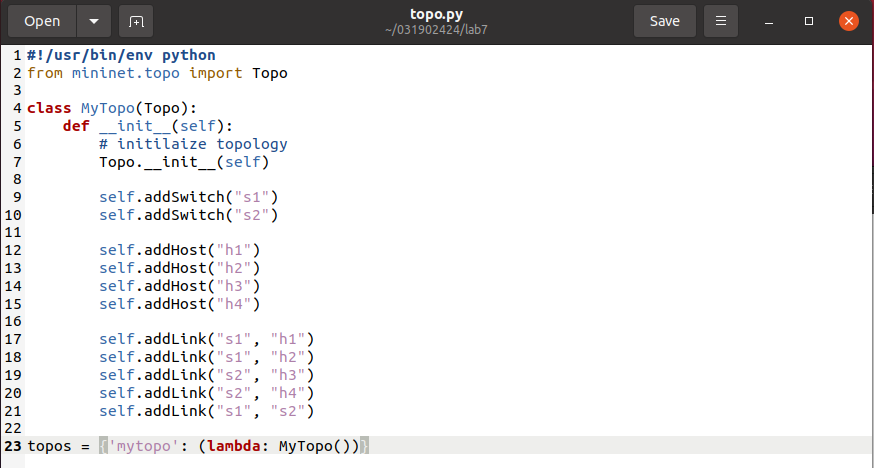
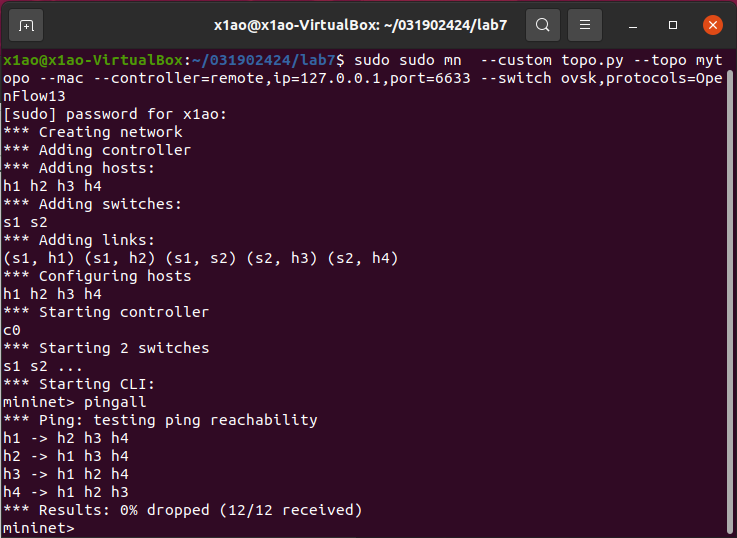
(2) 利用Mininet平台搭建下图所示网络拓扑,要求支持OpenFlow 1.3协议,主机名、交换机名以及端口对应正确。拓扑生成后需连接Ryu,且Ryu应能够提供REST API服务。
topo.py
创建拓扑:
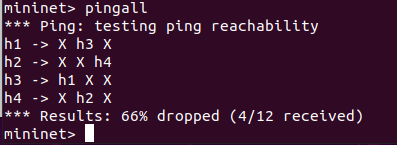
(3) 整理一个Shell脚本,参考Ryu REST API的文档,利用curl命令,实现和实验2相同的VLAN。
| VLAN_ID | Hosts |
|---|---|
| 0 | h1 h3 |
| 1 | h2 h4 |
shell脚本:
点击查看代码
# 将主机1,2发送来的数据包打上vlan标记
curl -X POST -d '{
    "dpid": 1,
    "priority": 1,
    "match":{
        "in_port": 1
    },
    "actions":[
        {
            "type": "PUSH_VLAN",
            "ethertype": 33024
        },
        {
            "type": "SET_FIELD",
            "field": "vlan_vid",
            "value": 4096
        },
        {
            "type": "OUTPUT",
            "port": 3
        }
    ]
 }' http://localhost:8080/stats/flowentry/add

 curl -X POST -d '{
    "dpid": 1,
    "priority": 1,
    "match":{
        "in_port": 2
    },
    "actions":[
        {
            "type": "PUSH_VLAN",
            "ethertype": 33024
        },
        {
            "type": "SET_FIELD",
            "field": "vlan_vid",
            "value": 4097
        },
        {
            "type": "OUTPUT",
            "port": 3
        }
    ]
 }' http://localhost:8080/stats/flowentry/add

# 将主机3,4发送来的数据包取出vlan标记
 curl -X POST -d '{
    "dpid": 1,
    "priority": 1,
    "match":{
        "vlan_vid": 0
    },
    "actions":[
        {
            "type": "POP_VLAN",
            "ethertype": 33024
        },
        {
            "type": "OUTPUT",
            "port": 1
        }
    ]
 }' http://localhost:8080/stats/flowentry/add

 curl -X POST -d '{
    "dpid": 1,
    "priority": 1,
    "match":{
        "vlan_vid": 1
    },
    "actions":[
        {
            "type": "POP_VLAN",
            "ethertype": 33024
        },
        {
            "type": "OUTPUT",
            "port": 2
        }
    ]
 }' http://localhost:8080/stats/flowentry/add

# 将主机3,4发送来的数据包打上vlan标记
 curl -X POST -d '{
    "dpid": 2,
    "priority": 1,
    "match":{
        "in_port": 1
    },
    "actions":[
        {
            "type": "PUSH_VLAN",
            "ethertype": 33024
        },
        {
            "type": "SET_FIELD",
            "field": "vlan_vid",
            "value": 4096
        },
        {
            "type": "OUTPUT",
            "port": 3
        }
    ]
 }' http://localhost:8080/stats/flowentry/add

 curl -X POST -d '{
    "dpid": 2,
    "priority": 1,
    "match":{
        "in_port": 2
    },
    "actions":[
        {
            "type": "PUSH_VLAN",
            "ethertype": 33024
        },
        {
            "type": "SET_FIELD",
            "field": "vlan_vid",
            "value": 4097
        },
        {
            "type": "OUTPUT",
            "port": 3
        }
    ]
 }' http://localhost:8080/stats/flowentry/add

 curl -X POST -d '{
    "dpid": 2,
    "priority": 1,
    "match":{
        "vlan_vid": 0
    },
    "actions":[
        {
            "type": "POP_VLAN",
            "ethertype": 33024
        },
        {
            "type": "OUTPUT",
            "port": 1
        }
    ]
 }' http://localhost:8080/stats/flowentry/add

 curl -X POST -d '{
    "dpid": 2,
    "priority": 1,
    "match":{
        "vlan_vid": 1
    },
    "actions":[
        {
            "type": "POP_VLAN",
            "ethertype": 33024
        },
        {
            "type": "OUTPUT",
            "port": 2
        }
    ]
 }' http://localhost:8080/stats/flowentry/add
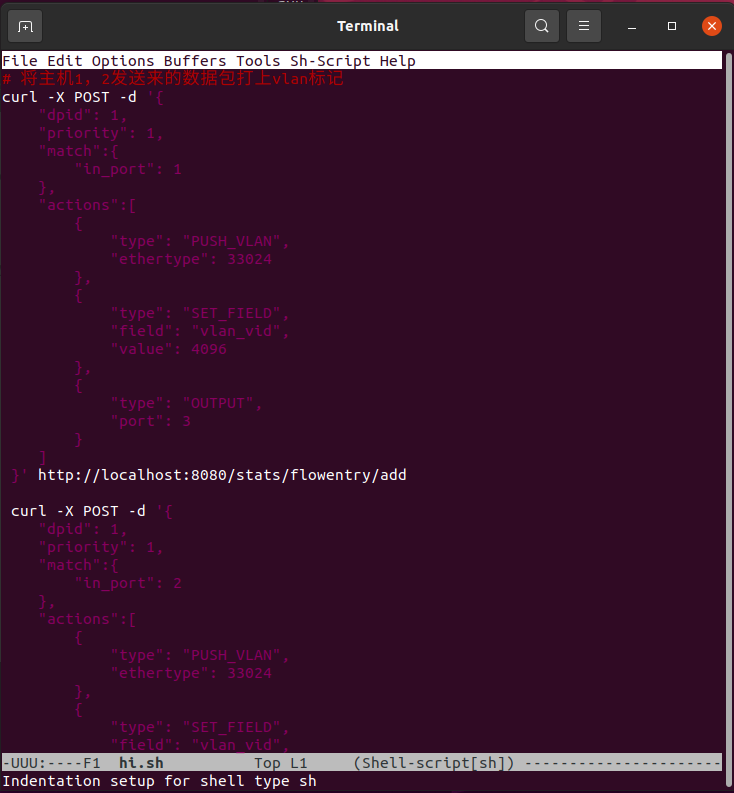
命令行:
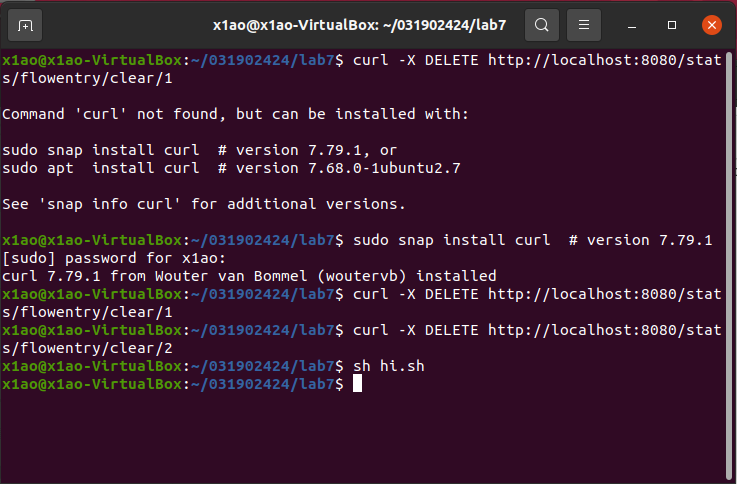
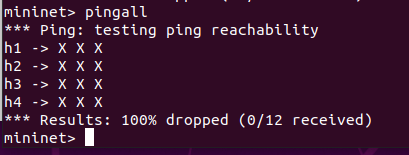
删除流表后:
执行shell脚本后:
(三)实验总结
遇到的问题及解决方法:
在做ryu实验,删除流表时,提示需要安装curl:
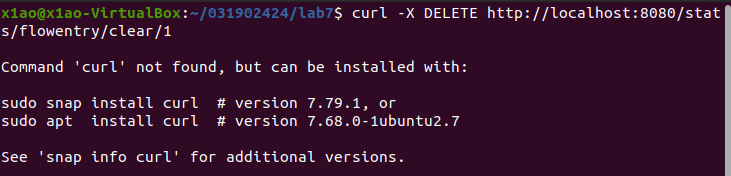
用图片中的代码安装,发现失败了,研究半天发现安装的命令行里忘记加版本号了……
个人感想:
这次试验难度不高,主要是对ODL和ryu的进一步熟练掌握使用方法。
但是python相关代码的掌握程度不够,大部分代码都是从别人作业copy的,很惭愧,还有待提升。

 浙公网安备 33010602011771号