

Linux用户密码周期和到期前提示设置
1、密码周期策略介绍
Linux密码生存周期是指密码从创建到失效的整个时间段,这个周期包括了密码的有效期、警告期、禁用期和最小/最大密码更改间隔等参数,这些参数可以通过Linux系统的/etc/login.defs文件进行配置。在 Linux 系统中,实施有效的密码更改与过期策略是维护系统安全的关键,在密码即将过期之前,系统可以提前警告用户,以便用户有时间更改密码,通过强制用户定期更改密码,可以降低密码被破解的风险,而密码有效期策略则确保了即使密码被泄露,也不会长时间影响系统安全。
2、系统环境
系统环境:RedHat 8.0
主要配置文件:/etc/login.defs
3、文件内容及参数含义
/etc/login.defs配置文件内容
 1 [root@RedHat8 ~]# cat /etc/login.defs
 2 #
 3 # Please note that the parameters in this configuration file control the
 4 # behavior of the tools from the shadow-utils component. None of these
 5 # tools uses the PAM mechanism, and the utilities that use PAM (such as the
 6 # passwd command) should therefore be configured elsewhere. Refer to
 7 # /etc/pam.d/system-auth for more information.
 8 #
 9
10 # *REQUIRED*
11 #   Directory where mailboxes reside, _or_ name of file, relative to the
12 #   home directory.  If you _do_ define both, MAIL_DIR takes precedence.
13 #   QMAIL_DIR is for Qmail
14 #
15 #QMAIL_DIR      Maildir
16 MAIL_DIR        /var/spool/mail
17 #MAIL_FILE      .mail
18
19 # Password aging controls:
20 #
21 #       PASS_MAX_DAYS   Maximum number of days a password may be used.
22 #       PASS_MIN_DAYS   Minimum number of days allowed between password changes.
23 #       PASS_MIN_LEN    Minimum acceptable password length.
24 #       PASS_WARN_AGE   Number of days warning given before a password expires.
25 #
26 PASS_MAX_DAYS   99999
27 PASS_MIN_DAYS   0
28 PASS_MIN_LEN    5
29 PASS_WARN_AGE   7
30
31 #
32 # Min/max values for automatic uid selection in useradd
33 #
34 UID_MIN                  1000
35 UID_MAX                 60000
36 # System accounts
37 SYS_UID_MIN               201
38 SYS_UID_MAX               999
39
40 #
41 # Min/max values for automatic gid selection in groupadd
42 #
43 GID_MIN                  1000
44 GID_MAX                 60000
45 # System accounts
46 SYS_GID_MIN               201
47 SYS_GID_MAX               999
48
49 #
50 # If defined, this command is run when removing a user.
51 # It should remove any at/cron/print jobs etc. owned by
52 # the user to be removed (passed as the first argument).
53 #
54 #USERDEL_CMD    /usr/sbin/userdel_local
55
56 #
57 # If useradd should create home directories for users by default
58 # On RH systems, we do. This option is overridden with the -m flag on
59 # useradd command line.
60 #
61 CREATE_HOME     yes
62
63 # The permission mask is initialized to this value. If not specified,
64 # the permission mask will be initialized to 022.
65 UMASK           077
66
67 # This enables userdel to remove user groups if no members exist.
68 #
69 USERGROUPS_ENAB yes
70
71 # Use SHA512 to encrypt password.
72 ENCRYPT_METHOD SHA512
本次密码周期策略实验中需要关注的配置文件参数含义如下:
PASS_MAX_DAYS 密码使用的最大有效期天数
PASS_MIN_DAYS 两次修改密码的最短间隔时间,为0时代表任何时间都可以更改密码
PASS_MIN_LEN 密码最小长度
PASS_WARN_AGE 密码失效前的告警天数
4、修改/etc/login.defs配置文件
使用命令: vi /etc/login.defs 对配置文件进行编辑,修改配置文件参数如下:
PASS_MAX_DAYS 9
PASS_MIN_DAYS 1
PASS_MIN_LEN 12
PASS_WARN_AGE 10
 1 [root@RedHat8 ~]# cat /etc/login.defs
 2 #
 3 # Please note that the parameters in this configuration file control the
 4 # behavior of the tools from the shadow-utils component. None of these
 5 # tools uses the PAM mechanism, and the utilities that use PAM (such as the
 6 # passwd command) should therefore be configured elsewhere. Refer to
 7 # /etc/pam.d/system-auth for more information.
 8 #
 9
10 # *REQUIRED*
11 #   Directory where mailboxes reside, _or_ name of file, relative to the
12 #   home directory.  If you _do_ define both, MAIL_DIR takes precedence.
13 #   QMAIL_DIR is for Qmail
14 #
15 #QMAIL_DIR      Maildir
16 MAIL_DIR        /var/spool/mail
17 #MAIL_FILE      .mail
18
19 # Password aging controls:
20 #
21 #       PASS_MAX_DAYS   Maximum number of days a password may be used.
22 #       PASS_MIN_DAYS   Minimum number of days allowed between password changes.
23 #       PASS_MIN_LEN    Minimum acceptable password length.
24 #       PASS_WARN_AGE   Number of days warning given before a password expires.
25 #
26 PASS_MAX_DAYS   9
27 PASS_MIN_DAYS   1
28 PASS_MIN_LEN    12
29 PASS_WARN_AGE   10
5、测试
5.1、已有账户测试
密码有效期测试截图:

用户登录测试:

密码修改测试截图:
5.2、新用户测试
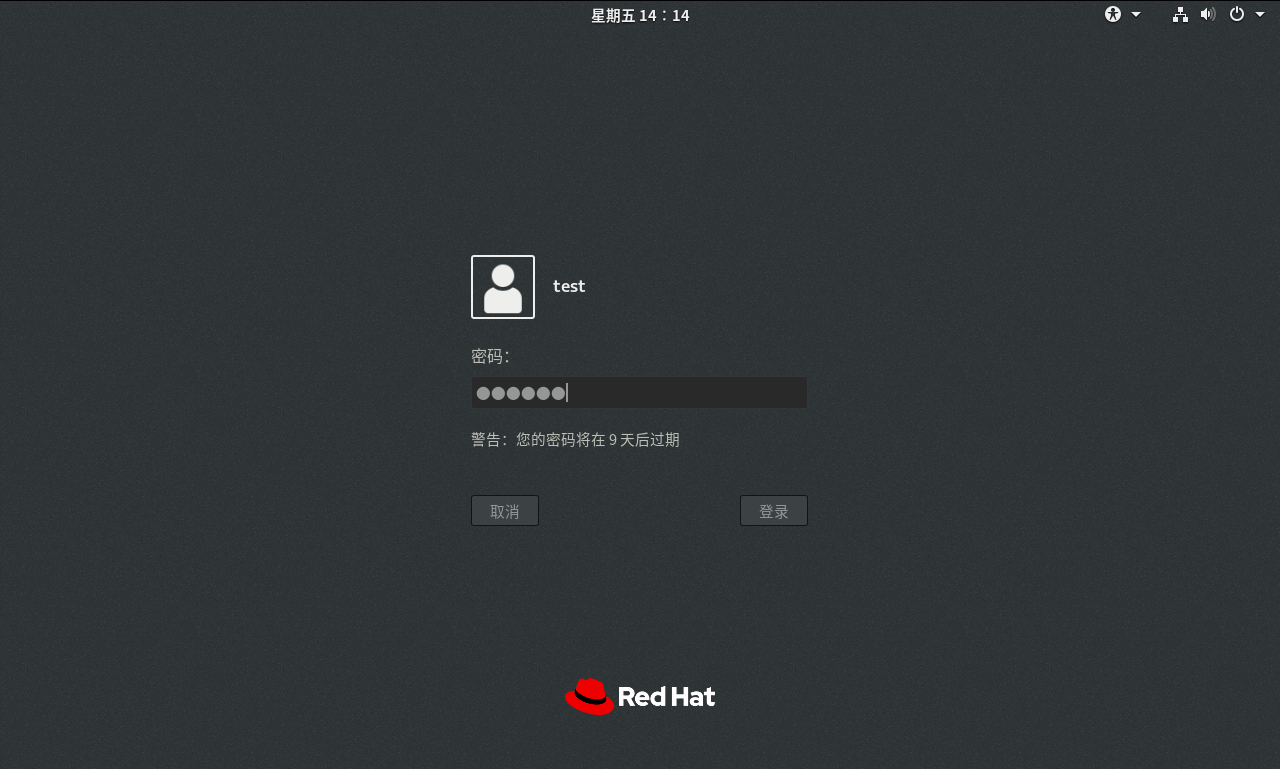
使用命令: useradd test ,新建test用户, passwd test ,设置test用户密码123456
密码有效期截图:

用户登录测试截图:
密码修改测试截图:

5.3、测试结论
已有账户测试情况:从shadow文件中可以看出,密码周期配置参数未生效,且在用户登录过程中也未收到密码到期前提醒的消息,短时间内修改密码操作成功。
新建账户测试情况:从shadow文件中可以看出,密码周期配置参数生效,并且在用户登录过程中收到密码到期前的提示消息,但在短时间内依然可以正常修改密码。
测试结论:对于在修改login.defs配置文件前就已经存在的用户,密码周期策略不生效,对于在修改login.defs配置文件后新建的用户,密码周期策略生效,且能够收到密码到期前的提示消息,但两次修改密码的最短间隔时间和密码长度不生效,依然可以修改成功。
5.4、延伸拓展
对于已有账户,若想实现密码定期更换的能力,可通过chage命令来进行修改,chage命令用法如下:
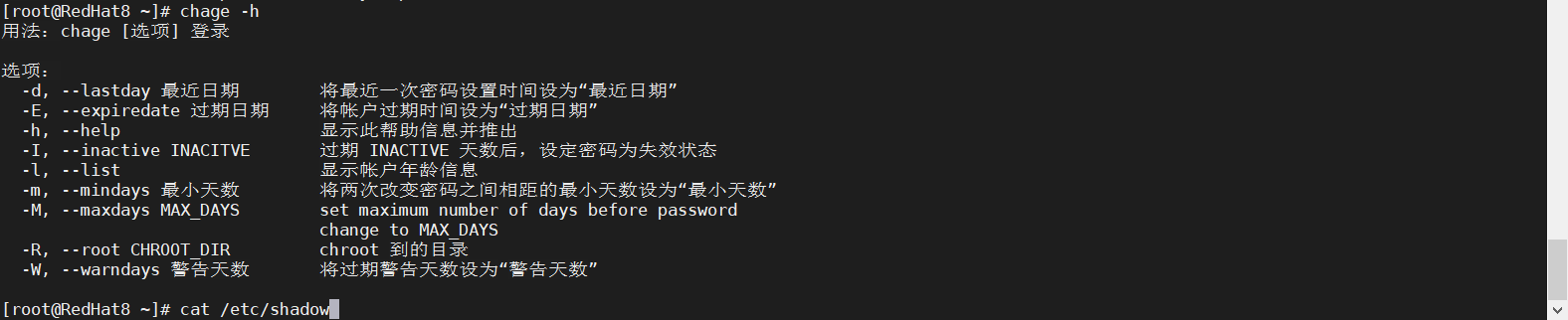
使用chage命令修改root用户密码的有效期、两次修改密码的最短间隔时间和密码到期前提示。
使用命令:
[root@RedHat8 ~]# chage -M 7 root    root密码最大有效期时间为7天
[root@RedHat8 ~]# chage -m 3 root    root密码修改的最短间隔时间为3天
[root@RedHat8 ~]# chage -W 8 root    root密码到期前8天提示
root账户密码信息截图:

root用户登录测试截图:
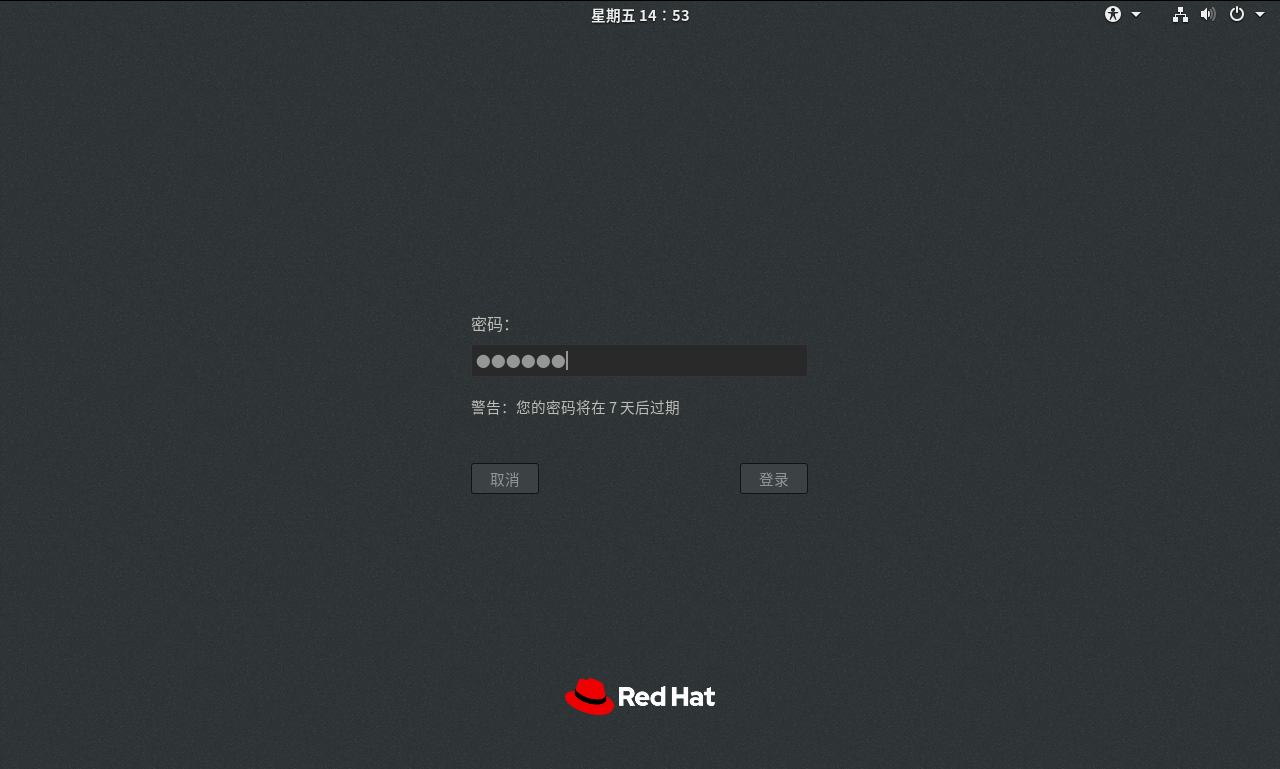
root用户密码修改测试:

使用命令: chage -l root ,查看关于root账户的密码相关信息。

测试结论:使用chage命令后,用户的密码有效期、密码过期前的提示已生效,但两次修改密码的最短间隔时间未生效,密码可以在短时间内正常修改(为什么没有生效不清楚,可以研究一下,有了解这一块的大佬,麻烦分享我一下)

 浙公网安备 33010602011771号