


实用指南:ExcelJS实现导入转换HTML展示(附源码可直接使用)
目录
简介
在日常工作中,我们可能会遇到需要上传并展示 Excel 文件的需求,实现文件内容的在线预览。 这里给大家接收一个组件库exceljs,这个组件库进过实践发现可以实现我们需要的功能。在这里我为了方便使用了(技术栈 Vue 3 + Element Ui 笔者自己使用的项目模板)来实现该功能。
开始实践
NPM地址 内部有中文文档
难点
基础单元格和合并单元格和空白单元格的混合处理
文字样式和背景样式的读取映射
文件示例
这里直接造了一个两个sheet的excel做测试
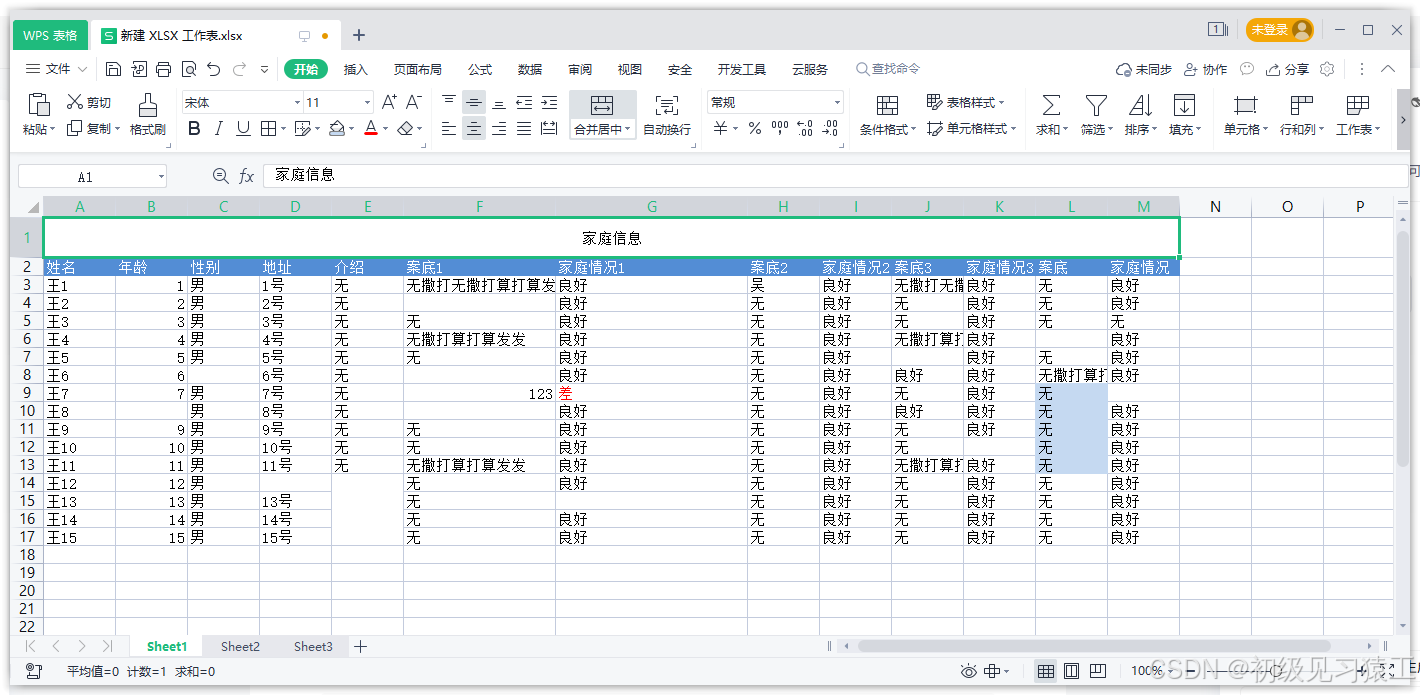
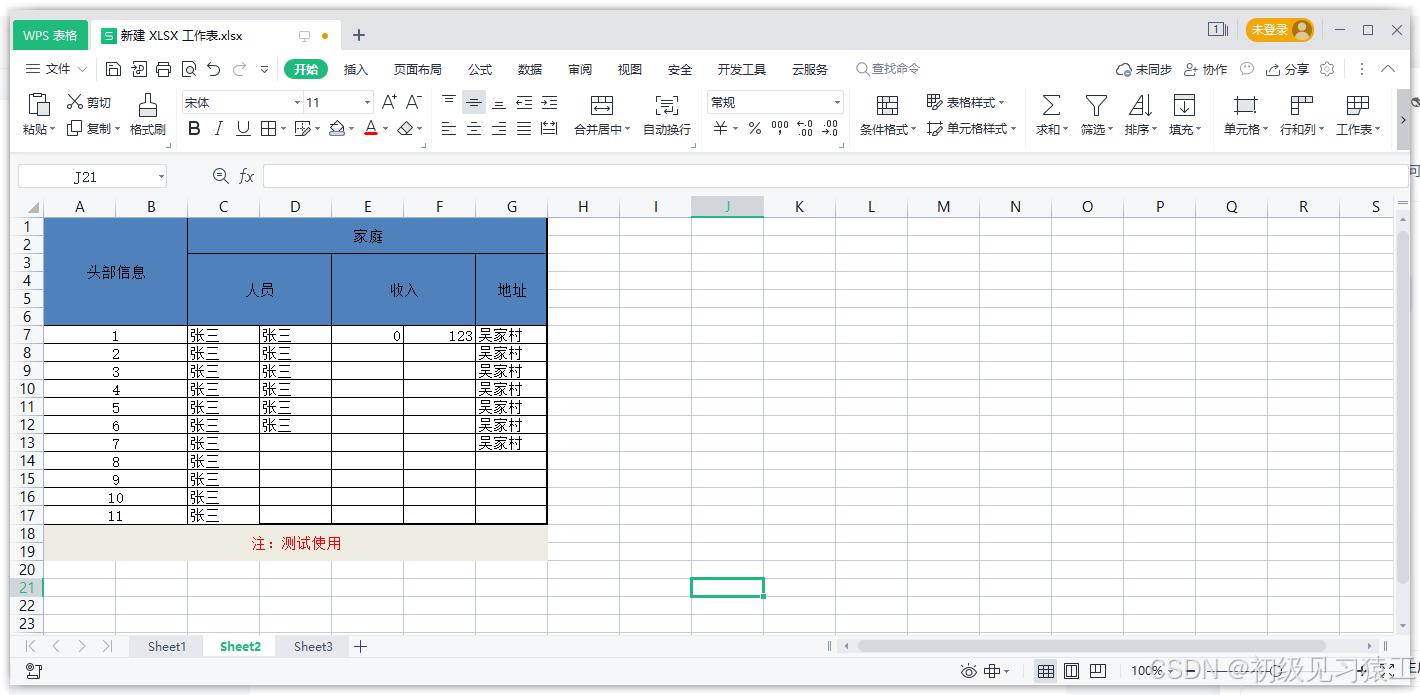
效果预览
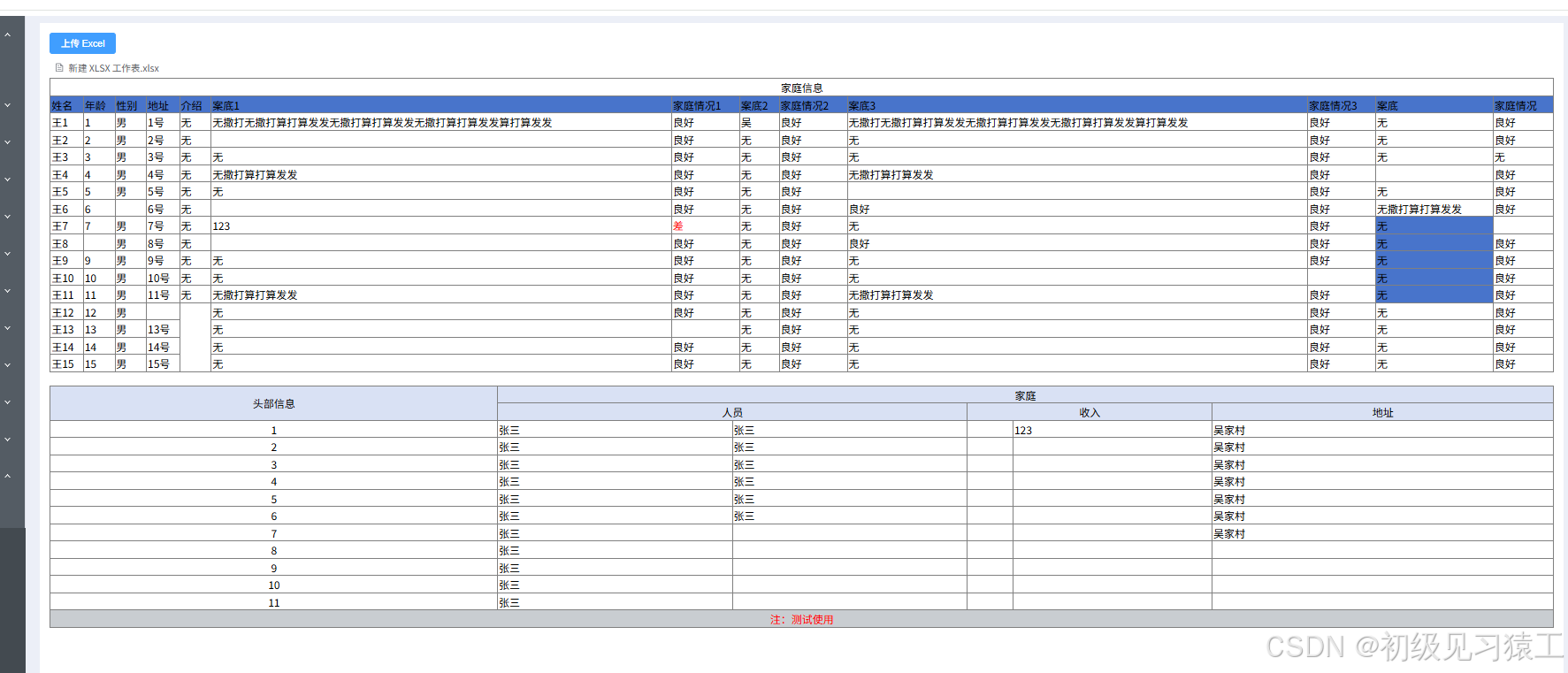
具体实现
安装
npm install exceljs完整代码
 上传 Excel
import { ref } from "vue";
import * as ExcelJS from "exceljs";
const tableHtml = ref(""); // 存储 HTML 表格内容
const themeColors = {
0: "#FFFFFF", // 白色 √
1: "#000000", // 黑色 √
2: "#C9CDD1", // 灰色 √
3: "#4874CB", // 蓝色 √
4: "#D9E1F4", // 浅蓝 √
5: "#F9CBAA", // 橙色 √
6: "#F2BA02", // 浅橙 √
7: "#00FF00", // 浅绿 √
8: "#30C0B4", // 青色 √
9: "#E54C5E", // 红色 √
10: "#FFC7CE", // 浅红
11: "#7030A0", // 紫色
};
// 获取单元格颜色
const getCellColor = (cell) => {
if (cell.fill && cell.fill.fgColor) {
if (cell.fill.fgColor.argb) {
return `#${cell.fill.fgColor.argb.substring(2)}`; // ARGB 转 RGB
}
if (cell.fill.fgColor.theme !== undefined) {
return themeColors[cell.fill.fgColor.theme] || "#FFFFFF"; // 主题色转换
}
}
return ""; // 无颜色
};
// 获取单元格字体颜色
const getCellFontColor = (cell) => {
if (cell.font && cell.font.color && cell.font.color.argb) {
return `#${cell.font.color.argb.substring(2)}`; // ARGB 转 RGB
}
if (cell.font && cell.font.color && cell.font.color.theme) {
return themeColors[cell.font.color.theme] || "#000"; // 主题色转换
}
return "#000"; // 默认黑色
};
const handleStyles = (cell) => {
let styles = [];
// 读取字体颜色
styles.push(`color: ${getCellFontColor(cell)}`);
// 读取背景色
styles.push(`background-color: ${getCellColor(cell)}`);
// 加粗
if (cell.font && cell.font.bold) {
styles.push("font-weight: bold");
}
// 文字对齐
if (cell.alignment) {
if (cell.alignment.horizontal) {
styles.push(`text-align: ${cell.alignment.horizontal}`);
}
if (cell.alignment.vertical) {
styles.push(`vertical-align: ${cell.alignment.vertical}`);
}
}
return styles.join("; ");
};
// 获取工作表维度信息
const getWorksheetDimensions = (worksheet) => {
let maxRow = 0;
let maxCol = 0;
worksheet.eachRow((row, rowIndex) => {
maxRow = Math.max(maxRow, rowIndex);
row.eachCell((cell, colIndex) => {
maxCol = Math.max(maxCol, colIndex);
});
});
return { maxRow, maxCol };
};
// 处理上传的 Excel 文件
const handleFileUpload = async (file) => {
const excelData = await readExcel(file.raw);
tableHtml.value = excelData; // 更新 HTML 表格内容
};
// 处理常规单元格内容
const handleValueSimple = (value) => {
if (!value) return " ";
if (typeof value === "object" && value.richText) {
const valueStr = value.richText.reduce((acc, curr) => {
let colorValue = "";
if (curr.font && curr.font.color && curr.font.color.theme) {
colorValue = getCellFontColor(curr) || `#000`;
}
if (curr.font && curr.font.color && curr.font.color.argb) {
colorValue = `#${curr.font.color.argb.substring(2)}`;
} else {
colorValue = `#000`;
}
return acc + `${curr.text}`;
}, "");
return valueStr;
}
return value.toString();
};
// 处理合并单元格内容
const handleValue = (value) => {
if (!value) return " ";
if (typeof value === "object" && value.richText) {
const valueArr = value.richText.reduce((acc, curr) => {
let colorValue = "";
if (curr.font && curr.font.color && curr.font.color.argb) {
colorValue = `#${curr.font.color.argb.substring(2)}`;
} else {
colorValue = `#000`;
}
const newData = curr.text
.split(/\r/)
.map((item) => `${item}`);
return acc.concat(newData);
}, []);
return valueArr.join("").replace(/\n/g, "");
}
return value.toString();
};
let worksheetIds = [];
// 读取 Excel 并转换成 HTML
const readExcel = async (file) => {
const workbook = new ExcelJS.Workbook();
const arrayBuffer = await file.arrayBuffer();
const { worksheets } = await workbook.xlsx.load(arrayBuffer);
worksheetIds = worksheets.map((v) => v.id); // 获取工作表 ID集合
let allHtml = "";
workbook.eachSheet(function (worksheet, sheetId) {
// 处理合并单元格
const merges = worksheet?.model?.merges || [];
const currentSheetIndex = worksheetIds.indexOf(sheetId); // 获取当前工作表的索引
// 获取工作表维度
const { maxRow, maxCol } = getWorksheetDimensions(worksheet);
allHtml +=
'';
// 使用双重循环确保每个单元格位置都被处理
for (let rowIndex = 1; rowIndex ";
for (let colIndex = 1; colIndex = startRow && rowIndex = startCol && colIndex
${handleValue(mergeValue)}`;
}
// 如果不在合并范围内,创建普通单元格
else if (!isInMerge) {
let styles = handleStyles(cell);
const displayValue = cellValue ? handleValueSimple(cellValue) : " ";
allHtml += `${displayValue}`;
}
// 如果单元格在合并范围内但不是起始位置,跳过(由合并单元格处理)
}
allHtml += "";
}
allHtml += "";
});
return allHtml;
};
总结
exceljs功能很多,这里给大家介绍了execljs的一种用法,实现导入转换html页面显示,便于浏览。大家感兴趣可以去翻翻文档 NPM地址 内部有中文文档,exceljs功能很强大推荐大家自己尝试一下。

 浙公网安备 33010602011771号