

攻防世界-easy_misc
⭕、知识点
1、压缩包爆破
2、png宽高隐写
3、sql注入流量分析
4、脚本编写(json、字典、列表)
5、字符编码
一、题目
给了一个压缩包
二、解题
1、解压发现需要密码
2、丢进010看16进制,发现是真加密压缩包
3、使用爆破工具得到口令
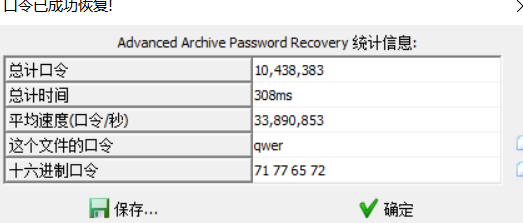
4、解压得到图片,只有下载链接,没有密码
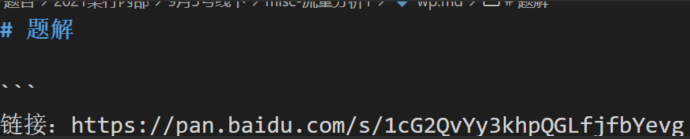
5、foremost扫了一下没有东西,回去观察图片发现链接的字符有种被截断的效果,推测图片的高度被改小了,用010将图片高度改大
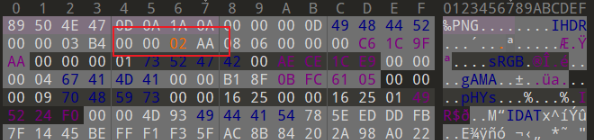
6、保存后打开,确实有提取码
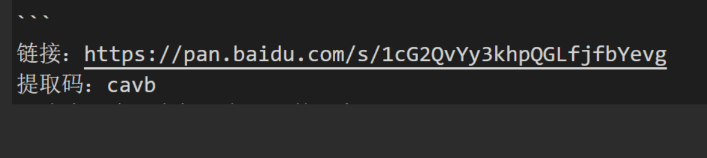
7、下载得到一个流量包pcap,分析流量是sql注入,需要把每一次注入的的字符ascii索引提取出来,这跟以前做过的的题很像
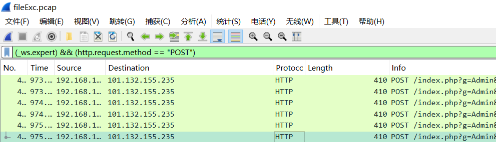
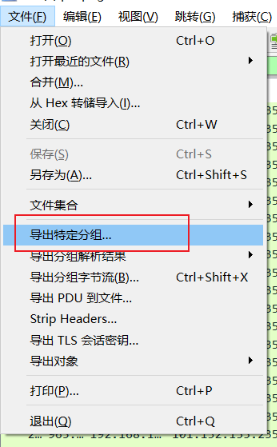
8、用tshark导出json

9、编写脚本针对性的提取每次注入变化的字符

这里随便写了个脚本,质量不高但是够用
import json

allData = json.load(open("output.json", encoding='utf-8'))
raw_list = []
ascii_code_list = []

for data in allData:
    if "http" not in data["_source"]["layers"]:
        continue
    hexdata =data["_source"]["layers"]["http"]["http.file_data"].replace(":","")
    bytedata = bytes.fromhex(hexdata)
    strdata = bytedata.decode("ascii")
    # print(strdata)
    sleep_index = strdata.find("sleep")
    raw_clip = strdata[sleep_index-6:sleep_index-3]
    if not raw_clip.startswith("1"):
        raw_clip = raw_clip[1:]
    raw_list.append(raw_clip)

result =""
max_raw = 0
for raw in raw_list:
    if int(raw) >= max_raw:
        max_raw = int(raw)
    else:
        result += chr(max_raw)
        max_raw = 0
result += "~"
print(result)
10、运行得到结果

三、答案
flag{cd2c3e2fea463ded9af800d7155be7aq}
四、总结
其实没啥好说的,都是老套路,只是这题把前面许多简单的知识点嵌套在一起了,成为了一道难度较高的题。跟着引导模式做,掌握的方法多了,经验够了,做起题来就顺手了。

 浙公网安备 33010602011771号