

记录一下:给jupyter notebook添加指定虚拟环境的步骤
直入主题:
你在使用jupyter notebook时一直使用的默认的环境python3,如果想改变到自己的虚拟环境,只需要以下几个步骤。
1.在cmd.exe输入conda activate pytorch_env(这里是我自己的虚拟环境)激活虚拟环境;
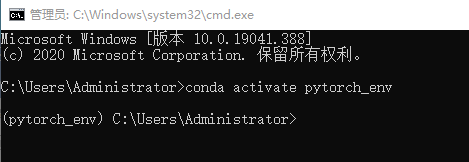
2.安装ipykernel,输入
pip install ipykernel
3.添加环境变量,输入
python -m ipykernel install --name pytorch_env
(pytorch_env换成你自己的虚拟环境名字)
4.重启jupyter notebook:
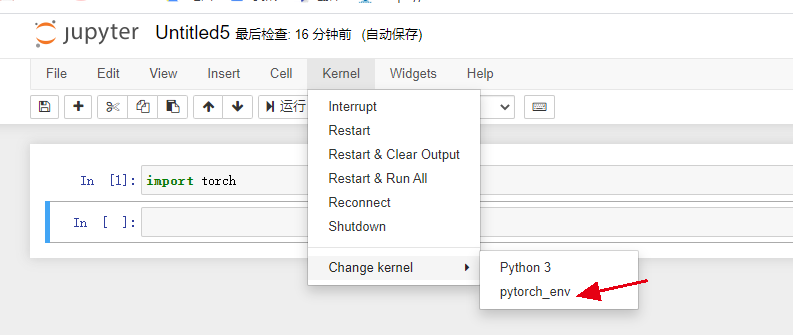
完成!!!!!!

 浙公网安备 33010602011771号