

Error: Socket descriptor not found. Hint: the problem might be solved applying the following:
在loadrunner 11中,有一个很重要的设置功能:run-time settings(运行时设置),通过对run-time settings的设置可以使运行更人性化。
今天早上在使用LoadRunner时,报了如下的错误
Error: Socket descriptor not found. Hint: the problem might be solved applying the following:
(1) Update Run-Time Settings to Run Vuser as a process.
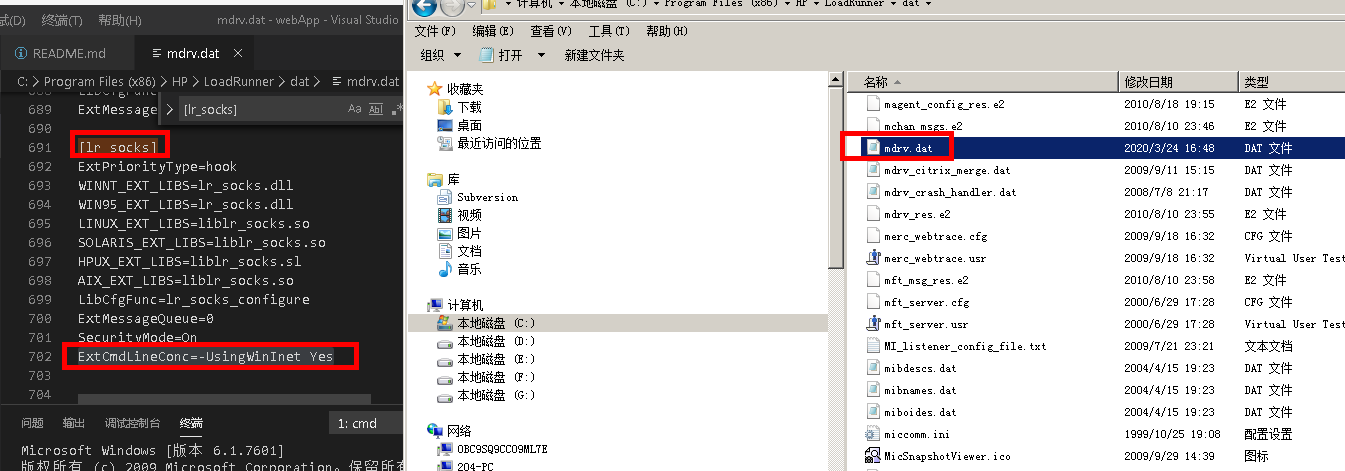
(2) Add the following line into mdrv.dat, [lr_socks] section: 'ExtCmdLineConc=-UsingWinInet Yes'.
解决方案
1.在run-time setting中的Miscellaneous项中设置“run vuser as a process”;
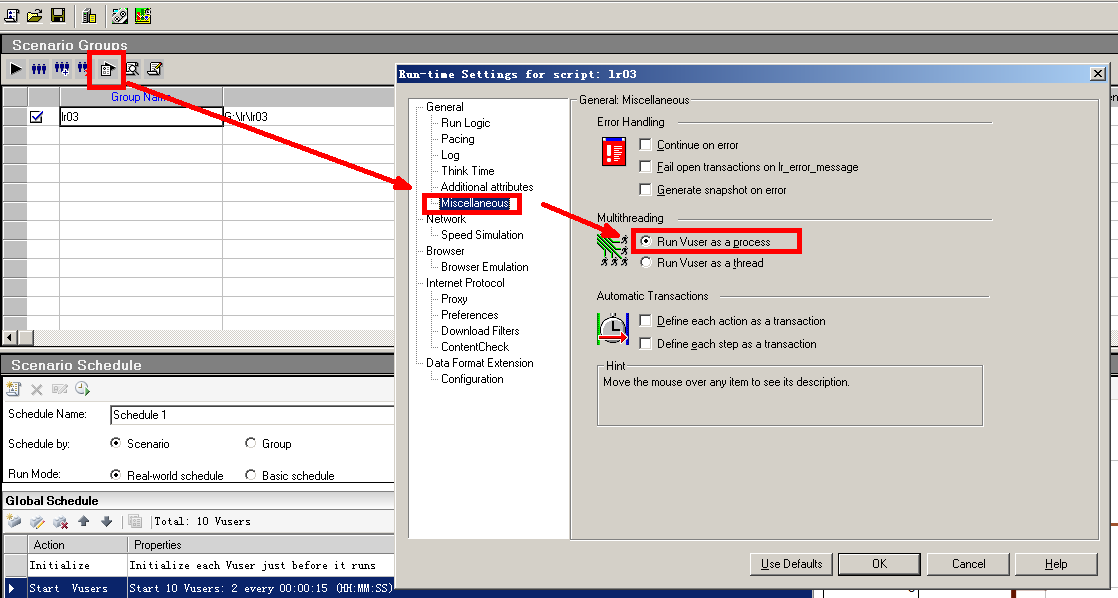
2.在安装目录的dat文件夹中查找mdrv.dat,找到[lr_socks]段,在最后添加“ExtCmdLineConc=-UsingWinInet Yes”一句;
建议使用vscode或notepad++打开,可识别出 Linux换行符
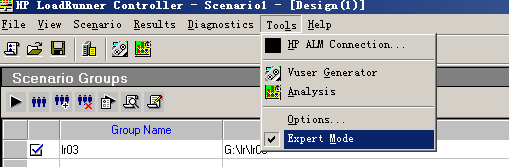
3.然后再选择了expert mode
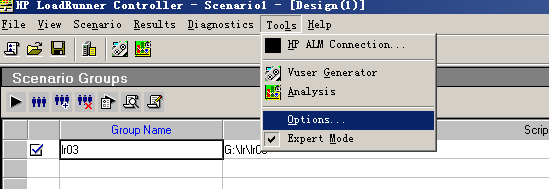
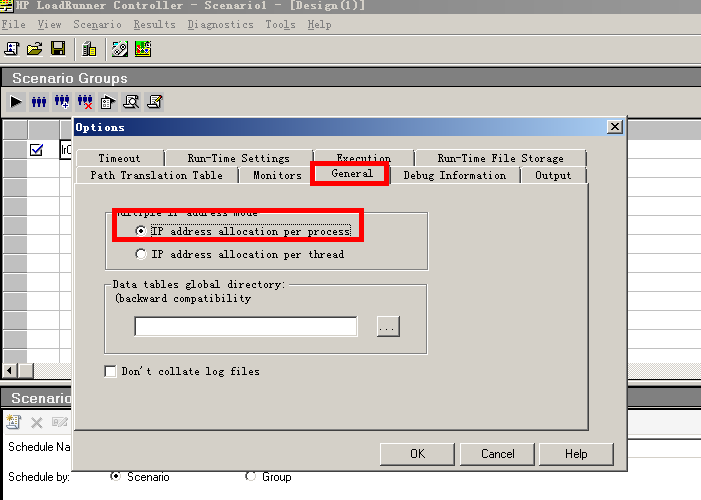
4.再选择option->general,选中“ip address allocation per process”;
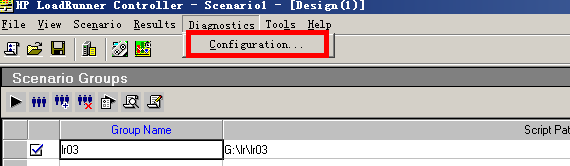
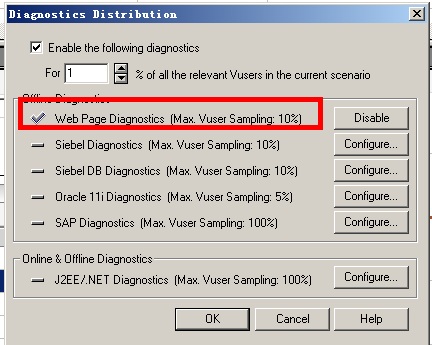
5.运行Controller施压,如果仍然报错,在菜单栏中点击Diagnostics->configuration项,将web page diagnostics项disable掉。


 浙公网安备 33010602011771号