
ue 4 编辑器扩展01
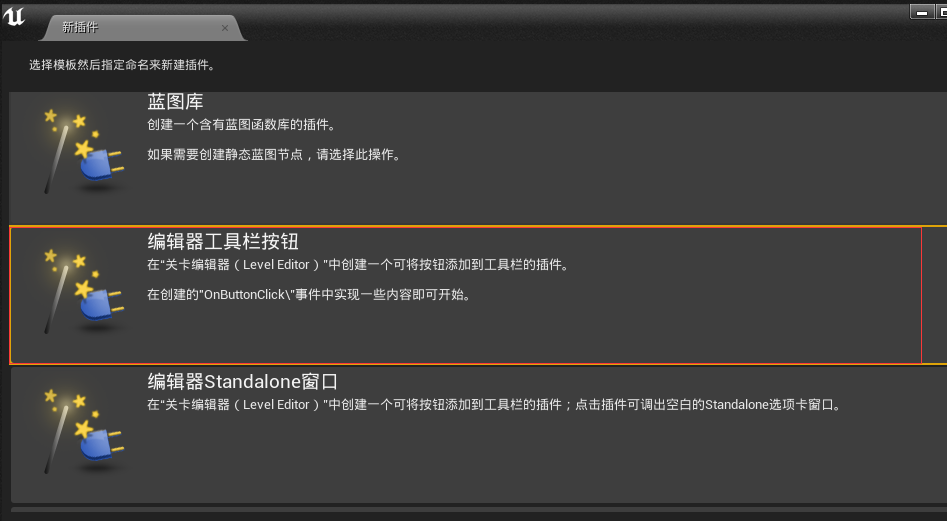
创建一个编辑器按钮类的插件
模块启动时:
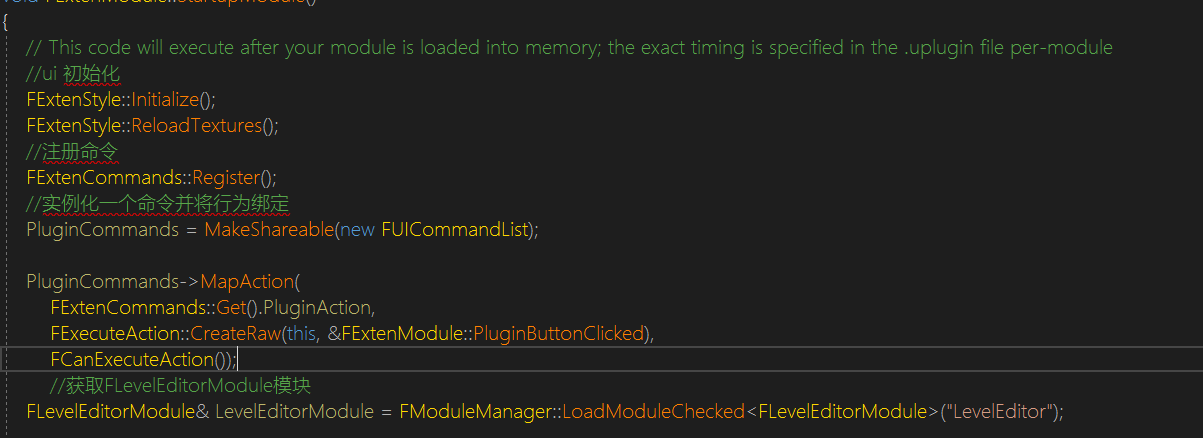
FExtender类提供了向菜单,菜单栏,工具栏添加扩展的方法:
AddMenuBarExtension( FName ExtensionHook, EExtensionHook::Position HookPosition, const TSharedPtr< FUICommandList >& CommandList, const FMenuBarExtensionDelegate& MenuBarExtensionDelegate );
AddMenuExtension( FName ExtensionHook, EExtensionHook::Position HookPosition, const TSharedPtr< FUICommandList >& CommandList, const FMenuExtensionDelegate& MenuExtensionDelegate );
AddToolBarExtension( FName ExtensionHook, EExtensionHook::Position HookPosition, const TSharedPtr< FUICommandList >& CommandList, const FToolBarExtensionDelegate& ToolBarExtensionDelegate );
{
        TSharedPtr<FExtender> MenuExtender = MakeShareable(new FExtender());
        MenuExtender->AddMenuExtension("WindowLayout", EExtensionHook::After, PluginCommands, FMenuExtensionDelegate::CreateRaw(this, &FExtenModule::AddMenuExtension));

        LevelEditorModule.GetMenuExtensibilityManager()->AddExtender(MenuExtender);
    }

    {
        TSharedPtr<FExtender> ToolbarExtender = MakeShareable(new FExtender);
        ToolbarExtender->AddToolBarExtension("Settings", EExtensionHook::After, PluginCommands, FToolBarExtensionDelegate::CreateRaw(this, &FExtenModule::AddToolbarExtension));

        LevelEditorModule.GetToolBarExtensibilityManager()->AddExtender(ToolbarExtender);
    }

    {
        TSharedPtr<FExtender> MenuBarExtender = MakeShareable(new FExtender);
        MenuBarExtender->AddMenuBarExtension("Help", EExtensionHook::After, PluginCommands, FMenuBarExtensionDelegate::CreateRaw(this, &FExtenModule::AddMenuBarExtension));

        LevelEditorModule.GetMenuExtensibilityManager()->AddExtender(MenuBarExtender);
    }
void FExtenModule::AddMenuBarExtension(FMenuBarBuilder& Builder)
{
    Builder.AddMenuEntry(FExtenCommands::Get().PluginAction);
}

 浙公网安备 33010602011771号