
使用js方法调用wordpress的WP REST API接口
一,由于公司需求,需要使用js批量在wordpress发布文章,写下具体流程,以防忘记。
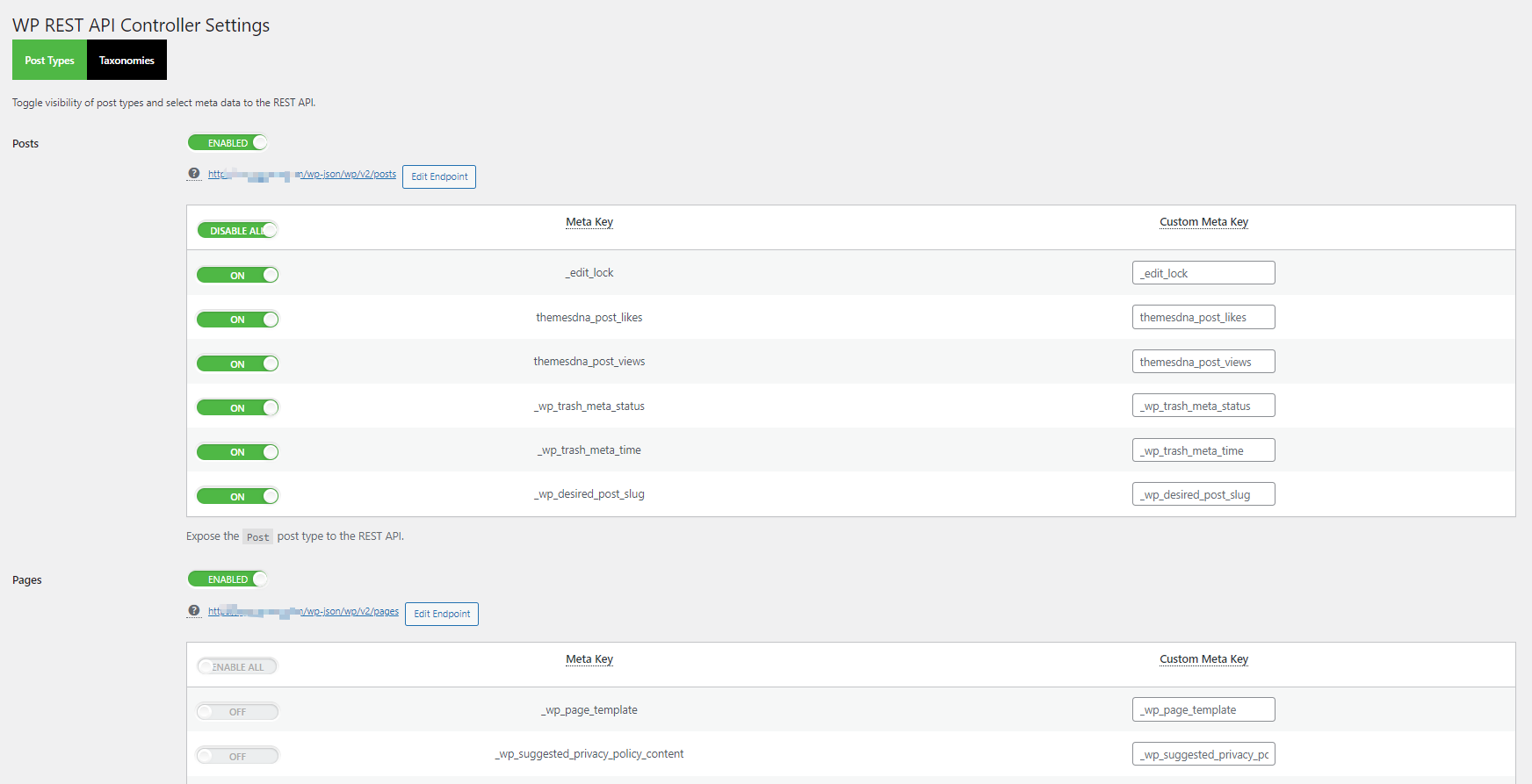
如果不确定自己的网站是否支持WP REST API可以在wordpress网站后台下载WP REST API Controller插件,在激活插件之后就可以看到当前你的网站所支持的所有api接口,还可以在这个插件上面修改api的url提高安全性。
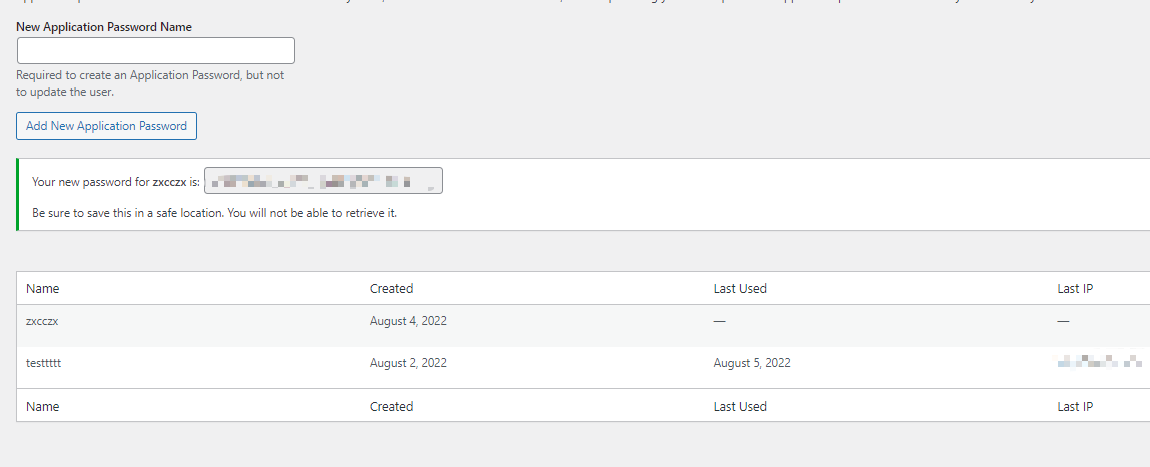
在获取到api之后想要调用还需要有一个调用WP REST API的账户,在users->profile->Application Passwords这里直接填写用户名之后点击添加,就会给你一个密码,用这个密码和你的wordpress后台注册的邮箱通过base64加密之后就可以得到发送请求所需要的cookie,明文为“邮箱:密码”邮箱和密码中间有一个冒号。
在这之后我们可以先调用文章获取得api测试我们得账号能不能正常使用
 axios({
        method: 'get',
        url: 'https://xxx.com/wp-json/wp/v2/posts ',
        headers: {
            "Authorization": "Basic + 加密后得密文",
        }
    }).then(res => {
        console.log(res);
    })
如果返回是文章数据,那就表示你的接口和账号都可以正常使用。
二,批量发布文章格式相同的文章
如果你发布的文章格式基本相同,那你可以直接在后台先整理好你的文章的排版,之后点击编辑文章页面右上角的设置,选择code editor就可以看到文章代码
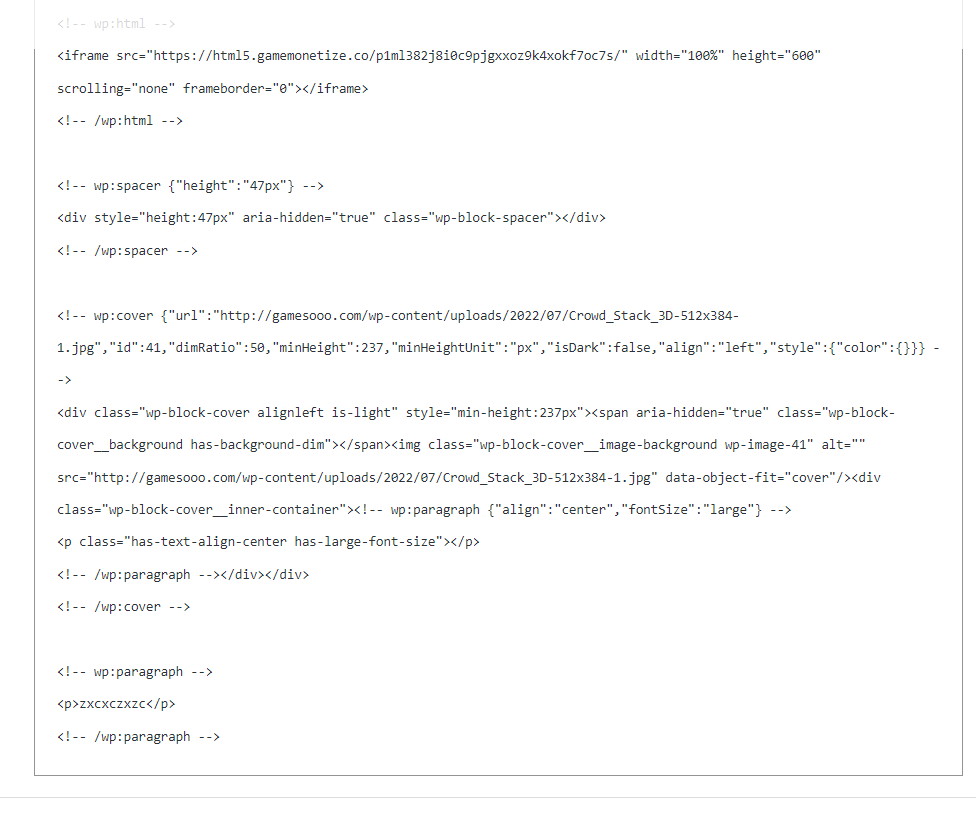
在发送请求的请求体直接加上这些代码就可以生成相同排版的文章了。
axios({
        method: 'post',
        url: 'https://xxx.com/wp-json/wp/v2/posts',
        data: {
            "title": "1ss23321",
            "content": `<!-- wp:html -->
    <iframe src="https://xxx/p1ml382j8i0c9pjgxxoz9k4xokf7oc7s/" width="100%" height="600" scrolling="none" frameborder="0"></iframe>
    <!-- /wp:html -->

    <!-- wp:spacer {"height":"47px"} -->
    <div style="height:47px" aria-hidden="true" class="wp-block-spacer"></div>
    <!-- /wp:spacer -->

    <!-- wp:cover {"url":"http://xxx.com/wp-content/uploads/2022/07/Crowd_Stack_3D-512x384-1.jpg","id":41,"dimRatio":50,"minHeight":237,"minHeightUnit":"px","isDark":false,"align":"left","style":{"color":{}}} -->
    <div class="wp-block-cover alignleft is-light" style="min-height:237px"><span aria-hidden="true" class="wp-block-cover__background has-background-dim"></span><img class="wp-block-cover__image-background wp-image-41" alt="" src="http://xxx.com/wp-content/uploads/2022/07/Crowd_Stack_3D-512x384-1.jpg" data-object-fit="cover"/><div class="wp-block-cover__inner-container"><!-- wp:paragraph {"align":"center","fontSize":"large"} -->
    <p class="has-text-align-center has-large-font-size"></p>
    <!-- /wp:paragraph --></div></div>
    <!-- /wp:cover -->

    <!-- wp:paragraph -->
    <p>zxcxczxzc</p>
    <!-- /wp:paragraph -->`,
            "status": "publish",
        },
        headers: {
            "Authorization": "Basic + cookie",
        }
    });
在调用接口的时候如果有不知道的参数可以在WP REST API官方文档里面,我这里整理除了一些常用的接口字段。
1,获取最新文章(默认获取到最新的10篇文章)
"context": {
  "default": "view",
  "enum": ["view", "embed", "edit"],
  "description": "请求提出的范围,用于决定回应包含的字段。",
  "type": "string"
}, "page": {
  "default": 1,
  "description": "集合的当前页。",
  "type": "integer"
}, "per_page": {
  "default": 10,
  "description": "结果集包含的最大项目数量。",
  "type": "integer"
}, "search": {
  "description": "将结果限制为匹配字符串的。",
  "type": "string"
}, "after": {
  "description": "将回应限制在一个给定的ISO8601兼容日期之后发布的文章。",
  "type": "string"
}, "author": {
  "default": [],
  "description": "限制结果集为指定给特定作者的文章。",
  "type": "array",
}, "author_exclude": {
  "default": [],
  "description": "确保结果集排除指定给特定作者的文章。",
  "type": "array",
}, "before": {
  "description": "将回应限制在一个给定的ISO8601兼容日期之前发布的文章。",
  "type": "string"
}, "exclude": {
  "default": [],
  "description": "确保结果集排除指定ID。",
  "type": "array",
}, "include": {
  "default": [],
  "description": "将结果集限制到指定ID。",
  "type": "array",
}, "offset": {
  "description": "将结果集移位特定数量。",
  "type": "integer"
}, "order": {
  "default": "desc",
  "enum": ["asc", "desc"],
  "description": "设置排序字段升序或降序。",
  "type": "string"
}, "orderby": {
  "default": "date",
  "enum": ["author", "date", "id", "include", "modified", "parent", "relevance", "slug", "include_slugs", "title"],
  "description": "按对象属性排序集合。",
  "type": "string"
}, "slug": {
  "description": "限制结果集为有一个或多个特定别名的文章。",
  "type": "array",
}, "status": {
  "default": "publish",
  "description": "限制结果集为有一个或多个状态的文章。",
  "type": "array",
  "items": {
    "enum": ["publish", "future", "draft", "pending", "private", "trash", "auto-draft", "inherit", "any"],
    "type": "string"
  }
}, "categories": {
  "default": [],
  "description": "限制结果集为在categories分类法中指定了特定项目的项目。",
  "type": "array",
}, "categories_exclude": {
  "default": [],
  "description": "限制结果集为在categories分类法中没有指定特定项目的项目。",
  "type": "array",
}, "tags": {
  "default": [],
  "description": "限制结果集为在tags分类法中指定了特定项目的项目。",
  "type": "array",
}, "tags_exclude": {
  "default": [],
  "description": "限制结果集为在tags分类法中没有指定特定项目的项目。",
  "type": "array",
}, "sticky": {
  "description": "限制结果集为置顶项目。",
  "type": "boolean"
}
2,发布文章
"args": {
  "date": {
    "description": "对象的发布时间,站点时区。",
    "type": "string"
  },
  "date_gmt": {
    "description": "对象的发布时间,GMT。",
    "type": "string"
  },
  "slug": {
    "description": "对象类别而言的英数字标识符。",
    "type": "string"
  },
  "status": {
    "enum": ["publish", "future", "draft", "pending", "private"],
    "description": "对象的命名状态。",
    "type": "string"
  },
  "password": {
    "description": "用来保护内容和摘要的密码。",
    "type": "string"
  },
  "title": {
    "description": "对象的标题。",
    "type": "object"
  },
  "content": {
    "description": "对象的内容。",
    "type": "object"
  },
  "author": {
    "description": "对象作者的ID。",
    "type": "integer"
  },
  "excerpt": {
    "description": "对象的摘要。",
    "type": "object"
  },
  "featured_media": {
    "description": "对象的特色媒体ID。",
    "type": "integer"
  },
  "comment_status": {
    "enum": ["open", "closed"],
    "description": "对象是否开放评论。",
    "type": "string"
  },
  "ping_status": {
    "enum": ["open", "closed"],
    "description": "对象是否接受ping。",
    "type": "string"
  },
  "format": {
    "enum": ["standard", "aside", "chat", "gallery", "link", "image", "quote", "status", "video", "audio"],
    "description": "对象的格式。",
    "type": "string"
  },
  "meta": {
    "description": "元字段。",
    "type": "object"
  },
  "sticky": {
    "description": "对象是否是置顶的。",
    "type": "boolean"
  },
  "template": {
    "description": "用来显示此对象的主题文件。",
    "type": "string"
  },
  "categories": {
    "description": "此对象在category分类法中指定的项目。",
    "type": "array",
  },
  "tags": {
    "description": "此对象在post_tag分类法中指定的项目。",
    "type": "array",
  }
}

 浙公网安备 33010602011771号