
学习v-charts的一些心得
官网地址:https://v-charts.js.org/#/start
1.npm安装
npm i v-charts echarts -S
2.引入
import VCharts from 'v-charts'
Vue.use(VCharts)
或者单个引入
import VeLine from 'v-charts/lib/line.common'
Vue.component(VeLine.name, VeLine)
3.套入代码,如:
<template>
  <ve-line :data="chartData"></ve-line>
</template>

<script>
  export default {
    data: function () {
      return {
        chartData: {
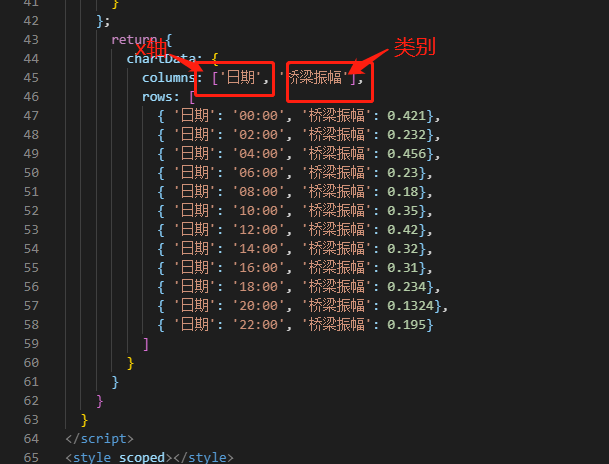
          columns: ['日期', '访问用户', '下单用户', '下单率'],
          rows: [
            { '日期': '1/1', '访问用户': 1393, '下单用户': 1093, '下单率': 0.32 },
            { '日期': '1/2', '访问用户': 3530, '下单用户': 3230, '下单率': 0.26 },
            { '日期': '1/3', '访问用户': 2923, '下单用户': 2623, '下单率': 0.76 },
            { '日期': '1/4', '访问用户': 1723, '下单用户': 1423, '下单率': 0.49 },
            { '日期': '1/5', '访问用户': 3792, '下单用户': 3492, '下单率': 0.323 },
            { '日期': '1/6', '访问用户': 4593, '下单用户': 4293, '下单率': 0.78 }
          ]
        }
      }
    }
  }
</script>
4.配置(配置颜色)
<template>
  <ve-line :extend="chartExtend"  :data="chartData" :settings="chartSettings" height="240px"></ve-line>
</template>


this.chartExtend = {
      series: {
        color: "#33ABFB" //柱子背景颜色
        // label: {
        //   show: true,
        // //   position: "top",
        //   textStyle: {
        //     color: "rgb(126, 203, 224)"
        //   }
        // }
      },
      xAxis: {
        axisLabel: {
          textStyle: {
            color: "#fff" //x轴字体颜色
          }
        }
      },
      yAxis: {
        axisLabel: {
          textStyle: {
            color: "#fff" //y轴字体颜色
          }
        }
      },
      legend: {
        textStyle: {
          color: "#fff" //图例字体颜色
        }
      }
    };
参考:https://www.cnblogs.com/xlfdqf/p/11428048.html
水球图的配置
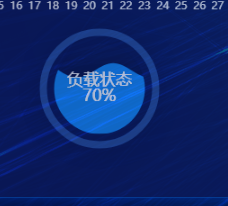
<template>
  <ve-liquidfill :settings="chartSettings" :data="chartData" style="top: -70px;left: -50px;" height="250px"></ve-liquidfill>
</template>
this.chartSettings = {
        seriesMap: {
          '负载状态': {
            color: ['#1890FF','#91D5FF'],
            itemStyle: {
            //   opacity: 0.2
            },
            emphasis: {
            //   itemStyle: {
            //     opacity: 0.8
            //   }
            },
            backgroundStyle: {
              color: 'rgba(13,25,89,1)'
            },
            label: {
              formatter (options) {
                const {
                  seriesName,
                  value
                } = options
                return `${seriesName}\n${value * 100}%`
              },
              fontSize: 18,
              color: '#fff',
              fontWeight: 400
            //   insideColor: '#fff'
            }
          }
        }
      };

 浙公网安备 33010602011771号