
cursor调试C#代码
cursor调试C#代码,缺点:没有比官方更好的提示
问题:vscode官方的C#插件无法在cursor中使用

解决方案
好像插件里面内置了 https://github.com/Samsung/netcoredbg
-
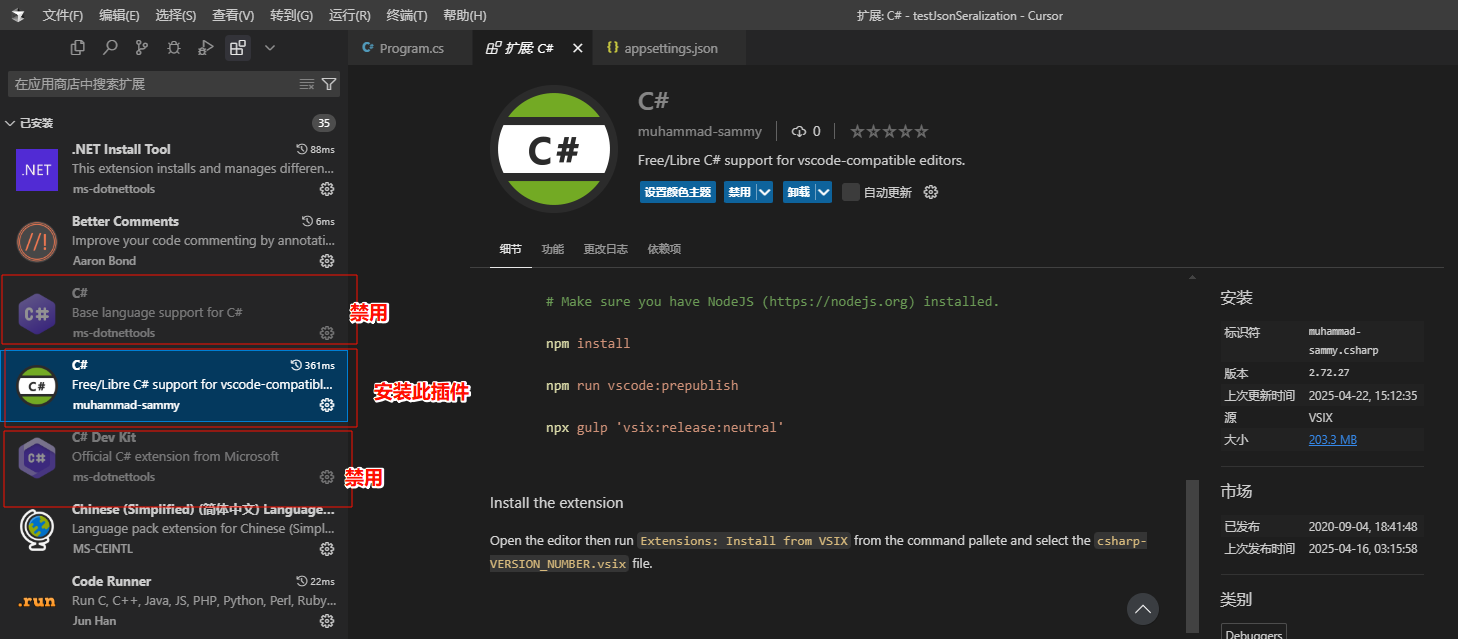
在cursor中安装外部插件
![image]()
-
安装后结果如下 (两个禁用的是官方的,如果不禁用官方的C#插件调试不了)
![image]()
-
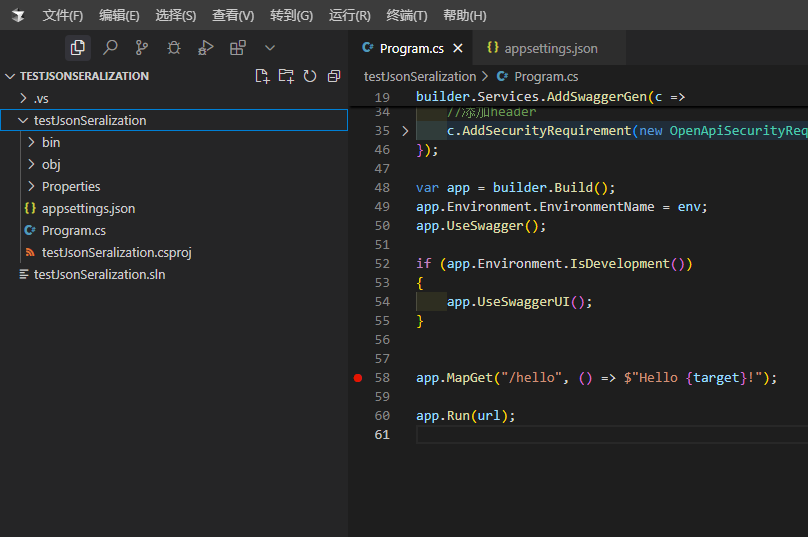
此时我的项目目录是没有.vscode文件夹
![image]()
-
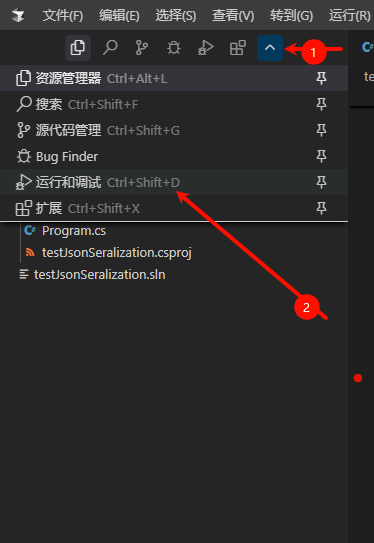
打开调试按钮生成调试文件
![image]()
![image]()
-
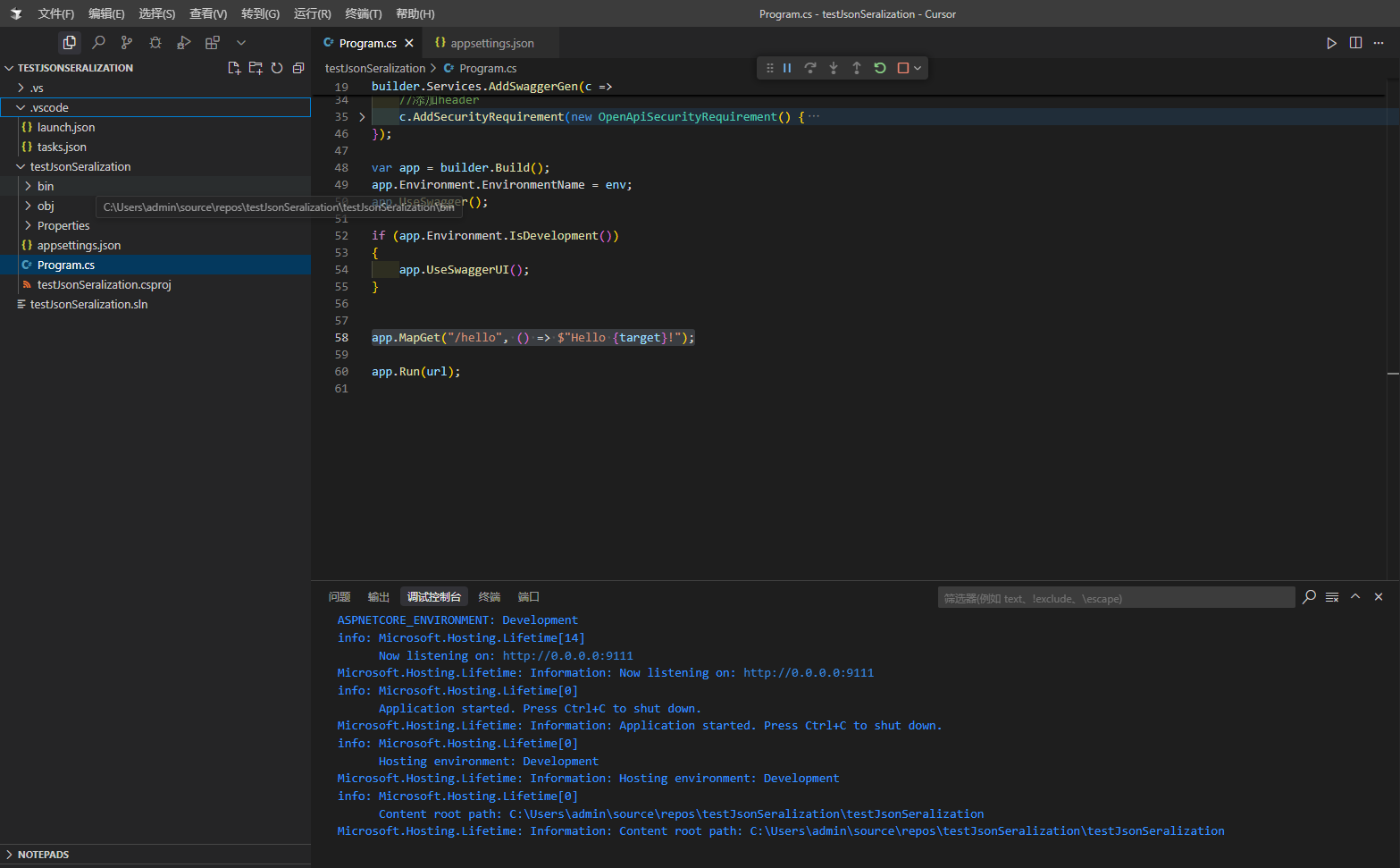
最后就有.vscode文件了,直接F5运行就行,效果如下
![image]()

好像插件里面内置了 https://github.com/Samsung/netcoredbg
在cursor中安装外部插件

安装后结果如下 (两个禁用的是官方的,如果不禁用官方的C#插件调试不了)
此时我的项目目录是没有.vscode文件夹
打开调试按钮生成调试文件
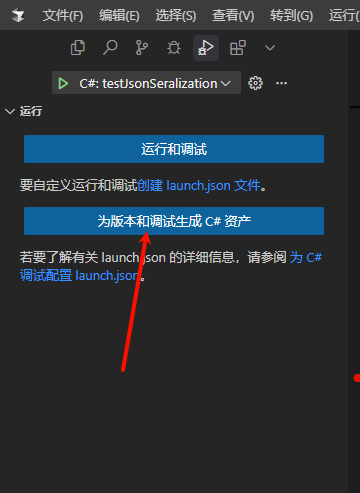
最后就有.vscode文件了,直接F5运行就行,效果如下

 浙公网安备 33010602011771号