
Amazon授权流程
语雀分享链接:
https://www.yuque.com/docs/share/1aa783d6-a63e-4012-a3f4-d96404a96d42?#
- 授权流程
按钮跳转链接
欧洲授权链接:https://sellercentral-europe.amazon.com/apps/authorize/consent?version=beta&application_id=amzn1.sp.solutionx x x x x
非欧授权链接:https://sellercentral.amazon.com/apps/authorize/consent?version=beta&application_id=amzn1.sp.solutionxxxxxxxx
- 跳转到亚马逊网站确定同意授权后
再次回调到我们页面,页面地址可以配置 eg: www.xxxx.com/auth/index 跳转到这个页面
此时地址uri上携带了参数, eg: www.xxxx.com/index?amazon_callback_uri=xxxx&amazon_state=xxxx&selling_partner_id=xxxx&version=beta
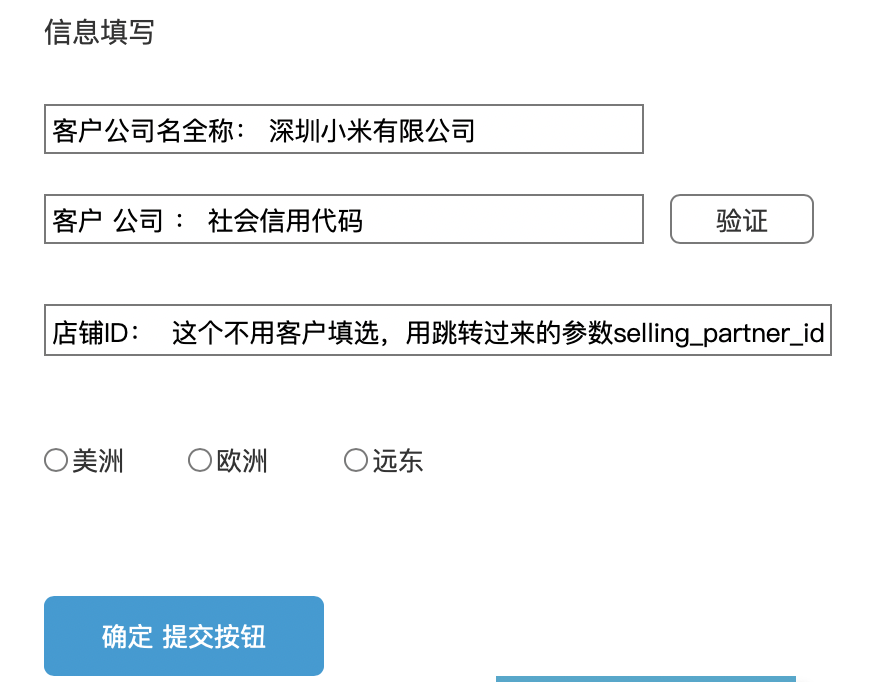
填写公司名字和社会信用代码 进行验证通过,(这里主要把客户跟店铺绑定起来)
提交后进行地址跳转 跳转地址 拿到当前页面的url 上面的参数。amazon_callback_uri amazon_state
redirect_uri 回调地址
end_point_id 1北美 2欧洲 3亚洲
state 验证时 返回的customerId + selling_partner_id 格式 customerId,selling_partner_id,end_point_id 英文逗号分割 注意顺序不能乱
拼接确定提交后的跳转地址如下:
eg: [amazon_callback_uri] ?amazon_state=xxxx&redirect_uri=xxxx&state=xxxx&version=beta
- 最后一步再次调转到我们页面
页面地址将会携带几个参数
spapi_oauth_code 获取授权code
state 上一步拼接的参数
selling_partner_id 店铺ID
mws_auth_token mws授权码现在已经没用了
加载完页面后请求后台自定义接口 后台操作获取refresh_token 完成最后一步授权
www.xxxxxx.com/auth/lwa?spapi_oauth_code=xxxx&state=xxxx&selling_partner_Id=xxx
后台请求部分流程如下:
https://api.amazon.com/auth/o2/token
post请求,"Content-Type", "application/x-www-form-urlencoded;charset=utf-8"
grant_type : authorization_code
code:spapi_oauth_code
redirect_uri :
client_id :
client_secret :

 浙公网安备 33010602011771号