
230_Swagger
目录
简介
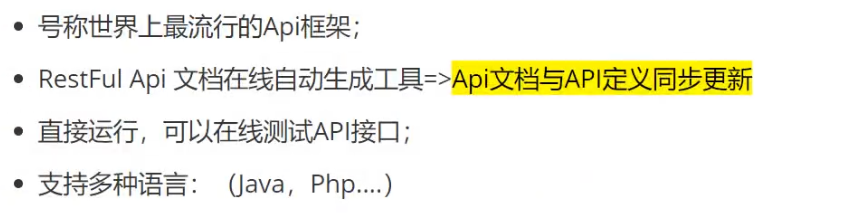
官网
swagger官网:https://swagger.io/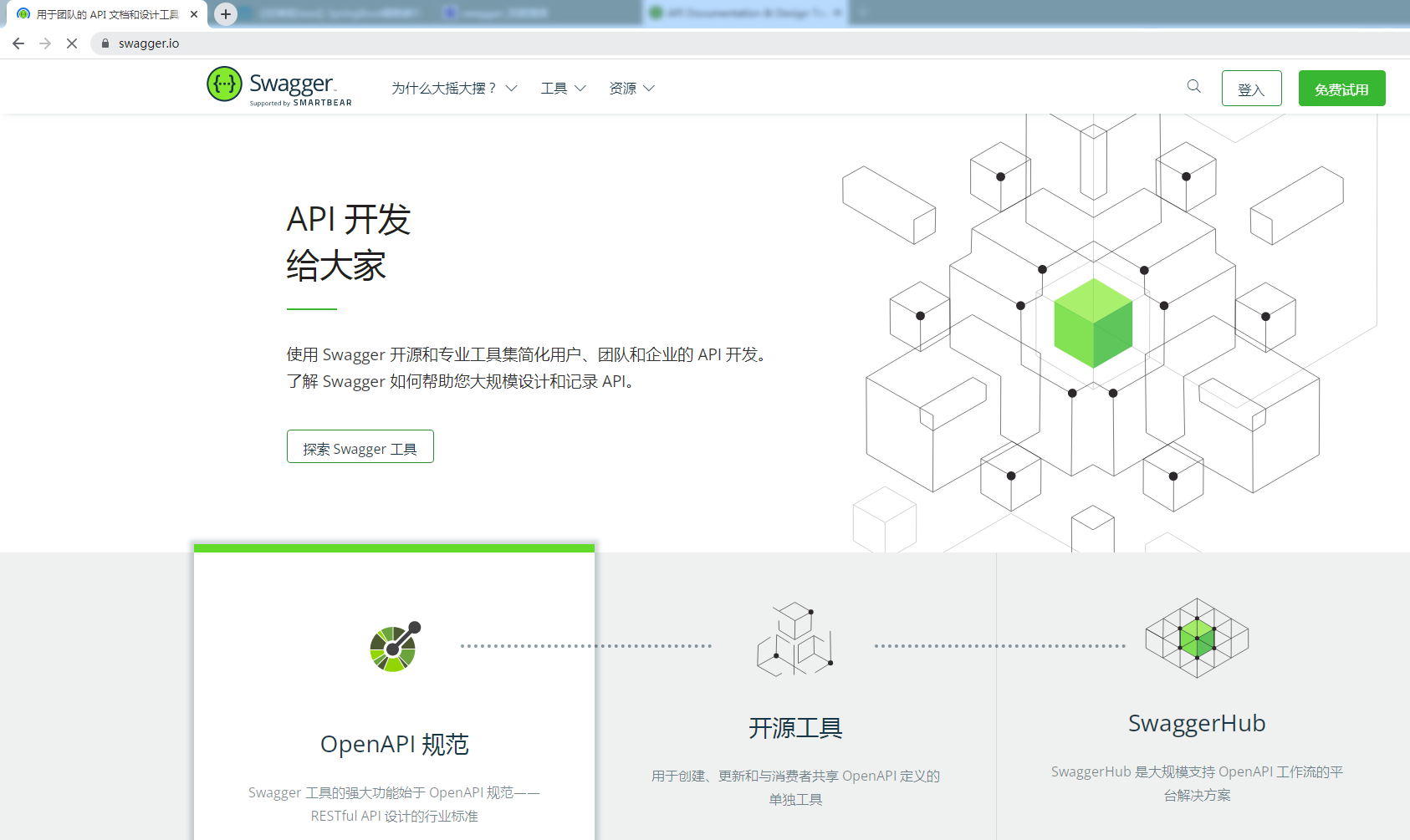
SpringBoot集成Swagger
新建项目
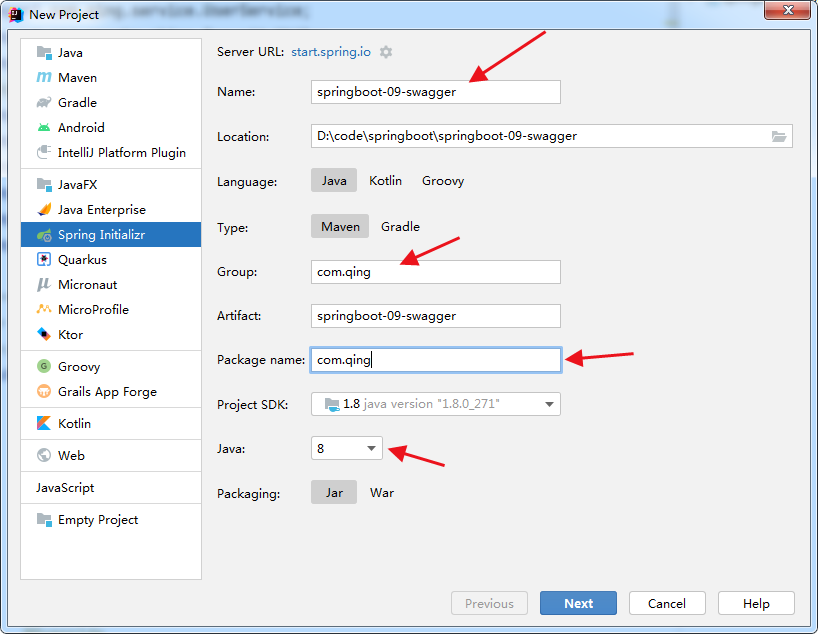
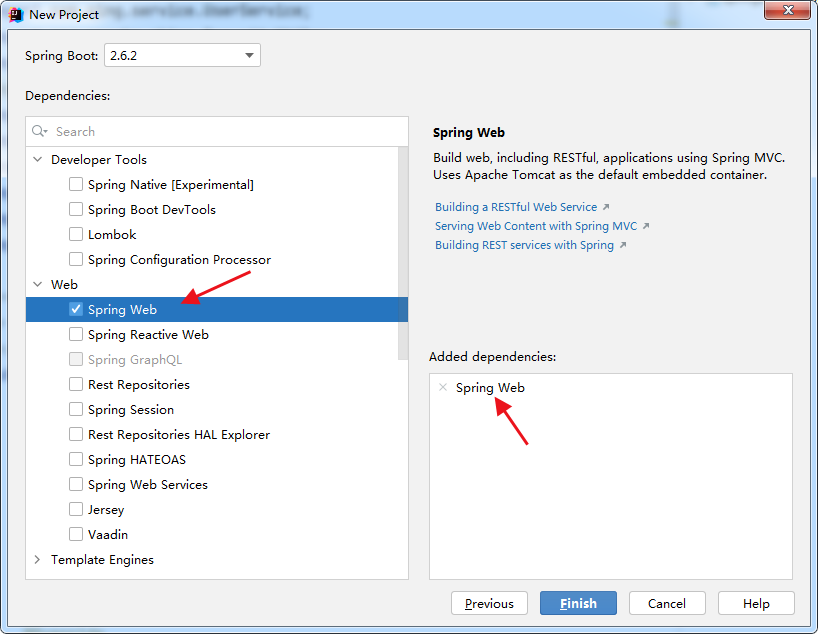
导入依赖
<!-- https://mvnrepository.com/artifact/io.springfox/springfox-swagger2 -->
<dependency>
    <groupId>io.springfox</groupId>
    <artifactId>springfox-swagger2</artifactId>
    <version>2.9.2</version>
</dependency>
<!-- https://mvnrepository.com/artifact/io.springfox/springfox-swagger-ui -->
<dependency>
    <groupId>io.springfox</groupId>
    <artifactId>springfox-swagger-ui</artifactId>
    <version>2.9.2</version>
</dependency>
编写HelloController测试
package com.qing.controller;

import org.springframework.web.bind.annotation.GetMapping;
import org.springframework.web.bind.annotation.RestController;

@RestController
public class HelloController {

    @GetMapping("/hello")
    public String hello() {
        return "hello world!";
    }
}

开启Swagger
package com.qing.config;

import org.springframework.context.annotation.Configuration;
import springfox.documentation.swagger2.annotations.EnableSwagger2;

@Configuration
@EnableSwagger2 // 开启Swagger2
public class SwaggerConfig {

}
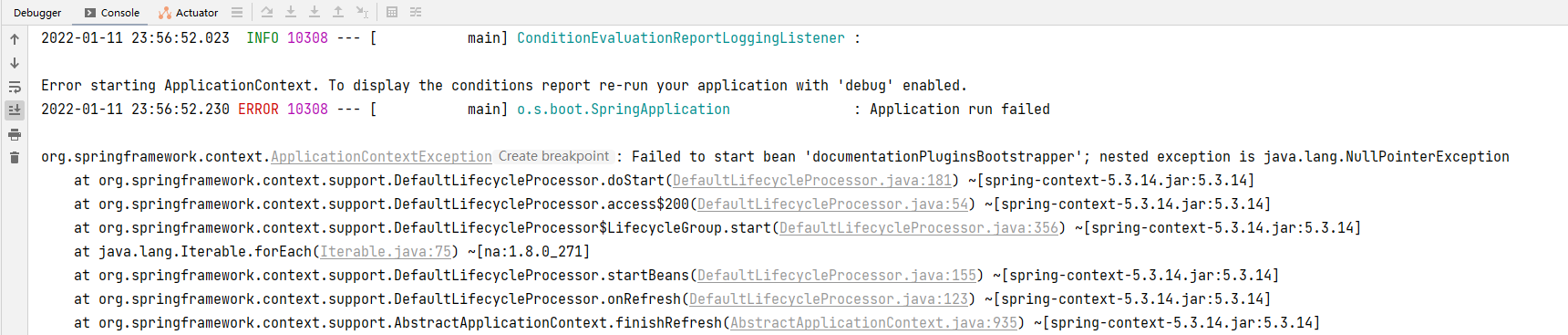
启动报错:Failed to start bean 'documentationPluginsBootstrapper'; nested exception is java.lang.NullPointerException
spring:
  mvc:
    pathmatch:
      matching-strategy: ant_path_matcher
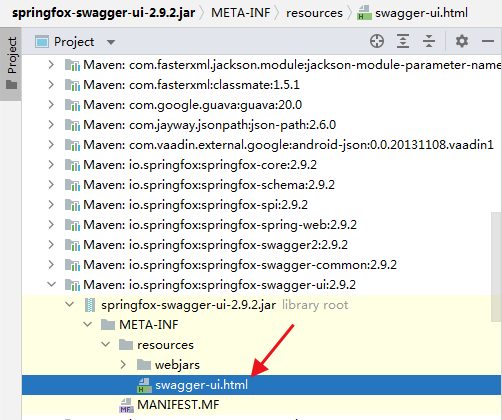
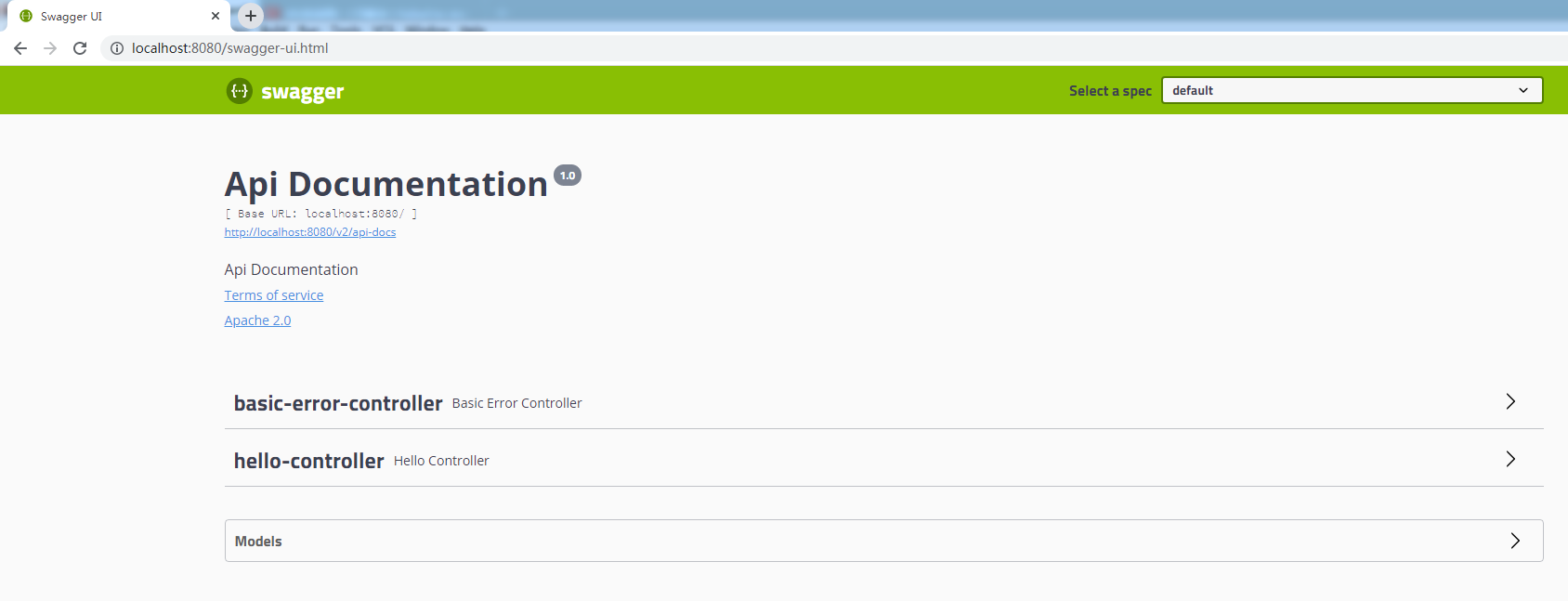
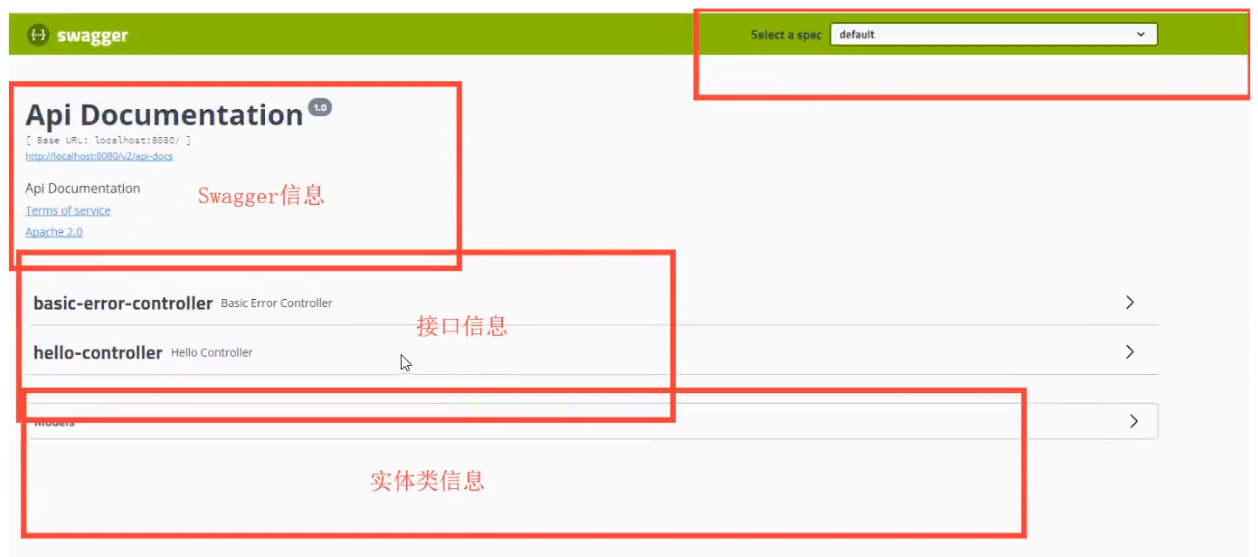
测试:http://localhost:8080/swagger-ui.html
配置基本信息 .apiInfo()
new Docket(DocumentationType.SWAGGER_2)
                .apiInfo(apiInfo());
package com.qing.config;

import org.springframework.context.annotation.Bean;
import org.springframework.context.annotation.Configuration;
import springfox.documentation.service.ApiInfo;
import springfox.documentation.service.Contact;
import springfox.documentation.spi.DocumentationType;
import springfox.documentation.spring.web.plugins.Docket;
import springfox.documentation.swagger2.annotations.EnableSwagger2;

import java.util.ArrayList;

import static springfox.documentation.service.ApiInfo.DEFAULT_CONTACT;

@Configuration
@EnableSwagger2 // 开启Swagger2
public class SwaggerConfig {

    /**
     * 定义Swagger的Docket的bean实例
     * @return
     */
    @Bean
    public Docket docket() {
        return new Docket(DocumentationType.SWAGGER_2)
                .apiInfo(apiInfo());
    }

    /**
     * 配置Swagger信息 apiInfo
     * @return
     */
    private ApiInfo apiInfo() {
        Contact contact = new Contact("联系人姓名", "联系人网址", "联系人邮箱");
        return new ApiInfo(
                "我的标题",
                "我的描述",
                "我的版本1.0",
                "我的服务条款网址",
                contact,
                "Apache 2.0",
                "http://www.apache.org/licenses/LICENSE-2.0",
                new ArrayList());
    }
}
Docket源码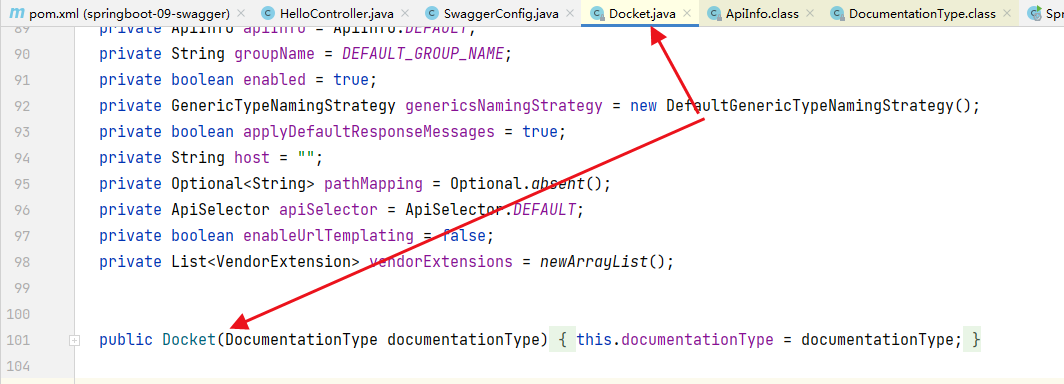
DocumentType源码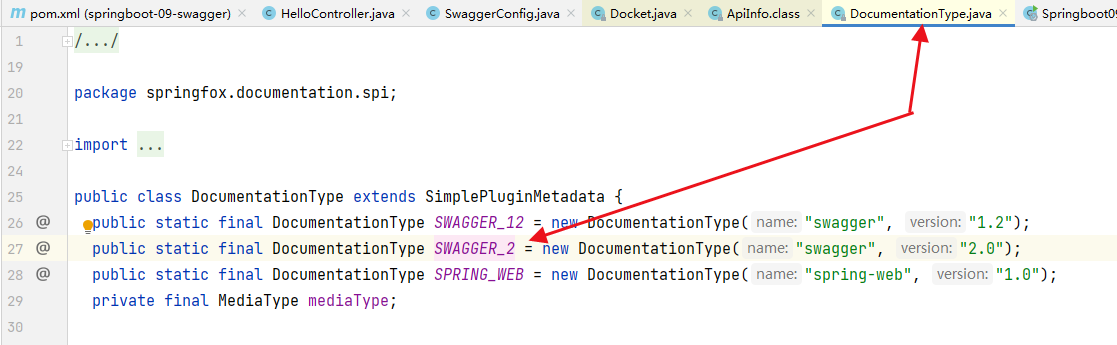
Docket源码:apiInfo方法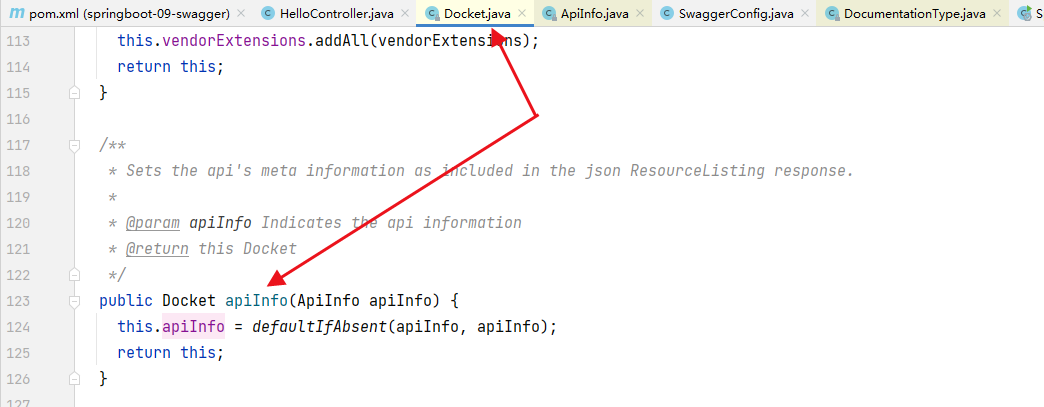
ApiInfo源码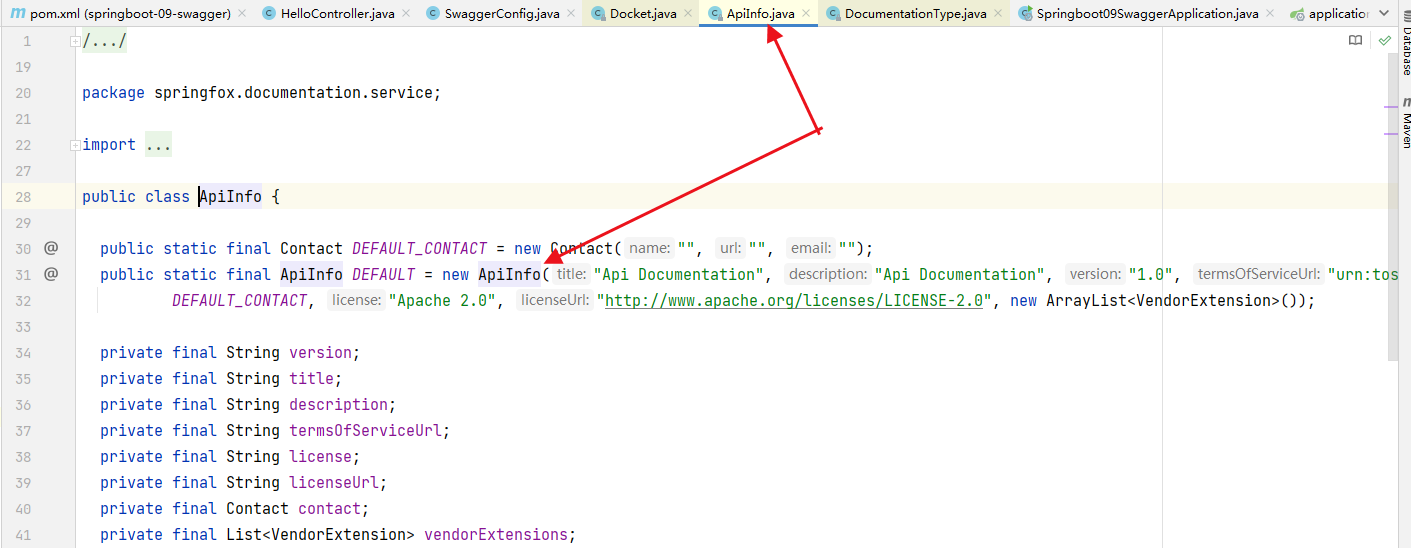
配置前的swagger页面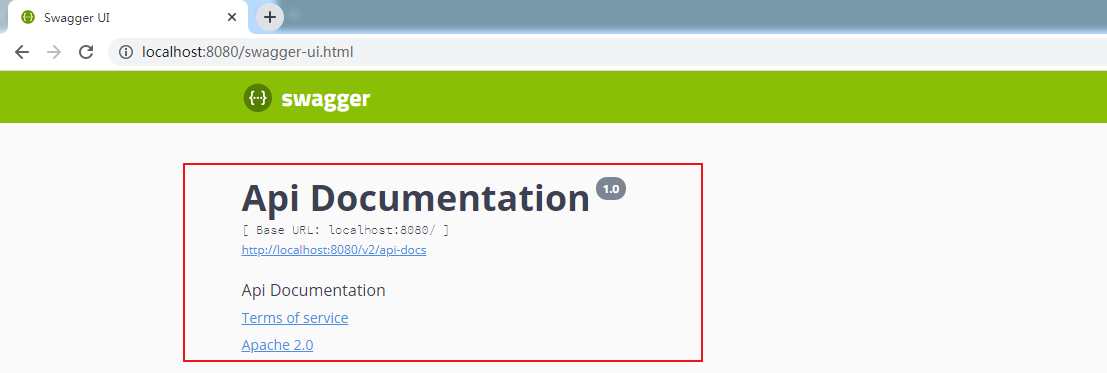
配置后的swagger页面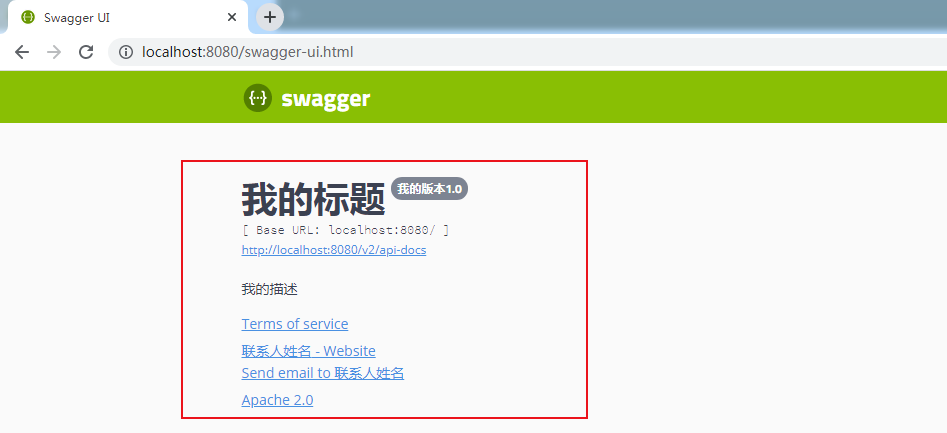
配置扫描接口 .select().apis().paths().build()
.select()
/*
RequestHandlerSelectors,配置要扫描接口的方式
basePackage:指定要扫描的包
any:扫描全部
none:不扫描
withClassAnnotation:扫描类上有指定注解的,参数是一个注解的反射对象
withMethodAnnotation:扫描方法上有指定注解的,参数是一个注解的反射对象
 */
.apis(RequestHandlerSelectors.basePackage("com.qing.controller"))
// paths() 过滤什么路径
.paths(PathSelectors.ant("/abc/**"))
.build();
package com.qing.config;

import org.springframework.context.annotation.Bean;
import org.springframework.context.annotation.Configuration;
import springfox.documentation.builders.PathSelectors;
import springfox.documentation.builders.RequestHandlerSelectors;
import springfox.documentation.service.ApiInfo;
import springfox.documentation.service.Contact;
import springfox.documentation.spi.DocumentationType;
import springfox.documentation.spring.web.plugins.Docket;
import springfox.documentation.swagger2.annotations.EnableSwagger2;

import java.util.ArrayList;

import static springfox.documentation.service.ApiInfo.DEFAULT_CONTACT;

@Configuration
@EnableSwagger2 // 开启Swagger2
public class SwaggerConfig {

    /**
     * 定义Swagger的Docket的bean实例
     * @return
     */
    @Bean
    public Docket docket() {
        return new Docket(DocumentationType.SWAGGER_2)
                .apiInfo(apiInfo())
                .select()
                /*
                RequestHandlerSelectors,配置要扫描接口的方式
                basePackage:指定要扫描的包
                any:扫描全部
                none:不扫描
                withClassAnnotation:扫描类上有指定注解的,参数是一个注解的反射对象
                withMethodAnnotation:扫描方法上有指定注解的,参数是一个注解的反射对象
                 */
                .apis(RequestHandlerSelectors.basePackage("com.qing.controller"))
                // paths() 过滤什么路径
                .paths(PathSelectors.ant("/abc/**"))
                .build();
    }

    /**
     * 配置Swagger信息 apiInfo
     * @return
     */
    private ApiInfo apiInfo() {
        Contact contact = new Contact("联系人姓名", "联系人网址", "联系人邮箱");
        return new ApiInfo(
                "我的标题",
                "我的描述",
                "我的版本1.0",
                "我的服务条款网址",
                contact,
                "Apache 2.0",
                "http://www.apache.org/licenses/LICENSE-2.0",
                new ArrayList());
    }
}
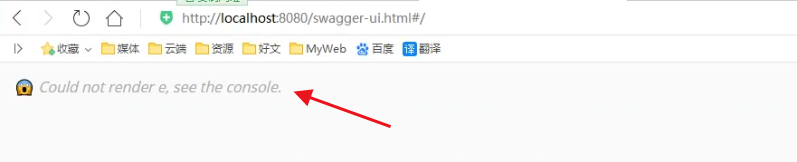
配置启用开关,默认启用 .enable()
// 默认开启,是true,false关闭,关闭后Swagger不能在浏览器中访问
.enable(false)
package com.qing.config;

import org.springframework.context.annotation.Bean;
import org.springframework.context.annotation.Configuration;
import springfox.documentation.builders.PathSelectors;
import springfox.documentation.builders.RequestHandlerSelectors;
import springfox.documentation.service.ApiInfo;
import springfox.documentation.service.Contact;
import springfox.documentation.spi.DocumentationType;
import springfox.documentation.spring.web.plugins.Docket;
import springfox.documentation.swagger2.annotations.EnableSwagger2;

import java.util.ArrayList;

import static springfox.documentation.service.ApiInfo.DEFAULT_CONTACT;

@Configuration
@EnableSwagger2 // 开启Swagger2
public class SwaggerConfig {

    /**
     * 定义Swagger的Docket的bean实例
     * @return
     */
    @Bean
    public Docket docket() {
        return new Docket(DocumentationType.SWAGGER_2)
                .apiInfo(apiInfo())
                // 默认开启,是true,false关闭,关闭后Swagger不能在浏览器中访问
                .enable(false)
                .select()
                /*
                RequestHandlerSelectors,配置要扫描接口的方式
                basePackage:指定要扫描的包
                any:扫描全部
                none:不扫描
                withClassAnnotation:扫描类上有指定注解的,参数是一个注解的反射对象
                withMethodAnnotation:扫描方法上有指定注解的,参数是一个注解的反射对象
                 */
                .apis(RequestHandlerSelectors.basePackage("com.qing.controller"))
                // paths() 过滤什么路径
                .paths(PathSelectors.ant("/abc/**"))
                .build();
    }

    /**
     * 配置Swagger信息 apiInfo
     * @return
     */
    private ApiInfo apiInfo() {
        Contact contact = new Contact("联系人姓名", "联系人网址", "联系人邮箱");
        return new ApiInfo(
                "我的标题",
                "我的描述",
                "我的版本1.0",
                "我的服务条款网址",
                contact,
                "Apache 2.0",
                "http://www.apache.org/licenses/LICENSE-2.0",
                new ArrayList());
    }
}
配置API文档分组 .groupName()
new Docket(DocumentationType.SWAGGER_2)
                .apiInfo(apiInfo())
                .groupName("商品模块")
package com.qing.config;

import org.springframework.context.annotation.Bean;
import org.springframework.context.annotation.Configuration;
import org.springframework.core.env.Environment;
import springfox.documentation.builders.PathSelectors;
import springfox.documentation.builders.RequestHandlerSelectors;
import springfox.documentation.service.ApiInfo;
import springfox.documentation.service.Contact;
import springfox.documentation.spi.DocumentationType;
import springfox.documentation.spring.web.plugins.Docket;
import springfox.documentation.swagger2.annotations.EnableSwagger2;

import java.util.ArrayList;

import static springfox.documentation.service.ApiInfo.DEFAULT_CONTACT;

@Configuration
@EnableSwagger2 // 开启Swagger2
public class SwaggerConfig {

    /**
     * 定义Swagger的Docket的bean实例
     * @return
     */
    @Bean
    public Docket docket() {
        return new Docket(DocumentationType.SWAGGER_2)
                .apiInfo(apiInfo())
                .groupName("商品模块")
                // 默认开启,是true,false关闭,关闭后Swagger不能在浏览器中访问
                .enable(false)
                .select()
                /*
                RequestHandlerSelectors,配置要扫描接口的方式
                basePackage:指定要扫描的包
                any:扫描全部
                none:不扫描
                withClassAnnotation:扫描类上有指定注解的,参数是一个注解的反射对象
                withMethodAnnotation:扫描方法上有指定注解的,参数是一个注解的反射对象
                 */
                .apis(RequestHandlerSelectors.basePackage("com.qing.controller"))
                // paths() 过滤什么路径
                .paths(PathSelectors.ant("/abc/**"))
                .build();
    }

    /**
     * 配置Swagger信息 apiInfo
     * @return
     */
    private ApiInfo apiInfo() {
        Contact contact = new Contact("联系人姓名", "联系人网址", "联系人邮箱");
        return new ApiInfo(
                "我的标题",
                "我的描述",
                "我的版本1.0",
                "我的服务条款网址",
                contact,
                "Apache 2.0",
                "http://www.apache.org/licenses/LICENSE-2.0",
                new ArrayList());
    }
}
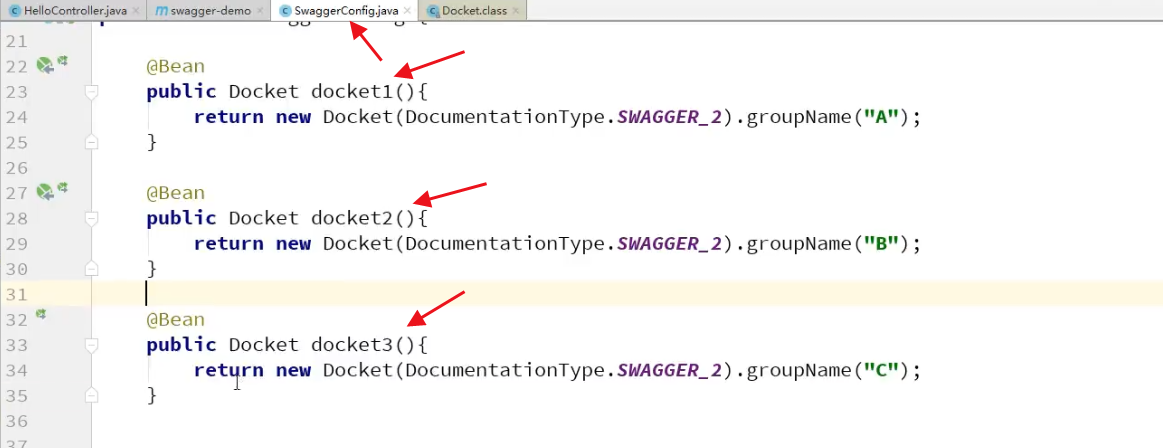
配置多个分组,多个Docket实例即可
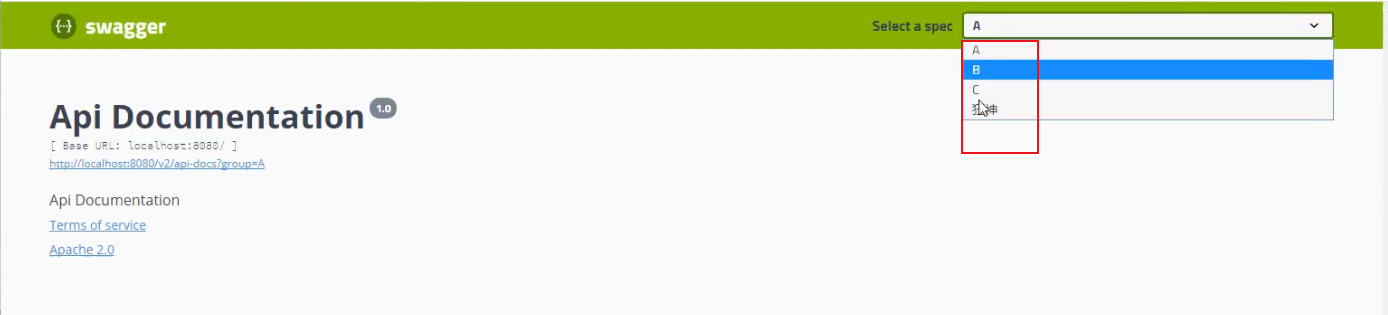
配置Models
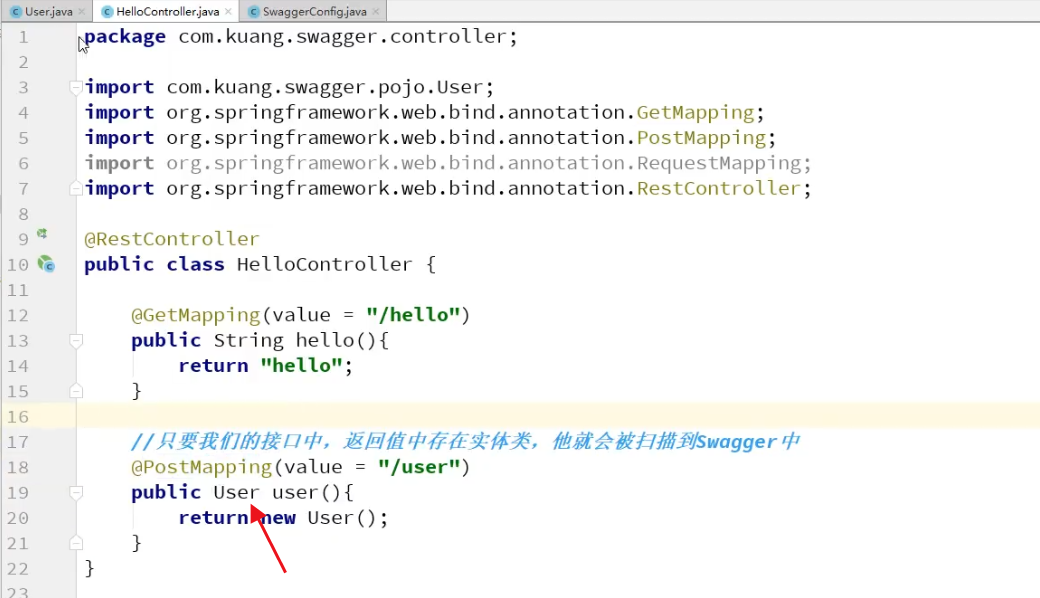
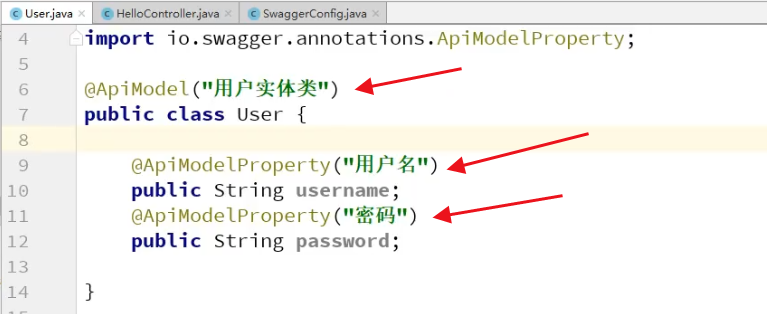
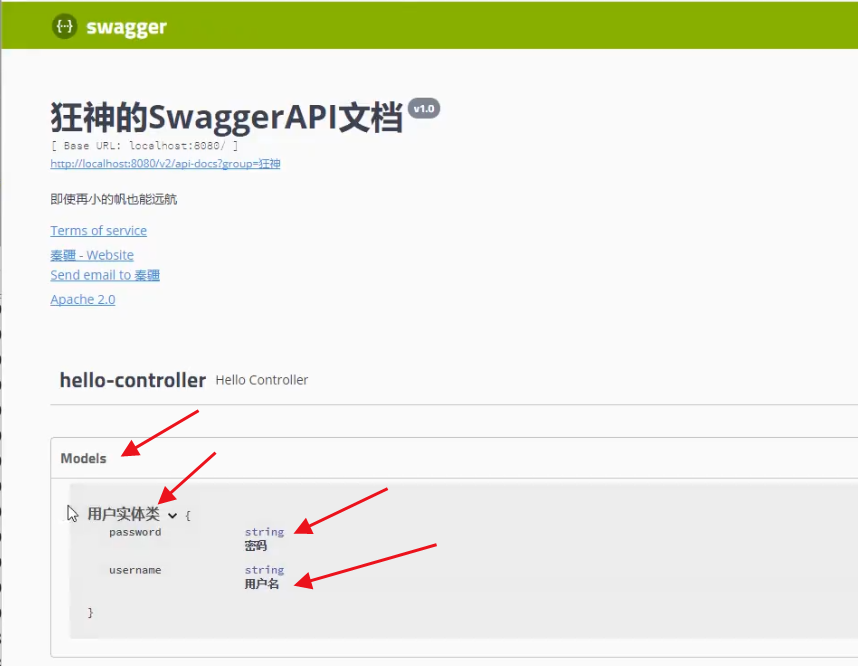
是否生成Models文档和实体类上是否加注解无关,接口中返回了实体类,就会生成Models文档,否则就不会生成,实体类上的注解作用是生成中文文档
类上注解 @ApiModel
变量上注解 @ApiModelProperty
总结

注意:在正式发布的时候,关闭Swagget
原因:
- 安全考虑
- 节省运行的内存

 浙公网安备 33010602011771号