

.net core 3.1 Identity Server4 (Hybrid模式)
@@IdentityServer4 hybrid
.net core 3.1 Identity Server4 (Hybrid模式)

Hybrid 模式的理解
Hybrid 模式相当于(Code模式+Impact模式),所以它又被称之为混合模式。大家可以看一下下面这张图。
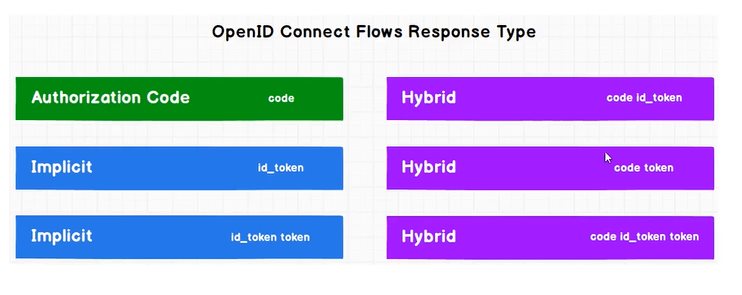
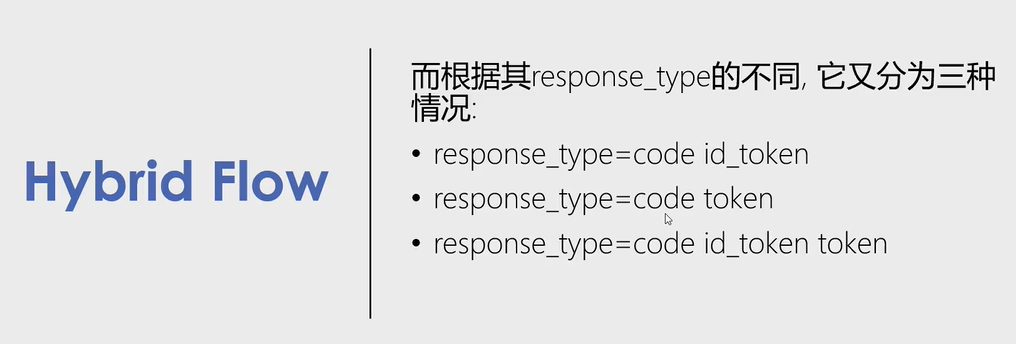
我们可以发现它的类型response_type既可以为,code id_token,又可以code token,还可以code id_token token。虽然这很多样,接着我们来看它与与前三种又有哪些区别呢?
code与id_token
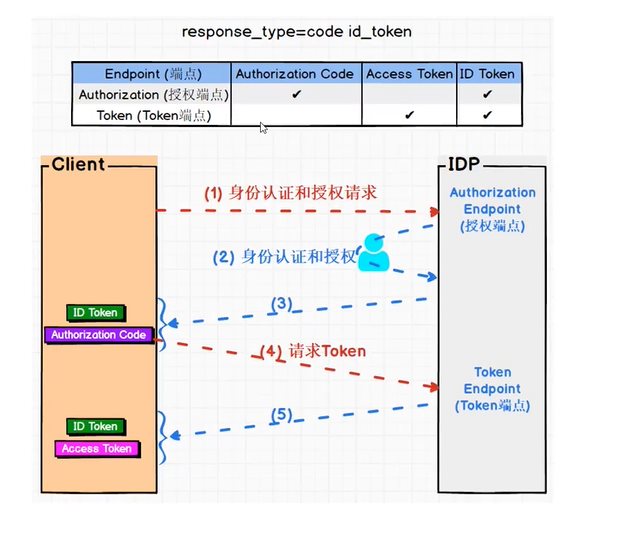
看看下面这张图。客户端先发起身份认证和授权请求,在授权端点进行身份认证和授权,然后获得id token以及授权码Authorization Code,随即客户端向授权服务器端点发起Token请求,最后获取到id token以及Access Token
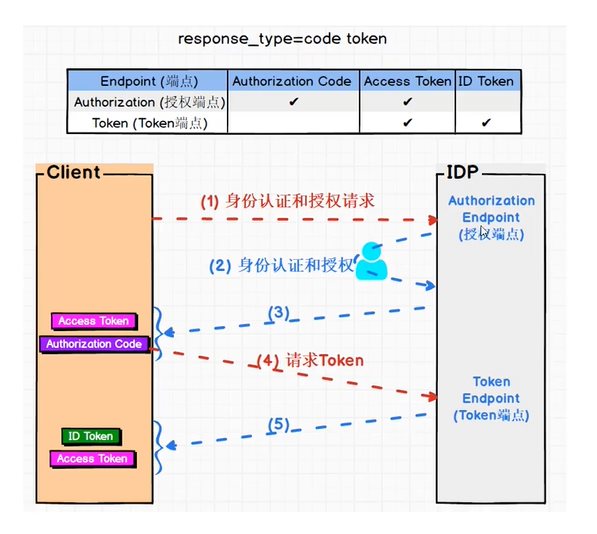
code与token
这与上面图的区别是,第一次获取了Access Token与授权码Authorization Code,第二次获取到了Access Token与Id Token。
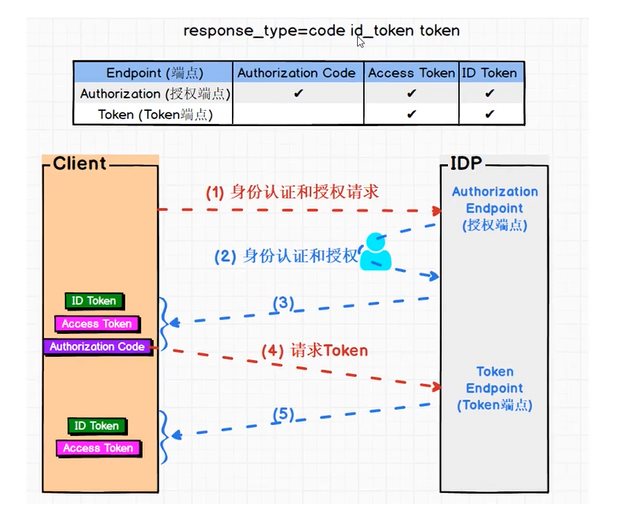
code,token与id token
这与上面图的区别是,第一次获取了Id Token,Access Token与授权码Authorization Code,第二次获取到了Access Token与Id Token。
项目演示
这里我只展示一个(code id_token)其他都是类似的
在授权服务器中添加客户端信息(老客套了)
new Client{ClientId="hybrid_client",ClientSecrets = {new Secret("hybrid_client_secret".Sha256()) },AllowedGrantTypes = GrantTypes.Hybrid,RequirePkce = false,RedirectUris ={"https://localhost:6027/signin-oidc"},BackChannelLogoutUri = "https://localhost:6027/logout",PostLogoutRedirectUris ={"https://localhost:6027/signout-callback-oidc"},// 是否需要将token放入到Claim中AlwaysIncludeUserClaimsInIdToken = false,// 获取或设置一个值,该值指示是否允许脱机访问. 默认值为 false。AllowOfflineAccess = true,AllowedScopes ={"ApiOne",IdentityServerConstants.StandardScopes.OpenId,IdentityServerConstants.StandardScopes.Profile,"rc.bc"}}
创建Hybrid客户端项目(AiDaSi.OcDemo.HybridMvc)
基本上与code模式的mvc客户端相同,我就直接贴代码了哈!首先安装客户端的包!
<ItemGroup><PackageReference Include="IdentityModel" Version="4.5.0" /><PackageReference Include="Microsoft.AspNetCore.Authentication.OpenIdConnect" Version="3.1.9" /></ItemGroup>
Startup类
public Startup(IConfiguration configuration){Configuration = configuration;// 我们关闭了JWT的Claim 类型映射, 以便允许well-known claimsJwtSecurityTokenHandler.DefaultInboundClaimTypeMap.Clear();}public IConfiguration Configuration { get; }public void ConfigureServices(IServiceCollection services){services.AddControllersWithViews();services.AddHttpClient();JwtSecurityTokenHandler.DefaultMapInboundClaims = false;services.AddSingleton<IDiscoveryCache>(r =>{var factory = r.GetRequiredService<IHttpClientFactory>();return new DiscoveryCache("https://localhost:7200", () => factory.CreateClient());});services.AddAuthentication(options =>{options.DefaultScheme = "Cookies";options.DefaultChallengeScheme = "oidc";}).AddCookie("Cookies") // 我们用作Cookies作为首选方式.AddOpenIdConnect("oidc", options =>{options.Authority = "https://localhost:7200";options.RequireHttpsMetadata = false;options.ClientId = "hybrid_client";options.ClientSecret = "hybrid_client_secret";options.ResponseType = "code id_token";options.GetClaimsFromUserInfoEndpoint = true;options.SaveTokens = true;options.Scope.Clear(); // 清理范围options.Scope.Add("ApiOne");options.Scope.Add("openid");options.Scope.Add("profile");options.Scope.Add("rc.bc");options.Scope.Add("offline_access");// 脱机访问令牌});}public void Configure(IApplicationBuilder app, IWebHostEnvironment env){if (env.IsDevelopment()){app.UseDeveloperExceptionPage();}else{app.UseExceptionHandler("/Home/Error");}app.UseStaticFiles();app.UseRouting();app.UseAuthentication();app.UseAuthorization();app.UseEndpoints(endpoints =>{endpoints.MapControllerRoute(name: "default",pattern: "{controller=Home}/{action=Index}/{id?}");});}
修改launchSettings.json,设置端口为6027
{"profiles": {"AiDaSi.OcDemo.HybridMvc": {"commandName": "Project","launchBrowser": true,"applicationUrl": "https://localhost:6027","environmentVariables": {"ASPNETCORE_ENVIRONMENT": "Development"}}}}
然后HomeController.cs控制器内容与页面跟code mvc是差不多的
public class HomeController : Controller{private readonly ILogger<HomeController> _logger;private IHttpClientFactory _httpClientFactory;public HomeController(ILogger<HomeController> logger, IHttpClientFactory httpFactory){_logger = logger;_httpClientFactory = httpFactory;}public IActionResult Index(){return View();}[Authorize]public async Task<IActionResult> Privacy(){var accessToken = await HttpContext.GetTokenAsync(OpenIdConnectParameterNames.AccessToken);var idToken = await HttpContext.GetTokenAsync(OpenIdConnectParameterNames.IdToken);var refreshToken = await HttpContext.GetTokenAsync(OpenIdConnectParameterNames.RefreshToken);var code = await HttpContext.GetTokenAsync(OpenIdConnectParameterNames.Code);ViewData["accessToken"] = accessToken;ViewData["idToken"] = idToken;ViewData["refreshToken"] = refreshToken;ViewData["code"] = code;// 获取接口数据var httpClient = _httpClientFactory.CreateClient();//httpClient.DefaultRequestHeaders.Authorization = new AuthenticationHeaderValue("Bearer", accessToken);httpClient.SetBearerToken(accessToken);// 验证Token是否失效string tokenStr = accessToken;var handler = new JwtSecurityTokenHandler();var payload = handler.ReadJwtToken(tokenStr).Payload;var expclaim = payload.Claims.FirstOrDefault(x => x.Type == "exp");DateTime dateTime = expclaim.Value.unixtime();int compNum = DateTime.Compare(DateTime.Now, dateTime);//判断当前时间是否大于token的过期时间,如果有就刷新token,这样就能达到无缝衔接if (compNum > 0){await RenewTokensAsync();return RedirectToAction();}var Result = await httpClient.GetAsync("http://localhost:5280/WeatherForecast");if (Result.IsSuccessStatusCode){ViewData["Apione"] = await Result.Content.ReadAsStringAsync();}return View();}private async Task<string> RenewTokensAsync(){var client = _httpClientFactory.CreateClient();var disco = await client.GetDiscoveryDocumentAsync("https://localhost:7200");if (disco.IsError){// 我们这里将Cookie清空掉foreach (var item in Request.Cookies){Response.Cookies.Delete(item.Key);}// 报错return await Task.FromResult(disco.Error);// throw new Exception(disco.Error);}var refreshToken = await HttpContext.GetTokenAsync(OpenIdConnectParameterNames.RefreshToken);// 刷新token的操作var tokenResponse = await client.RequestRefreshTokenAsync(new RefreshTokenRequest{Address = disco.TokenEndpoint,ClientId = "client_id_mvc",ClientSecret = "mvc_secret",RefreshToken = refreshToken});#region 第一种写法if (tokenResponse.IsError){// 我们这里将Cookie清空掉foreach (var item in Request.Cookies){Response.Cookies.Delete(item.Key);}return await Task.FromResult(tokenResponse.Error);// 报错// throw new Exception(tokenResponse.Error);}var expiresAt = DateTime.UtcNow + TimeSpan.FromSeconds(tokenResponse.ExpiresIn);var tokens = new[]{new AuthenticationToken{Name = OpenIdConnectParameterNames.IdToken,Value = tokenResponse.IdentityToken},new AuthenticationToken{Name = OpenIdConnectParameterNames.AccessToken,Value = tokenResponse.AccessToken},new AuthenticationToken{Name = OpenIdConnectParameterNames.RefreshToken,Value = tokenResponse.RefreshToken},new AuthenticationToken{Name = "expires_at",Value = expiresAt.ToString("o", CultureInfo.InvariantCulture)}};// 获取身份认证的结果,包含当前的pricipal和propertiesvar currentAuthenticateResult =await HttpContext.AuthenticateAsync(CookieAuthenticationDefaults.AuthenticationScheme);// 把新的tokens存起来currentAuthenticateResult.Properties.StoreTokens(tokens);// 登录await HttpContext.SignInAsync(CookieAuthenticationDefaults.AuthenticationScheme,currentAuthenticateResult.Principal, currentAuthenticateResult.Properties);return tokenResponse.AccessToken;#endregion#region 第二种写法//下面将修改上下文var authInfo = await HttpContext.AuthenticateAsync("Cookies");authInfo.Properties.UpdateTokenValue("access_token", tokenResponse.AccessToken);authInfo.Properties.UpdateTokenValue("id_token", tokenResponse.IdentityToken);authInfo.Properties.UpdateTokenValue("refresh_token", tokenResponse.RefreshToken);//二次认证(更新token)await HttpContext.SignInAsync("Cookies", authInfo.Principal, authInfo.Properties);#endregion}[ResponseCache(Duration = 0, Location = ResponseCacheLocation.None, NoStore = true)]public IActionResult Error(){return View(new ErrorViewModel { RequestId = Activity.Current?.Id ?? HttpContext.TraceIdentifier });}}
Privacy.cshtml
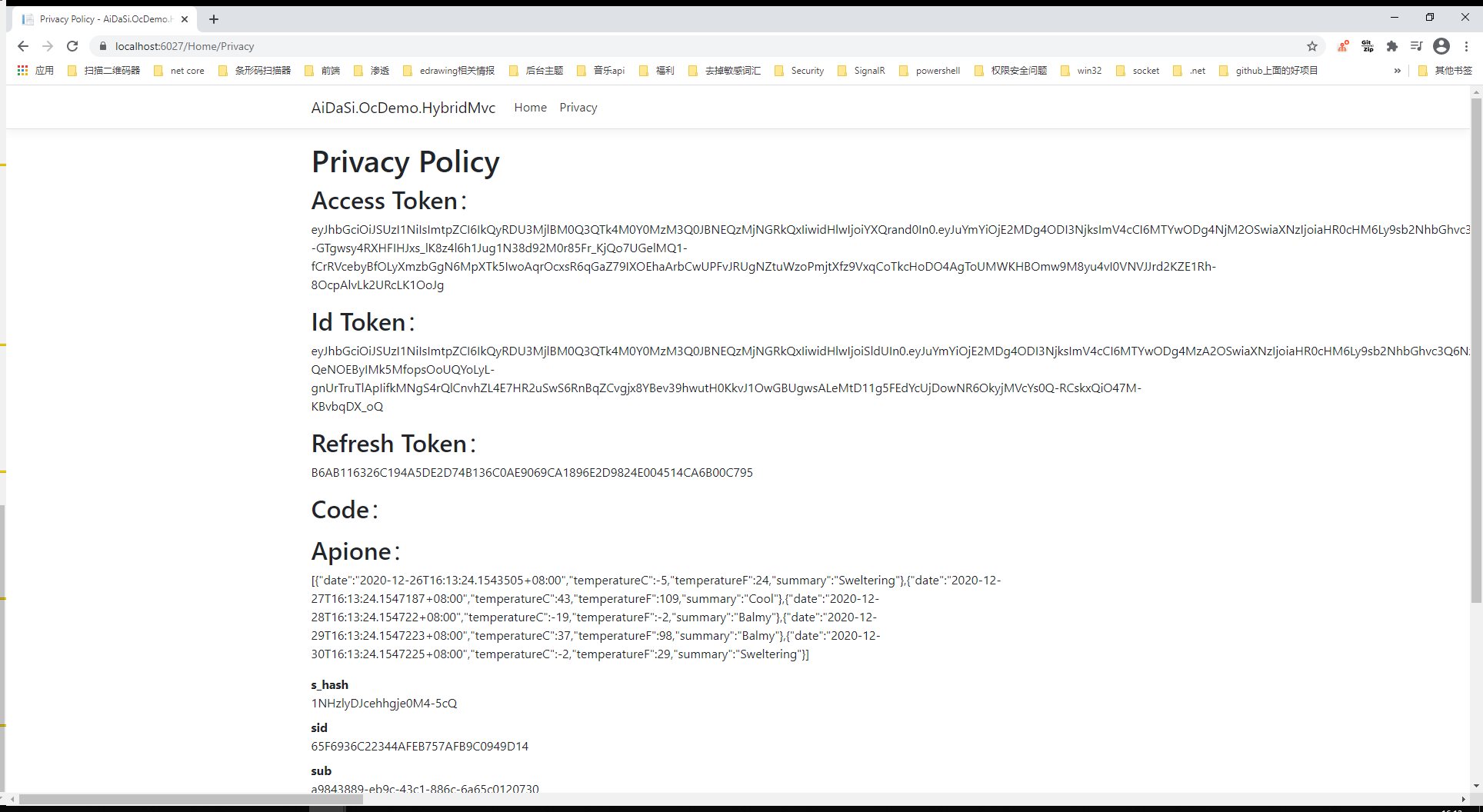
@{ViewData["Title"] = "Privacy Policy";}<h1>@ViewData["Title"]</h1><h2>Access Token:</h2><p>@ViewData["accessToken"]</p><h2>Id Token:</h2><p>@ViewData["idToken"]</p><h2>Refresh Token:</h2><p>@ViewData["refreshToken"]</p><h2>Code:</h2><p>@ViewData["code"]</p><h2>Apione:</h2><p>@ViewData["Apione"]</p><dl>@foreach (var claim in User.Claims){<dt>@claim.Type</dt><dd>@claim.Value</dd>}</dl>
public static class TimeHelper{//将unix时间戳转换成系统时间public static DateTime unixtime(this string time){DateTime dtStart = TimeZone.CurrentTimeZone.ToLocalTime(new DateTime(1970, 1, 1));long lTime = long.Parse(time + "0000000");TimeSpan toNow = new TimeSpan(lTime);DateTime dtResult = dtStart.Add(toNow);return dtResult;}//将系统时间转换成unix时间戳public static long timeunix2(this DateTime dt){DateTimeOffset dto = new DateTimeOffset(dt);return dto.ToUnixTimeSeconds();}//将系统时间转换成unix时间戳public static DateTime unixtime2(this double d){System.DateTime time = System.DateTime.MinValue;System.DateTime startTime = TimeZone.CurrentTimeZone.ToLocalTime(new System.DateTime(1970, 1, 1));time = startTime.AddMilliseconds(d);return time;}
处理Claims
下面是客户端必须要的,在Startup.cs的AddOpenIdConnect中添加
options.ClaimActions.Remove("nbf");options.ClaimActions.Remove("amr");options.ClaimActions.Remove("exp");
下面呢是在客户端中不需要的,但是如果在请求Api中是必要的话则在客户端中是不会呈现出来的(如:sid)
options.ClaimActions.DeleteClaim("sid");options.ClaimActions.DeleteClaim("sub");options.ClaimActions.DeleteClaim("idp");
退出设置
服务器上设置退出
设置退出页面的路径,并写对应的退出代码
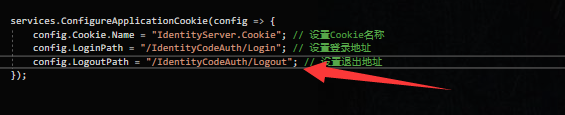
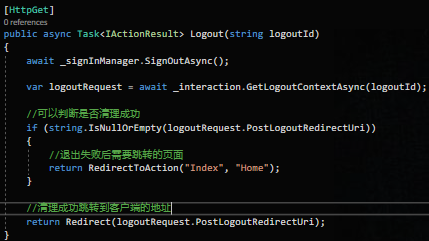
在服务器端我们对它跳转回客户端的地址是:https://localhost:6027/signout-callback-oidc,也可以修改为客户端的其他路径
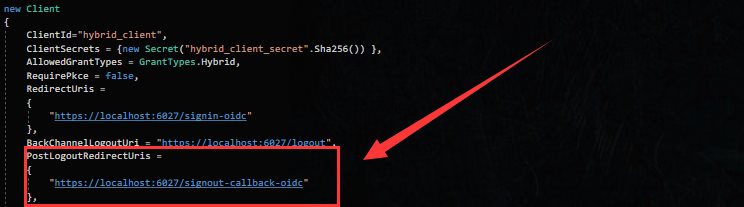
客户端上设置退出
找到客户端的_Layout.cshtml
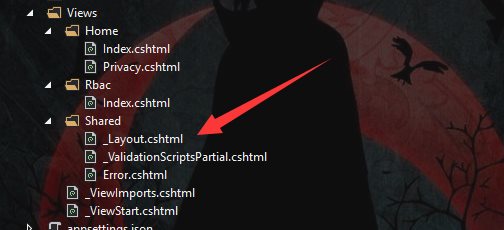
添加一个退出的按钮,并在HomeController中添加一个Logout的方法
@if (User.Identity.IsAuthenticated){<li class="nav-item"><a class="nav-link text-dark" asp-area="" asp-controller="Home" asp-action="Logout">Logout</a></li>}
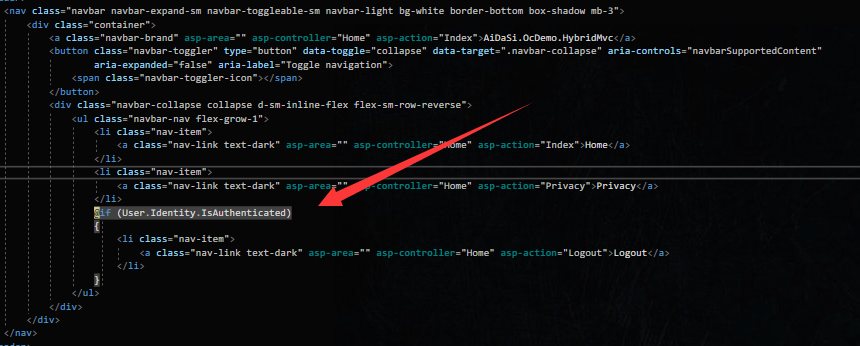
public async Task<IActionResult> Logout(){return SignOut("Cookies", "oidc");}
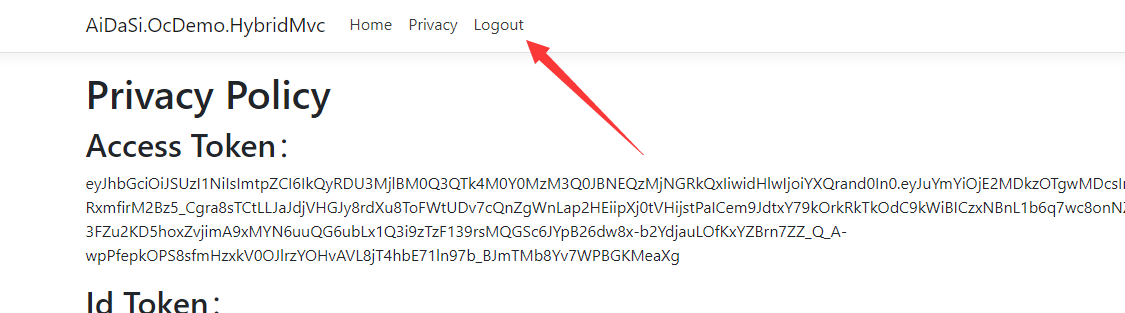
运行项目,点击退出按钮成功退出

RBAC(角色控制)
全称为:Role-based Access Control ,通过预定义的角色赋予访问权限,每个角色规定了一套权限。
在授权服务器中定义角色
首先我们在Create_Test_Users扩展方法中添加用户的时候定义管理员与普通两个角色
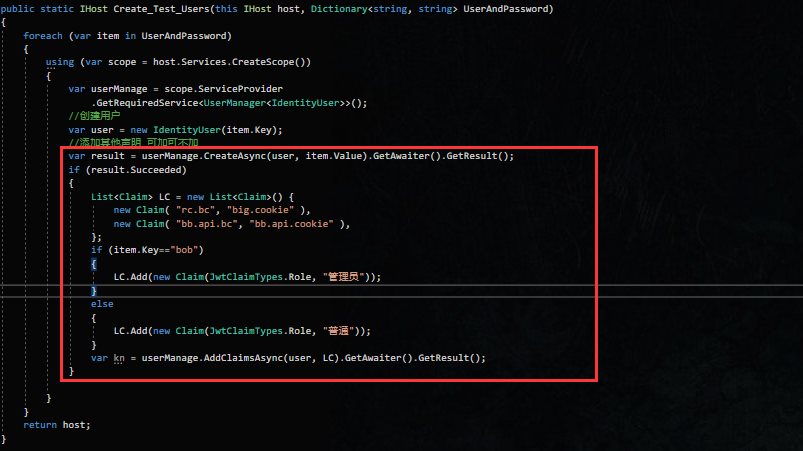
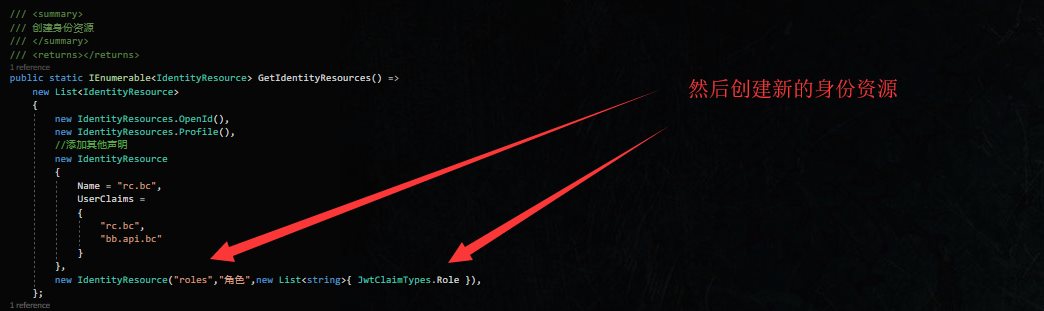
接着在GetIdentityResources方法中创建身份资源
new IdentityResource("roles","角色",new List<string>{ JwtClaimTypes.Role }),
设置客户端配置
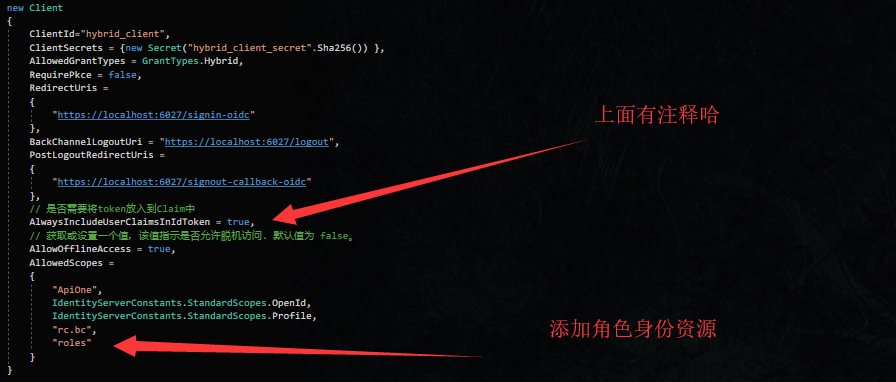
在客户端中更新角色
更新客户端代码配置
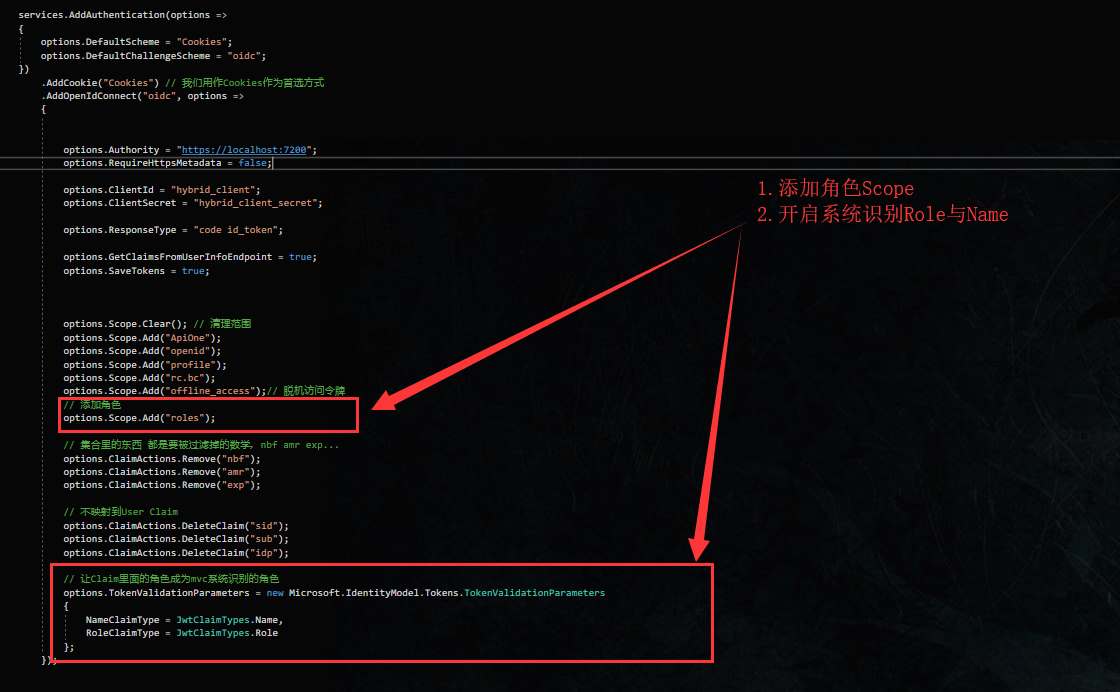
创建RbacController控制器,添加角色所对应的方法(由于这里呢,比较偷懒就全部都跳到了index方法中),接着创建/Rbac/index.cshtml页面
public class RbacController : Controller{[Authorize]public IActionResult Index(){return View();}[Authorize(Roles = "管理员")]public IActionResult Admin(){return View("Index");}[Authorize(Roles = "普通")]public IActionResult Common(){return View("Index");}[Authorize(Roles = "管理员,普通")]public IActionResult Share(){return View("Index");}}
<div><h1> 是不是管理员:@User.IsInRole("管理员") </h1><h1> 是不是普通用户:@User.IsInRole("普通") </h1></div>
我们先用bob管理员用户运行测试看看
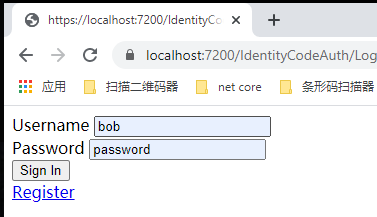
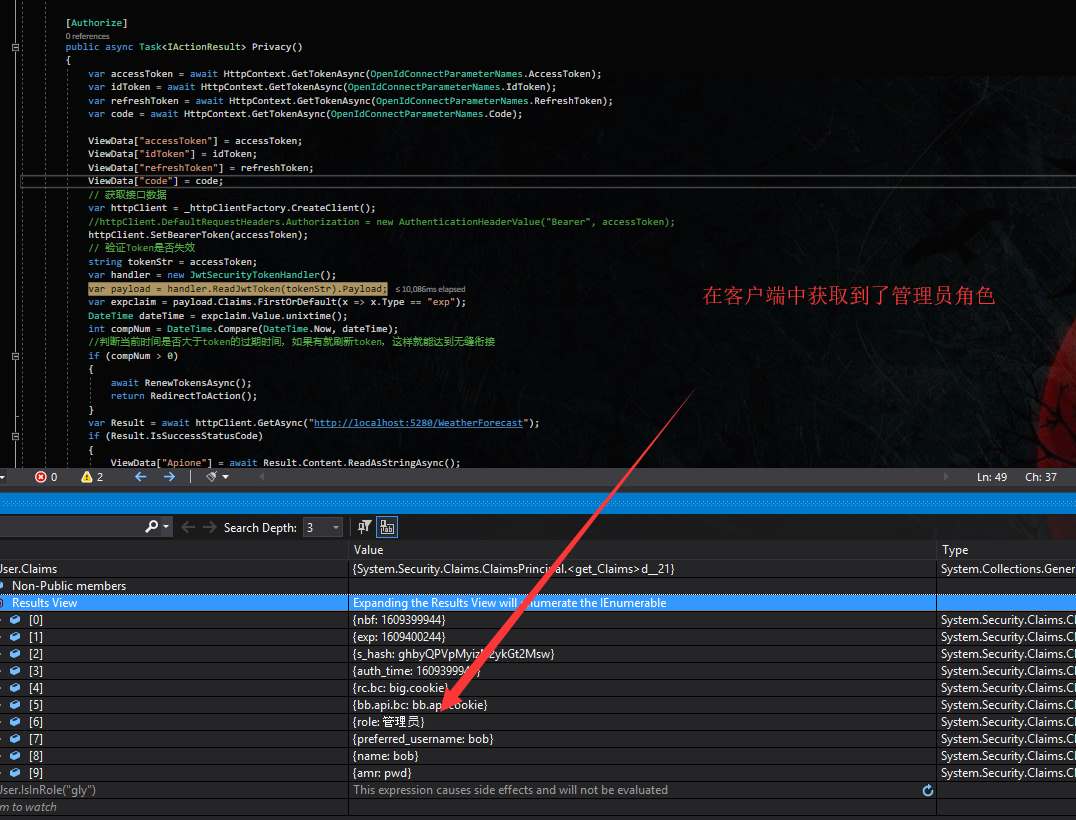
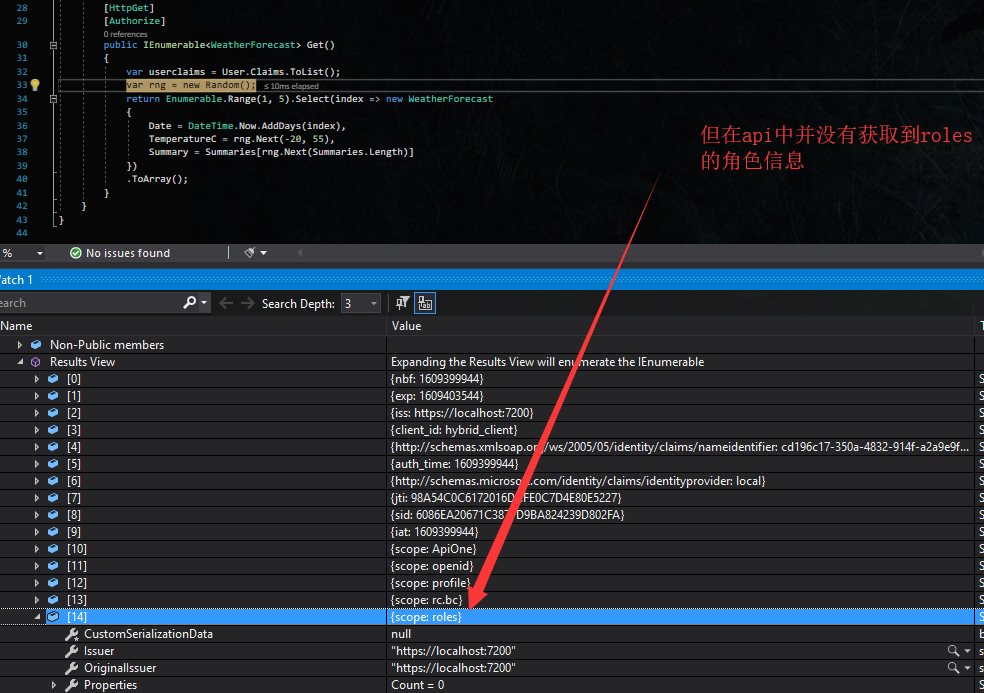
稍后解决这个问题…
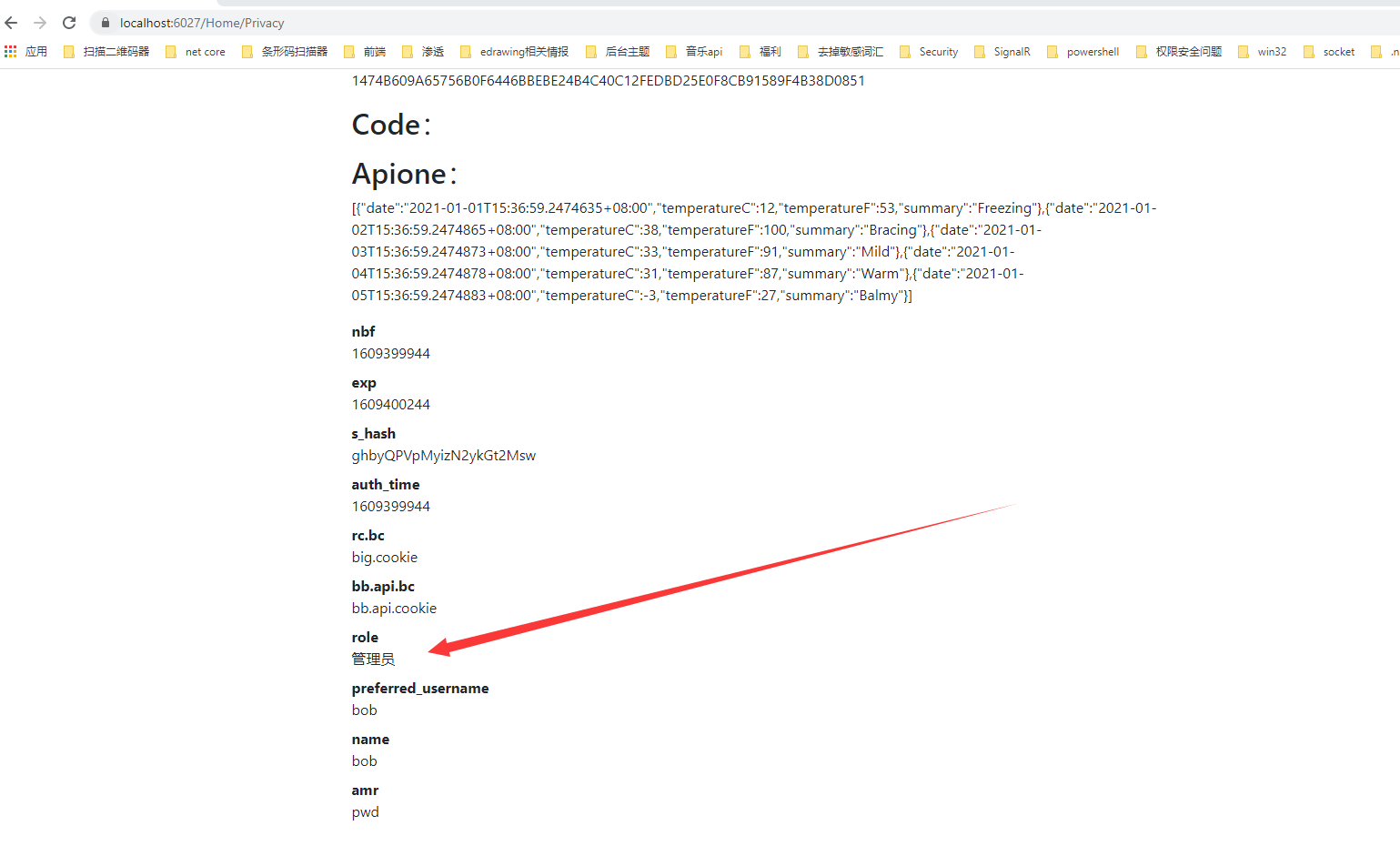
接着我们去访问https://localhost:6027/Rbac/index页面进行角色判断
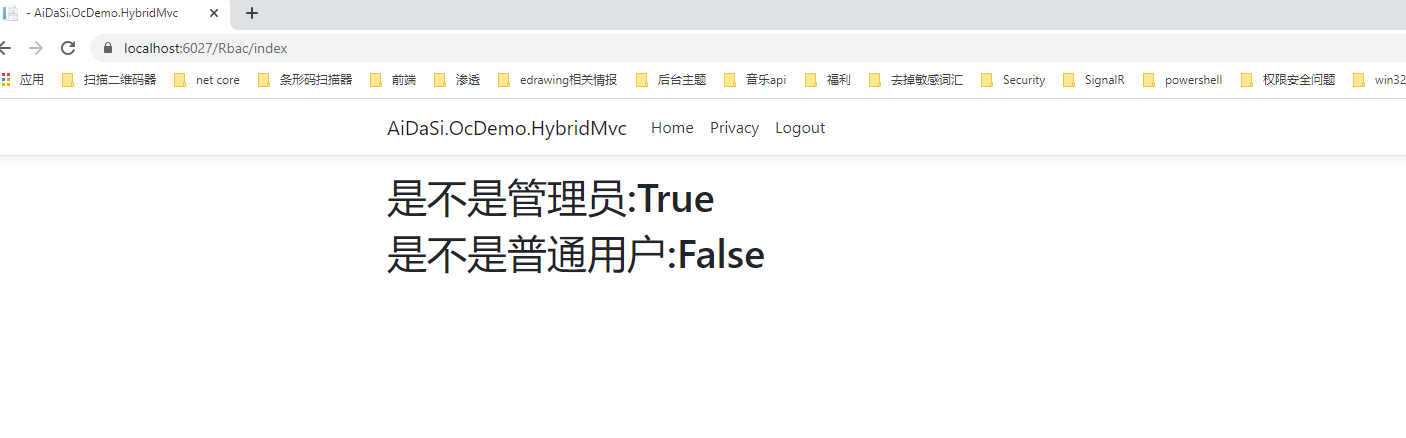
退出后,我们再用aidasi普通用户运行测试看看
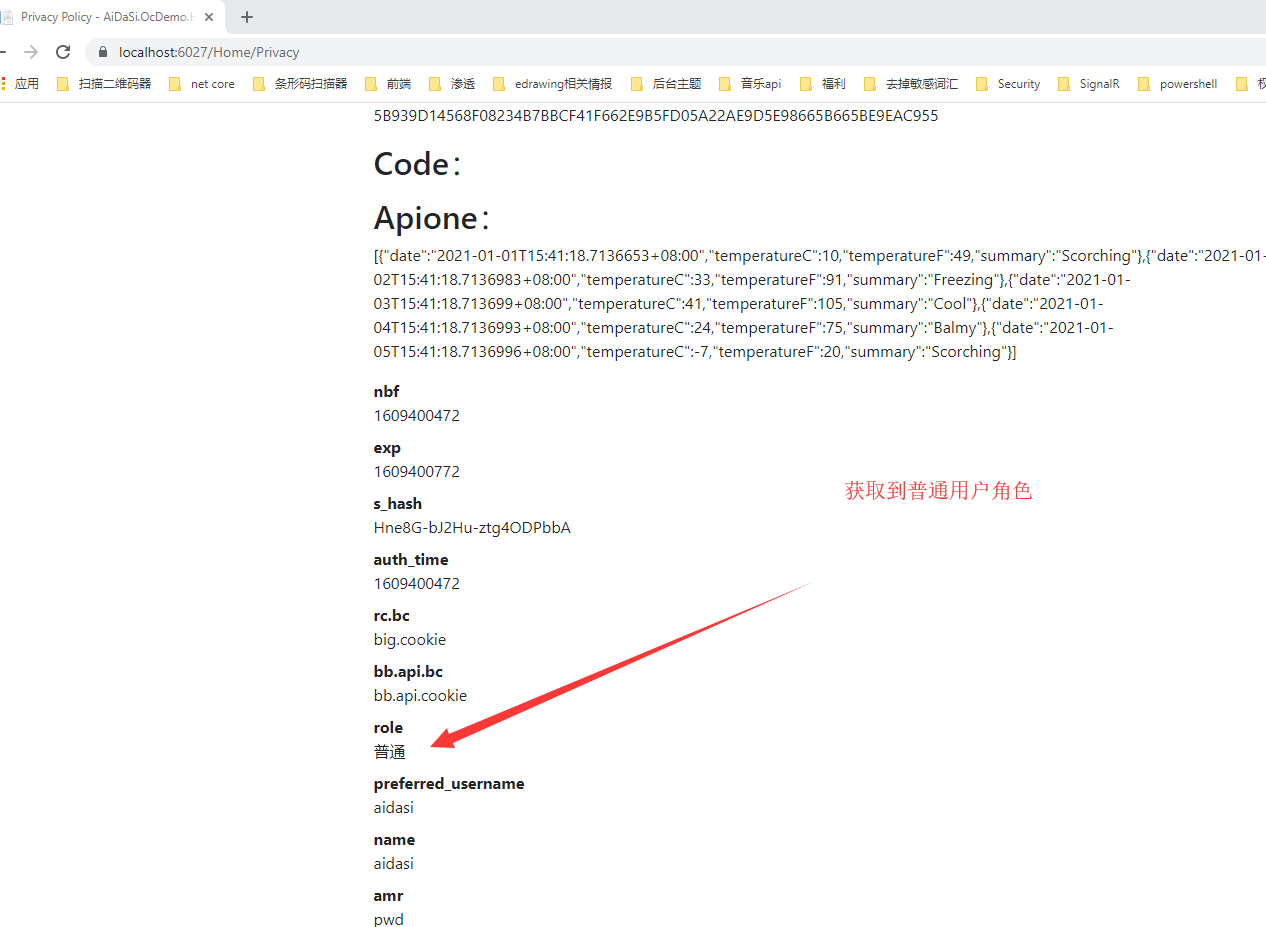
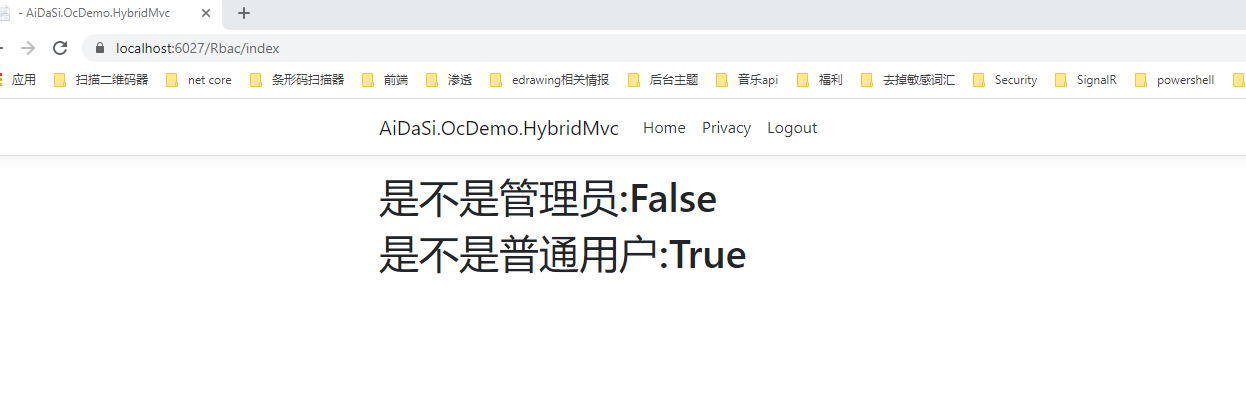
我们看到我们都成功的验证出客户端的身份了,但接着我们会产生两个问题。
(1). 当我们的身份资源过多我们只需要其中的部分资源权限的时候怎么做?比如我只要role这个角色权限的Claim,这里却还有了rc.bc资源。
(2). 如果中间人知道接口资源的地址,如何进行身份认证?
解决问题一
首先在授权服务器中将AlwaysIncludeUserClaimsInIdToken更改为false,其属性默认也为false
// 是否需要将所有token中的Data放入到Claim中AlwaysIncludeUserClaimsInIdToken = false,
然后在客户端中添加如下代码,添加对role的映射。
options.GetClaimsFromUserInfoEndpoint = true;// 从json用户数据中选择一个具有给定键名和 将其添加为声明。如果索赔实体已包含索赔,则此项不起作用使用给定的ClaimType。如果找不到键或值为空的。// 当授权服务器端 AlwaysIncludeUserClaimsInIdToken = false 时options.ClaimActions.MapUniqueJsonKey("role", "role");
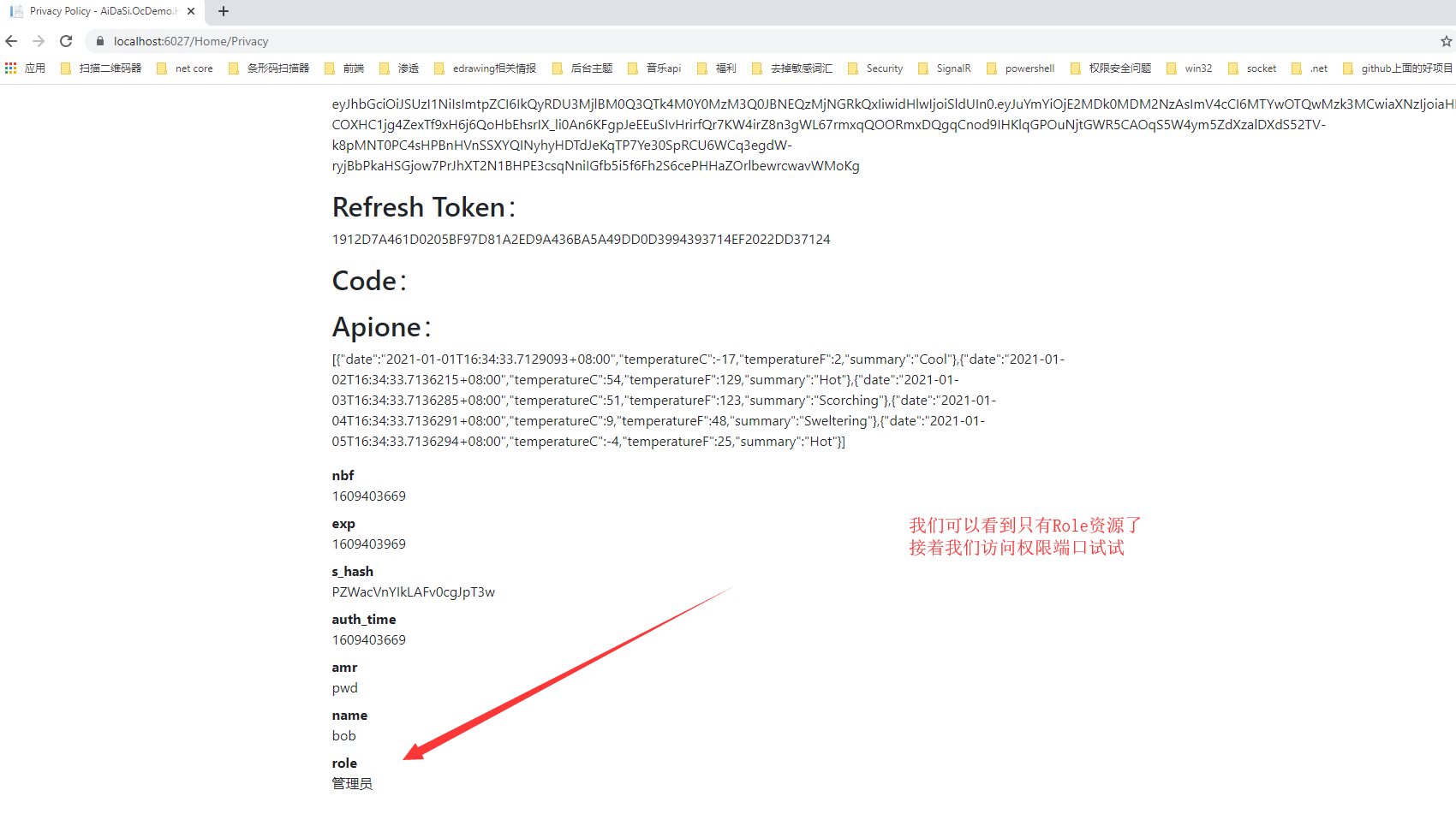
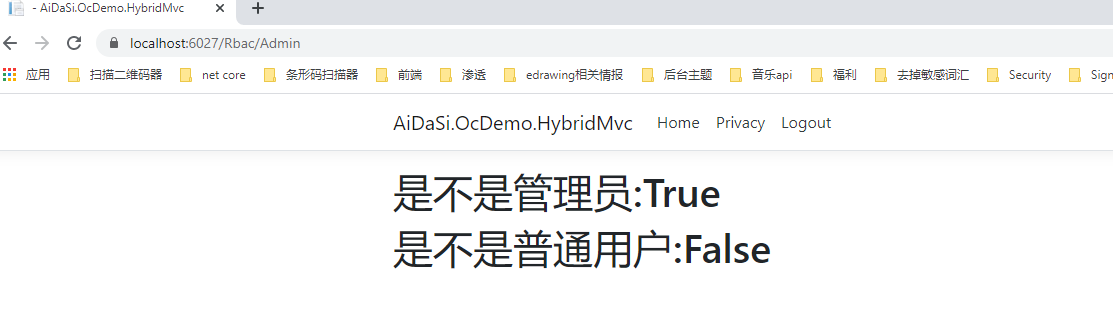
运行测试一下,我们会发现没有rc.bc的资源了,并且可以访问需要授权的方法
解决问题二
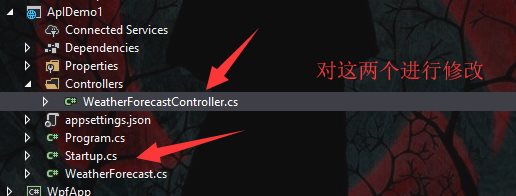
当访问接口资源时,我们的接口以bb.api.bc作为角色权限,当Api资源获取WeatherForecastController中数据时其值设定为bb.api.cookie
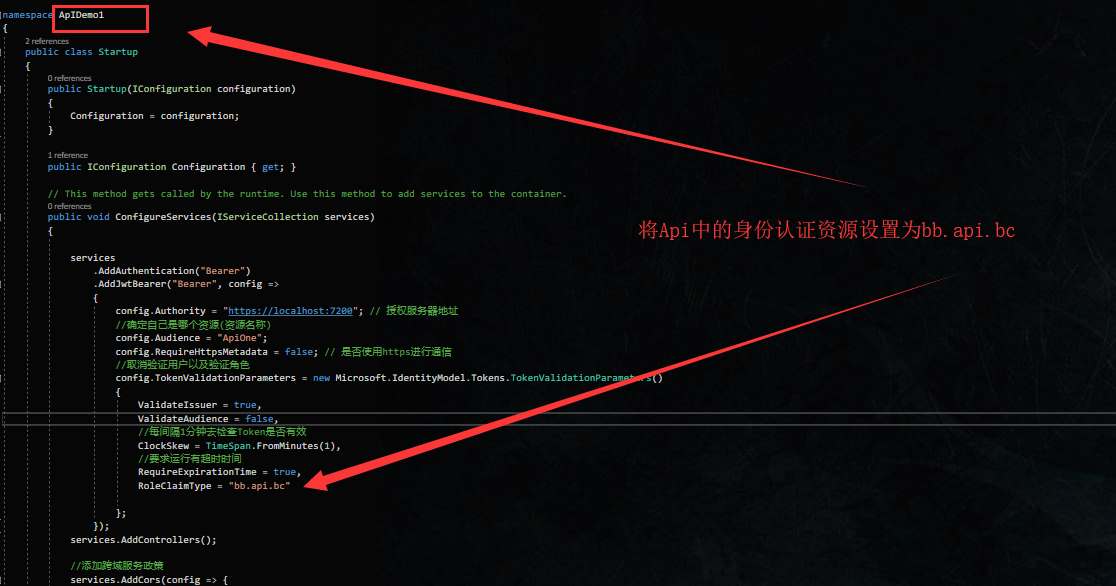
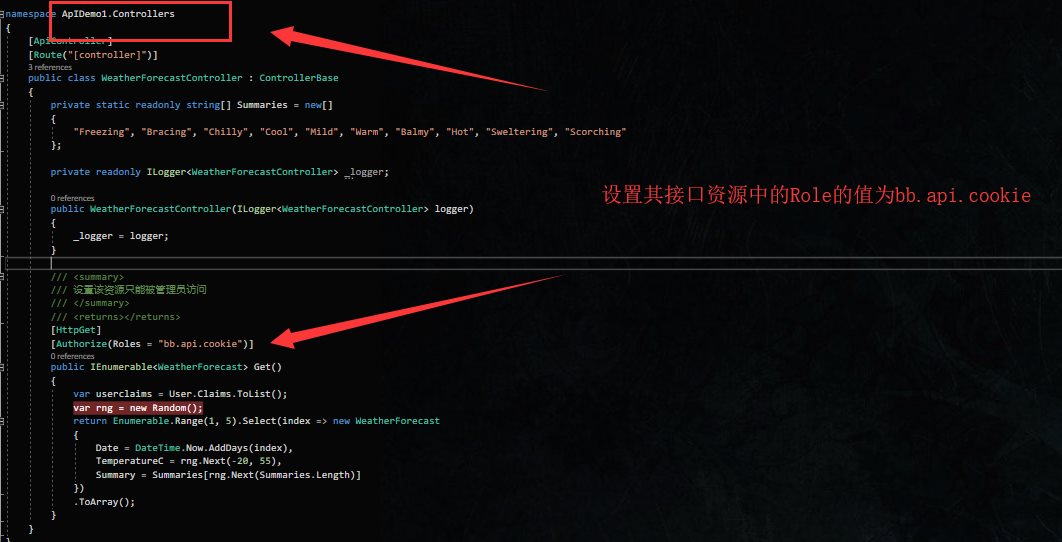
在授权服务器上重新分配角色资源,只让bob独享经济,呸!独享bb.api.bc资源.
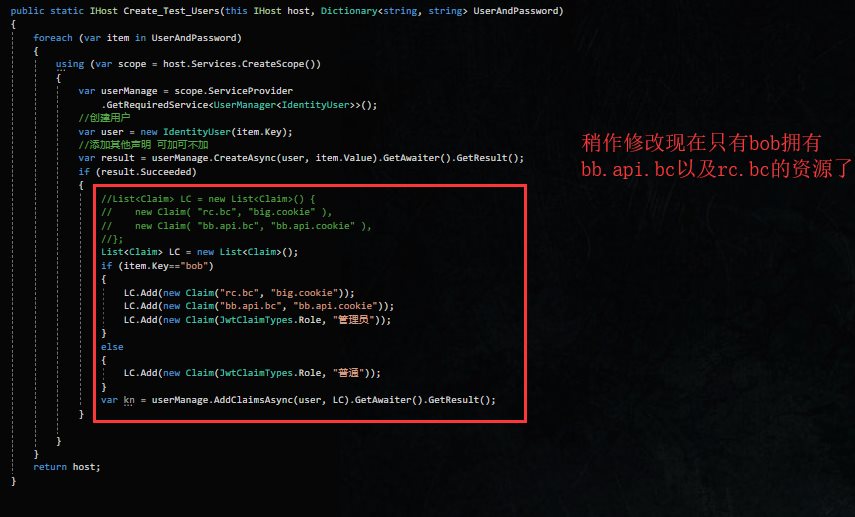

在客户端中添加bb.api.bc的映射.
options.ClaimActions.MapUniqueJsonKey("bb.api.bc", "bb.api.bc");
接着运行测试
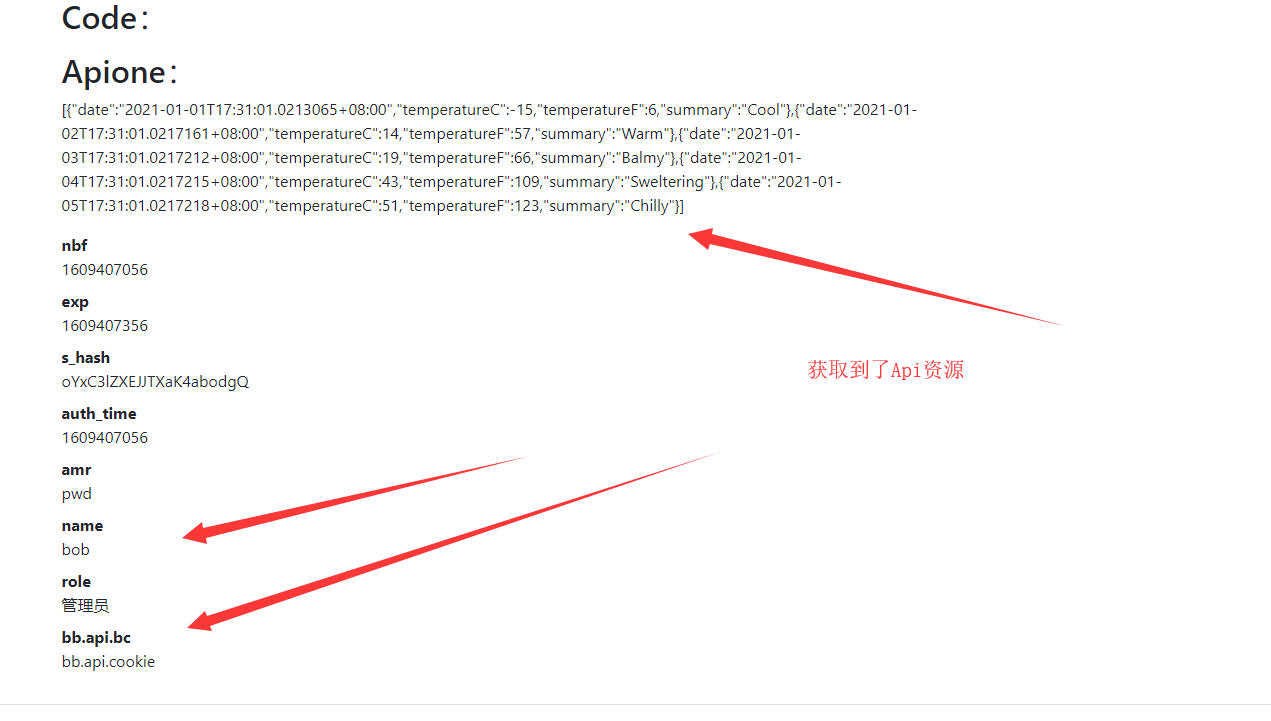
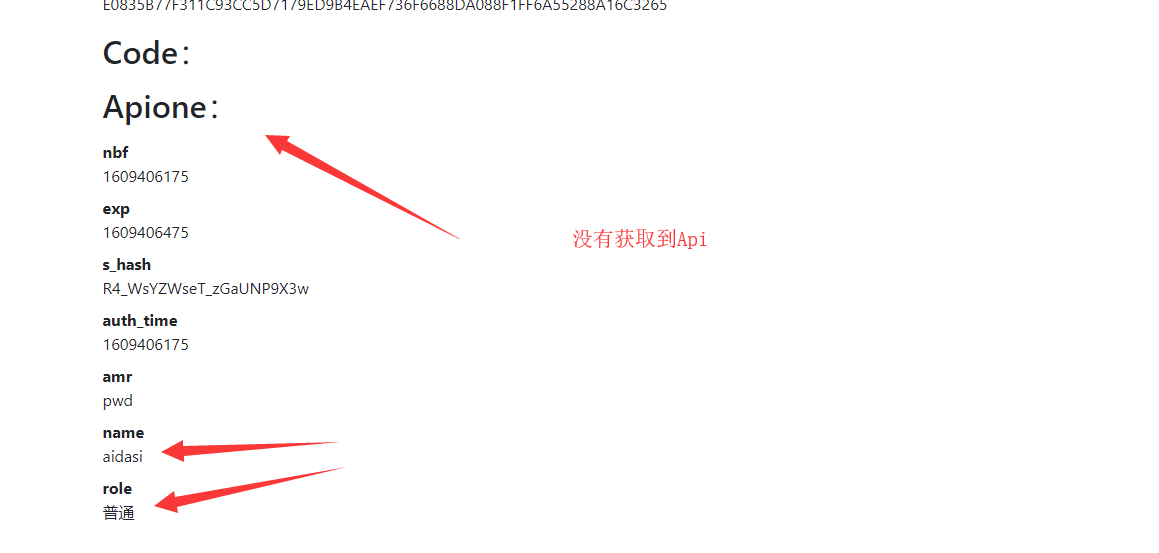
解决未授权问题
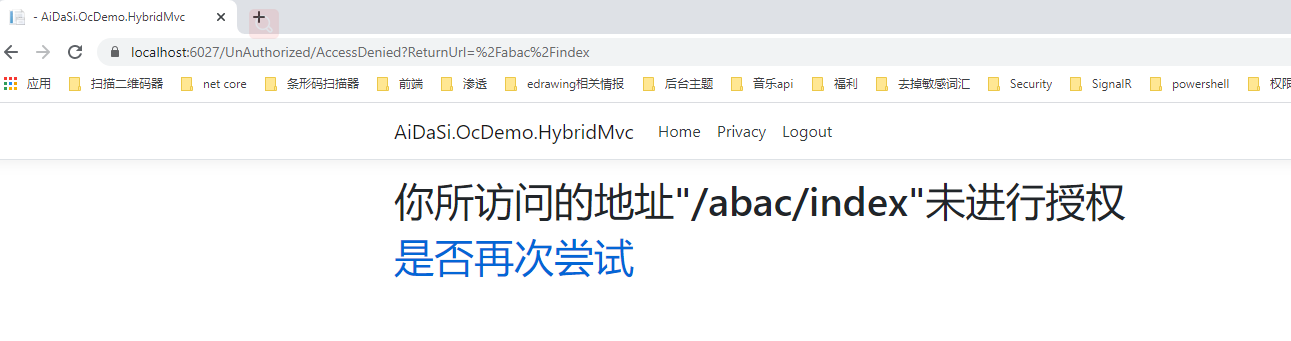
当我们用bob用户去访问普通用户的接口时,会发现它也是访问不了的,会跳转到一个无授权的页面。例如我们访问一下/Rbac/Common接口,它会去访问无授权的网页。(默认地址是:/Account/AccessDenied)
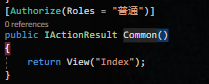
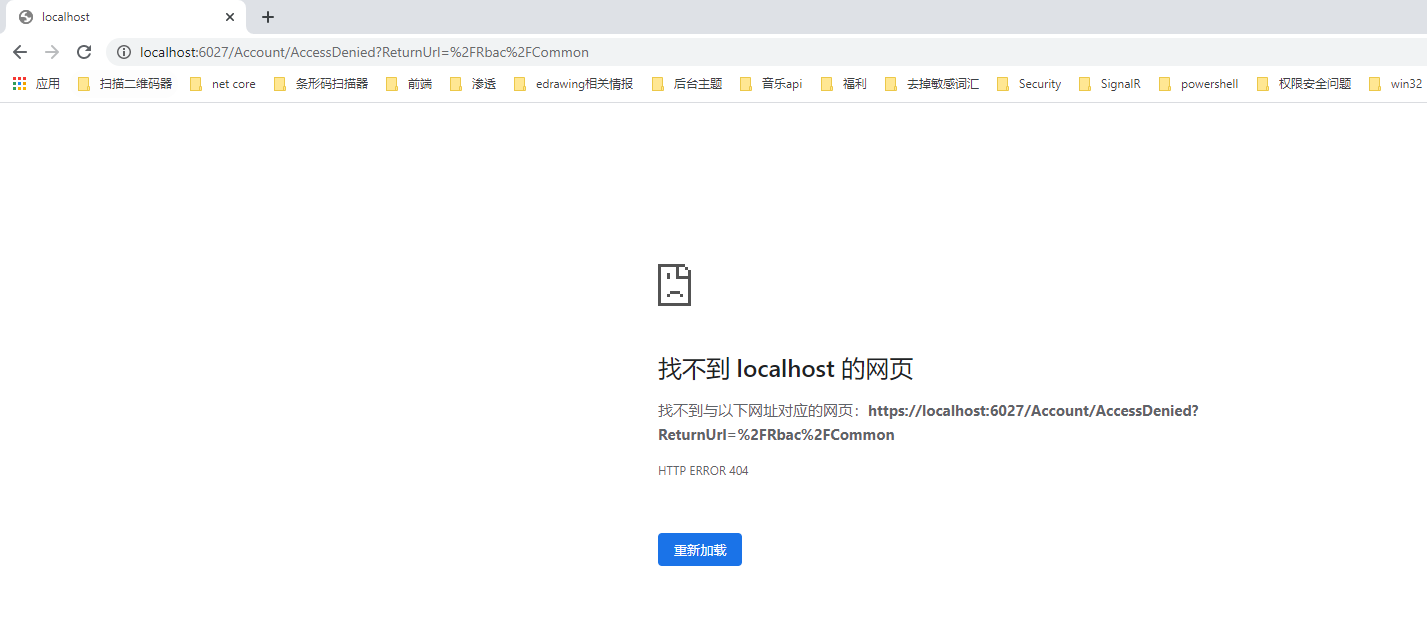
接着我们可以创建相关的Controller与View,我们这里自定义未授权路径为/UnAuthorized/AccessDenied。
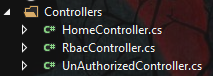
在UnAuthorized控制器中添加如下代码
public class UnAuthorizedController : Controller{/// <summary>/// 未授权访问/// /UnAuthorized/AccessDenied/// </summary>/// <param name="ReturnUrl"></param>/// <returns></returns>public IActionResult AccessDenied(string ReturnUrl){ViewBag.ReturnUrl = ReturnUrl;return View();}}
添加视图
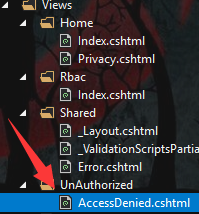
<div><h1> 你所访问的地址"@ViewBag.ReturnUrl"未进行授权 </h1><h1> <a href="@ViewBag.ReturnUrl">是否再次尝试</a></h1></div>
最后在Startup.cs类中ConfigureServices下添加未授权访问页面的路径,最后运行测试。
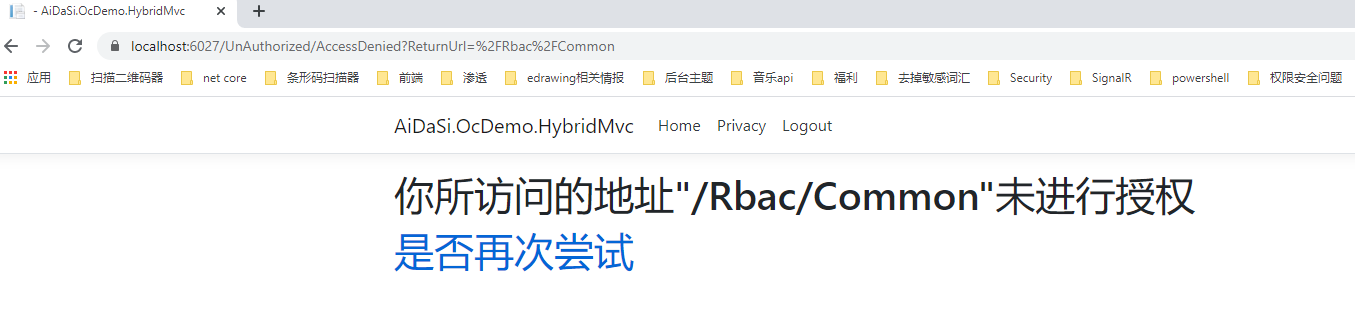
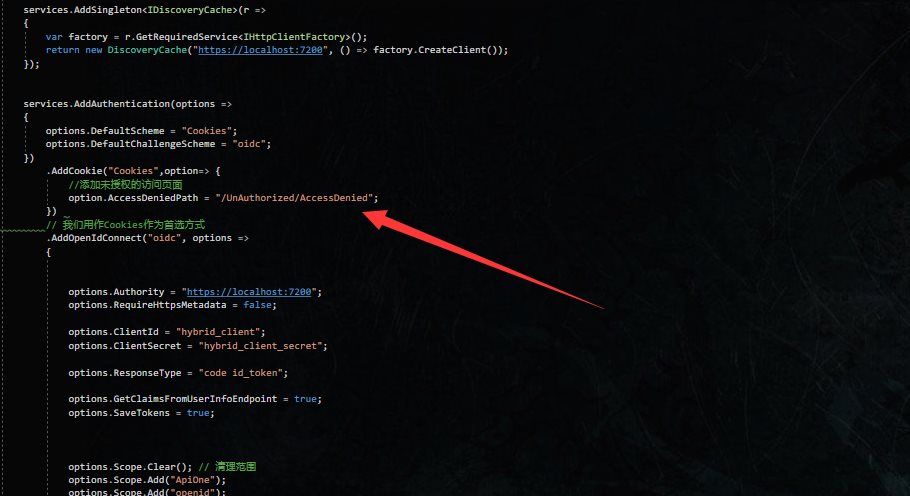
.AddCookie("Cookies",option=> {//添加未授权的访问页面option.AccessDeniedPath = "/UnAuthorized/AccessDenied";})
ABAC
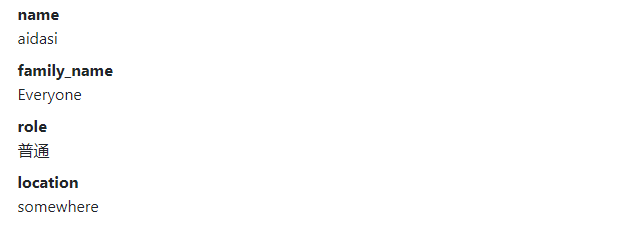
Attribute-based Access Control 表示通过策略授予权限策略可能将多个属性/claims组合到一起允许复杂的权限规则。也简称ABAC
添加服务器端政策授权Claim
在添加政策授权字段时,添加FamilyName与location字段。
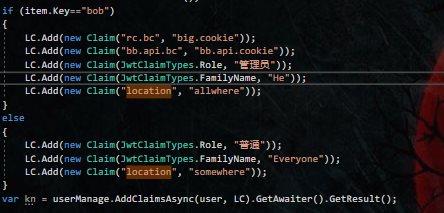
同时需要添加身份资源授权
new IdentityResource("locations","地点",new List<string>{ "location" }),
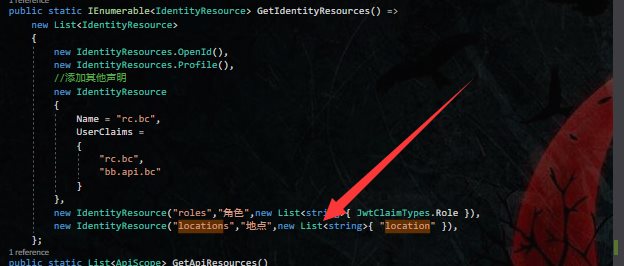
如果需要访问api也能获取得到相关Claim的话,可以在后面直接添加。

最后在Client中添加身份认证资源
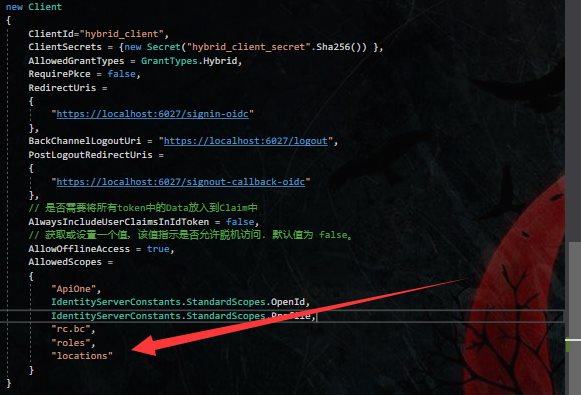
添加客户端端政策授权
在客户端Startup中,添加相关的Scope
options.Scope.Add("locations");
添加locationsClaim的映射
options.ClaimActions.MapUniqueJsonKey("location", "location");
随后在AddAuthorization服务注册中添加相关Policy
services.AddAuthorization(option =>{option.AddPolicy("BobInAllWhere", builder =>{// 需要身份验证的用户builder.RequireAuthenticatedUser();// 需要名为FamilyName的Claim值为"He"政策为有效builder.RequireClaim(JwtClaimTypes.FamilyName, "He");// 需要名为location的Claim值为"allwhere"政策为有效builder.RequireClaim("location", "allwhere");});});
添加AbacController控制器,并对Index.cshtml视图添加BobInAllWhere的政策。
public class AbacController : Controller{/// <summary>/// /Abac/Index/// </summary>/// <returns></returns>[Authorize(Policy = "BobInAllWhere")]public IActionResult Index(){return View();}}
添加Index.cshtml的内容
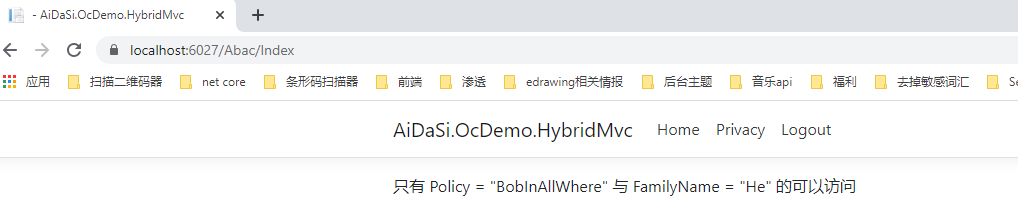
只有 Policy = "BobInAllWhere" 与 FamilyName = "He" 的可以访问
运行测试
当我们用bob用户登录的时候
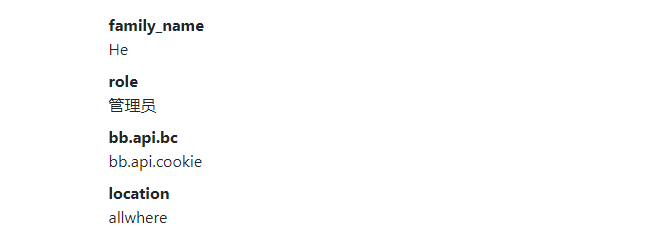
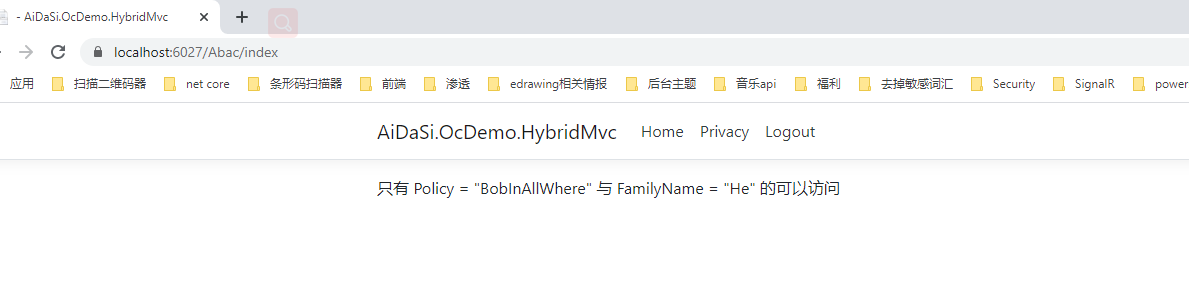
当我们用aidasi用户登录的时候
自定义客户端政策处理
添加如下文件到客户端 (HybridMvc) 中
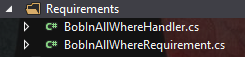
public class BobInAllWhereRequirement: IAuthorizationRequirement{public BobInAllWhereRequirement(){}}
public class BobInAllWhereHandler : AuthorizationHandler<BobInAllWhereRequirement>{protected override Task HandleRequirementAsync(AuthorizationHandlerContext context, BobInAllWhereRequirement requirement){// 获取Claim中的familyName的值var familyName = context.User.Claims.FirstOrDefault(c => c.Type == JwtClaimTypes.FamilyName)?.Value;// 获取Claim中的location的值var location = context.User.Claims.FirstOrDefault(c => c.Type == "location")?.Value;// 判断familyName的值为He,location 的值为allwhere,并且要用户是登录的状态if (familyName == "He" && location == "allwhere" && context.User.Identity.IsAuthenticated){// 放行通过context.Succeed(requirement);return Task.CompletedTask;}// 验证失败,通不过context.Fail();return Task.CompletedTask;}}
在Startup.cs中添加自定义策略,其策略规则不变。
services.AddAuthorization(option =>{//option.AddPolicy("BobInAllWhere", builder =>//{// // 需要身份验证的用户// builder.RequireAuthenticatedUser();// // 需要名为FamilyName的Claim值为"He"政策为有效// builder.RequireClaim(JwtClaimTypes.FamilyName, "He");// // 需要名为location的Claim值为"allwhere"政策为有效// builder.RequireClaim("location", "allwhere");//});option.AddPolicy("BobInAllWhere", builder =>{builder.AddRequirements(new BobInAllWhereRequirement());});});services.AddSingleton<IAuthorizationHandler, BobInAllWhereHandler>();
在HandleRequirementAsync方法中如果没有对context进行调用验证通过或验证不通过的方法,都为验证不通过的方法。
欢迎加群讨论技术,1群:677373950(满了,可以加,但通过不了),2群:656732739
转 https://www.tnblog.net/hb/article/details/5391

 浙公网安备 33010602011771号