
springcloud—学习—eureka
eureka单服务模式:
eureka服务器
pom.xml文件代码,可按照https://www.cnblogs.com/wjweily/p/12482959.html介绍自行下载。下面给出示例


<project xmlns="http://maven.apache.org/POM/4.0.0"
         xmlns:xsi="http://www.w3.org/2001/XMLSchema-instance"
         xsi:schemaLocation="http://maven.apache.org/POM/4.0.0 http://maven.apache.org/xsd/maven-4.0.0.xsd">
    <modelVersion>4.0.0</modelVersion>
    <parent>
        <groupId>org.springframework.boot</groupId>
        <artifactId>spring-boot-starter-parent</artifactId>
        <version>2.2.5.RELEASE</version>
        <relativePath/> <!-- lookup parent from repository -->
    </parent>
    <artifactId>eureka-server</artifactId>
    <packaging>jar</packaging>

    <name>eureka-server</name>

    <properties>
        <java.version>1.8</java.version>
        <spring-cloud.version>Hoxton.SR3</spring-cloud.version>
    </properties>

    <dependencies>
        <dependency>
            <groupId>org.springframework.cloud</groupId>
            <artifactId>spring-cloud-starter-netflix-eureka-server</artifactId>
        </dependency>
        <dependency>
            <groupId>org.springframework.boot</groupId>
            <artifactId>spring-boot-starter-test</artifactId>
            <scope>test</scope>
            <exclusions>
                <exclusion>
                    <groupId>org.junit.vintage</groupId>
                    <artifactId>junit-vintage-engine</artifactId>
                </exclusion>
            </exclusions>
        </dependency>
    </dependencies>

    <dependencyManagement>
        <dependencies>
            <dependency>
                <groupId>org.springframework.cloud</groupId>
                <artifactId>spring-cloud-dependencies</artifactId>
                <version>${spring-cloud.version}</version>
                <type>pom</type>
                <scope>import</scope>
            </dependency>
        </dependencies>
    </dependencyManagement>

    <build>
        <plugins>
            <plugin>
                <groupId>org.springframework.boot</groupId>
                <artifactId>spring-boot-maven-plugin</artifactId>
            </plugin>
        </plugins>
    </build>

</project>
application.properties配置信息
server.port=8760
spring.application.name=eureka-server
eureka.instance.hostname=eureka-8760.cn
eureka.instance.instance-id=eureka-8760
eureka.client.registerWithEureka=false #避免自己做为客户端去注册报错
eureka.client.fetchRegistry=false
启动类代码
@SpringBootApplication
@EnableEurekaServer
public class Starter {

    public static void main(String[] args) {

        SpringApplication.run(Starter.class, args);

    }

}
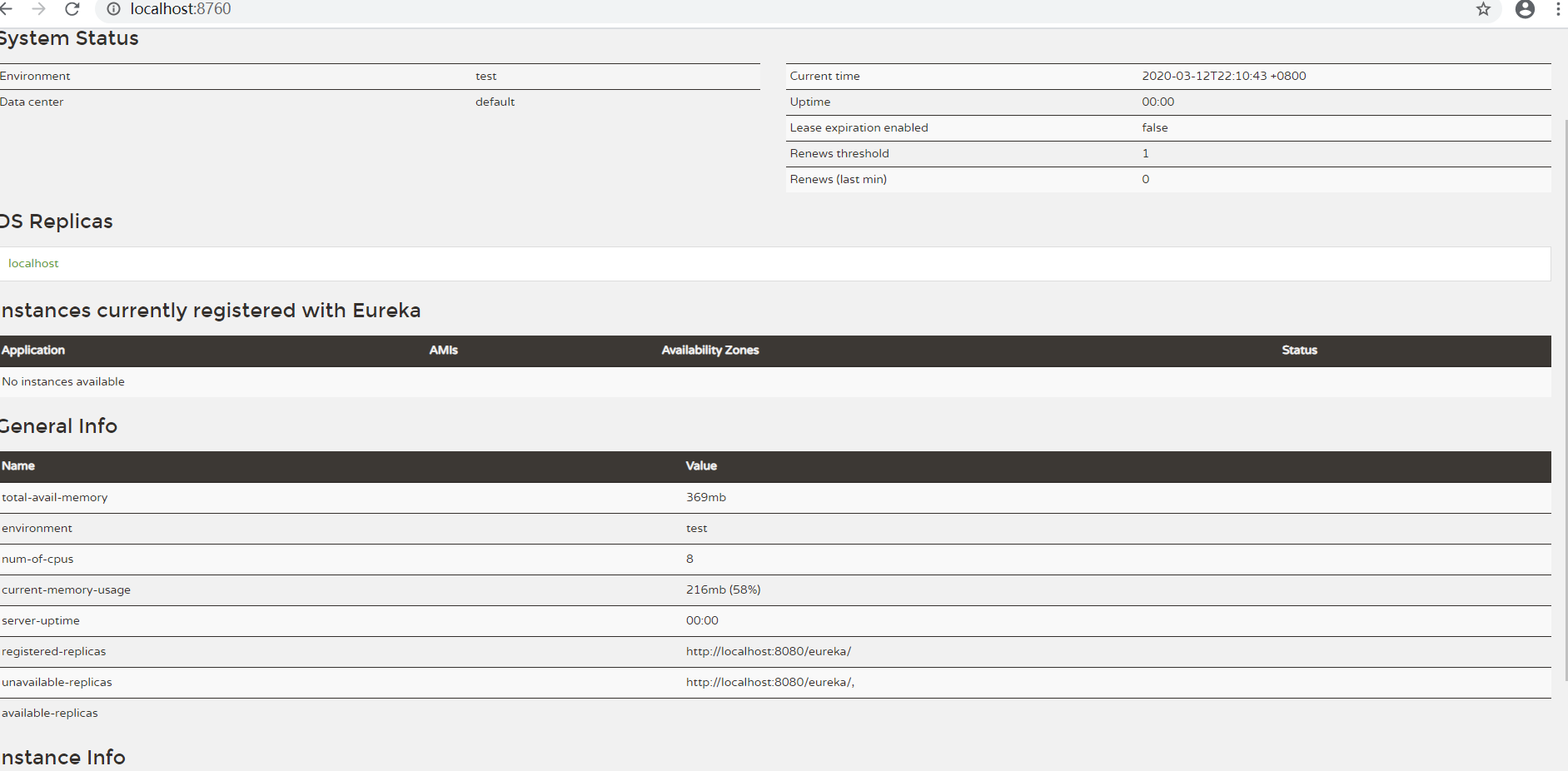
启动,浏览器输入http://localhost:8760/会看到如下界面,表示eureka单服务模式启动成功。
eureka客户端
pom.xml
<project xmlns="http://maven.apache.org/POM/4.0.0"
    xmlns:xsi="http://www.w3.org/2001/XMLSchema-instance"
    xsi:schemaLocation="http://maven.apache.org/POM/4.0.0 http://maven.apache.org/xsd/maven-4.0.0.xsd">
    <modelVersion>4.0.0</modelVersion>

    <parent>
        <groupId>org.springframework.boot</groupId>
        <artifactId>spring-boot-starter-parent</artifactId>
        <version>2.2.5.RELEASE</version>
        <relativePath/> <!-- lookup parent from repository -->
    </parent>

    <groupId>com.cloud</groupId>
    <artifactId>base-core</artifactId>
    <version>0.0.1-SNAPSHOT</version>
    <packaging>jar</packaging>

    <name>base-core</name>
    <properties>
        <java.version>1.8</java.version>
        <spring-cloud.version>Hoxton.SR3</spring-cloud.version>
    </properties>

    <dependencies>
        <dependency>
            <groupId>org.springframework.boot</groupId>
            <artifactId>spring-boot-starter-web</artifactId>
        </dependency>
        <dependency>
            <groupId>org.springframework.cloud</groupId>
            <artifactId>spring-cloud-starter-netflix-eureka-client</artifactId>
        </dependency>


        <dependency>
            <groupId>org.springframework.boot</groupId>
            <artifactId>spring-boot-starter-test</artifactId>
            <scope>test</scope>
            <exclusions>
                <exclusion>
                    <groupId>org.junit.vintage</groupId>
                    <artifactId>junit-vintage-engine</artifactId>
                </exclusion>
            </exclusions>
        </dependency>
    </dependencies>

    <dependencyManagement>
        <dependencies>
            <dependency>
                <groupId>org.springframework.cloud</groupId>
                <artifactId>spring-cloud-dependencies</artifactId>
                <version>${spring-cloud.version}</version>
                <type>pom</type>
                <scope>import</scope>
            </dependency>
        </dependencies>
    </dependencyManagement>

    <build>
        <plugins>
            <plugin>
                <groupId>org.springframework.boot</groupId>
                <artifactId>spring-boot-maven-plugin</artifactId>
            </plugin>
        </plugins>
    </build>
</project>
application.properties配置信息
server.port=8091
spring.application.name=base-core
eureka.instance.hostname=base-core
eureka.client.serviceUrl.defaultZone=http://localhost:8760/eureka/
eureka.instance.preferIpAddress=true 使用ip地址注册
启动类代码
@EnableEurekaClient
@SpringBootApplication
@RestController
public class BaseCoreApplication {

    @RequestMapping("/")
    public String home() {
        return "Hello World";
    }
    public static void main(String[] args) {
        SpringApplication.run(BaseCoreApplication.class, args);
    }
}
启动成功,去http://localhost:8760/看有一个base-core (我的示例项目名)的项目已经注册到eureka。
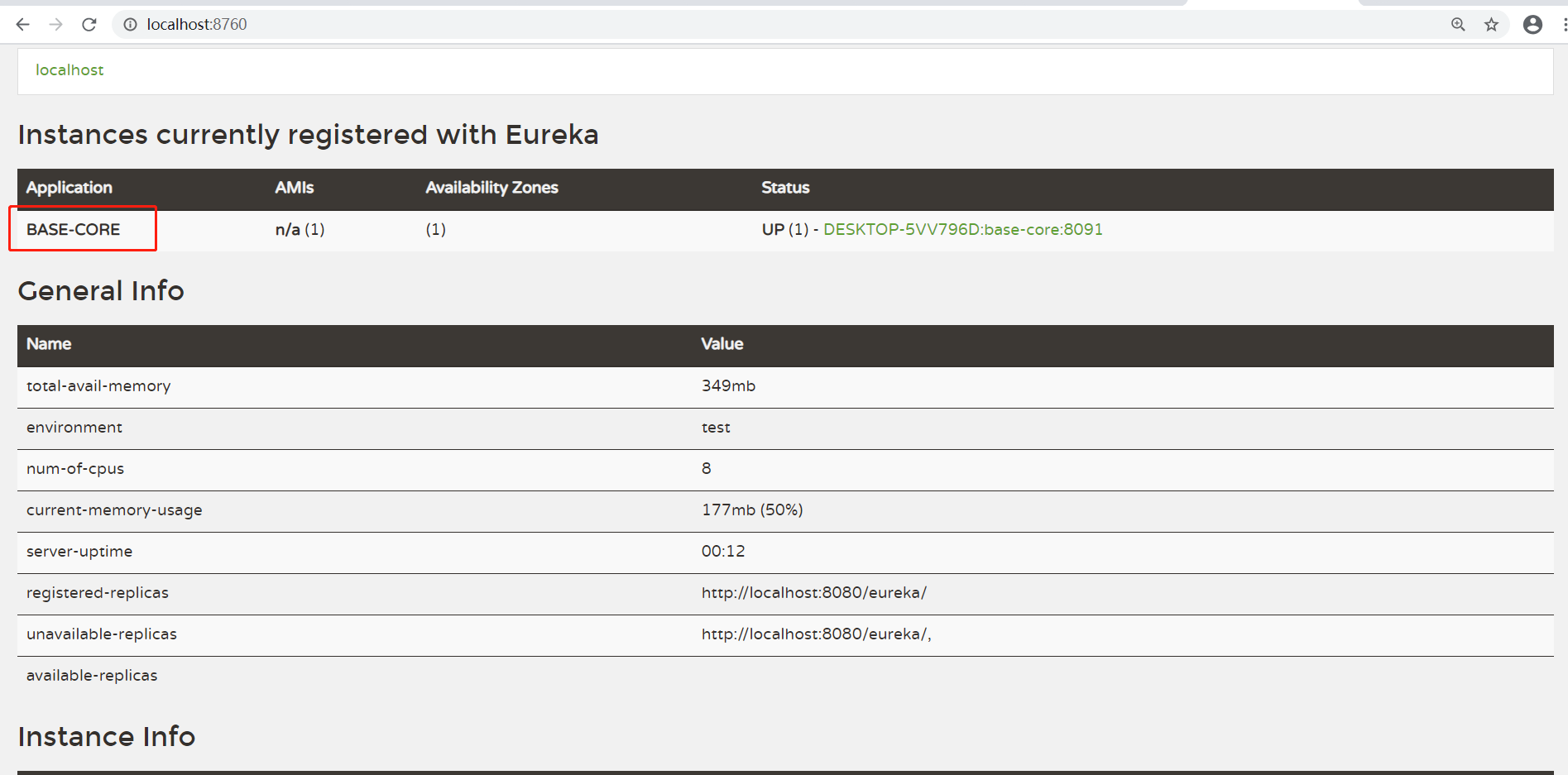
至此单服务模式服务端和客户端已经组建完毕。
--------------------------------------------------------------------------------------------------------------------------
eureka服务端集群
服务端:复制一份服务端代码。两个服务端application.properties配置如下
server.port=8761
spring.application.name=eureka-server
eureka.instance.hostname=eureka-8761.cn
eureka.instance.instance-id=eureka-8761
eureka.instance.preferIpAddress=true
eureka.client.serviceUrl.defaultZone=http://192.168.22.79:8760/eureka/
server.port=8760
spring.application.name=eureka-server
eureka.instance.hostname=eureka-8760.cn
eureka.instance.instance-id=eureka-8760
eureka.instance.preferIpAddress=true
eureka.client.serviceUrl.defaultZone=http://192.168.22.79:8761/eureka/
客户端:更新application.properties配置如下
server.port=8091
spring.application.name=base-core
eureka.instance.hostname=base-core
eureka.client.serviceUrl.defaultZone=http://192.168.22.79:8760/eureka/,http://192.168.22.79:8761/eureka/
eureka.instance.preferIpAddress=true
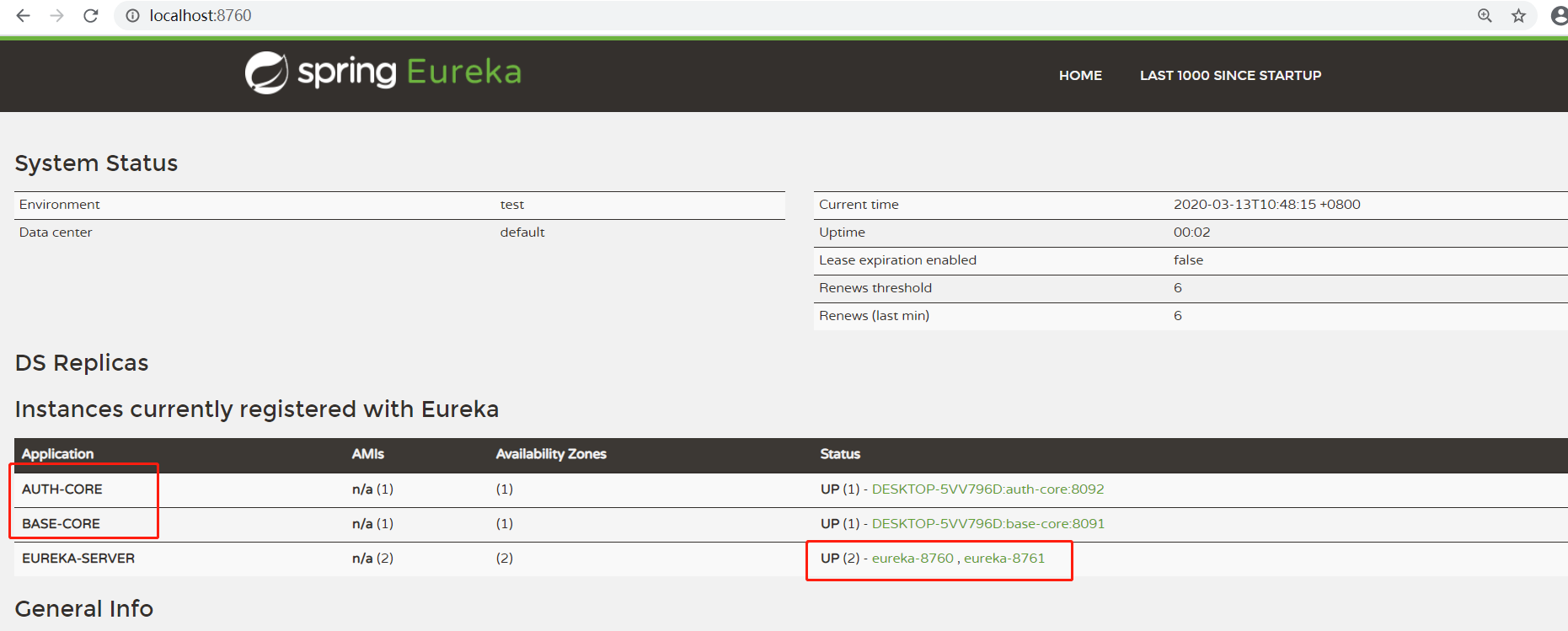
启动后如下图表示两个eureka相互注册成功。再增加多服务器/多个客户端,也类似
eureka安全保护,密码访问配置
服务端 pom.xml增加
<dependency>
   <groupId>org.springframework.boot</groupId>
   <artifactId>spring-boot-starter-security</artifactId>
</dependency>
<dependency>
   <groupId>org.springframework.cloud</groupId>
   <artifactId>spring-cloud-starter-config</artifactId>
</dependency>
服务端启动类增加
@EnableWebSecurity
    static class WebSecurityConfig extends WebSecurityConfigurerAdapter {

        @Override
        protected void configure(HttpSecurity http) throws Exception {
            http.csrf().ignoringAntMatchers("/eureka/**");
            super.configure(http);
        }
    }
服务端application.properties增加
spring.security.user.name=admin 账号
spring.security.user.password=pwd 密码
重新启动看到如下登录页面,即为权限加入成功。
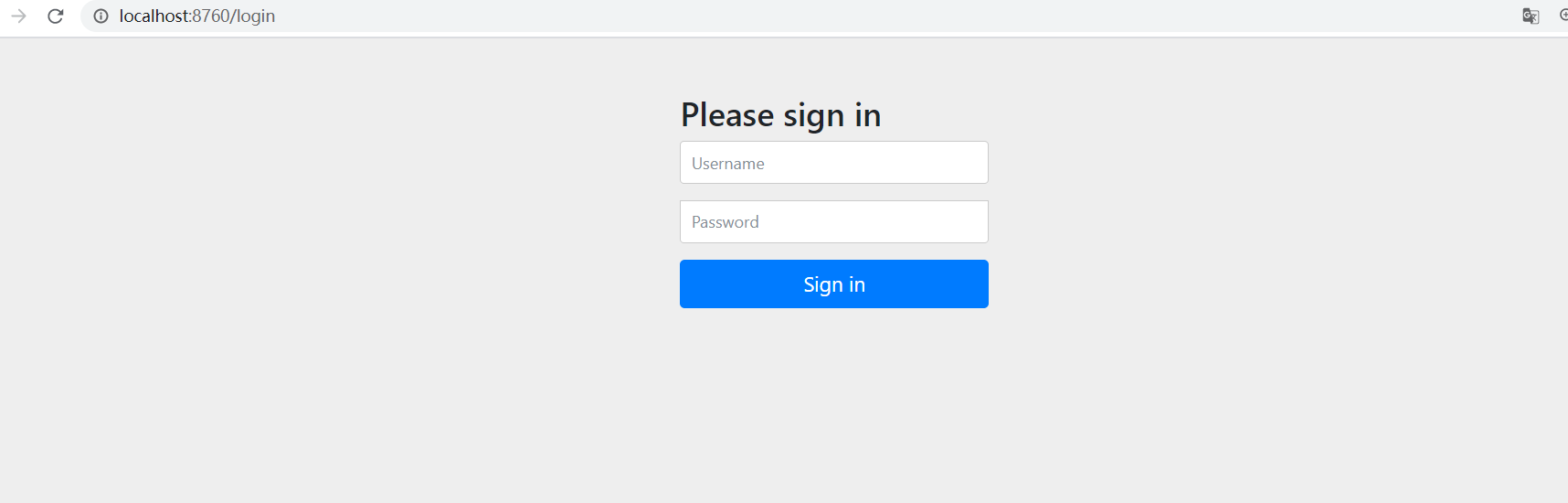
客户端此时无法注册到eureka,因为服务端需要有账号密码才能访问。客户端eureka.client.serviceUrl.defaultZone配置需要改成,加上账号密码就可以了
eureka.client.serviceUrl.defaultZone=http://admin:pwd@localhost:8760/eureka/

 浙公网安备 33010602011771号