vue服务端渲染按需引入mint
vue服务器渲染按需引入mint-ui
1.修改.babelrc文件,在.babelrc文件中plugins数组中添加
{
  "presets": [["es2015", { "modules": false }], "stage-2"],
  "ignore": ["node_modules/*"],
  "plugins": [["component", [
    {
      "libraryName": "mint-ui",
      "style": true
    }
  ]]]
}
2.在.vue文件中引入使用就可以了
<script>
import Vue from 'vue'
import { Button, Toast } from 'mint-ui'
Vue.component(Button.name, Button)
export default {
  name: 'MintUi',
  created() {},
  computed: {},
  asyncData({ store }) {},
  methods: {
    handleClick() {
      Toast('Hello word')
    }
  }
}
</script>
这样就可以了。
如果现在运行报Unknown plugin "component" specified in 。。。的错
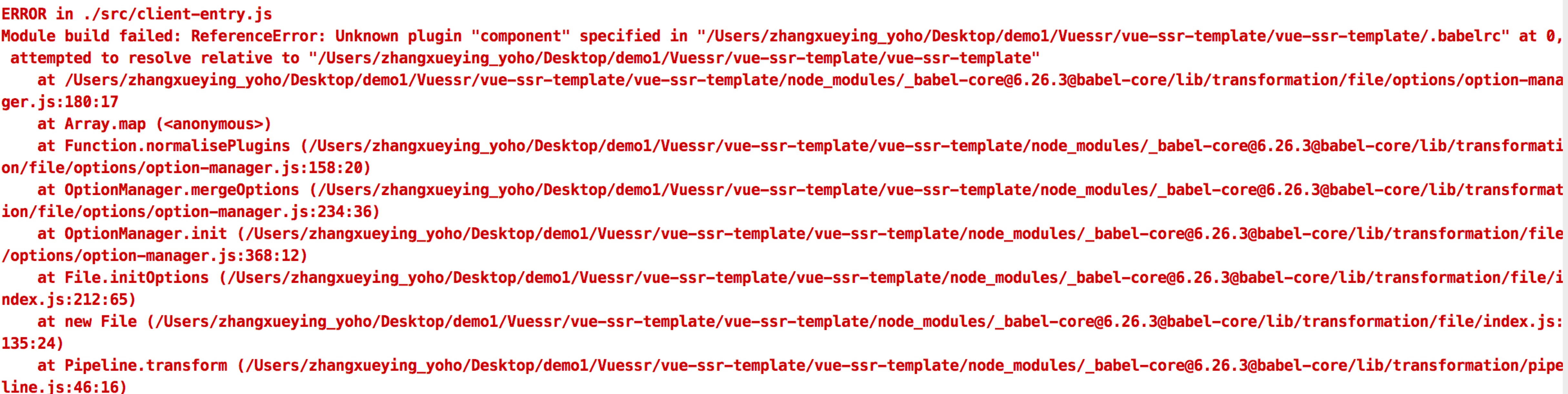
可以执行npm install babel-plugin-component -D就可以了
所有的问题都是我在日常生活中用到的,可能会有不正确或者不是最佳解决方案,希望留下你的建议和意见,共同学习,共同进步

 浙公网安备 33010602011771号