
4.3.1 随机生成pcl点云
4.3.1 随机生成pcl点云
欢迎关注我的B站:https://space.bilibili.com/379384819
欢迎交流学习,vx:18074116692
参考教程:
ROS入门——PCL激光雷达点云处理(1)_pcl::torosmsg-CSDN博客
1. 查看系统环境
要运行本仿真程序,需要保证当前环境为ubuntu20.04+ros-noetic-desktop-full
查看ubuntu版本:
rosnoetic@rosnoetic-VirtualBox:~$ lsb_release -a

No LSB modules are available.
Distributor ID:	Ubuntu
Description:	Ubuntu 20.04.6 LTS
Release:	20.04
Codename:	focal
可知,当前ubuntu版本满足20.04
查看ros版本:
rosnoetic@rosnoetic-VirtualBox:~$ rosversion -d

noetic
可知,当前ros版本满足noetic
2. 随机pcl点云仿真
2.1 编写随机PCL点云
2.1.1 创建功能包,导入依赖
-
2.1.1.1 新建文件夹
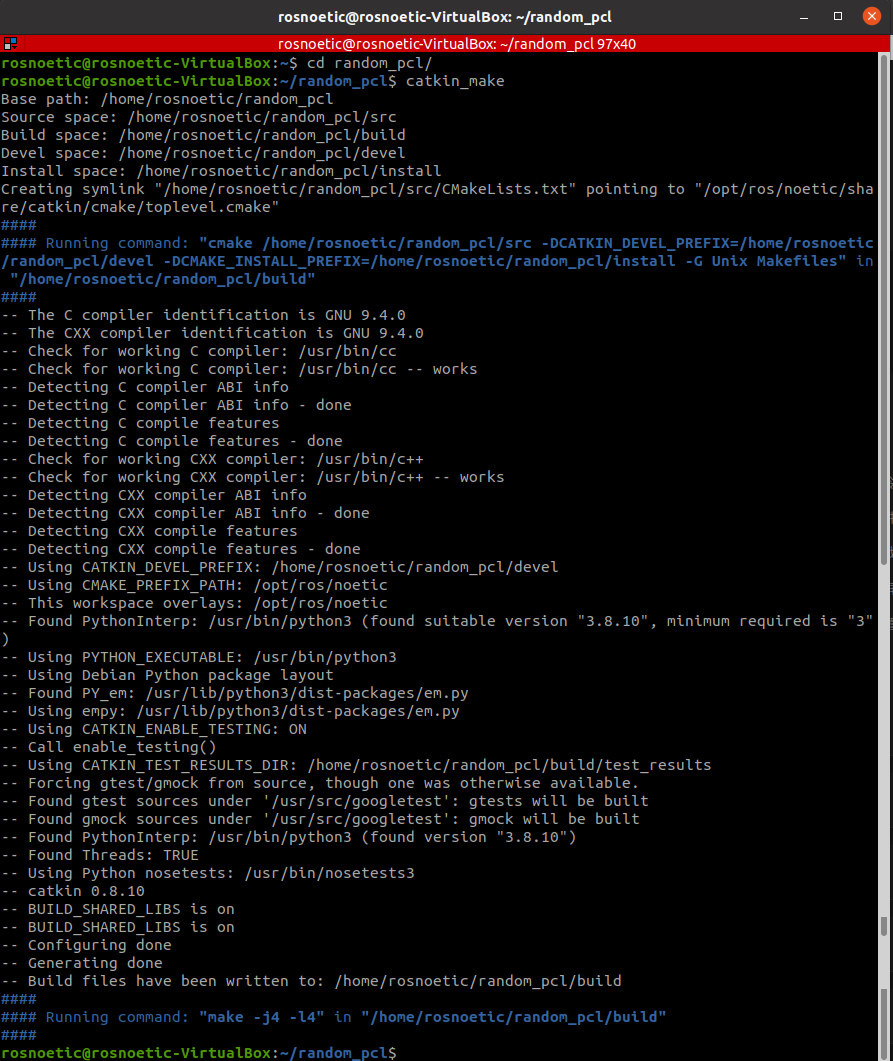
ctrl+alt+T打开终端,执行如下指令创建文件夹:rosnoetic@rosnoetic-VirtualBox:~$ mkdir -p random_pcl/src rosnoetic@rosnoetic-VirtualBox:~$ cd random_pcl/ rosnoetic@rosnoetic-VirtualBox:~/random_pcl$ catkin_make- catkin_make
![]()
-
2.1.1.1 启动vscode
在终端中输入如下指令启动
vscode,注意需要在/random_pcl
路径下,这样vscode就会自动打开该工作空间rosnoetic@rosnoetic-VirtualBox:~$ cd random_pcl/ rosnoetic@rosnoetic-VirtualBox:~/random_pcl$ code . -
2.1.1.2 vscode中编译ros
快捷键
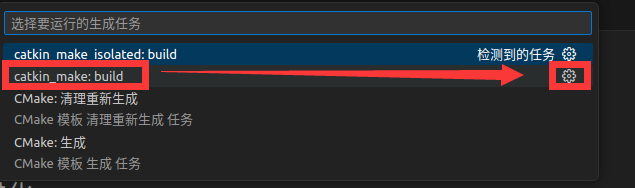
ctrl+shift+B调用编译,选择:catkin_make:build![]()
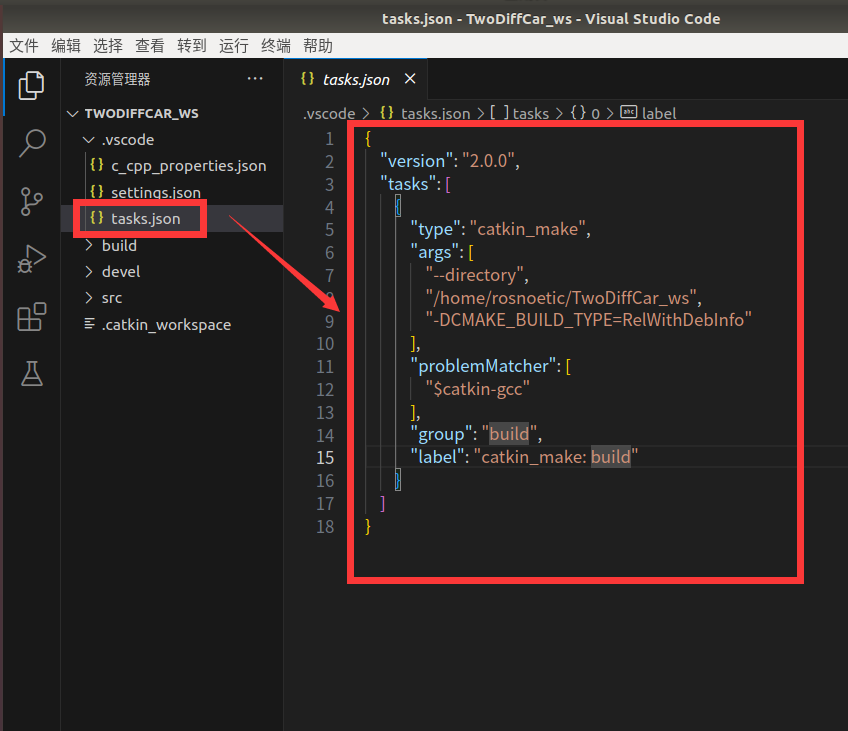
修改
.vscode/tasks.json文件原内容如下图所示:
![]()
修改为如下内容:
{ // 有关 tasks.json 格式的文档,请参见 // https://go.microsoft.com/fwlink/?LinkId=733558 "version": "2.0.0", "tasks": [ { "label": "catkin_make:debug", //代表提示的描述性信息 "type": "shell", //可以选择shell或者process,如果是shell代码是在shell里面运行一个命令,如果是process代表作为一个进程来运行 "command": "catkin_make",//这个是我们需要运行的命令 "args": [],//如果需要在命令后面加一些后缀,可以写在这里,比如-DCATKIN_WHITELIST_PACKAGES=“pac1;pac2” "group": {"kind":"build","isDefault":true}, "presentation": { "reveal": "always"//可选always或者silence,代表是否输出信息 }, "problemMatcher": "$msCompile" } ] }![]()
-
2.1.1.3 创建功能包
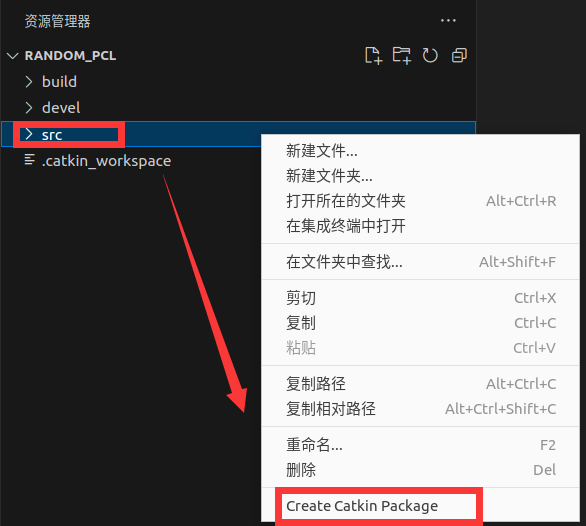
创建一个新的功能包,点击
src文件夹,右键,选择Create Catkin Package创建功能包![]()
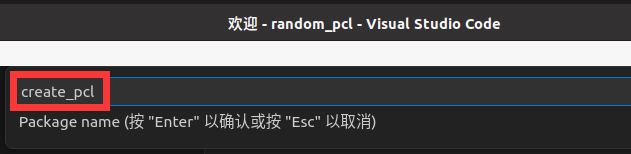
在上方弹出的对话框内输入要创建的功能包名:
create_pcl,输入完成后,直接回车
![]()
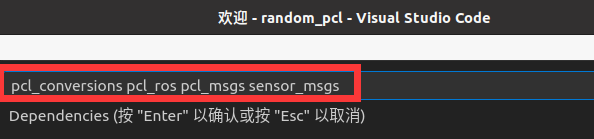
继续导入相关功能包依赖
pcl_conversions pcl_ros pcl_msgs sensor_msgs注意:中间有空格隔开,输入完成后回车。按回车键确认。
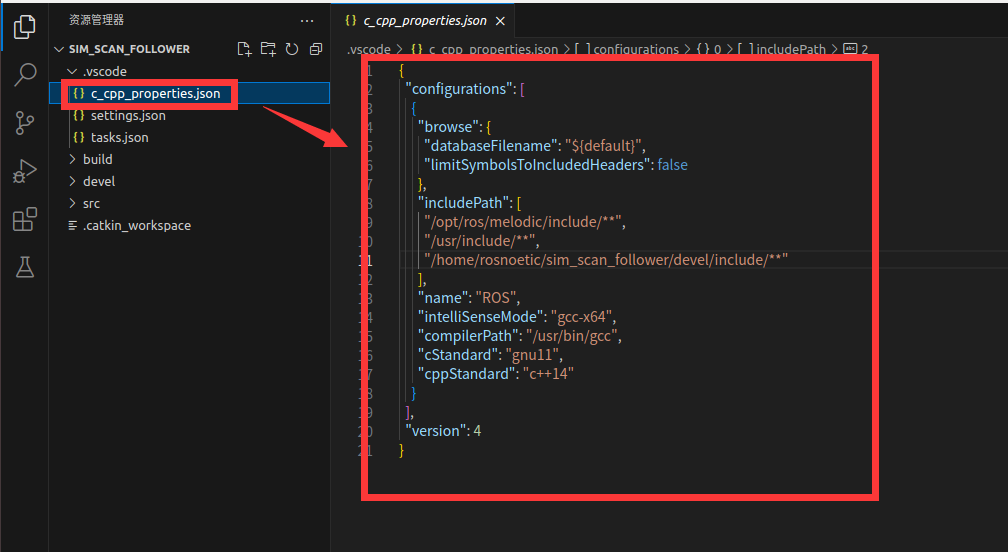
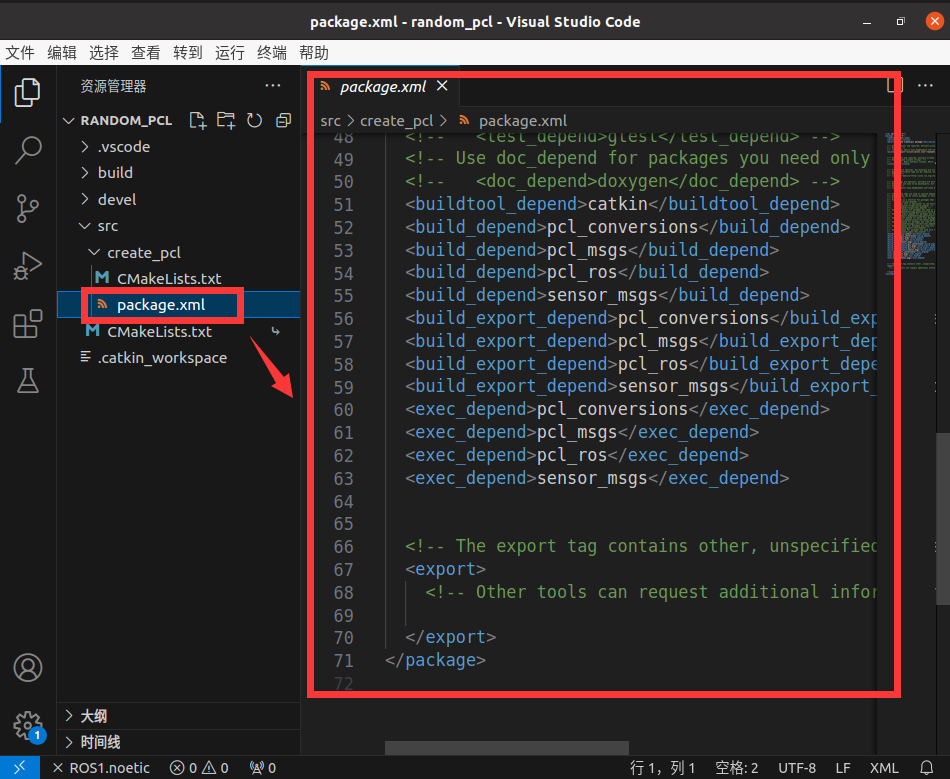
在当前功能包下,再新建几个目录:
点击create_pcl,右键,选择“新建文件夹”
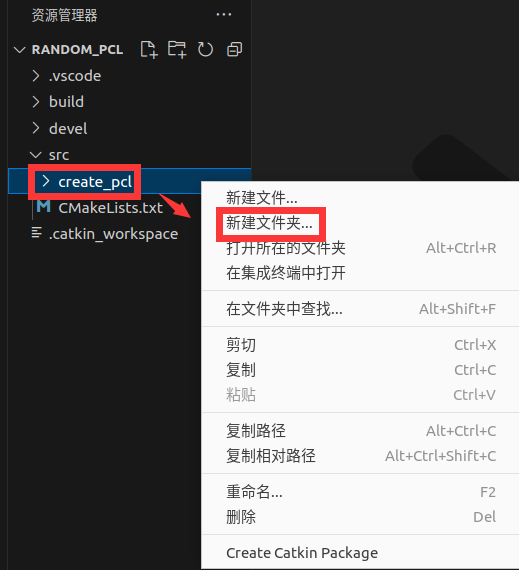
新建文件夹名称如下
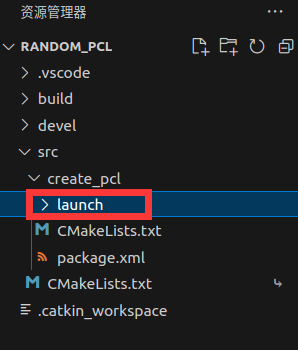
launch:存储launch启动文件
使用 launch 文件,可以一次性启动多个 ROS 节点。
src:存储C++文件
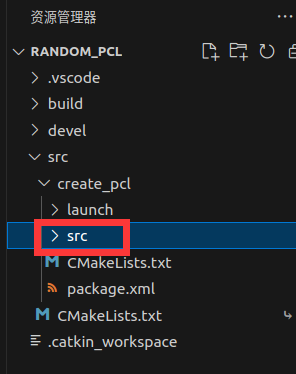
2.1.2 编写pcl
-
2.1.2.1 编写程序
然后在功能包下的
src文件夹中创建源文件:点击
create_pcl/src文件夹,右键,选择“新建文件”
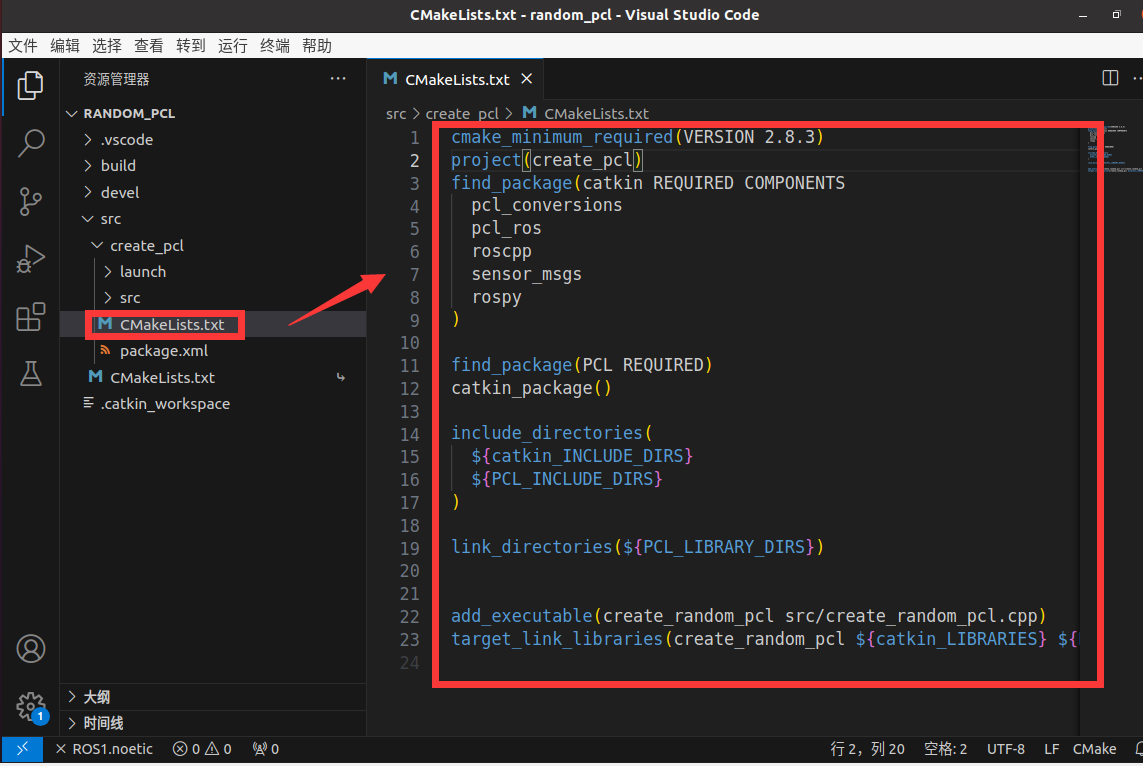
新建文件名为:create_random_pcl.cpp
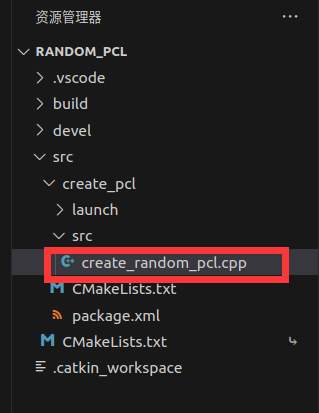
在create_random_pcl.cpp中添加如下内容
- create_random_pcl.cpp
```cpp
#include <ros/ros.h>
#include <pcl/point_cloud.h>
#include <pcl_conversions/pcl_conversions.h>
#include <sensor_msgs/PointCloud2.h>
main (int argc, char argv)
{
ros::init (argc, argv, "pcl_create");
ros::NodeHandle nh;
ros::Publisher pcl_pub = nh.advertise<sensor_msgs::PointCloud2> ("pcl_output", 1);
pcl::PointCloudpcl::PointXYZ cloud;
sensor_msgs::PointCloud2 output;
// Fill in the cloud data
cloud.width = 100;
cloud.height = 1;
cloud.points.resize(cloud.width * cloud.height);
for (size_t i = 0; i < cloud.points.size (); ++i)
{
cloud.points[i].x = 1024 * rand () / (RAND_MAX + 1.0f);
cloud.points[i].y = 1024 * rand () / (RAND_MAX + 1.0f);
cloud.points[i].z = 1024 * rand () / (RAND_MAX + 1.0f);
}
//Convert the cloud to ROS message
pcl::toROSMsg(cloud, output);
output.header.frame_id = "odom";
ros::Rate loop_rate(1);
while (ros::ok())
{
pcl_pub.publish(output);
ros::spinOnce();
loop_rate.sleep();
}
return 0;
}
```
-
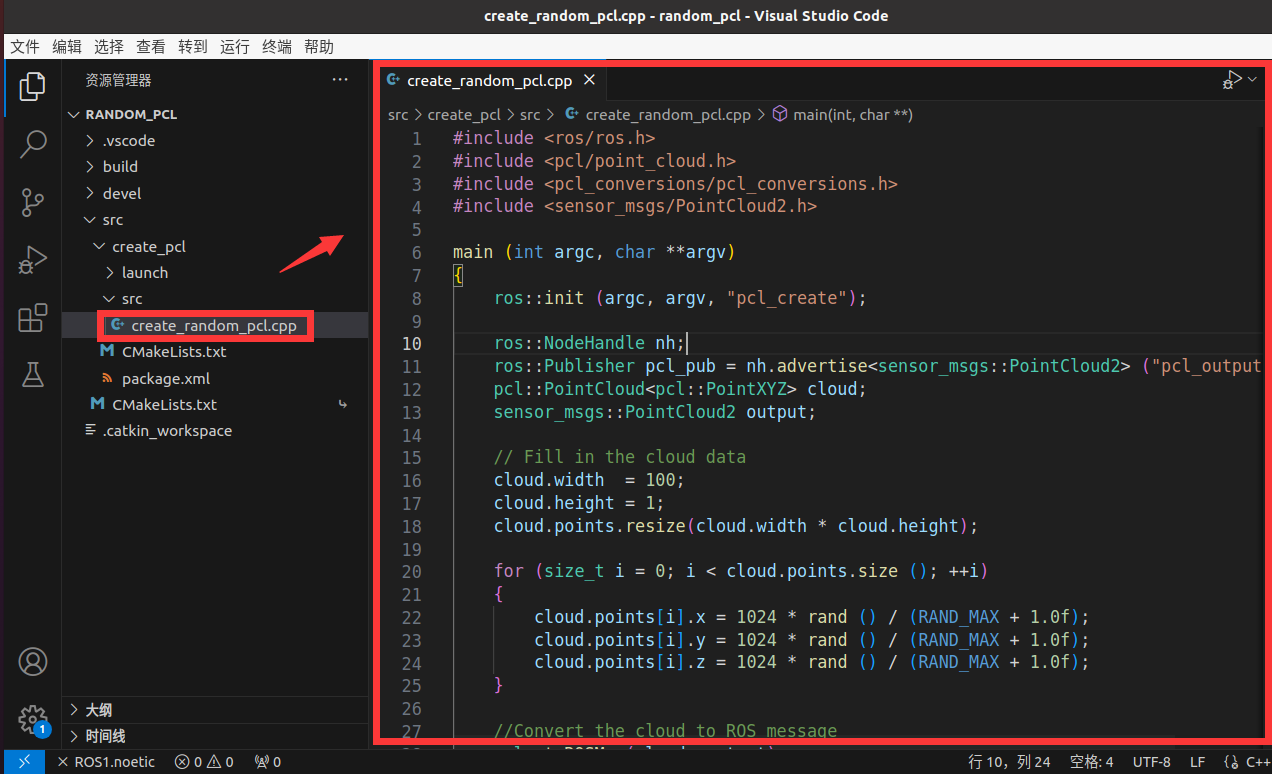
2.1.2.2 编辑配置文件
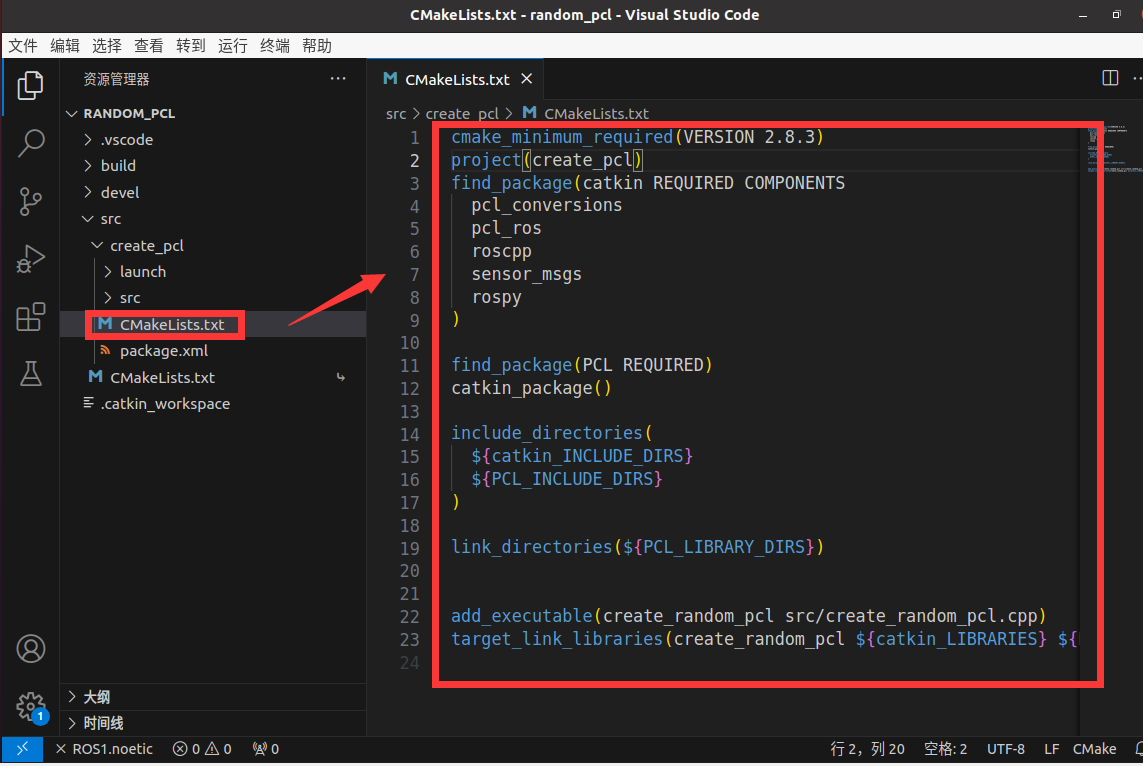
向
create_pcl功能包下的CMakeLists.txt文件中修改为如下内容:cmake_minimum_required(VERSION 2.8.3) project(create_pcl) find_package(catkin REQUIRED COMPONENTS pcl_conversions pcl_ros roscpp sensor_msgs rospy ) find_package(PCL REQUIRED) catkin_package() include_directories( ${catkin_INCLUDE_DIRS} ${PCL_INCLUDE_DIRS} ) link_directories(${PCL_LIBRARY_DIRS}) add_executable(create_random_pcl src/create_random_pcl.cpp) target_link_libraries(create_random_pcl ${catkin_LIBRARIES} ${PCL_LIBRARIES})![]()
2.1.3 编写launch文件
上述已经编写了c++程序用于实现随机点云生成,接下来创建launch文件执行该节点。
点击create_pcl/launch文件夹,右键,选择”新建文件“
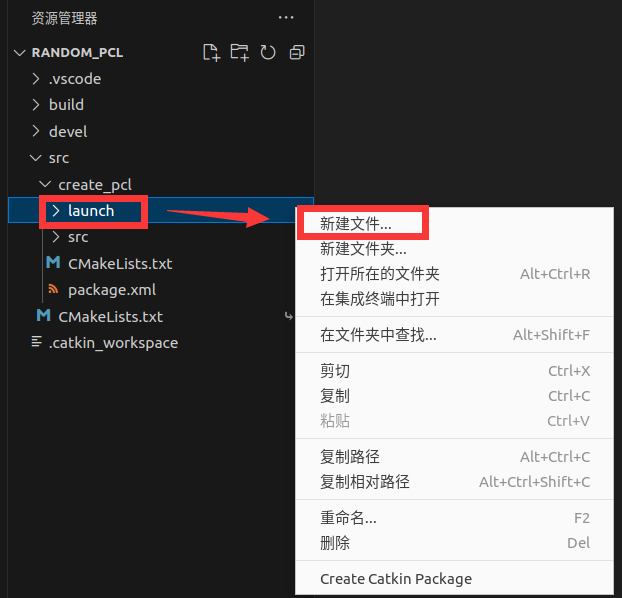
新建文件名为:run_pcl.launch
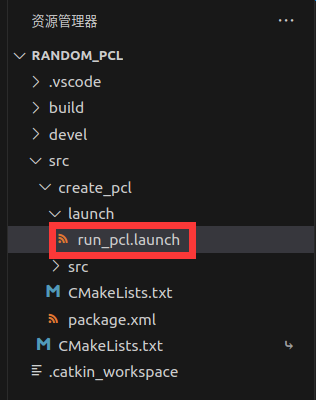
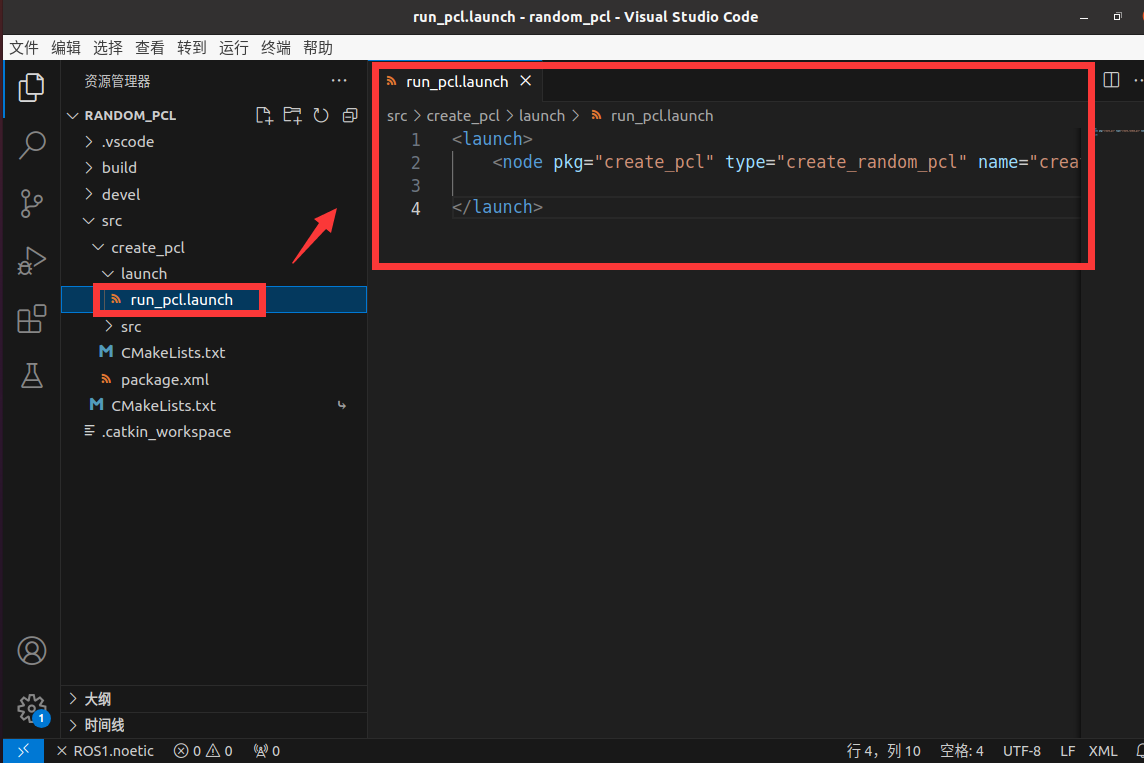
在run_pcl.launch中添加如下代码:
-
run_pcl.launch<launch> <node pkg="create_pcl" type="create_random_pcl" name="create_random_pcl" output="screen" /> </launch>
2.2 启动演示
2.2.1 启动程序
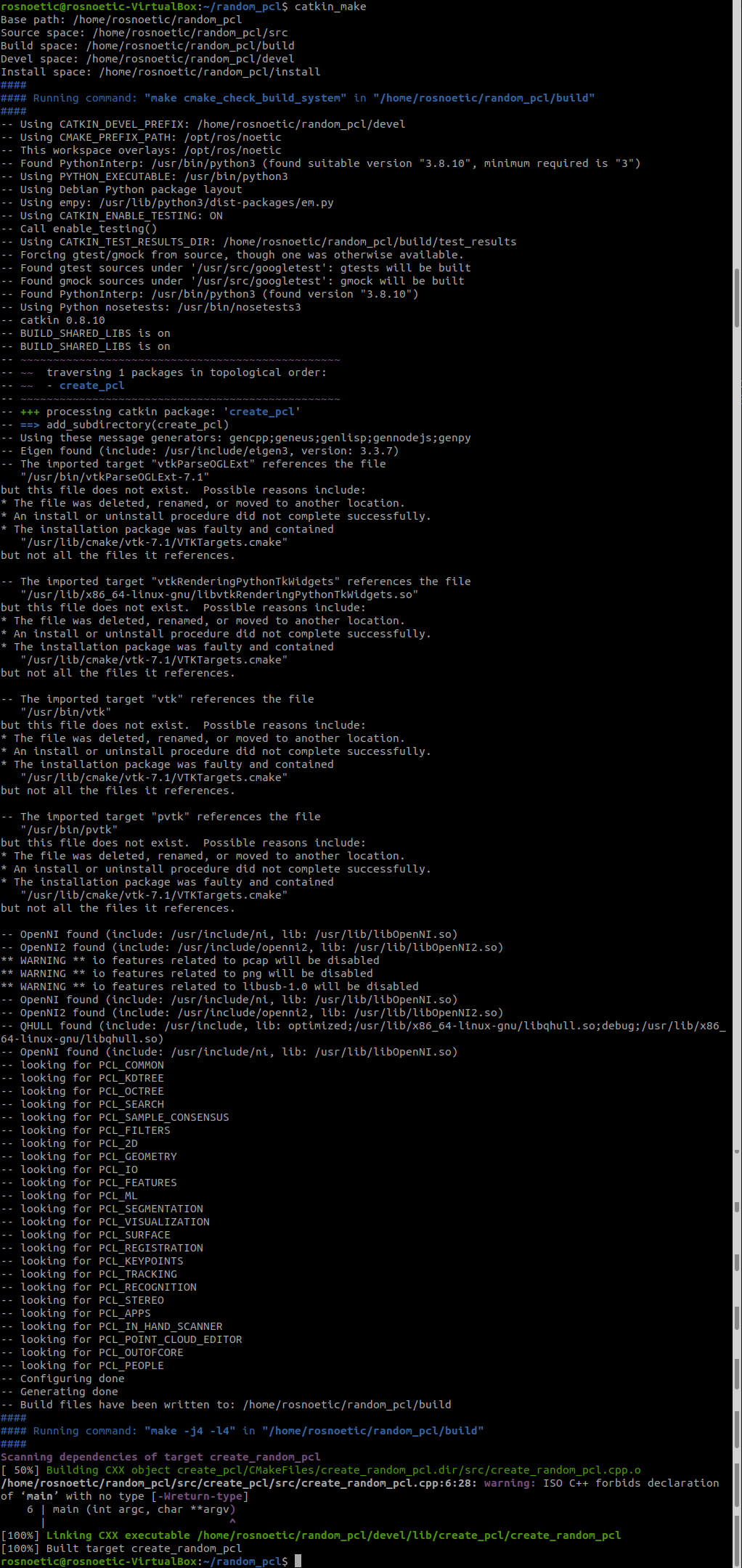
ctrl+alt+T打开终端,执行如下指令进行编译:
rosnoetic@rosnoetic-VirtualBox:~$ cd random_pcl/

rosnoetic@rosnoetic-VirtualBox:~/random_pcl$ catkin_make
- catkin_make
ctrl+alt+T打开终端,执行如下指令启动仿真
rosnoetic@rosnoetic-VirtualBox:~$ cd random_pcl/

rosnoetic@rosnoetic-VirtualBox:~/random_pcl$ source ./devel/setup.bash

rosnoetic@rosnoetic-VirtualBox:~/random_pcl$ roslaunch create_pcl run_pcl.launch
ctrl+alt+T打开终端,执行如下指令,启动rviz
rosnoetic@rosnoetic-VirtualBox:~$ rviz
设置Global Options的Fixed Frame为odom

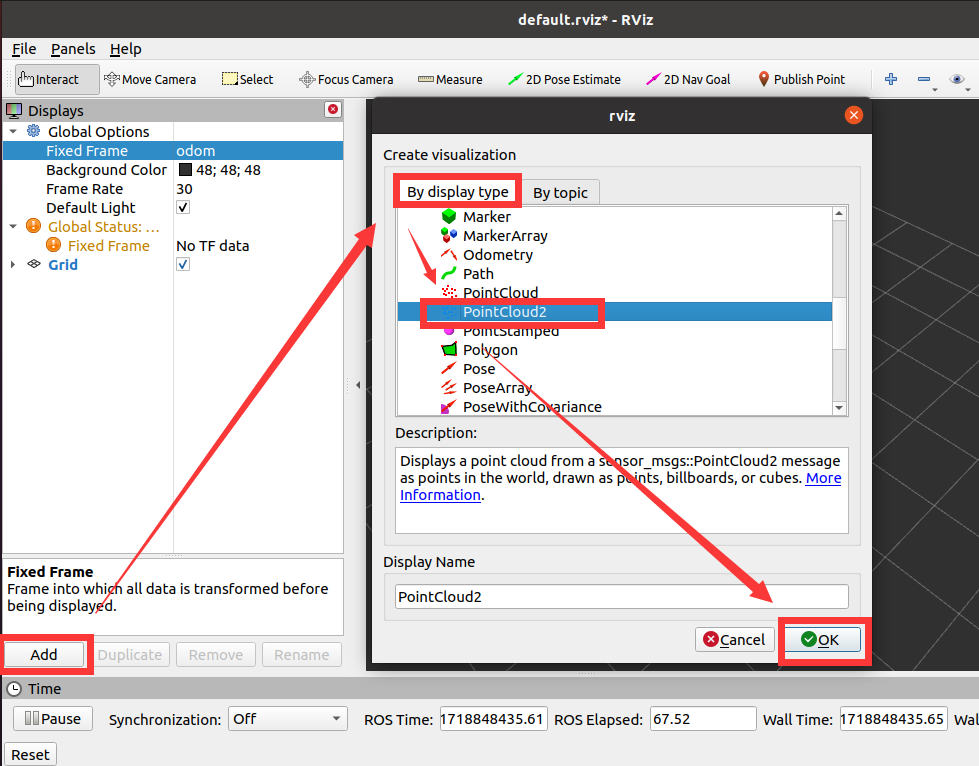
点击rviz软件的左下角的Add按钮,选择By display type,选择PointCloud2,点击OK
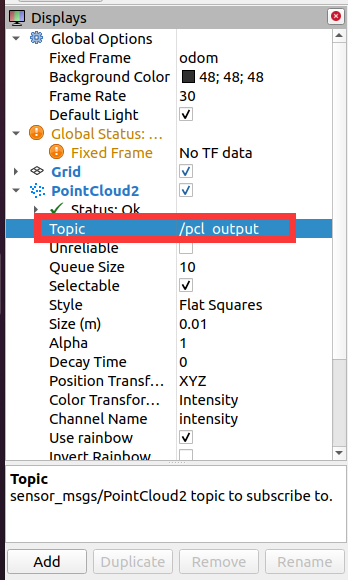
将PointCloud2的Topic设置为/pcl_output
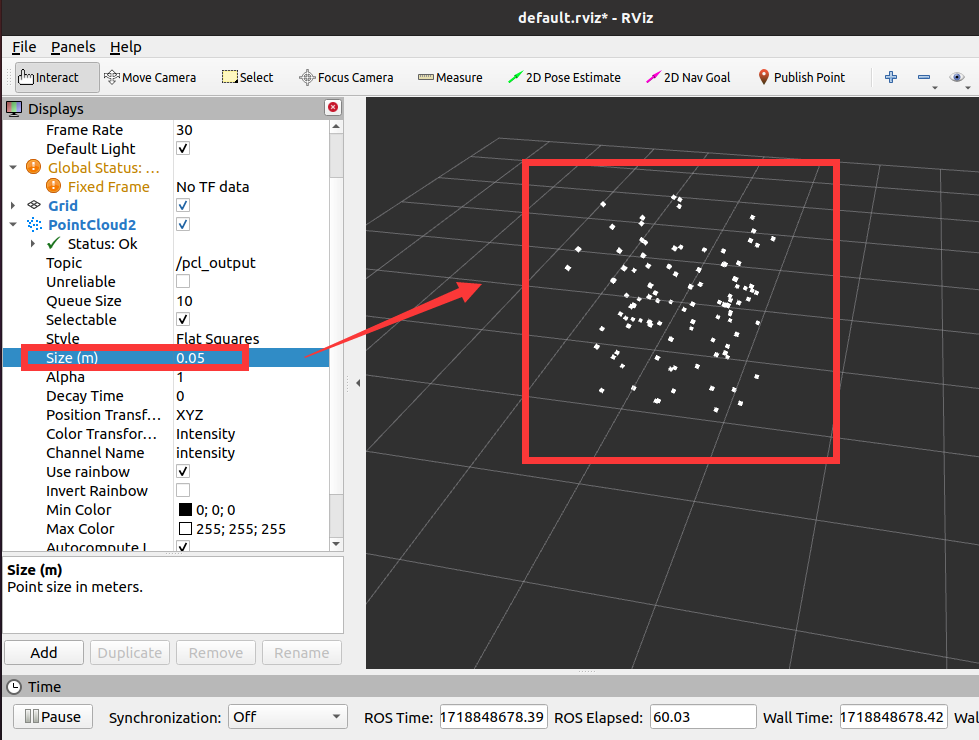
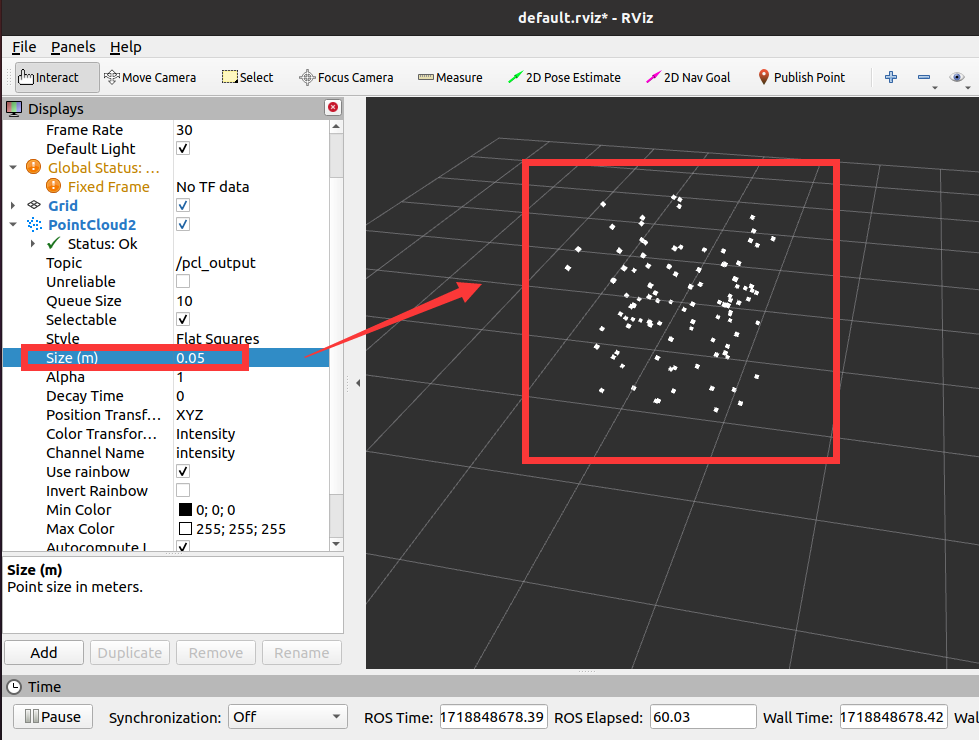
将PointCloud2的Size设置为0.05,即可看到放大版的点云图像了
2.2.2 保存rviz配置文件
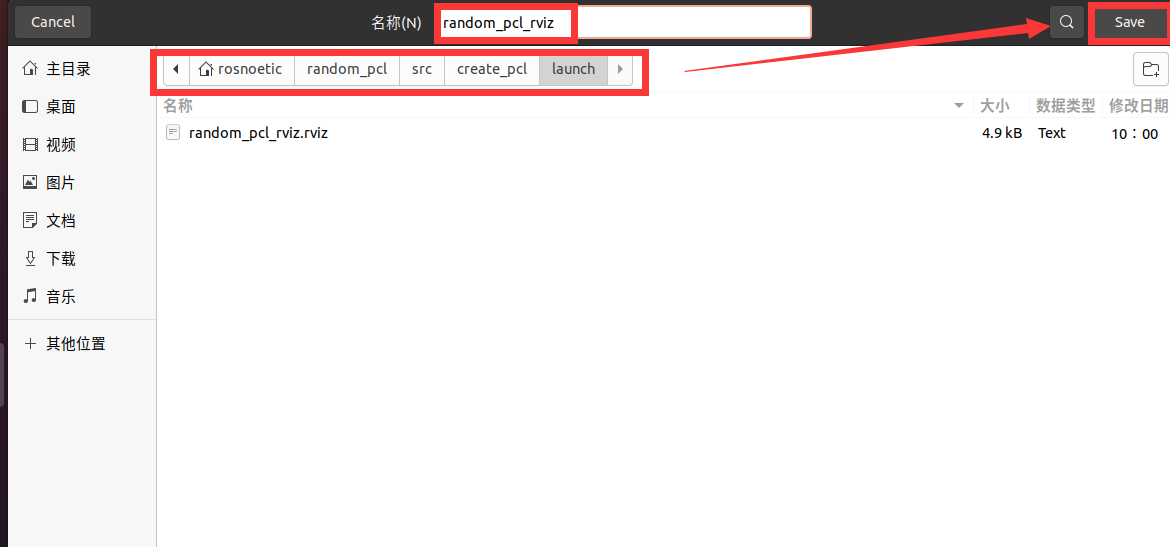
点击RVIZ软件左上角的File选项,选择Save Config As

输入rviz配置文件的文件名称,并保存到random_pcl/src/create_pcl/launch文件夹下,点击Save即可完成保存。
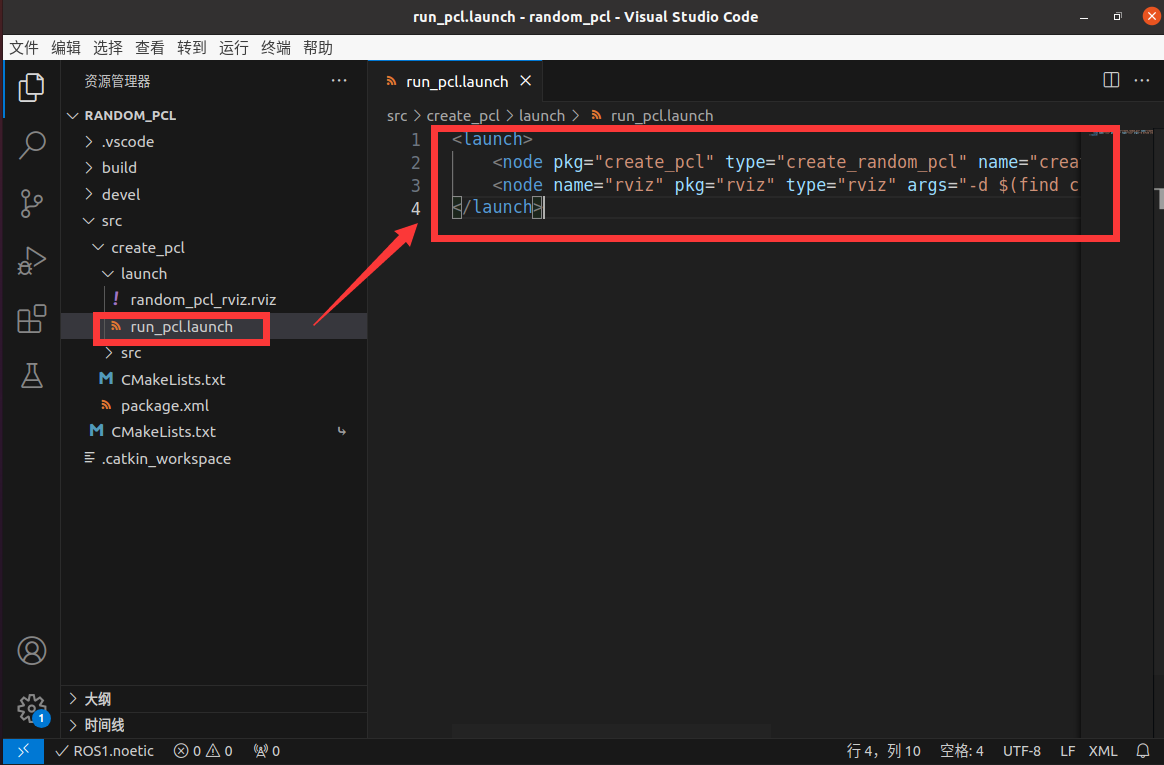
2.2.3 修改launch文件,添加rviz执行程序
在run_pcl.launch中添加如下代码:
-
run_pcl.launch<launch> <node pkg="create_pcl" type="create_random_pcl" name="create_random_pcl" output="screen" /> <node name="rviz" pkg="rviz" type="rviz" args="-d $(find create_pcl)/launch/random_pcl_rviz.rviz" required="true" /> </launch>

 浙公网安备 33010602011771号