
篇目1-Eureka使用说明
Eureka的作用
Eureka是一个分布式的注册中心,类似于Zookeeper。
使用方式
基于SpringBoot搭建一个微服务项目,新建一个注册中心的服务svr-eureka。
1. 引入依赖
- 在项目根pom文件里引入springCloud依赖管理,这里的主要作用是管理整个项目的springCloud版本:
<dependencyManagement>
    <dependencies>
        <dependency>
            <groupId>org.springframework.cloud</groupId>
            <artifactId>spring-cloud-dependencies</artifactId>
            <version>Camden.SR5</version>
            <type>pom</type>
            <scope>import</scope>
        </dependency>
    </dependencies>
</dependencyManagement>
- 在svr-eureka模块的pom文件里引入eureka依赖:
<dependency>
    <groupId>org.springframework.cloud</groupId>
    <artifactId>spring-cloud-starter-eureka-server</artifactId>
</dependency>
因为上面已经限制了springCloud的版本,这里就不需要写版本号。
2. 添加注解
在启动类上添加注解@EnableEurekaServer:
@EnableEurekaServer
@SpringBootApplication
public class EurekaServerApplication {
    public static void main(String[] args) {
        SpringApplication.run(EurekaServerApplication.class);
    }
}
3. 配置文件
spring.application.name= EurekaServer
server.port= 8761
# 不要使用Eureka服务进行注册
eureka.client.register-with-eureka=false
# 不要在本地缓存注册表信息
eureka.client.fetch-registry=false
# 在服务器接受请求之前等待的初始时间
eureka.server.wait-time-in-ms-when-sync-empty=5
# 微服务数量少的时候,把自我保护关闭
eureka.server.enable-self-preservation=false
# 注册中心服务地址
eureka.client.service-url.defaultZone= http://localhost:8761/eureka/
# 指定当前节点的hostName
eureka.instance.hostname= localhost
4. 验证
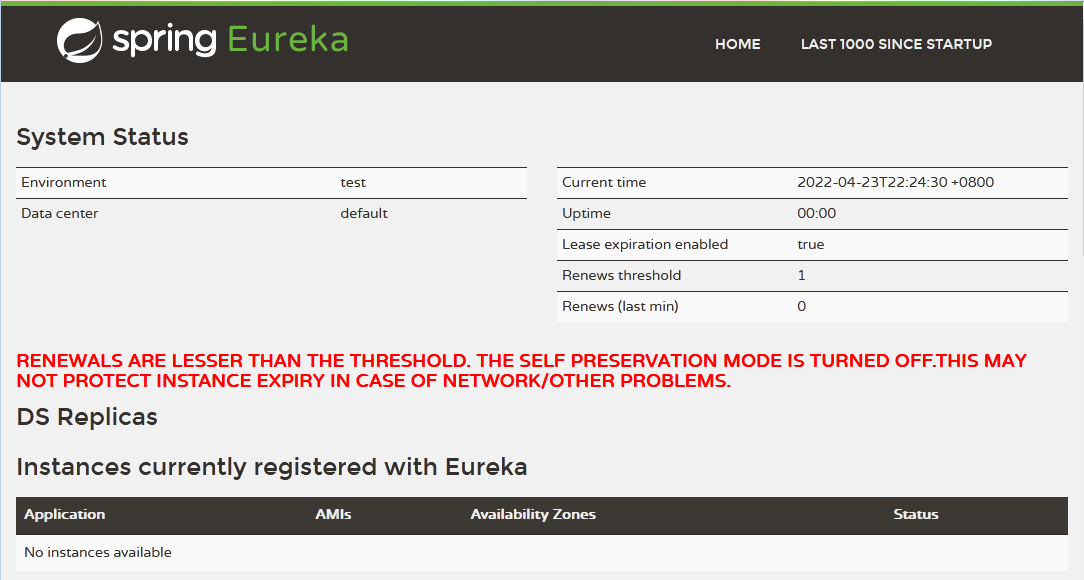
在浏览器打开Eureka的dashboard管理页面:http://localhost:8761。显示如下说明启动成功:

 浙公网安备 33010602011771号