
CentOS7配置阿里云镜像仓库
本地仓库位置默认在/etc/yum.repos.d/下
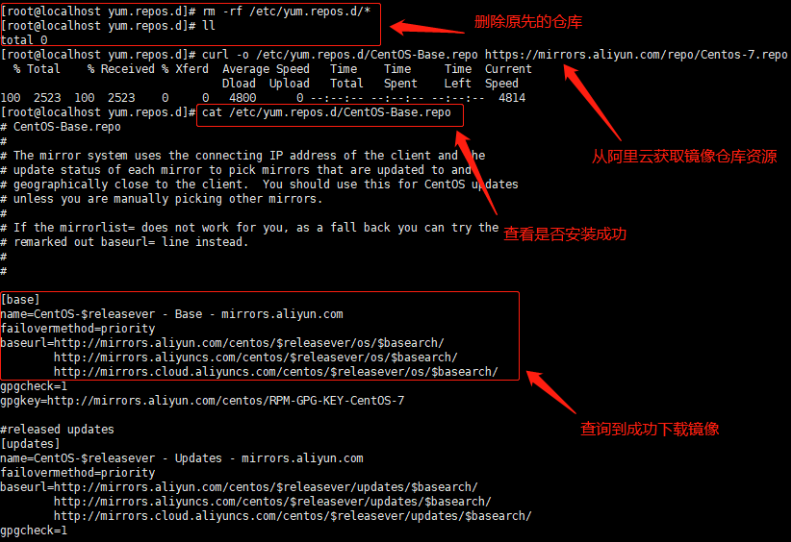
1.配置前先备份或者删除本地默认仓库配置
删除: rm -rf /etc/yum.repos.d/
备份(建议): mv /etc/yum.repos.d/CentOS-Base.repo /etc/yum.repos.d/CentOS-Base.repo.bak
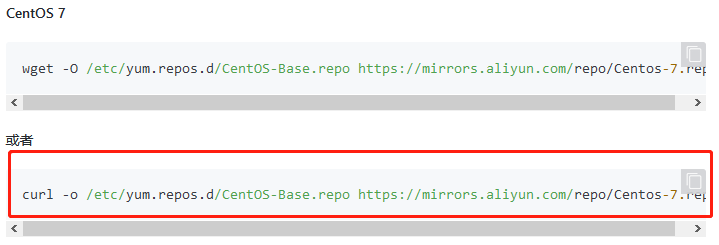
2.上阿里云CentOS镜像社区下载新的 CentOS-Base.repo 到 /etc/yum.repos.d/
仓库镜像网址:https://developer.aliyun.com/mirror/centos?spm=a2c6h.13651102.0.0.3e221b11BPhGzC
命令:curl -O /etc/yum.repos.d/CentOS-Base.repo https://mirrors.aliyun.com/repo/Centos-7.repo
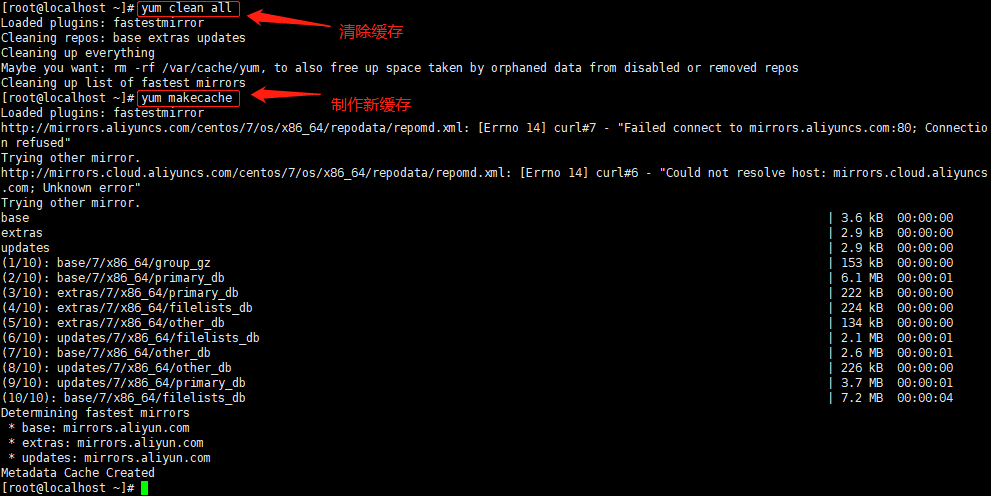
3.仓库配置好后,yum clean all清除缓存,并重新制作缓存yum makecache
4.通过安装wget测试阿里云仓库是否配置成功
命令:yum install wget

调用成功,配置完成

 浙公网安备 33010602011771号