
团队冲刺6

王皓扬
今天的任务:
// 健康界面 Activity HealthActivity.java
package com.example.hrmanagementapp.activity;
import androidx.appcompat.app.AppCompatActivity;
import android.os.Bundle;
import android.view.View;
import android.widget.Button;
import android.widget.EditText;
import com.example.hrmanagementapp.model.Role;
import com.example.hrmanagementapp.R;
public class AssessmentHealthActivity extends AppCompatActivity {
private EditText etHeight, etWeight;
private Button btnSave;
private Role role;
@Override
protected void onCreate(Bundle savedInstanceState) {
super.onCreate(savedInstanceState);
setContentView(R.layout.activity_health);
etHeight = findViewById(R.id.et_height);
etWeight = findViewById(R.id.et_weight);
btnSave = findViewById(R.id.btn_save);
// 获取当前用户的角色
role = (Role) getIntent().getSerializableExtra("role");
btnSave.setOnClickListener(new View.OnClickListener() {
@Override
public void onClick(View v) {
String heightStr = etHeight.getText().toString();
String weightStr = etWeight.getText().toString();
if (!heightStr.isEmpty() && !weightStr.isEmpty()) {
double height = Double.parseDouble(heightStr);
double weight = Double.parseDouble(weightStr);
role.setHeight(height);
role.setWeight(weight);
// 保存数据到服务器或本地
// ...
}
}
});
}
}
package com.example.hrmanagementapp.activity;
import androidx.appcompat.app.AppCompatActivity;
import android.content.Intent;
import android.os.Bundle;
import android.view.View;
import android.widget.Button;
import com.example.hrmanagementapp.R;
public class EmployeeManagementActivity extends AppCompatActivity {
@Override
protected void onCreate(Bundle savedInstanceState) {
super.onCreate(savedInstanceState);
setContentView(R.layout.activity_employee_management);
Button btnPositionManagement = findViewById(R.id.btn_position_management);
btnPositionManagement.setOnClickListener(new View.OnClickListener() {
@Override
public void onClick(View v) {
// 处理职位管理点击事件
}
});
Button btnLevelSystem = findViewById(R.id.btn_level_system);
btnLevelSystem.setOnClickListener(new View.OnClickListener() {
@Override
public void onClick(View v) {
// 处理职级体系点击事件
}
});
Button btnOnboardingDevelopment = findViewById(R.id.btn_onboarding_development);
btnOnboardingDevelopment.setOnClickListener(new View.OnClickListener() {
@Override
public void onClick(View v) {
// 处理入职发展点击事件
}
});
Button btnTransfer = findViewById(R.id.btn_transfer);
btnTransfer.setOnClickListener(new View.OnClickListener() {
@Override
public void onClick(View v) {
// 处理调动管理点击事件
}
});
}
}package com.example.hrmanagementapp.activity;
import androidx.appcompat.app.AppCompatActivity;
import android.content.Intent;
import android.os.Bundle;
import android.view.View;
import android.widget.Button;
import android.widget.EditText;
import android.widget.Toast;
import com.example.hrmanagementapp.R;
import com.example.hrmanagementapp.model.Role;
import com.example.hrmanagementapp.service.ApiService;
import retrofit2.Call;
import retrofit2.Callback;
import retrofit2.Response;
import retrofit2.Retrofit;
import retrofit2.converter.gson.GsonConverterFactory;
public class LoginActivity extends AppCompatActivity {
private EditText etUsername, etPassword;
private Button btnLogin;
@Override
protected void onCreate(Bundle savedInstanceState) {
super.onCreate(savedInstanceState);
setContentView(R.layout.activity_login);
etUsername = findViewById(R.id.et_username);
etPassword = findViewById(R.id.et_password);
btnLogin = findViewById(R.id.btn_login);
btnLogin.setOnClickListener(new View.OnClickListener() {
@Override
public void onClick(View v) {
String username = etUsername.getText().toString();
String password = etPassword.getText().toString();
Retrofit retrofit = new Retrofit.Builder()
.baseUrl("http://your-api-url/")
.addConverterFactory(GsonConverterFactory.create())
.build();
ApiService apiService = retrofit.create(ApiService.class);
Call
call.enqueue(new Callback
@Override
public void onResponse(Call
if (response.isSuccessful()) {
Role role = response.body();
if (role != null) {
Intent intent = new Intent(LoginActivity.this, MainActivity.class);
intent.putExtra("role", role);
startActivity(intent);
finish();
} else {
Toast.makeText(LoginActivity.this, "用户名或密码错误", Toast.LENGTH_SHORT).show();
}
} else {
Toast.makeText(LoginActivity.this, "登录失败", Toast.LENGTH_SHORT).show();
}
}
@Override
public void onFailure(Call
Toast.makeText(LoginActivity.this, "网络错误", Toast.LENGTH_SHORT).show();
}
});
}
});
}
}package com.example.hrmanagementapp.activity;
import androidx.appcompat.app.AppCompatActivity;
import android.content.Intent;
import android.os.Bundle;
import android.view.View;
import android.widget.Button;
import com.example.hrmanagementapp.R;
public class MainActivity extends AppCompatActivity {
@Override
protected void onCreate(Bundle savedInstanceState) {
super.onCreate(savedInstanceState);
setContentView(R.layout.activity_main);
Button btnEmployeeManagement = findViewById(R.id.btn_employee_management);
btnEmployeeManagement.setOnClickListener(new View.OnClickListener() {
@Override
public void onClick(View v) {
Intent intent = new Intent(MainActivity.this, EmployeeManagementActivity.class);
startActivity(intent);
}
});
// 其他按钮的点击事件处理,暂时显示“还在建设中...”
// ...
}
}
遇到的困难:android端的数据与后端idea中mysql数据库中的表对不上,以至于无法登入,重新创建表后该问题解决
熊磊昨天的成就:
昨天将整个合同档案模块完成,合同管理功能可以添加合同,档案管理模块可以查看个人档案。
相关代码:
// 加载档案管理内容
function loadProfileManagement(container) {
container.innerHTML = <div class="profile-management"> <h3 style="font-size: 1.5rem;">档案管理</h3> <div id="profileContent"></div> </div> ;
// 获取当前用户信息
fetch('/api/user/archive-info')
.then(response => {
if (!response.ok) {
throw new Error('网络响应失败');
}
return response.json();
})
.then(data => {
const profileContent = document.getElementById('profileContent');
profileContent.innerHTML = <p><strong>用户ID:</strong>${data.userId || '无'}</p> <p><strong>职级:</strong>${data.permissionLevel || '无'}</p> <p><strong>职位:</strong>${data.position || '无'}</p> <p><strong>所属部门:</strong>${data.departmentName || '无'}</p> <p><strong>身高:</strong>${data.height || '无'}</p> <p><strong>体重:</strong>${data.weight || '无'}</p> <p><strong>视力:</strong>${data.vision || '无'}</p> <p><strong>绩效:</strong>${data.performanceScore || '无'}</p> ;
})
.catch(error => {
console.error('获取用户信息出错:', error);
document.getElementById('profileContent').innerHTML = '
获取用户信息失败,请刷新重试
';});
}
// 加载合同管理内容
function loadContractManagement(container) {
// 获取当前用户ID和权限等级
fetch('/api/user/current-user-info')
.then(response => {
if (!response.ok) {
throw new Error('网络响应失败');
}
return response.json();
})
.then(data => {
const userId = data.userId;
const permissionLevel = data.permissionLevel;
const departmentId = data.departmentId;
container.innerHTML = <div class="contract-management"> <h3 style="font-size: 1.5rem;">合同管理</h3> <div id="contractContent"></div> ${permissionLevel === 3 && departmentId === 4 ? '<button onclick="showCreateContractForm()">创建合同</button>' : ''} </div> ;
// 获取当前用户的所有合同
fetch(/api/contract/user/${userId})
.then(response => {
if (!response.ok) {
throw new Error('网络响应失败');
}
return response.json();
})
.then(contracts => {
const contractContent = document.getElementById('contractContent');
if (contracts.length === 0) {
contractContent.innerHTML = '
您没有任何合同记录。
';return;
}
let contractsHtml = '
- ';
contracts.forEach(contract => {
contractsHtml +=
<li style="padding: 10px; border-bottom: 1px solid #eee; font-size: 1.1rem;"> <p><strong>合同编号:</strong>${contract.contractNumber || '无'}</p> <p><strong>合同类型:</strong>${contract.contractType || '无'}</p> <p><strong>开始日期:</strong>${contract.startDate || '无'}</p> <p><strong>结束日期:</strong>${contract.endDate || '无'}</p> <p><strong>合同内容:</strong>${contract.contractNumber || '无'}</p> <p><strong>状态:</strong>${contract.contractType || '无'}</p> </li> ;});
contractsHtml += '
contractContent.innerHTML = contractsHtml;
})
.catch(error => {
console.error('获取合同信息出错:', error);
document.getElementById('contractContent').innerHTML = '
获取合同信息失败,请刷新重试
';});
})
.catch(error => {
console.error('获取用户信息出错:', error);
container.innerHTML = '
获取用户信息失败,请刷新重试
';});
}
// 显示创建合同表单
function showCreateContractForm() {
// 获取所有用户作为合同对象的选项
fetch('/api/user/all')
.then(response => {
if (!response.ok) {
throw new Error('网络响应失败');
}
return response.json();
})
.then(users => {
const contractContent = document.getElementById('contractContent');
let usersHtml = '
';
usersHtml += '
';
contractContent.innerHTML = `
`;
})
.catch(error => {
console.error('获取用户信息出错:', error);
alert('获取用户信息失败,请重试');
});
}
// 提交创建合同表单
function submitCreateContractForm() {
const contractNumber = document.getElementById('contractNumber').value;
const contractType = document.getElementById('contractType').value;
const startDate = document.getElementById('startDate').value;
const endDate = document.getElementById('endDate').value;
const contractContent = document.getElementById('contractContent').value;
const contractTargetUserId = document.getElementById('contractTargetUserId').value;
fetch('/api/contract/create', {
method: 'POST',
headers: {
'Content-Type': 'application/json',
},
body: JSON.stringify({
contractNumber: contractNumber,
contractType: contractType,
startDate: startDate, // 确保日期格式为 yyyy-MM-dd
endDate: endDate, // 确保日期格式为 yyyy-MM-dd
contractContent: contractContent,
targetUserId: parseInt(contractTargetUserId) // 确保传递的是数字类型
})
})
.then(response => {
if (!response.ok) {
throw new Error('网络响应失败');
}
return response.json();
})
.then(data => {
alert('合同创建成功!');
// 刷新页面以显示新合同
location.reload();
})
.catch(error => {
console.error('创建合同失败:', error);
alert('创建合同失败,请重试');
});
}
遇到的困难:
在创建合同管理功能时,遇到过如下问题:
1,Spring Data JPA 在尝试创建 entityManagerFactory 时,发现 contract 表中的物理列 target_user_id 被映射到多个逻辑列名称(target_user_id 和 targetUserId)。这通常是因为在实体类中,同一个物理列被映射了两次,一次是通过 @JoinColumn 注解,另一次是通过实体类中的字段。
2,Contract 实体类中的 targetUser 字段没有正确地从 JSON 请求体中解析出来,导致 getTargetUser() 返回了 null,进而调用 getId() 方法时抛出了 NullPointerException。
3,ContractController 中,尝试将一个 String 类型的对象强制转换为 java.sql.Date 类型,导致了 ClassCastException。
4,ResponseEntity.status(400).body() 方法返回的类型与方法的返回类型不匹配。createContract 方法的返回类型是 ResponseEntity,而ResponseEntity.status(400).body(Map.of("message", "日期格式错误,请使用 yyyy-MM-dd 格式")) 返回的是 ResponseEntity<Map<String, String>>。
这些在查看日志和使用开发者工具查看后检测,修改,都解决了。
今天的任务:
将组员已经写好的另一个模块合并起来,这样整个项目的web端就大概完成了。
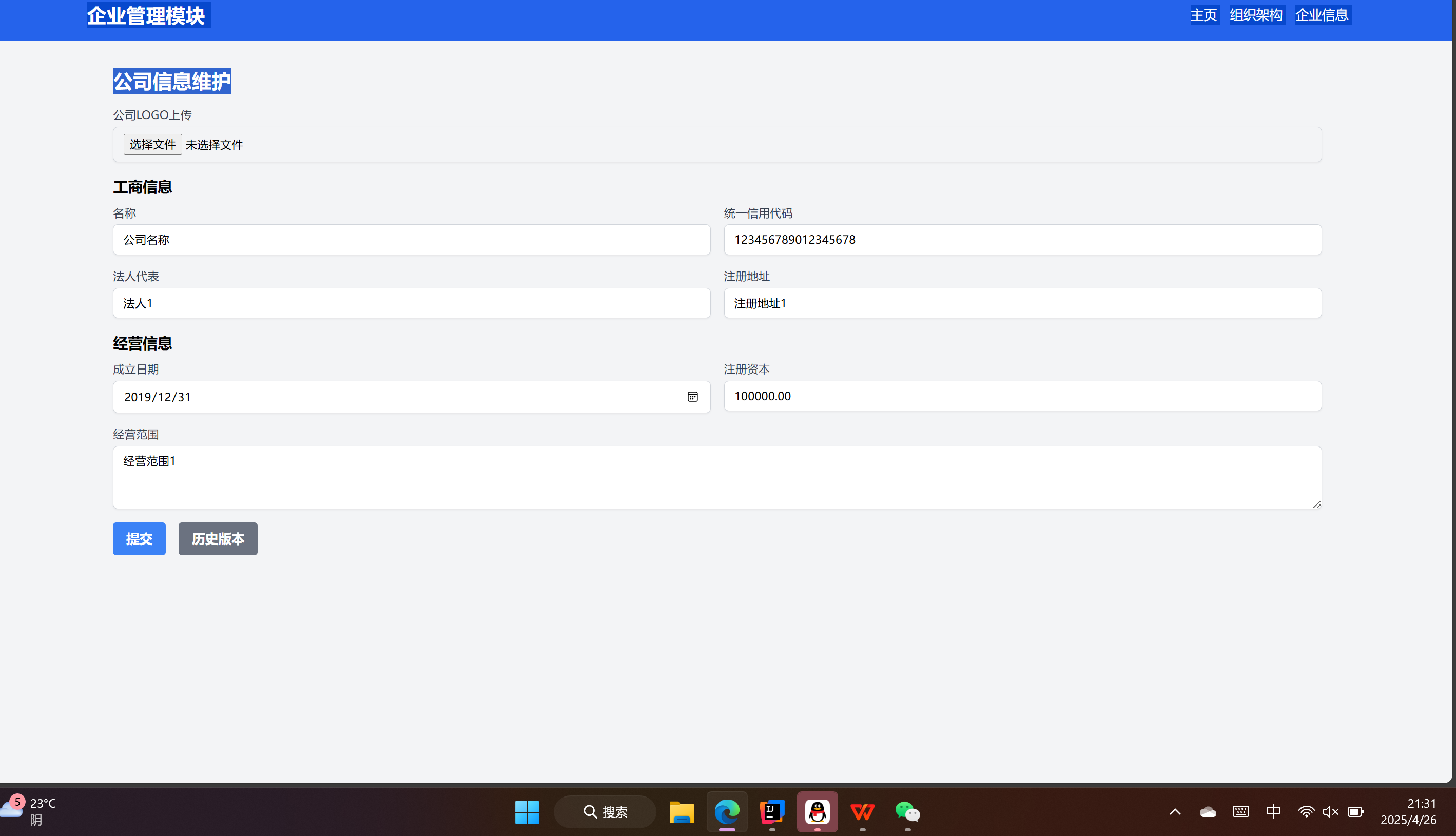
王子炎今天完善了
企业管理模块中的
公司信息维护功能
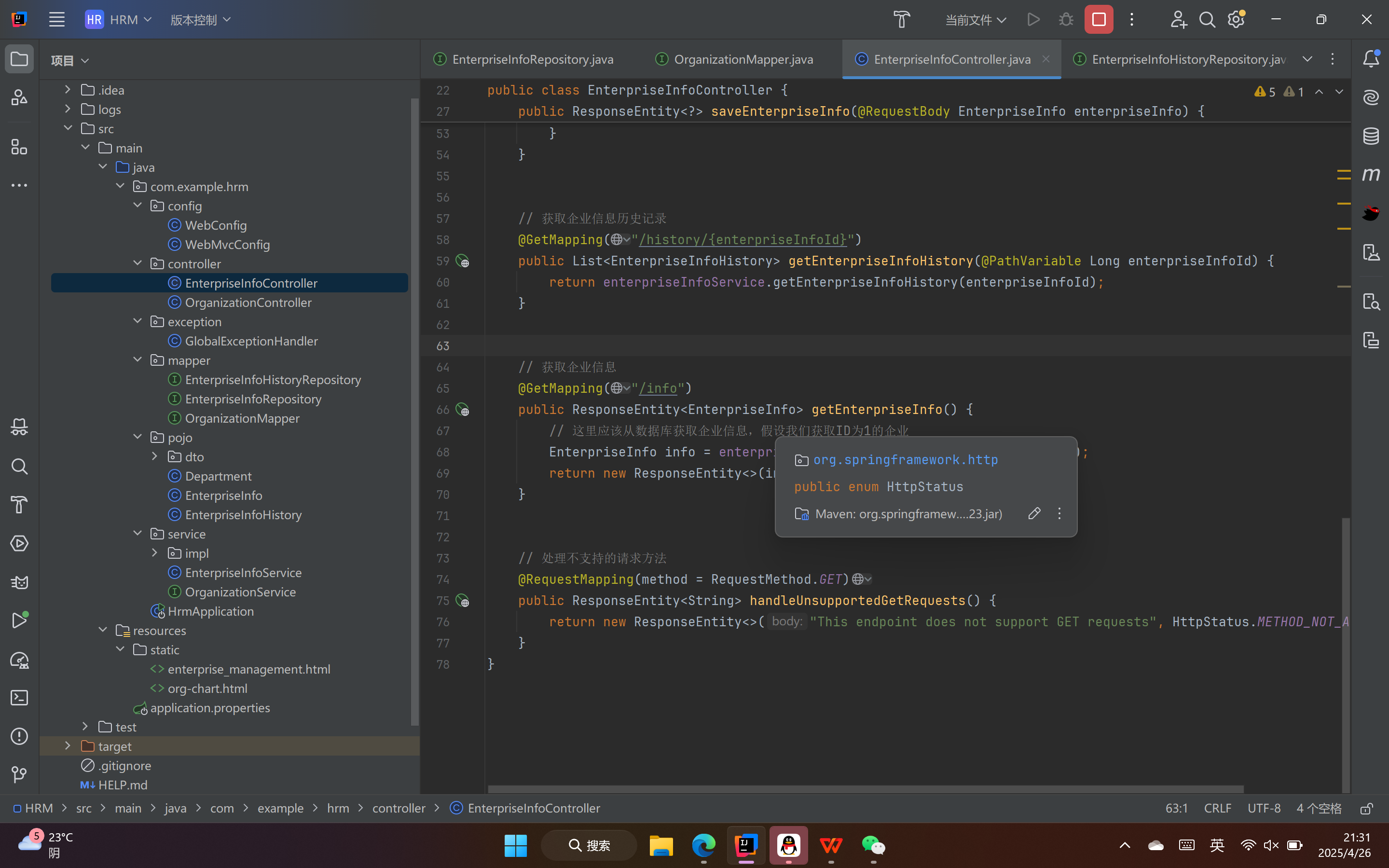
能够在修改公司信息的同时,自动录入修改日志
然后在查看历史纪录的时候能够遍历历史修改记录
另外能够成功跳转到别的界面中去

 浙公网安备 33010602011771号