
团队博客(团队冲刺第一天)
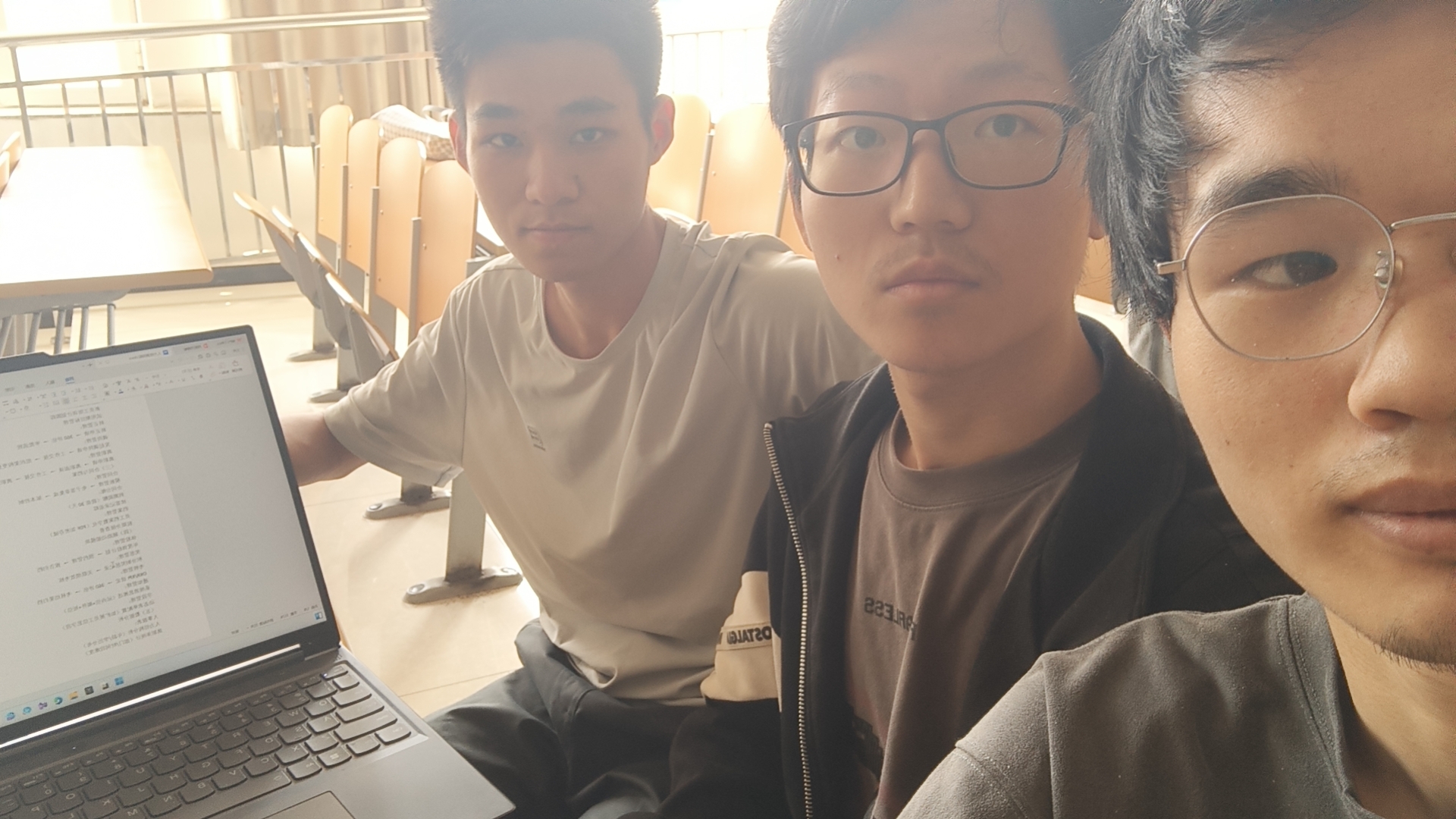
会议截图
下面是我们团队的任务卡
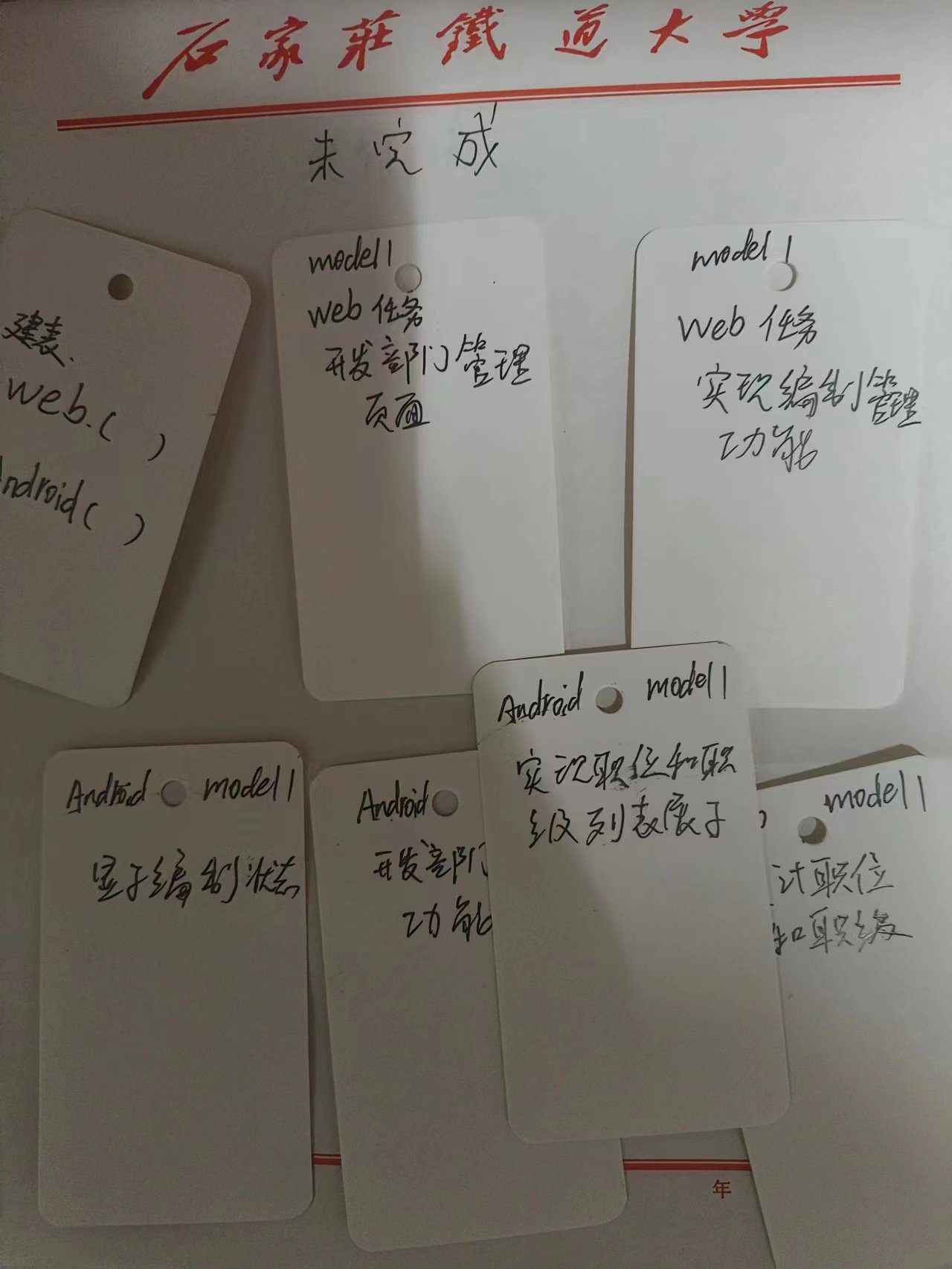
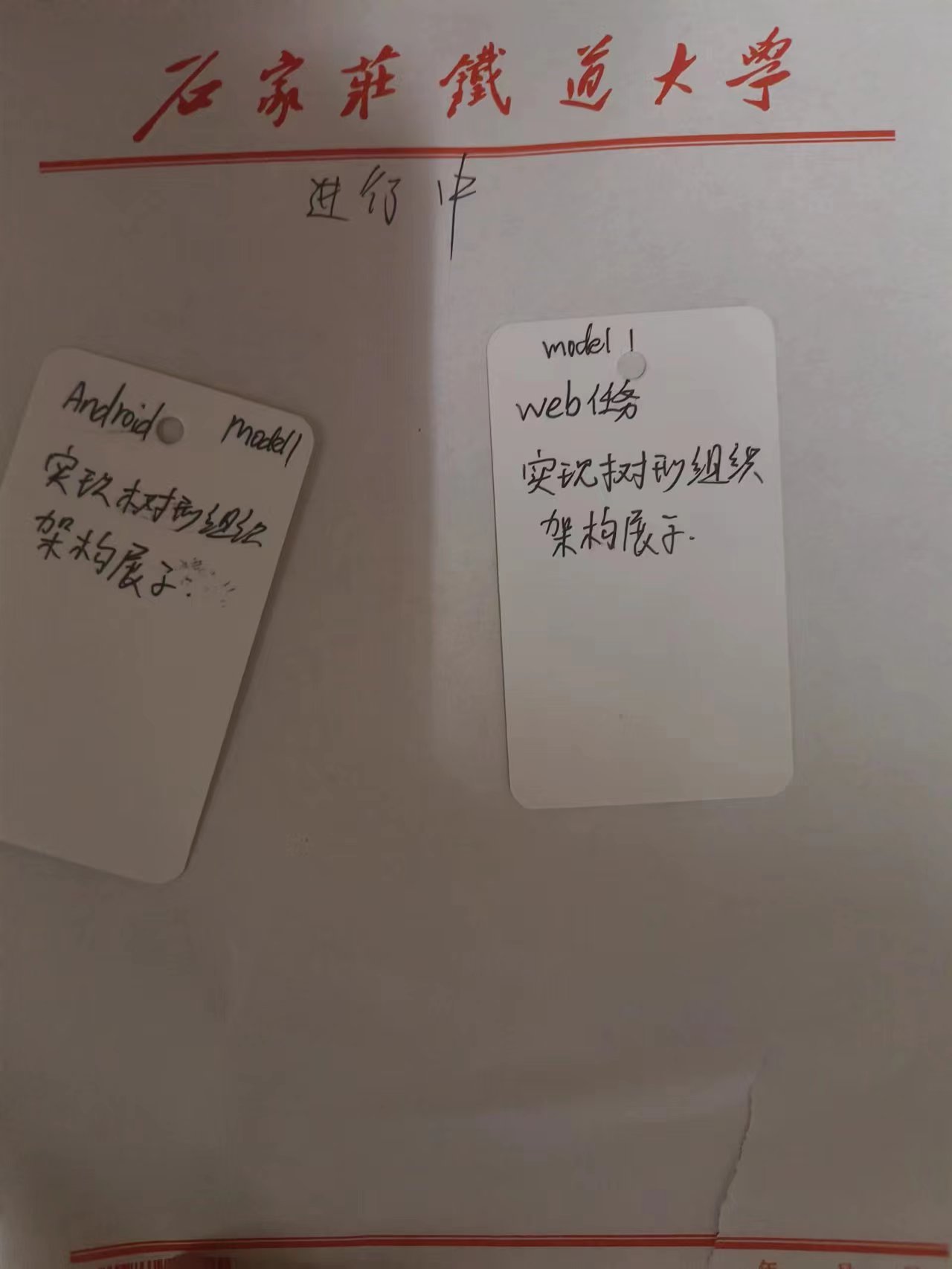
王皓扬:
今天是冲刺的第一天,我完成的团队任务卡的分配以及完成了android端的界面设计可以满足额外模块的添加代码详情如下!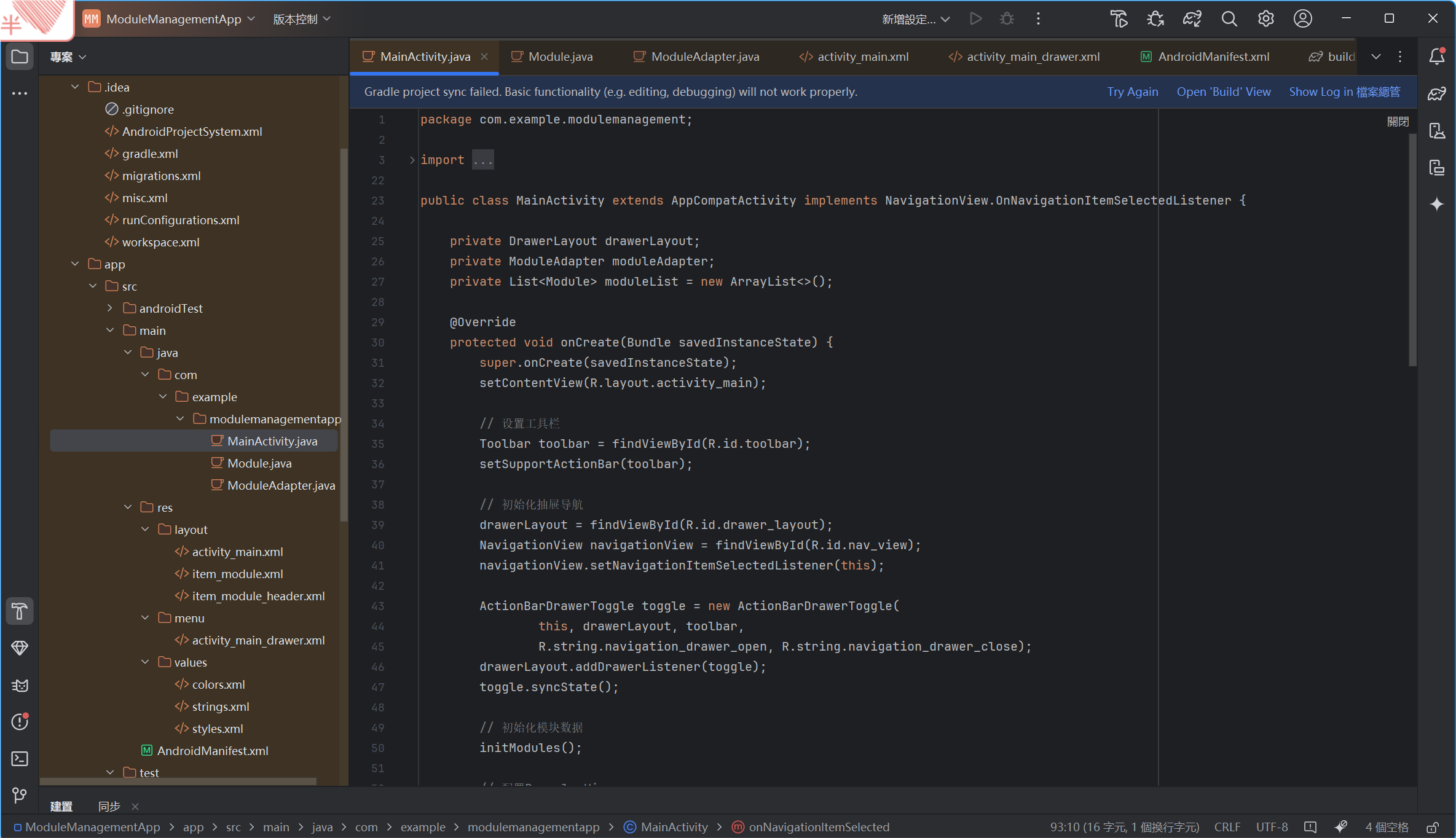
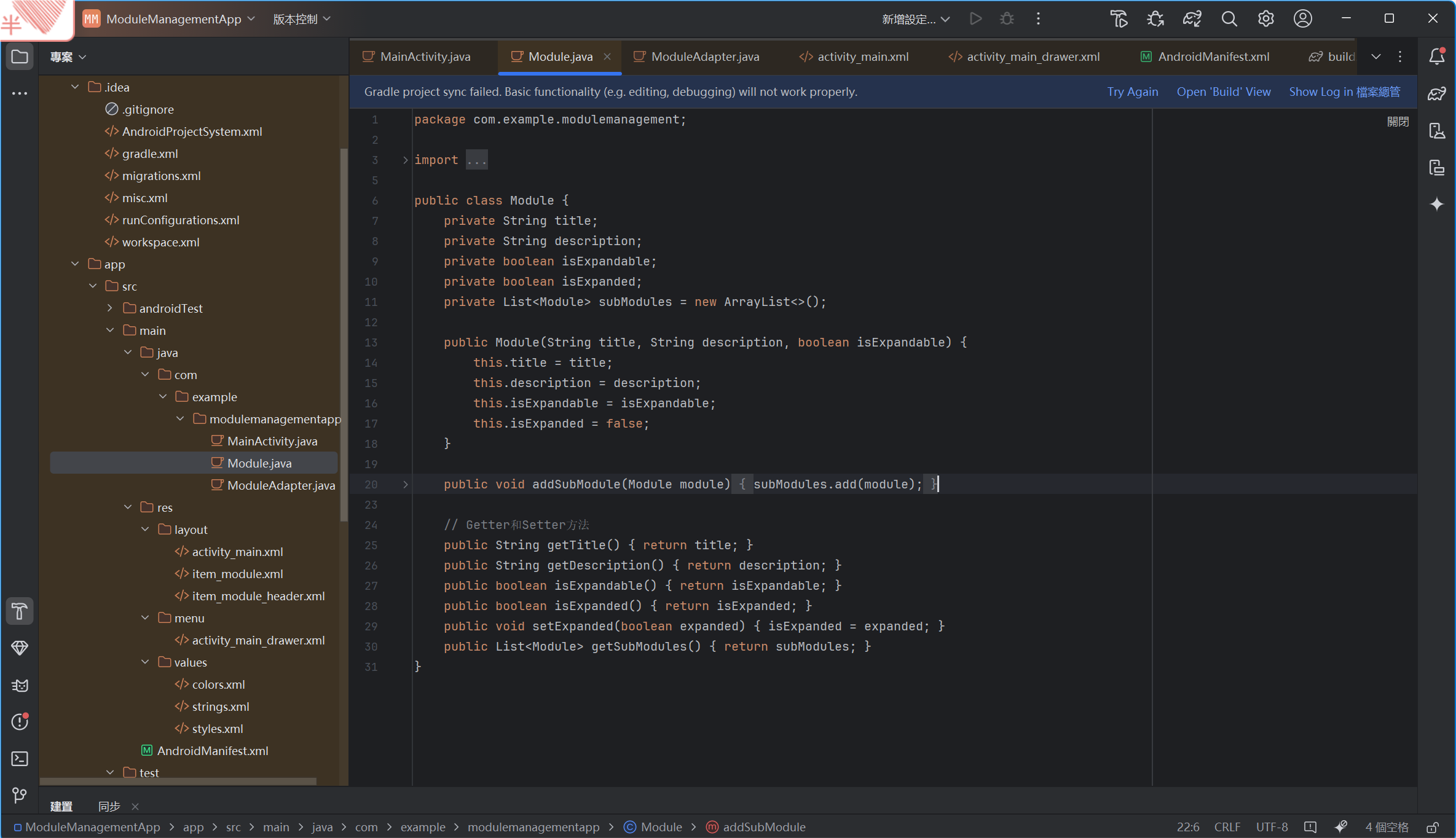
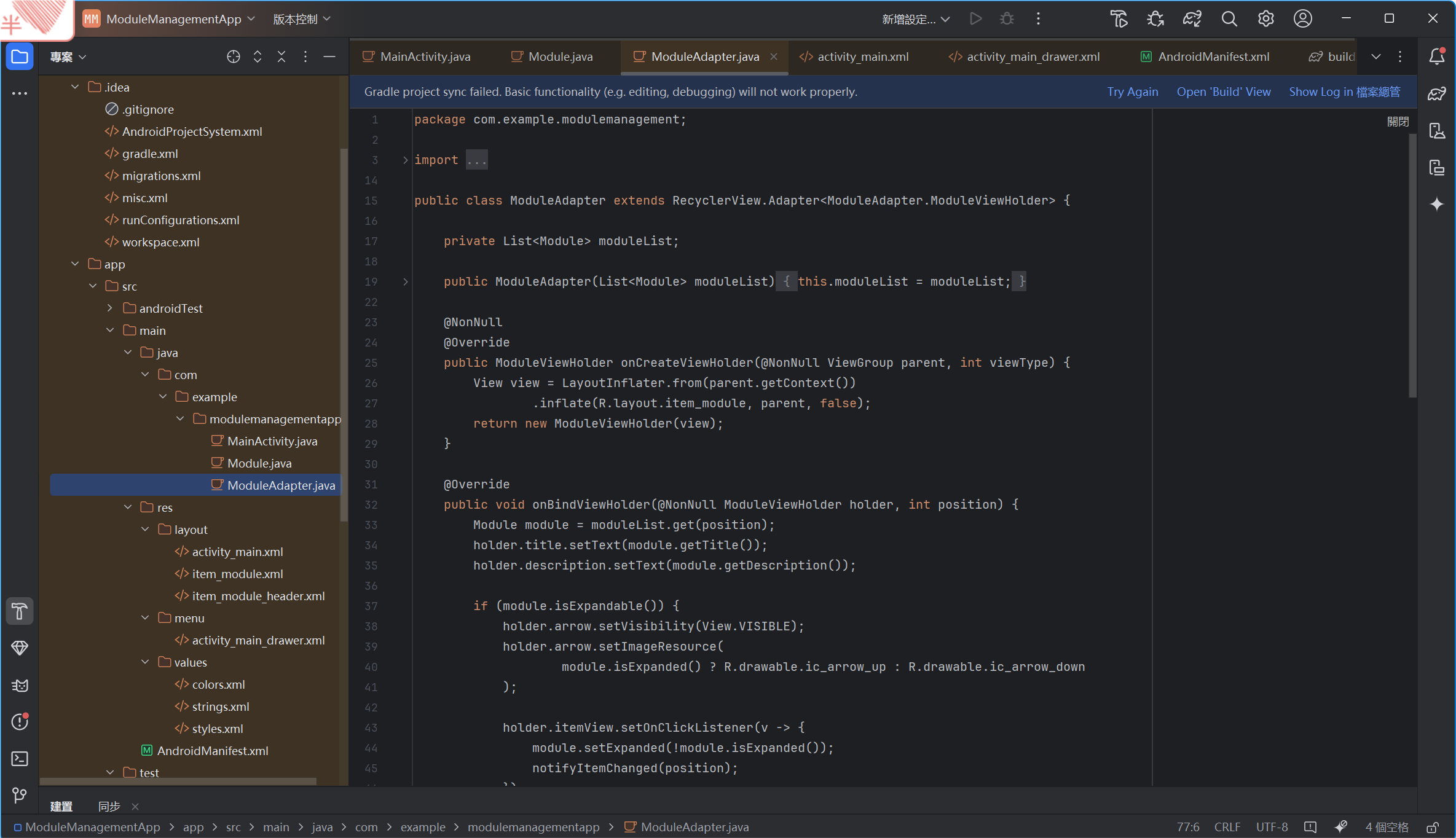
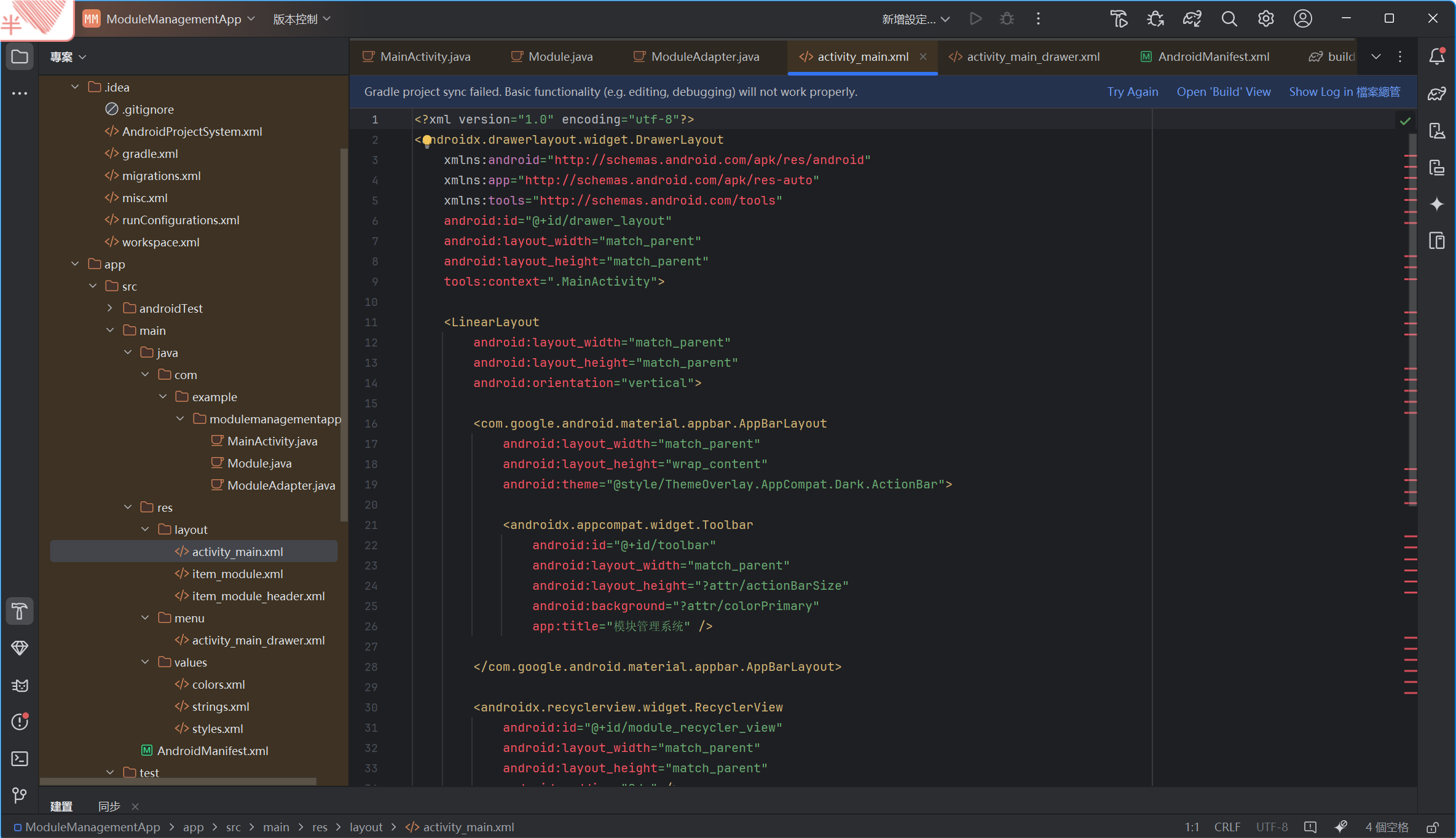
activity_main.xml中
<androidx.drawerlayout.widget.DrawerLayout xmlns:android="http://schemas.android.com/apk/res/android" xmlns:app="http://schemas.android.com/apk/res-auto" xmlns:tools="http://schemas.android.com/tools" android:id="@+id/drawer_layout" android:layout_width="match_parent" android:layout_height="match_parent" tools:context=".MainActivity">
<com.google.android.material.appbar.AppBarLayout android:layout_width="match_parent" android:layout_height="wrap_content" android:theme="@style/ThemeOverlay.AppCompat.Dark.ActionBar">
<androidx.appcompat.widget.Toolbar android:id="@+id/toolbar" android:layout_width="match_parent" android:layout_height="?attr/actionBarSize" android:background="?attr/colorPrimary" app:title="模块管理系统"/>
</com.google.android.material.appbar.AppBarLayout>
<androidx.recyclerview.widget.RecyclerView android:id="@+id/module_recycler_view" android:layout_width="match_parent" android:layout_height="match_parent" android:padding="8dp"/>
<com.google.android.material.floatingactionbutton.FloatingActionButton android:id="@+id/fab_add_module" android:layout_width="wrap_content" android:layout_height="wrap_content" android:layout_gravity="bottom|end" android:layout_margin="16dp" android:src="@android:drawable/ic_input_add"/>
<com.google.android.material.navigation.NavigationView android:id="@+id/nav_view" android:layout_width="wrap_content" android:layout_height="match_parent" android:layout_gravity="start" app:headerLayout="@layout/nav_header_main" app:menu="@menu/activity_main_drawer"/>
</androidx.drawerlayout.widget.DrawerLayout>
item_module.xml
<androidx.cardview.widget.CardView xmlns:android="http://schemas.android.com/apk/res/android" xmlns:app="http://schemas.android.com/apk/res-auto" android:layout_width="match_parent" android:layout_height="wrap_content" android:layout_marginBottom="8dp" app:cardCornerRadius="8dp" app:cardElevation="4dp">
</androidx.cardview.widget.CardView>
item_module_header.xml
熊磊:
昨天的成就:
在昨天我大概总结这整个项目的大纲,完成了项目里web端的登录功能,与主界面包括下拉菜单的展示,大概花费了我5到6小时的时间。
展示:
LoginController.java
package com.example.demo.controller;
import com.example.demo.service.UserService;
import jakarta.servlet.http.HttpSession;
import org.springframework.beans.factory.annotation.Autowired;
import org.springframework.http.ResponseEntity;
import org.springframework.web.bind.annotation.*;
import java.util.Map;
@RestController
@RequestMapping("/api")
public class LoginController {
@Autowired
private UserService userService;
// 登录接口
@PostMapping("/login")
public ResponseEntity<?> login(
@RequestParam String id,
@RequestParam String password,
HttpSession session
) {
try {
Integer userId = Integer.parseInt(id);
String result = userService.login(userId, password, session);
// 返回 JSON 格式
return ResponseEntity.ok(Map.of(
"success", true,
"message", result
));
} catch (NumberFormatException e) {
return ResponseEntity.badRequest().body(Map.of(
"success", false,
"message", "账号格式错误"
));
} catch (RuntimeException e) {
return ResponseEntity.badRequest().body(Map.of(
"success", false,
"message", e.getMessage()
));
}
}
// 获取当前用户信息接口
@GetMapping("/current-user")
public ResponseEntity<?> getCurrentUser(HttpSession session) {
Integer permissionLevel = (Integer) session.getAttribute("permissionLevel");
if (permissionLevel == null) {
return ResponseEntity.status(401).body(Map.of("message", "未登录"));
}
return ResponseEntity.ok(Map.of(
"permissionLevel", permissionLevel
));
}
}
PageController.java
package com.example.demo.controller;
import org.springframework.stereotype.Controller;
import org.springframework.web.bind.annotation.GetMapping;
@Controller
public class PageController {
// 主登录页面
@GetMapping("/")
public String index() {
return "index.html";
}
// 公司主界面
@GetMapping("/home")
public String home() {
return "home.html";
}
}
User.java
package com.example.demo.entity;
import jakarta.persistence.*;
@Entity
@Table(name = "user")
public class User {
@Id
@GeneratedValue(strategy = GenerationType.IDENTITY)
private Integer id;
private String password;
@Column(name = "permission_level") // 关键修复:映射下划线列名
private Integer permissionLevel;
private String position;
private String department; // 所属部门
private Integer positionLevel;// 职级
// -------------------- Getters --------------------
public Integer getId() {
return id;
}
public String getPassword() {
return password;
}
public Integer getPermissionLevel() {
return permissionLevel;
}
public String getPosition() {
return position;
}
public String getDepartment() {
return department;
}
// -------------------- Setters --------------------
public void setId(Integer id) {
this.id = id;
}
public void setPassword(String password) {
this.password = password;
}
public void setPermissionLevel(Integer permissionLevel) {
this.permissionLevel = permissionLevel;
}
public void setPosition(String position) {
this.position = position;
}
public void setDepartment(String department) {
this.department = department;
}
}
UserRepository.java:
package com.example.demo.repository;
import java.util.;
import org.springframework.data.jpa.repository.;
import com.example.demo.entity.User;
public interface UserRepository extends JpaRepository<User, Integer> {
// 根据 id 查询用户
Optional
}
UserService.java:
package com.example.demo.service;
import java.util.*;
import org.springframework.beans.factory.annotation.Autowired;
import org.springframework.stereotype.Service;
import com.example.demo.entity.User;
import com.example.demo.repository.UserRepository;
import jakarta.servlet.http.HttpSession;
@Service
public class UserService {
@Autowired
private UserRepository userRepository;
public String login(Integer id, String password, HttpSession session) {
Optional
System.out.println("用户查询结果:" + userOptional);
if (!userOptional.isPresent()) {
throw new RuntimeException("账号不存在");
}
User user = userOptional.get();
System.out.println("数据库密码:" + user.getPassword());
System.out.println("输入的密码:" + password);
if (!user.getPassword().equals(password)) {
throw new RuntimeException("密码错误");
}
session.setAttribute("permissionLevel", user.getPermissionLevel());
System.out.println("Session 中保存的权限等级:" + session.getAttribute("permissionLevel"));
return "登录成功!权限等级:" + user.getPermissionLevel();
}
}
index.html:
用户登录
欢迎使用公司管理系统
async function login() {
const id = document.getElementById('id').value;
const password = document.getElementById('password').value;
const messageDiv = document.getElementById('message');
messageDiv.innerText = '';
try {
const response = await fetch('/api/login', {
method: 'POST',
headers: {
'Content-Type': 'application/x-www-form-urlencoded',
},
body: id=${encodeURIComponent(id)}&password=${encodeURIComponent(password)}
});
// 直接解析 JSON
const result = await response.json();
if (result.success) {
window.location.href = '/home';
} else {
messageDiv.innerText = result.message;
}
} catch (error) {
console.error('登录请求失败:', error);
messageDiv.innerText = '网络错误,请检查控制台';
}
}
遇到的困难:
在我建立登录系统的过程中,代码中未报错,而在我输入已经准备好的id与密码时却始终无法成功登入。显示如下:Hibernate: select u1_0.id,u1_0.password,u1_0.permission_level,u1_0.position from user u1_0 where u1_0.id=?
我初步断定可能是我密码输入错误,或者在登录时,其中有个数据返回null值,我添加了一部分的异常处理,但仍然无法解决。最后我查看了浏览器的开发者工具,找到 /api/login 请求,
再加上与其相关了一些内容,我判定了原因其实是:后端登录接口返回的是纯文本(text/plain),但前端 login.js 代码尝试将响应解析为 JSON(response.json()),导致解析失败。
最后我修改,并完成了登录系统。
王子炎:
今天尝试去实现组织架构模块中的功能
功能定位:展示企业整体结构层级关系,支持基础调整。
这个模块还是挺难的,花了我大概5,6个小时大概
但是还是没能构建成功,
具体功能部分的代码还是没有完全实现,但是已经将结构大概构建完成,我想明天再花点时间应该能达到预期效果
具体效果如下:

自动生成展开/折叠树
拖拽部门节点到目标父节点
点击导出为图片按钮
代码截图如下:

没能成功导出项目结构的树


 浙公网安备 33010602011771号