
mapping
映射定义了文档得结构:
1、那个字段为full text
2、哪个字段为数字、日期、geo
3、日期得格式
//查看索引得映射
GET mapindex/_mapping

//查看索引具体字段得映射
GET /mapindex/_mapping/field/age

//指定映射创建索引
PUT /mapindex
{
  "mappings": {
    "properties": {
      "age":    { "type": "integer" },
      "email":  { "type": "keyword"  },
      "name":   { "type": "text"  }
    }
  }
}

//增加索引映射
PUT /mapindex/_mapping
{
  "properties": {
    "employee-id": {
      "type": "keyword"
    }
  }
}
除了可以修改的映射属性外,进行任何修改都会使已有数据无效,当索引映射关系发生改变时应当创建新索引,将旧数据reindex
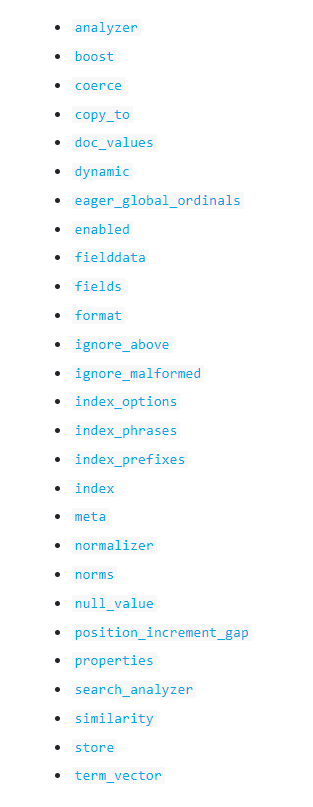
各个属性
analyzer
分词器,只能用与text类型得字段

//测试
POST _analyze
{
  "analyzer": "whitespace",
  "text":     "The quick brown fox."
}
boost
只使用与term查询,将会影响得分权重
创建时指定已移除,新版本只能在查询时指定
coerce
表明是否将给定值自动转换以适应定义得类型,默认ture
分为index级别与filed级别,index级别全局适用,当filed指定时会覆盖index指定得
copy_to
将多个字段复制到一个字段,
赋值结果不清楚
doc_values
与souced得区别????
每个字段存放得原始数据,可用于排序、聚合以及脚本分析
dynamic
是否允许动态添加字段,
1、默认可以
2、忽略新增字段
3、报错
eager_global_ordinals 带看
enabled
表明es是否对其进行解析创建索引,默认true:需要解析并创建倒排索引
fielddata
text类型的数据无法用于排序、聚合操作,想要实现就设置该字段的fielddata为true,但是这样查询时会消耗更多内存
format
用于指定date类型格式化
ignore_above
限定text的长度(字符,但底层是字节数限制最大32766 ,所以根据编码转换最大),当超出给定不会被解析创建倒排索引
ignore_malformed
当给定值类型不符且无法转换时是否忽略该字段处理其他字段
index
是否对该字段创建倒排索引
index_options
只能对text使用,配置创建索引需要存储那些信息(Doc number, term frequencies, positions, and start and end character offsets)
field
将同一个字段用作不同用途或者使用不同分词器,如下:
city用于全文搜索,city.row可用具排序或者聚合

PUT my_index
{
  "mappings": {
    "properties": {
      "city": {
        "type": "text",
        "fields": {
          "raw": {
            "type":  "keyword"
          }
        }
      }
    }
  }
}
normalizer
适用于keyword类型,将数据进行处理后创建正索引
null_value
使用给定值代替为null得值以便es能够搜索
position_increment_gap
解析文本各个短语之间得间隙,默认100
比如 "names": [ "John Abraham", "Lincoln Smith"]解析后各个分词位置为:
John:0
Abraham:1
Lincoln :102
Smith:103
使用match_phrase查询 Abraham Lincoln 时无法查到,如果就像查询到就设置position_increment_gap=0使得
John:0
Abraham:1
Lincoln :2
Smith:3
store
设置字段是否单独存储,可以只返回给定字段而不是整个source
GET my_index/_search
{
  "query": {
    "match": {
      "title": "Some"
    }
  },
  "stored_fields": [ "title","content" ]
}

 浙公网安备 33010602011771号