

生命周期之销毁
不完全(需补充):
1. 定时器并不会被销毁,需要手动销毁
<template>
    <div class="school">
        <h2>学校名称:{{name}}</h2>
        <h2>学校地址:{{address}}</h2>
        <button @click="death">点我销毁当前Schoolt组件</button>
    </div>
</template>

<script>
    export default {
        name:'School',
        props:['getSchoolName'],
        data() {
            return {
                name:'尚硅谷',
                address:'北京',
                n:0,
            }
        },
        methods: {
            death(){
                this.$destroy()
            }
        },
        mounted() {
            this.$bus.$on('hello',(data)=>{
                console.log('我是School组件,收到了数据',data)
            }),
            setInterval(()=>{
                console.log('定时器仍然在执行', this.n++)
            },3000)
        },
        beforeDestroy() {
            this.$bus.$off('hello')
        },
    }
</script>

<style scoped>
    .school{
        background-color: skyblue;
        padding: 5px;
    }
</style>
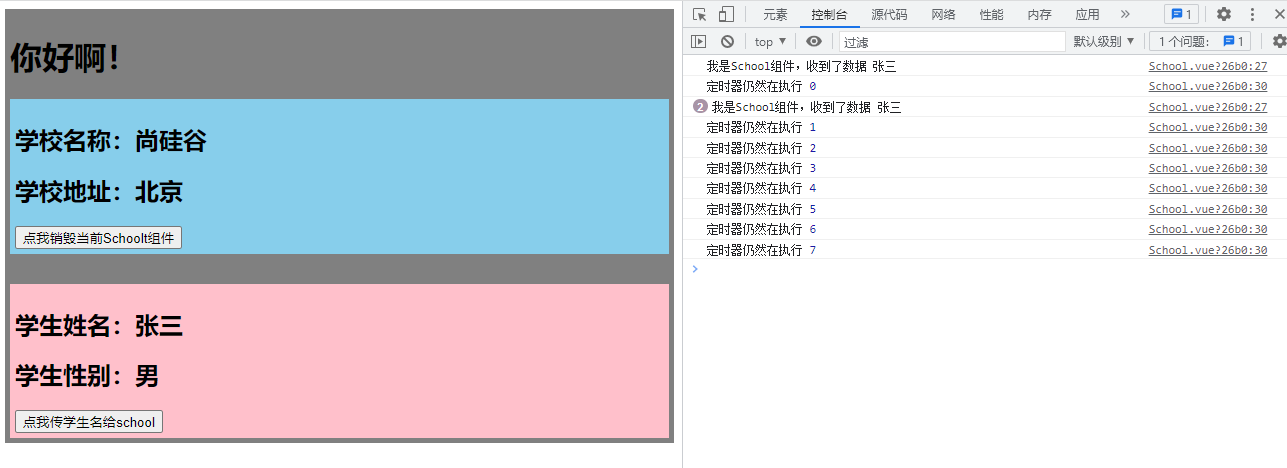
定时器在mounted()生命周期函数中运行,此时点击传学生名给school按钮,可以触发自定义事件,(此时school组件没有销毁),当销毁school组件按钮后,定时器仍然运行,但是无法传学生名给school组件

 浙公网安备 33010602011771号