
TP6 + Swagger 3 新手教学
网上搜索巨多的教程,终于找到一篇能够实现的教程了。
原文地址:https://blog.csdn.net/qq_38757174/article/details/116301882
环境:小皮面板 php7x
1.新建项目
官网地址:https://www.kancloud.cn/manual/thinkphp6_0/1037479
新建项目命令
composer create-project topthink/think tp
2.安装依赖
composer require zircote/swagger-php 3.*
最新已经到4.*了,如果不指定版本,会导致后面进行不下去。
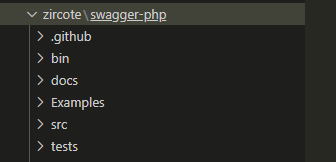
安装成功后
3.修改路由
在route文件夹下app.php;
//下面是新加的
Route::get('/swagger', function() {
   $openapi = OpenApi\scan(root_path().'app');
    // $openapi = OpenApi\scan('../app');//当然,你也可以用这种相对路径的写法,但是我建议还是用上面,避免更换route路径后出现问题
    header('Content-Type: application/json');
    echo $openapi->toJson();
});
如果 报错 OpenApi\scan undefined ,那可能就是 swagger 的版本不对,重新安装到3x的版本即可。
4.示例代码
修改 controller\Index.php:
<?php
namespace app\controller;

use app\BaseController;

/**
 * @OA\Info(title="thinkphp6接口文档", version="1.0.1")
 */

class Index extends BaseController
{
    /**
     * @OA\Get(path="/api/article",
     *   tags={"文章管理"},
     *   summary="文章列表",
     *   @OA\Parameter(name="token", in="header", description="token", @OA\Schema(type="string", default="123456")),
     *   @OA\Parameter(name="page", in="query", description="页码", @OA\Schema(type="int", default="1")),
     *   @OA\Parameter(name="limit", in="query", description="行数", @OA\Schema(type="int", default="10")),
     *   @OA\Response(response="200", description="The User")
     * )
     */
    public function index()
    {
                return '<style type="text/css">*{ padding: 0; margin: 0; } div{ padding: 4px 48px;} a{color:#2E5CD5;cursor: pointer;text-decoration: none} a:hover{text-decoration:underline; } body{ background: #fff; font-family: "Century Gothic","Microsoft yahei"; color: #333;font-size:18px;} h1{ font-size: 100px; font-weight: normal; margin-bottom: 12px; } p{ line-height: 1.6em; font-size: 42px }</style><div style="padding: 24px 48px;"> <h1>:) </h1><p> ThinkPHP V' . \think\facade\App::version() . '<br/><span style="font-size:30px;">14载初心不改 - 你值得信赖的PHP框架</span></p><span style="font-size:25px;">[ V6.0 版本由 <a href="https://www.yisu.com/" target="yisu">亿速云</a> 独家赞助发布 ]</span></div><script type="text/javascript" src="https://tajs.qq.com/stats?sId=64890268" charset="UTF-8"></script><script type="text/javascript" src="https://e.topthink.com/Public/static/client.js"></script><think id="ee9b1aa918103c4fc"></think>';

    }

    /**
     * @OA\Post(path="/api/article",
     *   tags={"文章管理"},
     *   summary="新增文章",
     *   @OA\Parameter(name="token", in="header", description="token", @OA\Schema(type="string")),
     *   @OA\RequestBody(
     *     @OA\MediaType(
     *       mediaType="multipart/form-data",
     *         @OA\Schema(
     *           @OA\Property(description="文章名称", property="title", type="string", default="dd"),
     *           @OA\Property(description="文章内容", property="content", type="string"),
     *           required={"title", "content"})
     *       )
     *     ),
     *   @OA\Response(response="200", description="successful operation")
     * )
     */
    public function save()
    {
        //save业务代码
    }

    /**
     * @OA\Get(path="/api/article/{id}",
     *   tags={"文章管理"},
     *   summary="文章详情",
     *   @OA\Parameter(name="token", in="header", description="token", @OA\Schema(type="string")),
     *   @OA\Parameter(name="id", in="path", description="文章id", @OA\Schema(type="int")),
     *   @OA\Response(response="200", description="The User")
     * )
     */
    public function read($id)
    {
        //read业务代码
    }

    /**
     * @OA\Put(path="/api/article/{id}",
     *   tags={"文章管理"},
     *   summary="编辑文章",
     *   @OA\Parameter(name="token", in="header", description="token", @OA\Schema(type="string")),
     *   @OA\Parameter(name="id", in="path", description="文章id", @OA\Schema(type="int")),
     *   @OA\RequestBody(
     *     @OA\MediaType(
     *       mediaType="content-type/json",
     *         @OA\Schema(
     *           @OA\Property(description="文章名称", property="title", type="string"),
     *           @OA\Property(description="文章内容", property="content", type="string"),
     *           required={"title", "content"})
     *       )
     *     ),
     *   @OA\Response(response="200", description="successful operation")
     * )
     */
    public function update($id)
    {
        //update业务代码
    }

    /**
     * @OA\Delete(path="/api/article/{id}",
     *   tags={"文章管理"},
     *   summary="删除文章",
     *   @OA\Parameter(name="token", in="header", description="token", @OA\Schema(type="string")),
     *   @OA\Parameter(name="id", in="path", description="文章id", @OA\Schema(type="int")),
     *   @OA\Response(response="200", description="The User")
     * )
     */
    public function delete($id)
    {
        //delete业务代码
    }
}
接下来浏览器打开 http://127.0.0.1/tp/public/index.php/swagger 查看

这样就是成功了(因为我们要拿到他的json文件)。
5.下载swagger
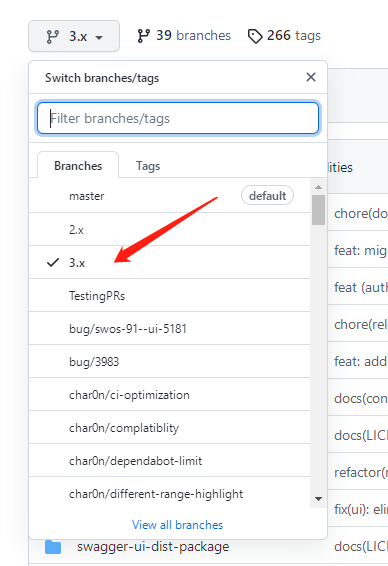
地址:https://github.com/swagger-api/swagger-ui/tree/3.x
记得要选3.0的版本
6.修改 swagger 文件
将 swagger 里的 dist 里的 index.html 改成下面这样就好了。
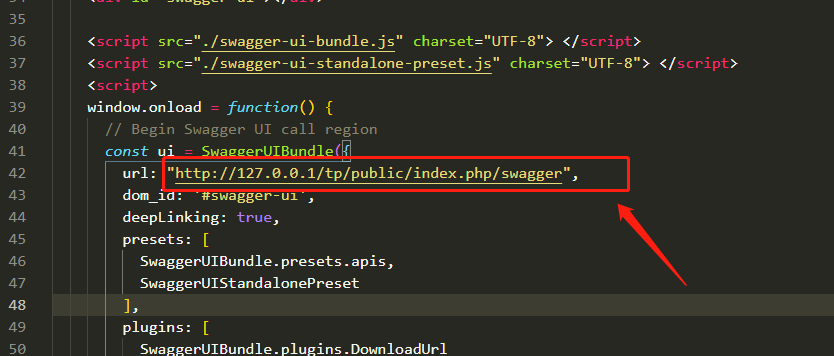
http://127.0.0.1/tp/public/index.php/swagger
7.最后一步
修改完成直接打开文件,直接打开文件,直接打开文件
但是会提示这样
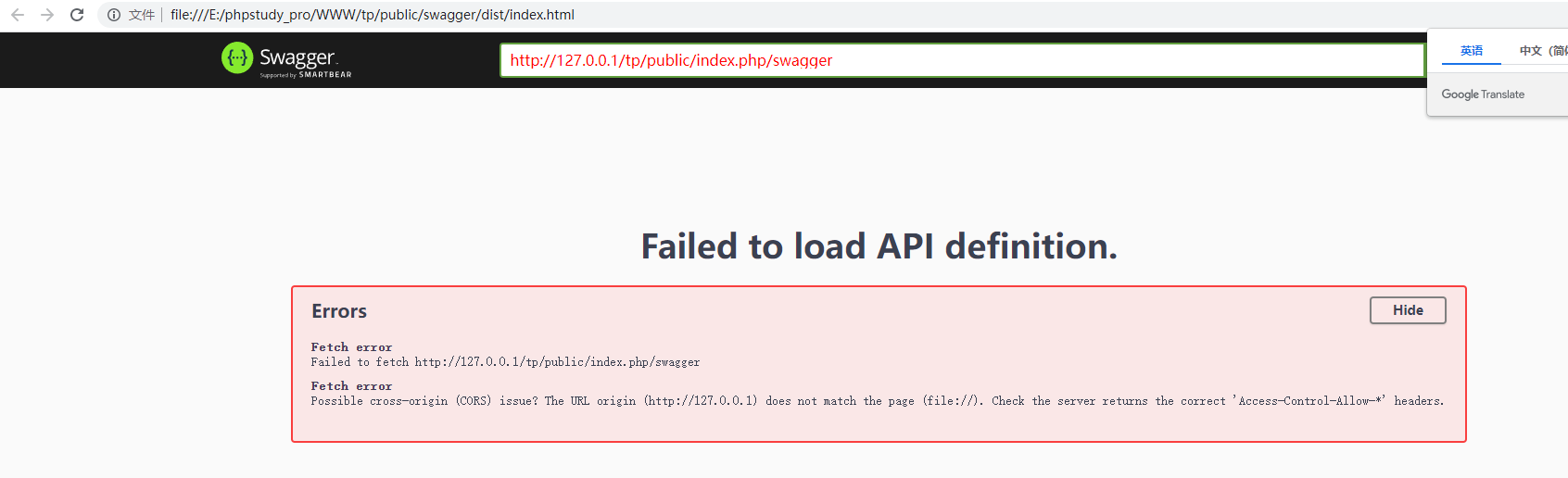
此时把地址前面修改成 127.0.0.1 即可
http://127.0.0.1/tp/public/swagger/dist/index.html
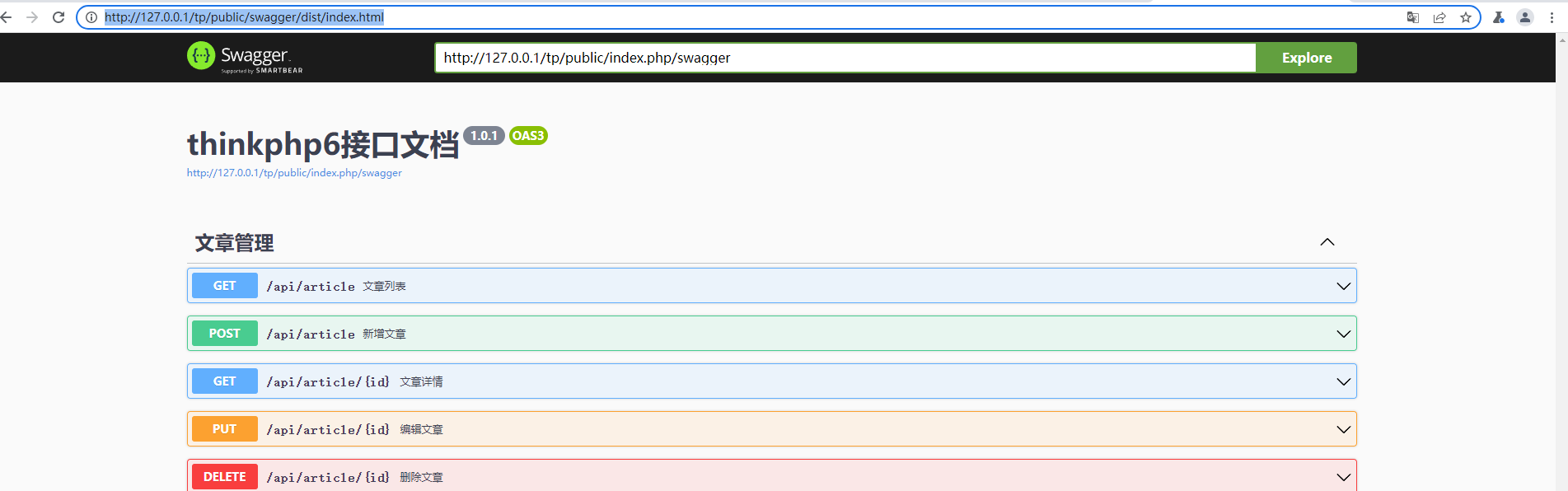
然后我就只会到这一步了。
剩下的自己去研究吧。
以上是全部内容了

 浙公网安备 33010602011771号