
selenium web 控件交互
ActionChains: 执行PC端的鼠标点击,双击,右键,拖曳等事件
TouchActions: 模拟PC和移动端的点击,滑动,拖曳,多点触控等多种手势操作
https://selenium-python.readthedocs.io/api.html
动作链接 ActionChains
执行原理:
调用 ActionChains 方法的时候,不会立刻执行,而是将所有的操作放到一个队列里面,当调用 perform() 方法的时候,队列的事件就会依次执行
基本用法:
- 生成一个动作 actions = ActionChains(driver)
- 动作添加方法1 actions.方法1
- 动作添加方法2 actions.方法2
- 调用 actions.perform() 方法执行
具体写法:
# 链式写法
ActionChains(driver).move_to_element(element).click(element).perform()

# 分布写法
actions = ActionChains(driver)
actions.move_to_element(element)
actions.click(element)
actions.perform()
例一:点击 右键 双击操作
actions = ActionChains(driver)
actions.click(element)
actions.double_click(element)
actions.context_click(element)
actions.perform()
测试网站:https://sahitest.com/demo/clicks.htm
点击、双击、右键按钮
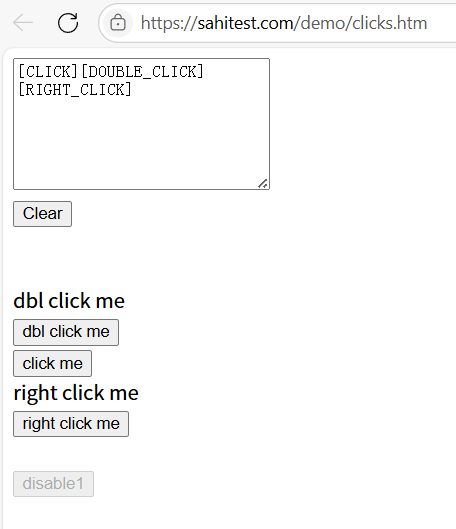
import time
import pytest
from selenium import webdriver
from selenium.webdriver import ActionChains
from selenium.webdriver.common.by import By


class TestActionChains():
    def setup_method(self):
        self.driver = webdriver.Chrome()
        self.driver.implicitly_wait(5)

    def teardown_method(self):
        self.driver.quit()

    def test_case_click(self):
        self.driver.get("https://sahitest.com/demo/clicks.htm")
        element_click = self.driver.find_element(By.XPATH, "/html/body/form/input[3]")
        element_doubleclick = self.driver.find_element(By.XPATH, "/html/body/form/input[2]")
        element_rightclick = self.driver.find_element(By.XPATH, "/html/body/form/input[4]")
        actions = ActionChains(self.driver)
        actions.click(element_click)
        actions.double_click(element_doubleclick)
        actions.context_click(element_rightclick)
        actions.perform()
        time.sleep(3)


if __name__ == '__main__':
    pytest.main()
例二:鼠标移动到某个元素上
action = ActionChains(self.driver)
action.move_to_element(element)
action.perfrom()
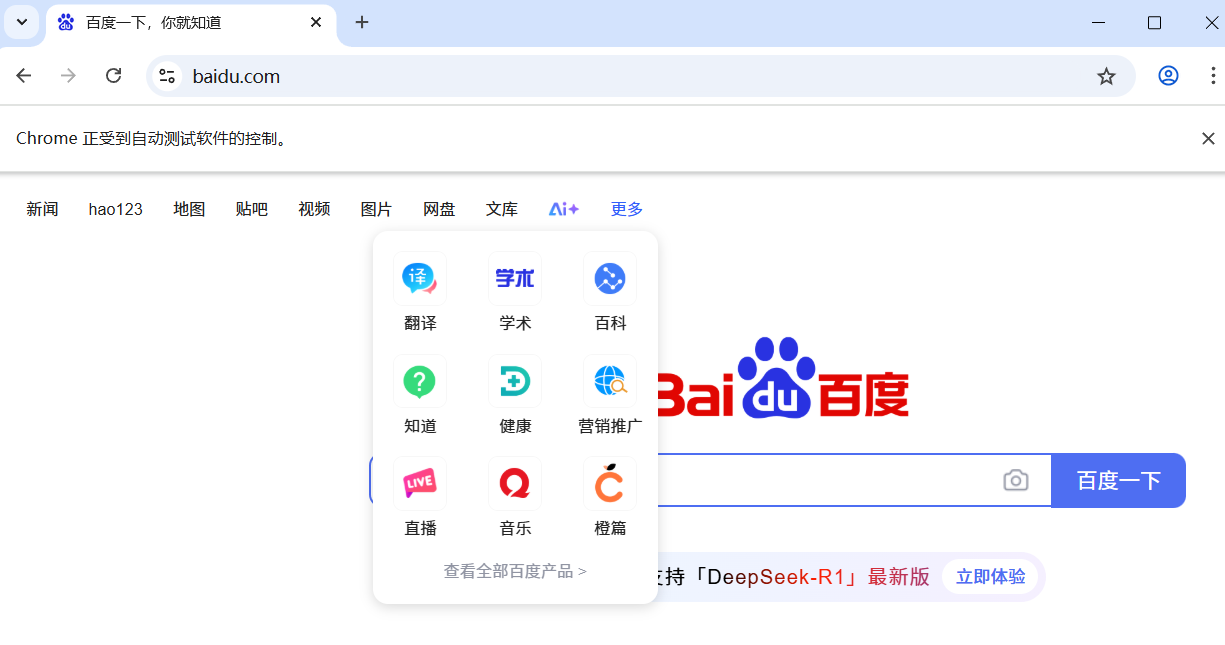
def test_movetoelement(self):
	self.driver.get("http://www.baidu.com")
	ele = self.driver.find_element(By.LINK_TEXT, "更多")
	action = ActionChains(self.driver)
	action.move_to_element(ele)
	action.perform()
	time.sleep(3)
例三:拖拽元素操作
action = ActionChains(self.driver)
# action.click_and_hold(element1).release(element2)
action.drag_and_drop(element1, element2)
action.perfrom()
测试网站:https://sahitest.com/demo/dragDropMooTools.htm
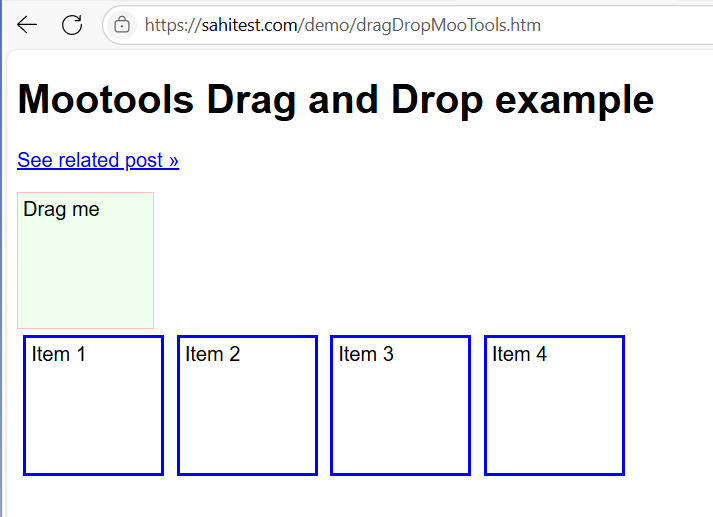
def test_draganddrop(self):
	self.driver.get("https://sahitest.com/demo/dragDropMooTools.htm")
	ele1 = self.driver.find_element(By.ID, "dragger")
	ele2 = self.driver.find_element(By.XPATH, "/html/body/div[2]")
	action = ActionChains(self.driver)
	# actions.click_and_hold(ele1).release(ele2)
	action.drag_and_drop(ele1, ele2)
	action.perform()
	time.sleep(3)
例四:模拟键盘操作
action = ActionChains(self.driver)
action.send_keys(Keys.BACK_SPACE) # 后退键
action.perfrom()
测试网站:https://sahitest.com/demo/label.htm
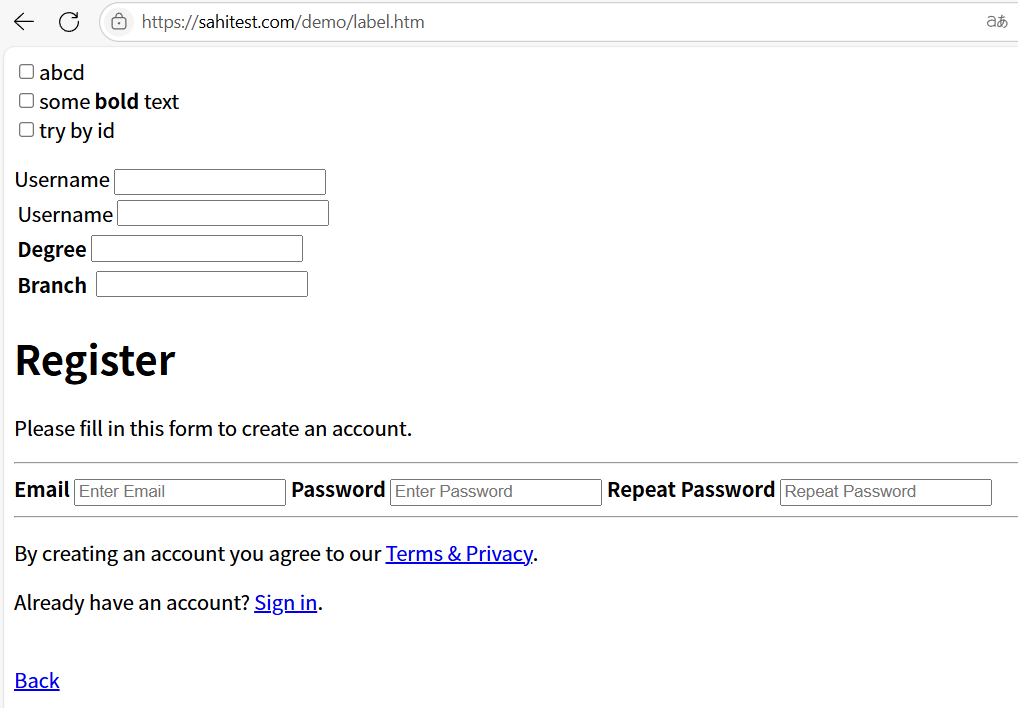
def test_keys(self):
	self.driver.get("https://sahitest.com/demo/label.htm")
	ele1 = self.driver.find_element(By.XPATH, "/html/body/label[1]/input")
	ele2 = self.driver.find_element(By.XPATH, "/html/body/label[2]/table/tbody/tr/td[2]/input")
	action = ActionChains(self.driver)
	action.move_to_element(ele1).click()
	action.send_keys("username").send_keys(Keys.SPACE).send_keys("tom").send_keys(Keys.BACK_SPACE)
	action.perform()
	time.sleep(3)
	ele1.send_keys(Keys.CONTROL, 'a')  # 全选
	ele1.send_keys(Keys.CONTROL, 'c')  # 复制
	ele2.send_keys(Keys.CONTROL, 'v')  # 粘贴到下面的输入框
	time.sleep(3)
例五:表单操作
测试网站:https://testerhome.com/account/sign_in
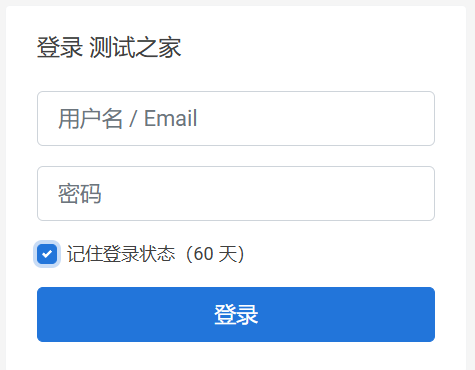
def test_form(self):
	self.driver.get("https://testerhome.com/account/sign_in")
	self.driver.find_element(By.ID, 'user_login').send_keys('123')
	self.driver.find_element(By.ID, 'user_password').send_keys('password')
	self.driver.find_element(By.XPATH, '//*[@id="new_user"]/div[3]/div/label').click()
	self.driver.find_element(By.XPATH, '//*[@id="new_user"]/div[4]/input').click()
	time.sleep(5)
触摸动作 TouchAction(selenium4 已弃用)
TouchAction,类似于ActionChains,ActionChains只是针对PC端程序鼠标模拟的一系列操作,对H5页面操作是无效的。TouchAction可以对H5页面操作,通过TouchAction可以实现点击、滑动、拖拽、多点触控,以及模拟手势等各种操作。

 浙公网安备 33010602011771号