
豆瓣高分电影爬取
仅供学习交流研究参考
1. 爬取基本步骤:
- 发送请求,确定url地址,然后发送请求
- 获取请求,获取服务器返回的响应数据
- 解析数据,获取我们想要的数据
- 保存数据
- 多页数据爬取
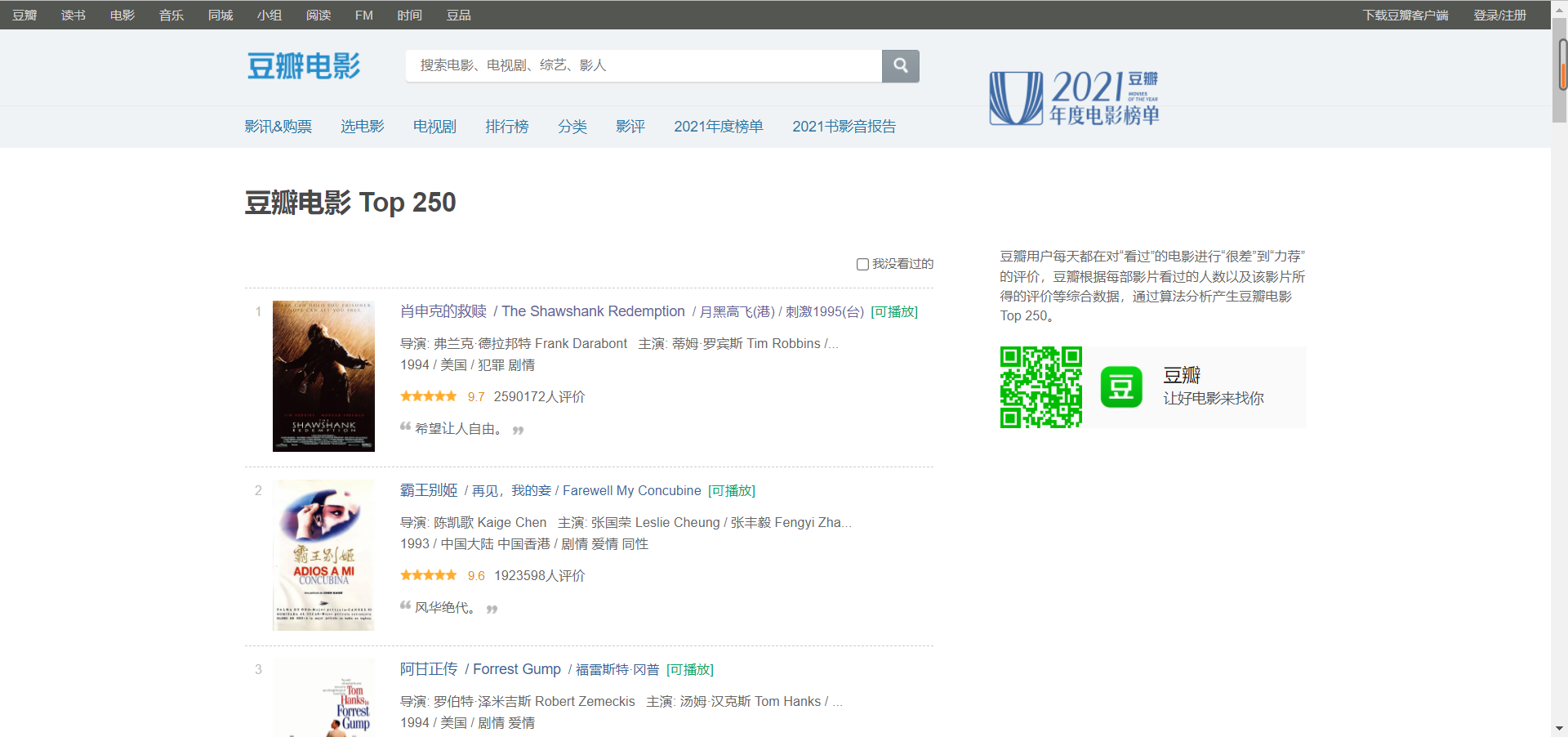
2. 所需爬取页面
爬取时需要user-Agent 字段对爬虫headers进行伪装
从ol入手,
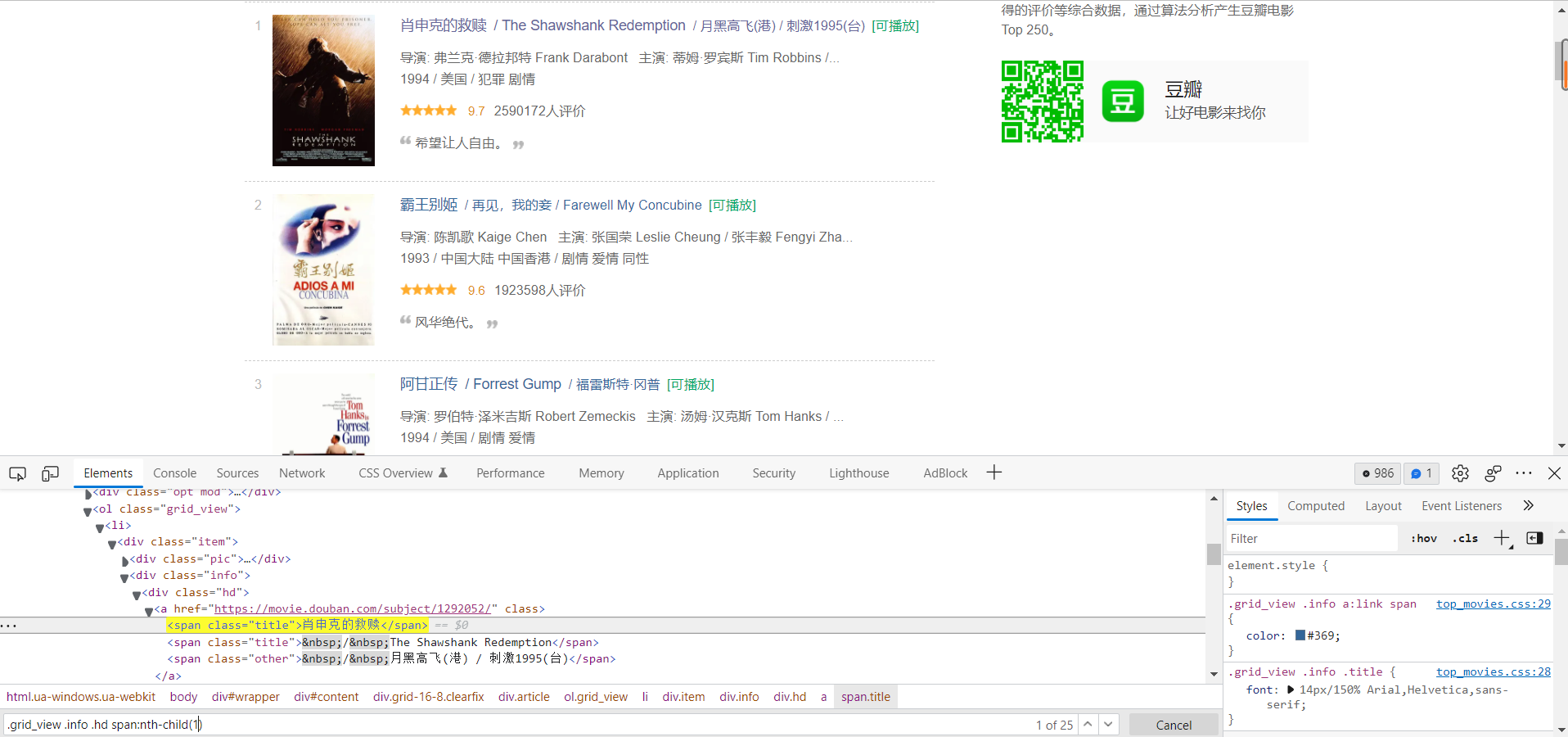
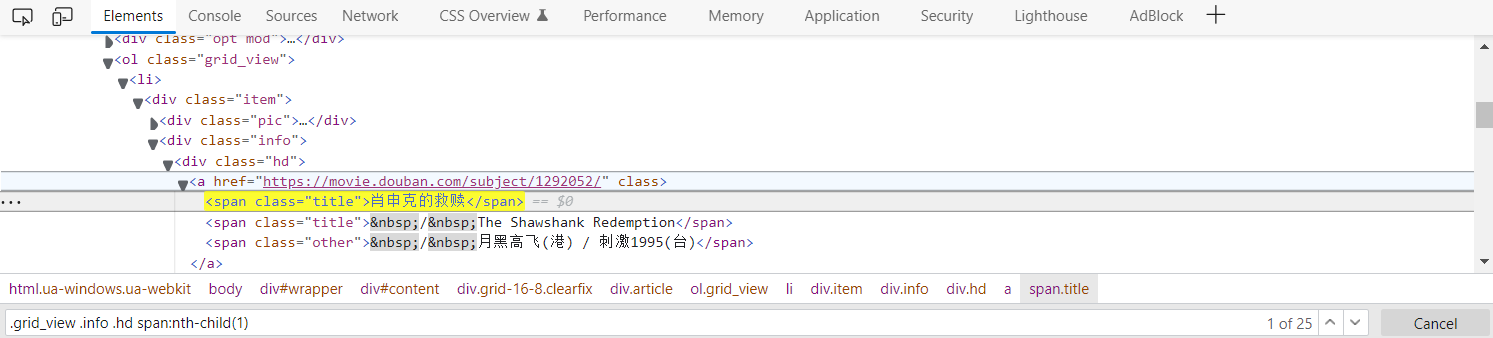
CSS选择器
.grid_view .info .hd span:nth-child(1)
3. 具体的代码实现
import requests
import parsel
import csv
import time

def getGTMLText(url, headers):
    """
    爬取目标网页的文本信息
    :param url:目标网页链接
    :return:目标网页的文本信息
    """
    try:
        r = requests.get(url, timeout=30, headers=headers)
        r.raise_for_status()
        r.encoding = r.apparent_encoding
        return r.text
    except:
        return ""

def getMoviesInfo(html, Info_dic):

    f = open('./豆瓣Top250.csv', mode='a', encoding='utf-8', newline='')
    csv_writer = csv.DictWriter(f, fieldnames=[
        '电影名称',
        '导演',
        '演员',
        '上映时间',
        '拍摄国家',
        '类别',
        '评分',
        '评价人数',
        '简介',
    ])
    csv_writer.writeheader()

    selector = parsel.Selector(html)
    lis = selector.css('.grid_view li')     # 获取所有li标签,返回的数据列表,
    for li in lis:
        try:
            # parsel css选择器
            title = li.css('.info .hd span.title:nth-child(1)::text').get()                     # 电影名字
            movie_info_list = li.css('.info .bd p:nth-child(1)::text').getall()                 # getall()获取所有电影信息
            detector_and_actors = movie_info_list[0].strip().split('   ')
            if len(detector_and_actors) > 1:
            detector = detector_and_actors[0]                                                   # 导演
            actors = detector_and_actors[1].replace(' /', '').replace('...','')                 # 演员
            movie_info = movie_info_list[1].strip().split(' / ')                          # 电影时间和类别
            date = movie_info[0]                                                                # 上映时间
            nation = movie_info[1]                                                              # 国家
            category = movie_info[2]                                                            # 类别
            score = li.css('.info .bd .star :nth-child(2)::text').get()                         # 评分
            number = li.css('.info .bd .star :nth-child(4)::text').get().replace('人评价', '')   # 人数
            summary = li.css('.info .bd .quote .inq::text').get()                               # 简介 概要
        except:
            print('...')

        # Info_list.append([title, detector, actors, date, nation, category, score, number, summary])
        Info_dic = {
            '电影名称': title,
            '导演': detector,
            '演员': actors,
            '上映时间': date,
            '拍摄国家': nation,
            '类别': category,
            '评分': score,
            '评价人数': number,
            '简介': summary
        }
        csv_writer.writerow(Info_dic)
        print(title, detector, actors, date, nation, category, score, number, summary)


if __name__ == '__main__':
    MovieInfo_list = []
    MovieInfo_dic = {}
    # url = 'https://movie.douban.com/top250'
    headers = {'User-Agent': 'Mozilla/5.0 (Windows NT 10.0; Win64; x64) AppleWebKit/537.36 (KHTML, like Gecko) Chrome/99.0.4844.51 Safari/537.36 Edg/99.0.1150.30'}
    # https://movie.douban.com/top250
    # https://movie.douban.com/top250?start=25&filter=
    # https://movie.douban.com/top250?start=50&filter=
    # raw_url = 'https://movie.douban.com/top250?start='
    num = 1
    for page in range(0, 250, 25):
        time.sleep(1)
        print("正在爬取第{}页数据".format(num))
        num += 1
        # print(raw_url + str(page) + "&filter=")
        # url = raw_url + str(page) + "&filter="
        url  = 'https://movie.douban.com/top{page}?start=50&filter='
        html = getGTMLText(url, headers)
        getMoviesInfo(html, MovieInfo_dic)
    # print(html)
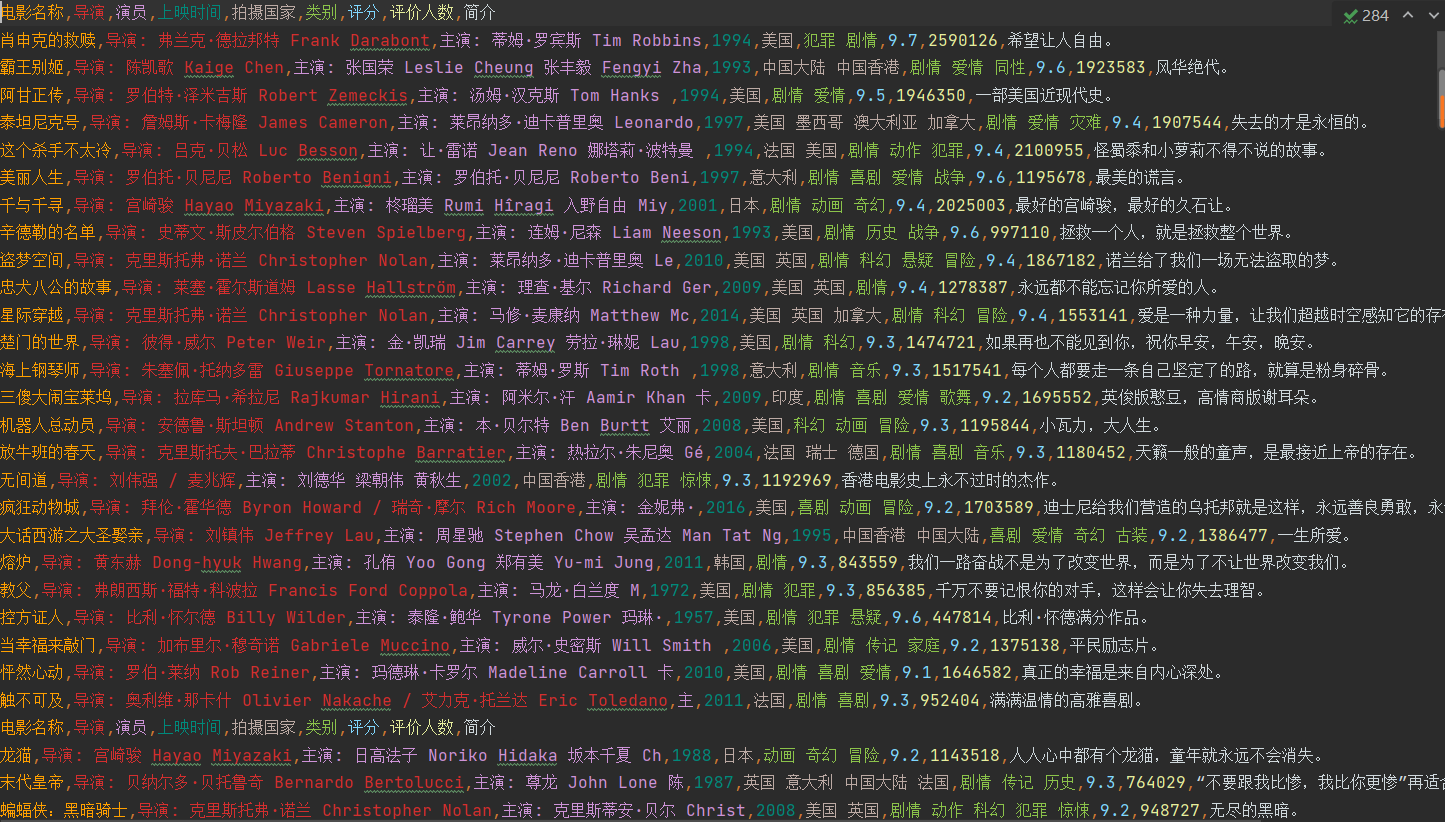
4. 爬取结果
5. 总结
数据的解析总是一大难题,这里使用parsel css选择器,虽然我不懂,但跟着用还是差不多
数据多页爬取,这里简单,点击下一页网页会变,如果是ajax异步传输难就麻烦,我现在还不会。
tips:今天本来想大露一手结果打脸,爬取[寻找项目 (ncss.cn)](https://cy.ncss.cn/search/projects)信息,结果发现信息存储是异步传输,不会爬取。在这里mark一下,以后再来爬取

 浙公网安备 33010602011771号