


数组的map与forEach方法
forEach
forEach是数组遍历的一种方法。
forEach的写法:
运行结果见图1
var arr=[1,2,3,5,6,7,8,9];
arr.forEach(function(item,index,arr){
            console.log(item,index,arr);
        })
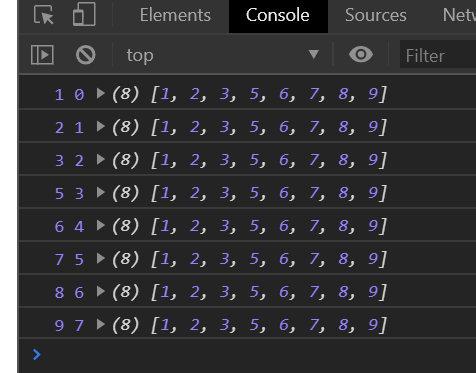
图1
函数括号里的 item是数组中的元素,index 是每个元素对应的下标,arr 是数组自身。
我们可以通过这个去遍历数组,函数括号里面的三个都是参数,参数的名字是可以随便起的。但是注意三个参数位置代表的含义是固定的,第一个代表数组中的元素,第二个代表每个元素对应的下标,第三个代表数组自身。
利用forEach对数组进行求和,输入代码,控制台打印结果见图2:
函数里面的参数需要就写,不需要我们可以不写。
var arr = [1,2,3,4,5,6,7,8,9];
var sum=0;
        arr.forEach(function(item){
            sum+=item;
        })
        console.log(sum)
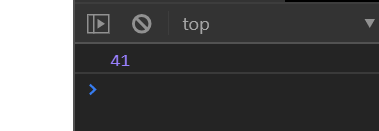
图2
使用forEach是可以直接跳过空元素的,从打印结果可以看出,并没有我设置的空元素,见图3:
var arr=[1,2,3,5,,6,7,8,9];
//使用forEach可以跳过空元素
        arr.forEach(function(item,index){
          console.log(item,index);
        })
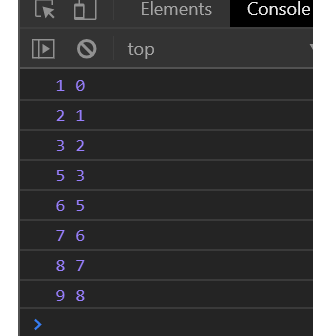
图3
如果想要让空元素显示出来,可以这样写:
var arr=[2,4,6,,8,3,2];
        var arr1=[];
        arr.forEach(function(item,index){
            arr1[index]=item;
        })
        console.log(arr1);
map
map也是数组遍历的一种方法。
map的写法:
运行结果见图4
从图4可以看出,如果只是用于遍历数组的话map的功能和forEach之前打印出来的效果是一模一样的
var arr=[3,5,7,9,1,2,4];
arr.map(function(item,index,arr){
           console.log(item,index,arr);
        });
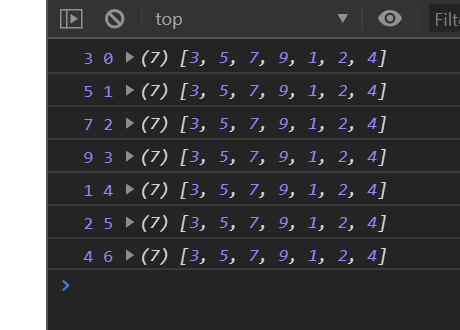
图4
map和forEach不一样的地方:
forEach没有返回值
map是有返回值的,map返回的值全是undefined,并且map返回的数组的长度和之前数组的长度是一样的。由此可以得出,map会返回一个与原数组长度相等的新数组
见图5:
var arr = [3, 5, 7, 9, 1, 2, 4];

      var arr1 = arr.map(function(item, index, arr) {
      });
      console.log(arr1);


      var arr2 = arr.forEach(function(item, index, arr) {
      });
      console.log(arr2);

图5
在map中,使用return 就是在对应的下标中添加对应的数据
forEach使用return无效。见图6
var arr = [3, 5, 7, 9, 1, 2, 4];
      var arr1 = arr.map(function(item, index, arr) {
          return "a";
      });
      console.log(arr1);

      var arr2 = arr.forEach(function(item, index, arr) {
        return "a";
      });
      console.log(arr2);
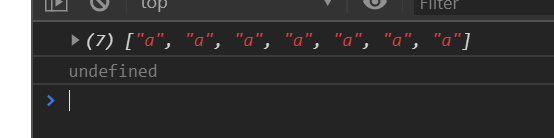
图6
forEach对浏览器都是兼容的,map不兼容ie8以下的浏览器。

 浙公网安备 33010602011771号