

下载Sentinel-1 SAR数据
一、ASF下载
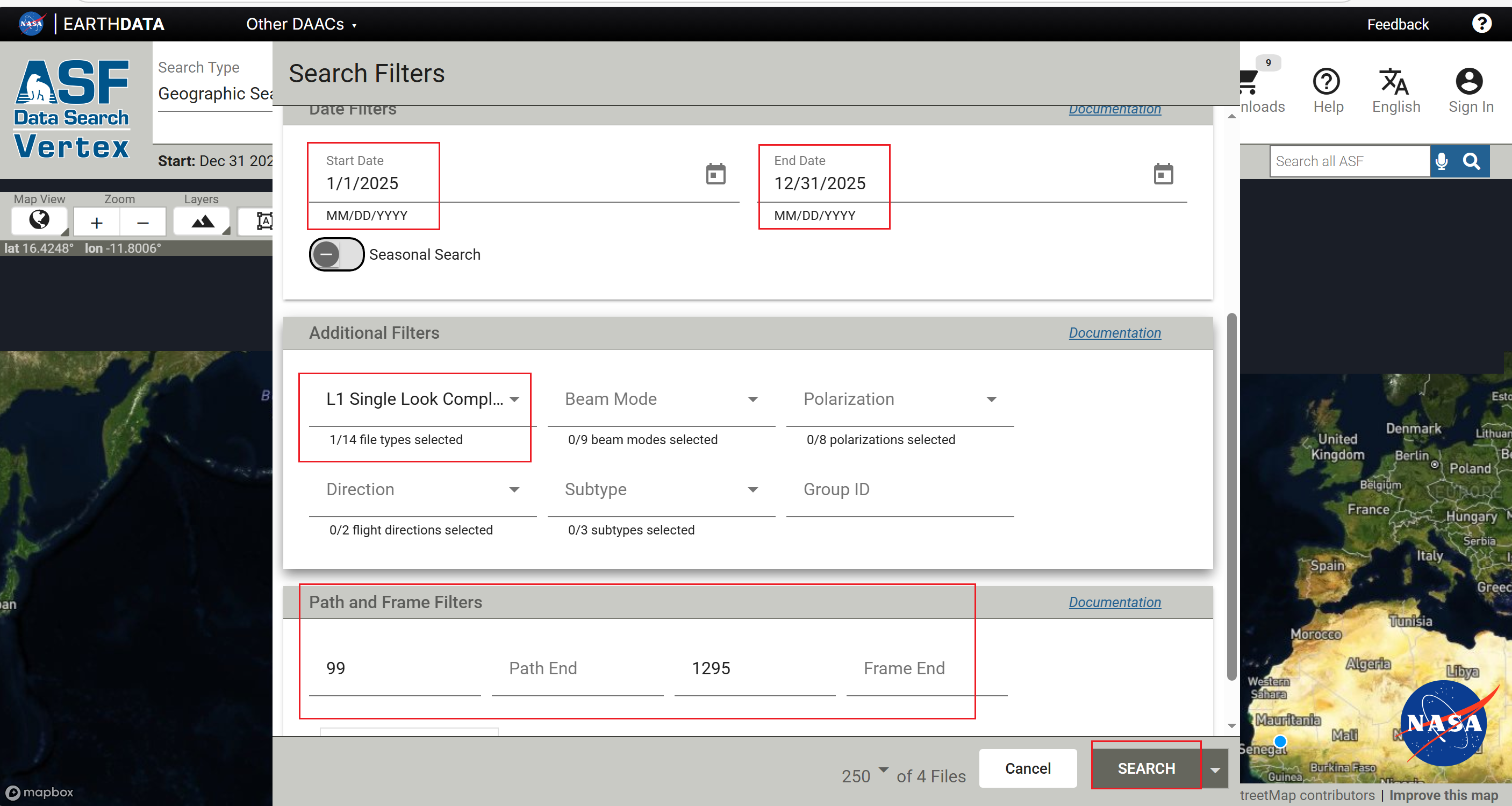
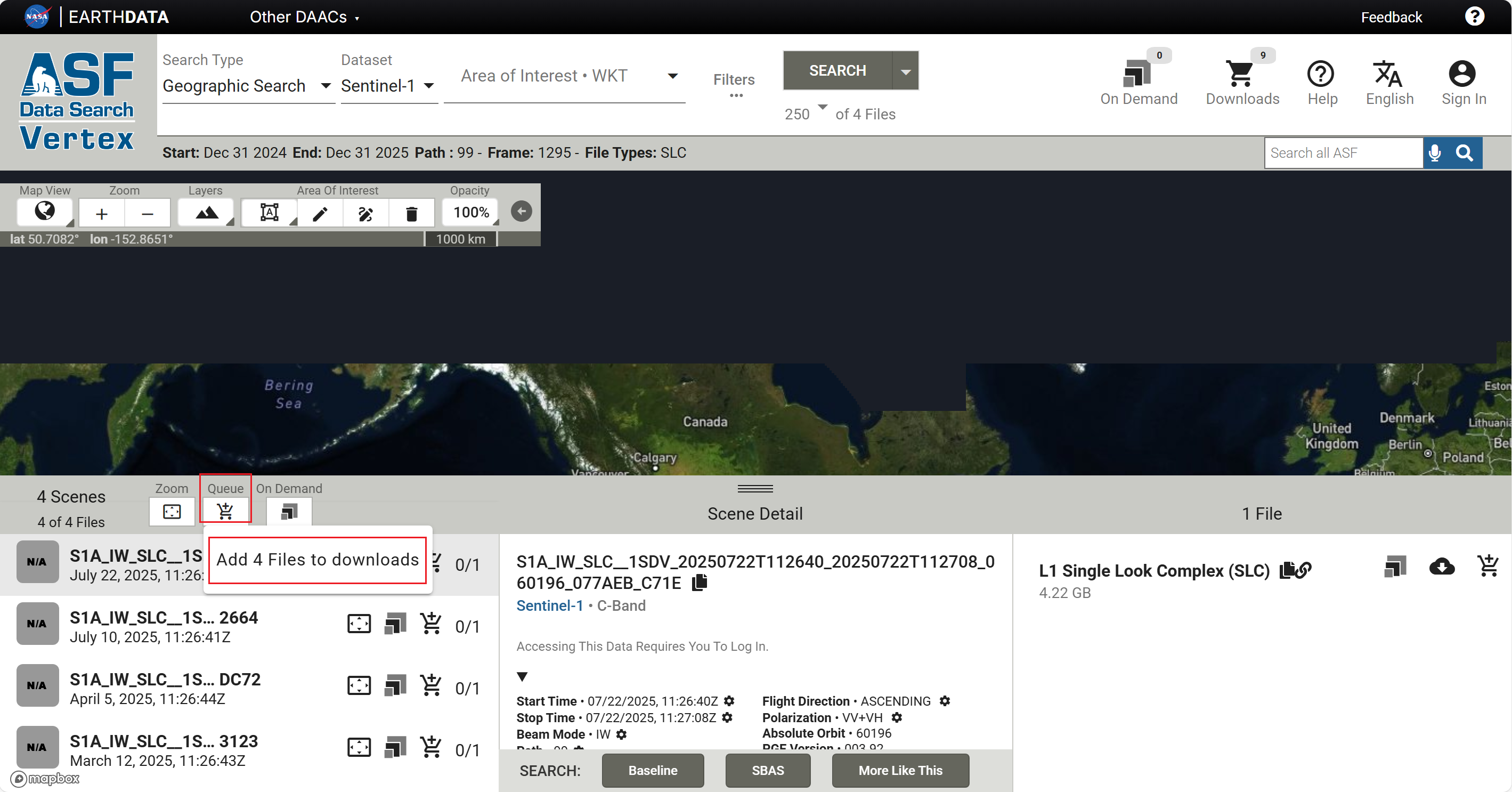
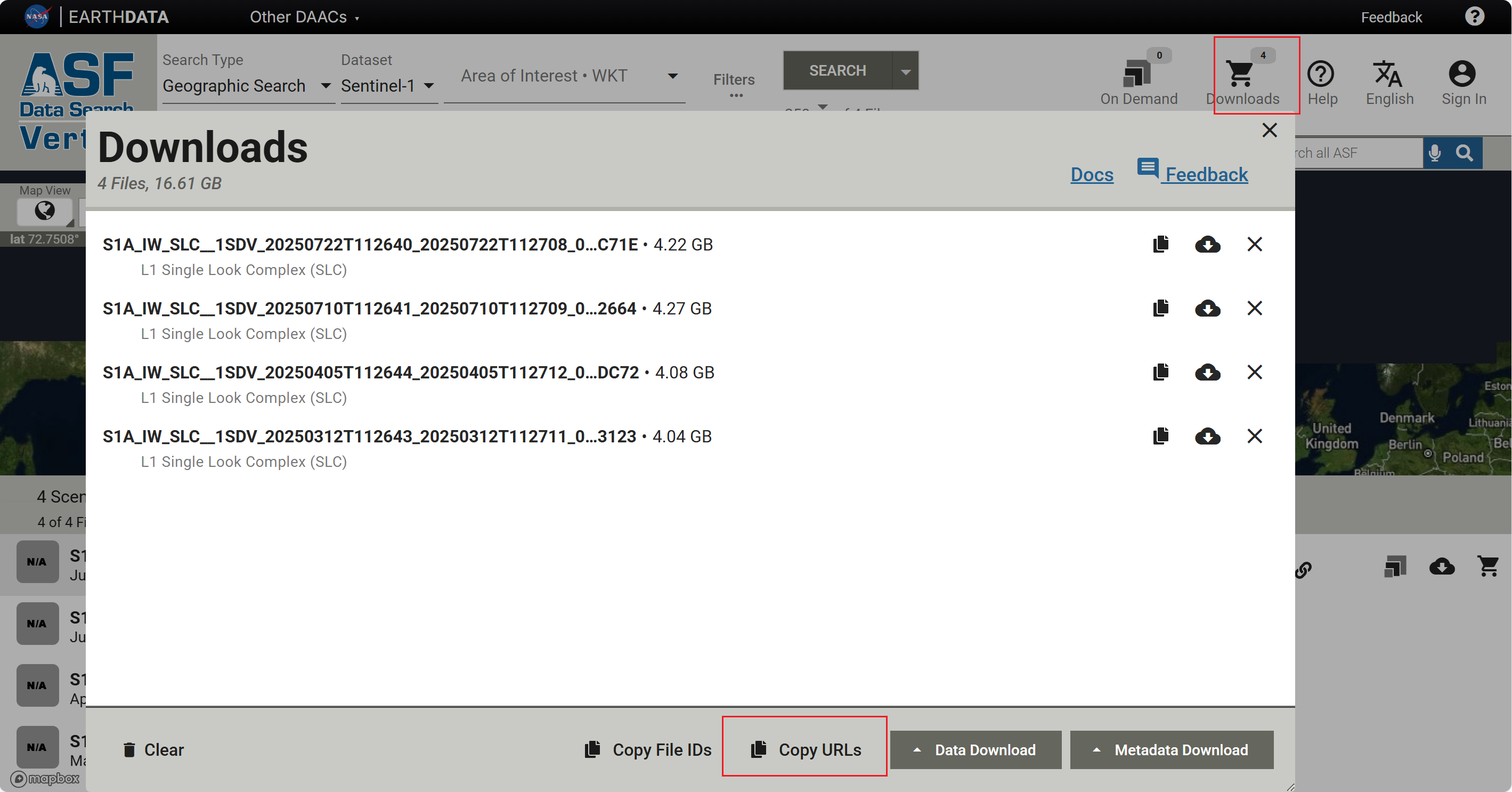
复制相应的链接,保存至urls.txt的文本文档中
sentinel_download_v03.bat中的内容:
@echo off
setlocal
REM Set the path to aria2c if it's not already in the system path
set ARIA2C_PATH=D:\install_packages\aria2\aria2c
REM Username and password
set USERNAME=*******
set PASSWORD=*******
REM Maximum number of concurrent downloads
set MAX_CONCURRENT_DOWNLOADS=5
REM Read each line from urls.txt and download concurrently with resume capability
"%ARIA2C_PATH%" -i urls.txt -x 16 -s 16 -j %MAX_CONCURRENT_DOWNLOADS% -c --http-user="%USERNAME%" --http-passwd="%PASSWORD%"
echo All download tasks completed.
endlocal
pause
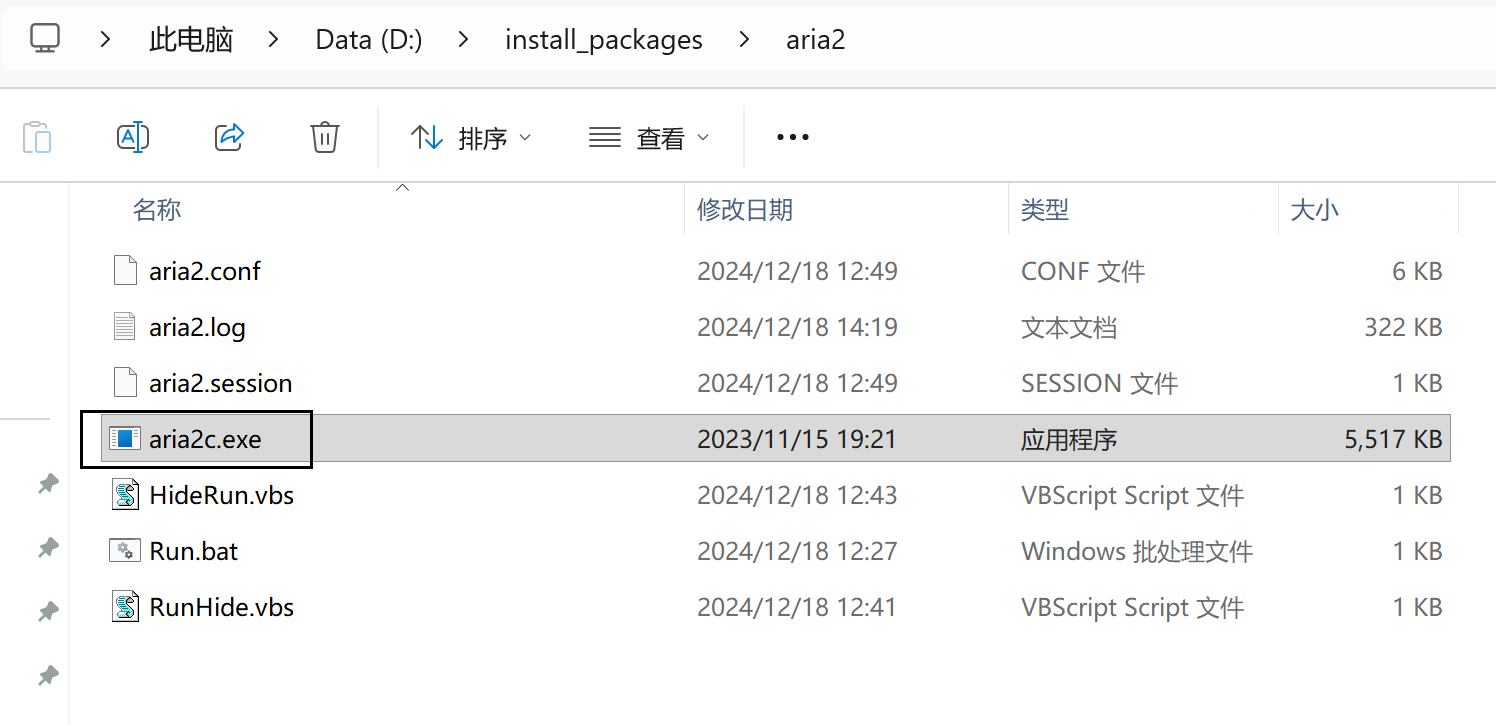
1、修改sentinel_download_v03.bat中的ARIA2C_PATH路径;修改个人账户和密码
2、在脚本路径下,准备好相应的urls.txt文档,里面为哨兵数据的下载链接
3、双击sentinel_download_v03.bat即可进行自行下载
二、欧空局下载
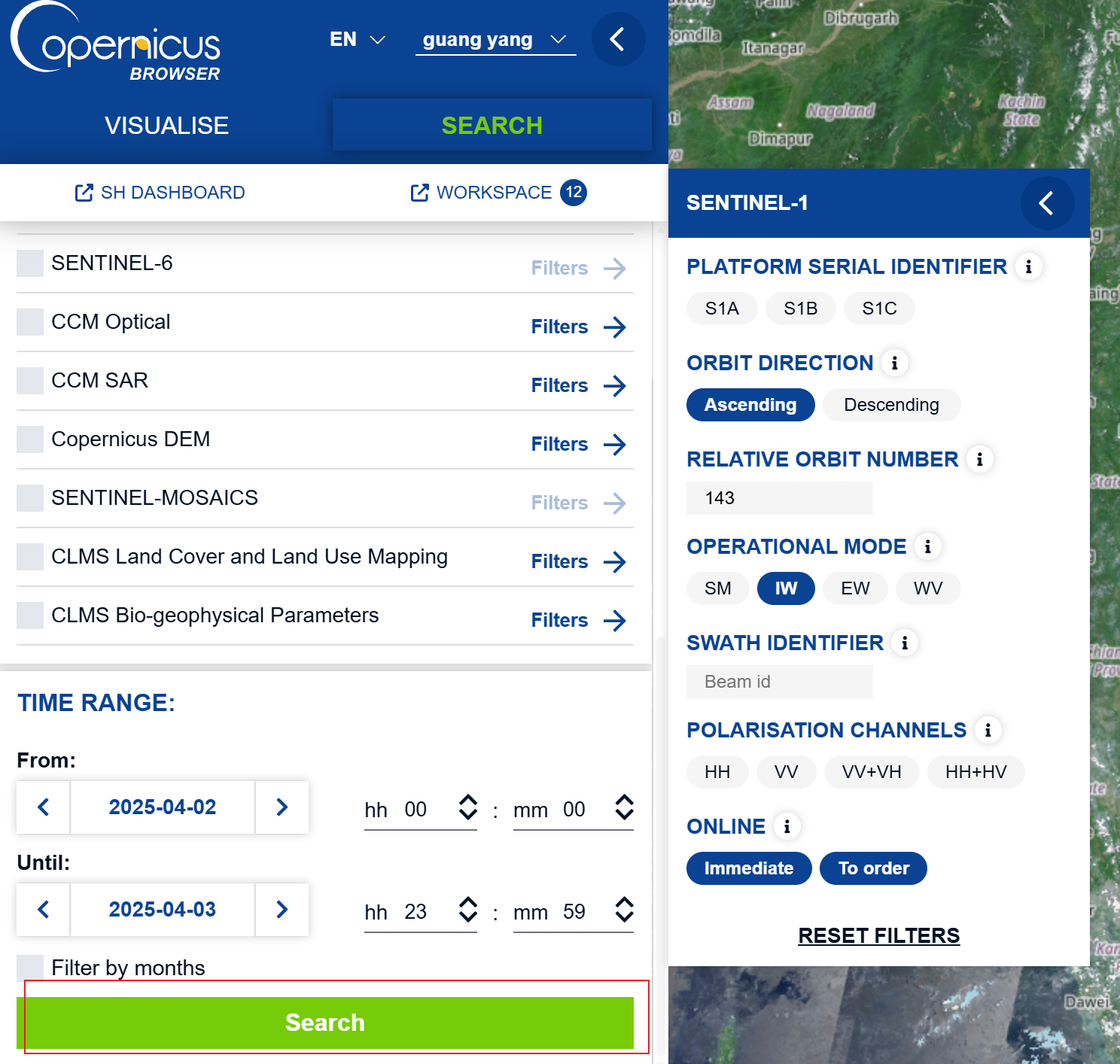
有些Sentinel-1 SAR数据在ASF上,检索不到(不知道为啥),下面演示在欧空局网站进行下载Sentinel-1C SAR数据,下载过Sentinel-2的小伙伴可能比较熟悉。
可参考:https://blog.csdn.net/qq_41159191/article/details/134076251
进入欧空局下载数据网址,登录用户;如果下载多景数据,可以在工作空间内进行批量下载。
下载速度慢,还可能下载失败
